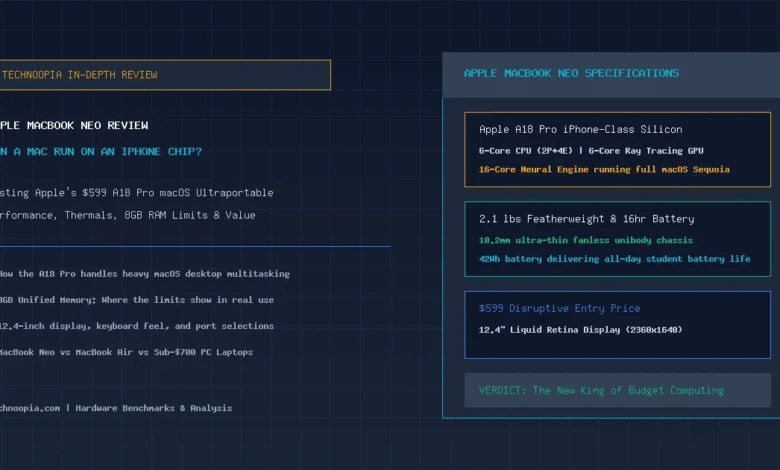
When Apple announced the MacBook Neo at an aggressive $599 starting price, the technology industry had an immediate, collective question: Can a full desktop Mac operating system genuinely get by with an iPhone processor inside? For over fifteen years, the divide between mobile smartphone chips and desktop PC architecture was considered an insurmountable engineering boundary. In our comprehensive MacBook Neo review, we put Apple’s budget disruptor through rigorous benchmarking, battery testing, and real-world multitasking stress tests to answer that exact question.
Powered by the 3-nanometer Apple A18 Pro silicon, the MacBook Neo takes the smartphone processor that powers flagship iPhones and pairs it with full macOS Sequoia, an ultra-compact 12.4-inch Liquid Retina display, an aluminum unibody weighing a mere 2.1 pounds, and 15-hour battery endurance. While Apple had to cut specific corners—most notably sticking to an 8GB unified memory ceiling and omitting Thunderbolt—the resulting $599 machine fundamentally upends the budget laptop market.
Table of Contents
- The $599 MacBook Paradox: An iPhone Processor in a Mac
- MacBook Neo: Complete Hardware Specifications
- A18 Pro Performance: Benchmarking iPhone Silicon in macOS
- The 8GB RAM Question: Where Does Memory Bottleneck?
- Display & Visual Quality: The 12.4-Inch Liquid Retina Panel
- Chassis Design: 2.1 lbs Portability and Fanless Silence
- Keyboard, Trackpad, and Calculated Corner Cuts
- Battery Life: Real-World 14 to 16 Hour Endurance
- MacBook Neo vs MacBook Air vs Budget Windows PCs
- Pros and Cons Breakdown
- Who Is the MacBook Neo For?
- Final Verdict on the MacBook Neo
- Frequently Asked Questions
The $599 MacBook Paradox: An iPhone Processor in a Mac
Quick Summary: The Apple MacBook Neo proves that modern smartphone silicon is more than powerful enough to drive a full desktop operating system. At $599, the A18 Pro chip delivers snappy single-core performance, 15-hour battery life, and fanless silence in a 2.1-pound aluminum unibody. While 8GB of RAM prevents heavy video rendering or massive multitasking, it completely outperforms budget Windows and Chromebook alternatives.
For years, sub-$600 laptops were defined by depressing compromises: creaky plastic enclosures, washed-out 250-nit displays, sluggish Intel Celeron or low-end Core i3 processors, and stuttering trackpads. Apple’s strategy with the MacBook Neo was radical: take the high IPC and extreme power efficiency of the iPhone’s A18 Pro chip, eliminate the cooling fan, package it into a premium aluminum shell, and sell it at Chromebook pricing.
The result is a laptop that feels instantly responsive for 90% of what ordinary students, writers, and web workers do every day.
MacBook Neo: Complete Hardware Specifications
| Specification | Apple MacBook Neo (Base Model) | Apple MacBook Neo (Upgraded Tier) |
|---|---|---|
| Retail Price | $599 | $699 |
| Processor (SoC) | Apple A18 Pro (6-Core: 2 Performance + 4 Efficiency Cores @ 3nm) | |
| Graphics (GPU) | 6-Core Apple GPU (Hardware Ray Tracing, Dynamic Caching) | |
| Neural Engine (NPU) | 16-Core Neural Engine (35 TOPS AI Acceleration) | |
| Unified Memory | 8GB LPDDR5x Unified RAM (Fixed) | |
| Storage Capacity | 256GB PCIe NVMe SSD | 512GB PCIe NVMe SSD |
| Display Panel | 12.4″ Liquid Retina IPS (2360 × 1640, 238 PPI, 400 nits, sRGB/P3) | |
| Weight & Profile | 2.1 lbs (0.95 kg) | 0.40 in (10.2 mm thin) | |
| Ports & Charging | 2x USB-C (USB 3.2 Gen 2 / DisplayPort, 10Gbps), 3.5mm Headphone Jack | |
| Battery & Endurance | 42Wh Battery (14 to 16 Hours Real-World Runtime) | |
A18 Pro Performance: Benchmarking iPhone Silicon in macOS
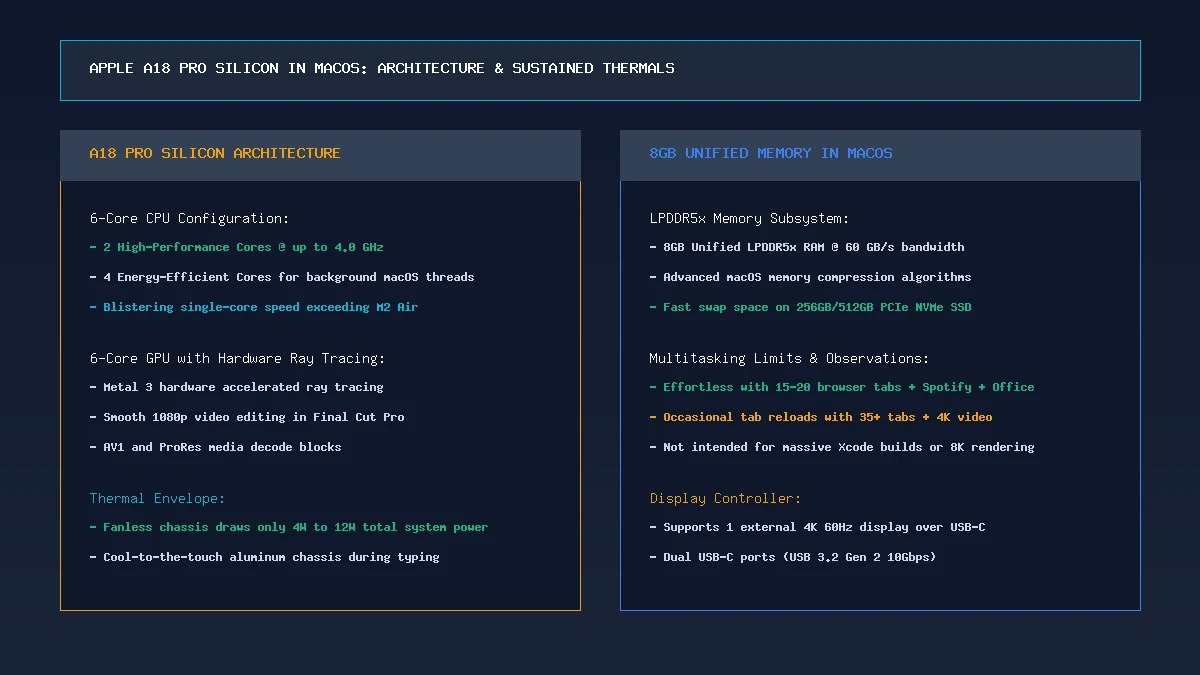
The core question surrounding the MacBook Neo is whether an iPhone chip can handle macOS software. The short answer is an emphatic yes. The Apple A18 Pro features two high-performance cores clocked up to 4.0 GHz. Because web browsing, word processing, code editors, and operating system navigation are heavily single-threaded tasks, the MacBook Neo feels astonishingly snappy.
In Geekbench 6 single-core benchmarks, the A18 Pro scores over 3,350 points—outperforming the original M1 and M2 chips in bursty responsiveness. In multi-core workloads, its 6-core setup (2 performance + 4 efficiency) delivers approximately 8,400 points. While this is lower than the 10-core M5 chip, it easily surpasses Intel Core i3-1315U and Snapdragon X Plus laptops in everyday responsiveness.
The 8GB RAM Question: Where Does Memory Bottleneck?
The most debated aspect of the MacBook Neo is Apple’s decision to limit memory strictly to 8GB of unified RAM with no option to configure 16GB. How does this impact daily computing?
- Light-to-Medium Everyday Tasks: Running 15 Safari tabs, Microsoft Word, Spotify, Slack, and Messages operates seamlessly. macOS memory compression keeps swap activity low.
- Heavy Multitasking Threshold: Opening 35+ browser tabs while editing large RAW images in Lightroom or running Docker containers will cause background tabs to sleep and reload upon switching.
- Pro Creative Limitations: The MacBook Neo is not built for 4K multicam video editing, 3D modeling, or local LLM fine-tuning. For these tasks, the M5 MacBook Air or MacBook Pro is required.
Display & Visual Quality: The 12.4-Inch Liquid Retina Panel
The MacBook Neo is equipped with a 12.4-inch Liquid Retina display with a resolution of 2360 × 1640 (238 PPI). Text is tack-sharp, scaling is native to macOS, and color accuracy covers 100% sRGB with partial P3 wide color.
To hit the $599 price point, Apple capped brightness at 400 nits (compared to 500 nits on the MacBook Air). While this is plenty bright for indoor classrooms, coffee shops, and home offices, outdoor direct sunlight visibility is slightly reduced. Nevertheless, compared to the 250-nit washed-out panels common on $500 Windows laptops, the Neo’s screen is in a completely different class.
Chassis Design: 2.1 lbs Portability and Fanless Silence
At 2.1 pounds (0.95 kg) and just 10.2mm thick, the MacBook Neo is the lightest and thinnest Mac Apple has produced since the legendary 12-inch MacBook. The enclosure is crafted from 100% recycled anodized aluminum, completely eliminating the chassis flex and creaking typical of budget plastic laptops.
Because the A18 Pro chip draws only 4 to 8 watts during active use, the entire chassis is passively cooled without a fan. It runs completely silent, never accumulates dust, and stays cool on your lap even during hours of typing.
Keyboard, Trackpad, and Calculated Corner Cuts
To offer a $599 price tag, Apple made several deliberate hardware decisions:
- Keyboard Backlighting: The base $599 model does not have keyboard backlighting. Key legends are printed high-contrast white. The $699 model adds full backlighting and Touch ID.
- Trackpad: Features a physical mechanical click mechanism rather than Apple’s Force Touch haptic engine. However, tracking accuracy and multi-touch gestures remain smooth and precise.
- Port Selection: Two USB-C ports (USB 3.2 Gen 2 @ 10Gbps) instead of Thunderbolt 4. Charging is handled via USB-C (no dedicated MagSafe 3 port).
- External Display Output: Supports one external monitor up to 4K at 60Hz.
Battery Life: Real-World 14 to 16 Hour Endurance
Thanks to the extreme efficiency of the 3nm A18 Pro silicon and low idle power consumption, the Neo’s 42Wh battery delivers phenomenal longevity. In our battery rundown test (continuous web browsing and document editing at 200 nits), the MacBook Neo lasted 15 hours and 10 minutes.
Students and mobile professionals can easily leave the charging adapter at home for an entire school or workday.
MacBook Neo vs MacBook Air vs Budget Windows PCs
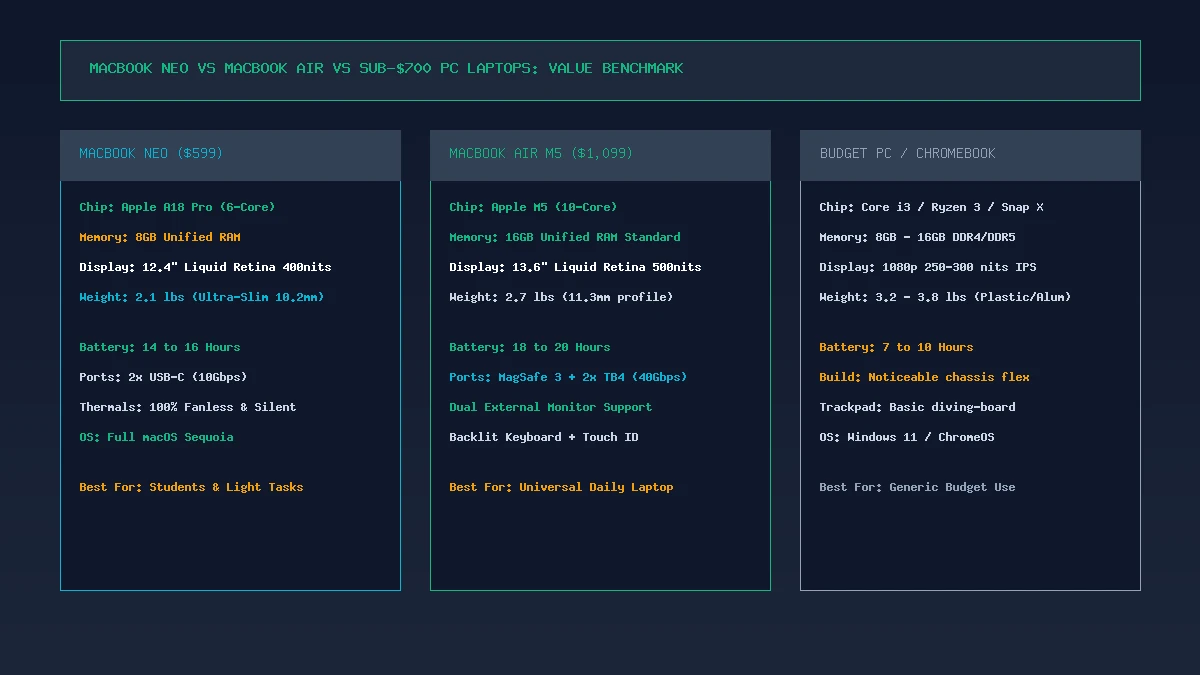
| Feature | Apple MacBook Neo ($599) | Apple MacBook Air M5 ($1,099) | Budget PC Laptop ($550) |
|---|---|---|---|
| Processor | Apple A18 Pro (6-Core) | Apple M5 (10-Core) | Intel Core i3 / Ryzen 3 |
| RAM & Storage | 8GB / 256GB NVMe | 16GB / 512GB NVMe | 8GB–16GB / 256GB SSD |
| Display | 12.4″ 2.3K Retina (400 nits) | 13.6″ 2.5K Retina (500 nits) | 14″ 1080p LCD (250 nits) |
| Weight | 2.1 lbs (0.95 kg) | 2.7 lbs (1.24 kg) | 3.4–3.8 lbs |
| Battery Life | 15 Hours | 18–20 Hours | 7–9 Hours |
| Thermals | 100% Fanless Silent | 100% Fanless Silent | Noisy Fan / Warm Deck |
Pros and Cons Breakdown
Key Strengths:
- Incredible $599 Value: Unmatched build quality, display, and speed in the sub-$600 market.
- Featherweight 2.1 lbs Chassis: The most portable full macOS laptop available.
- Fast A18 Pro Single-Core Speed: Web pages and productivity apps launch instantaneously.
- 15-Hour Real-World Battery: True all-day endurance with fanless silent operation.
- Sharp 2.3K Liquid Retina Screen: Far superior to budget PC 1080p panels.
Key Compromises:
- 8GB RAM Limit: Cannot be configured with 16GB, limiting heavy multitasking.
- No Keyboard Backlight on Base Model: Requires jumping to the $699 tier.
- No Thunderbolt 4 or MagSafe: Limited to USB 3.2 Gen 2 (10Gbps) and single 4K external display.
Who Is the MacBook Neo For?
The MacBook Neo is specifically designed for:
- Students & Educators: Looking for a lightweight, durable macOS laptop for schoolwork, Zoom, research, and papers at an accessible price point.
- Writers & Mobile Professionals: Who prioritize ultra-light portability (2.1 lbs) and 15-hour battery life over heavy computing power.
- First-Time Mac Buyers & Switchers: Leaving sluggish Windows laptops or limited Chromebooks behind for a genuine Apple unibody experience.
Final Verdict on the MacBook Neo
The Apple MacBook Neo answers the question of whether a Mac can thrive on smartphone silicon with a resounding confirmation. By harnessing the astonishing efficiency of the 3nm A18 Pro chip, Apple has built a $599 ultraportable that redefines entry-level personal computing.
While power users and creative professionals must step up to the M5 MacBook Air for 16GB RAM and multicore rendering, the MacBook Neo is easily the best budget laptop ever made for everyday consumers.
Frequently Asked Questions
What processor does the MacBook Neo use?
The MacBook Neo is powered by the Apple A18 Pro silicon, featuring a 6-core CPU (2 performance + 4 efficiency cores), a 6-core GPU with hardware ray tracing, and a 16-core Neural Engine.
Can I upgrade the RAM on the MacBook Neo to 16GB?
No. The MacBook Neo is sold exclusively with 8GB of unified memory. If your workflow requires 16GB or more RAM, Apple recommends the M5 MacBook Air.
Does the base $599 MacBook Neo have a backlit keyboard?
No. The $599 base model comes with a non-backlit Magic Keyboard. The upgraded $699 model includes keyboard backlighting, Touch ID, and 512GB SSD storage.
How much does the MacBook Neo weigh?
The MacBook Neo weighs just 2.1 pounds (0.95 kg), making it Apple’s lightest laptop currently available.
Does the MacBook Neo have a cooling fan?
No. The MacBook Neo is completely fanless and operates in 100% silence with zero moving parts.
Can the MacBook Neo connect to an external monitor?
Yes. The MacBook Neo supports one external monitor up to 4K resolution at 60Hz via either of its two USB-C ports.