
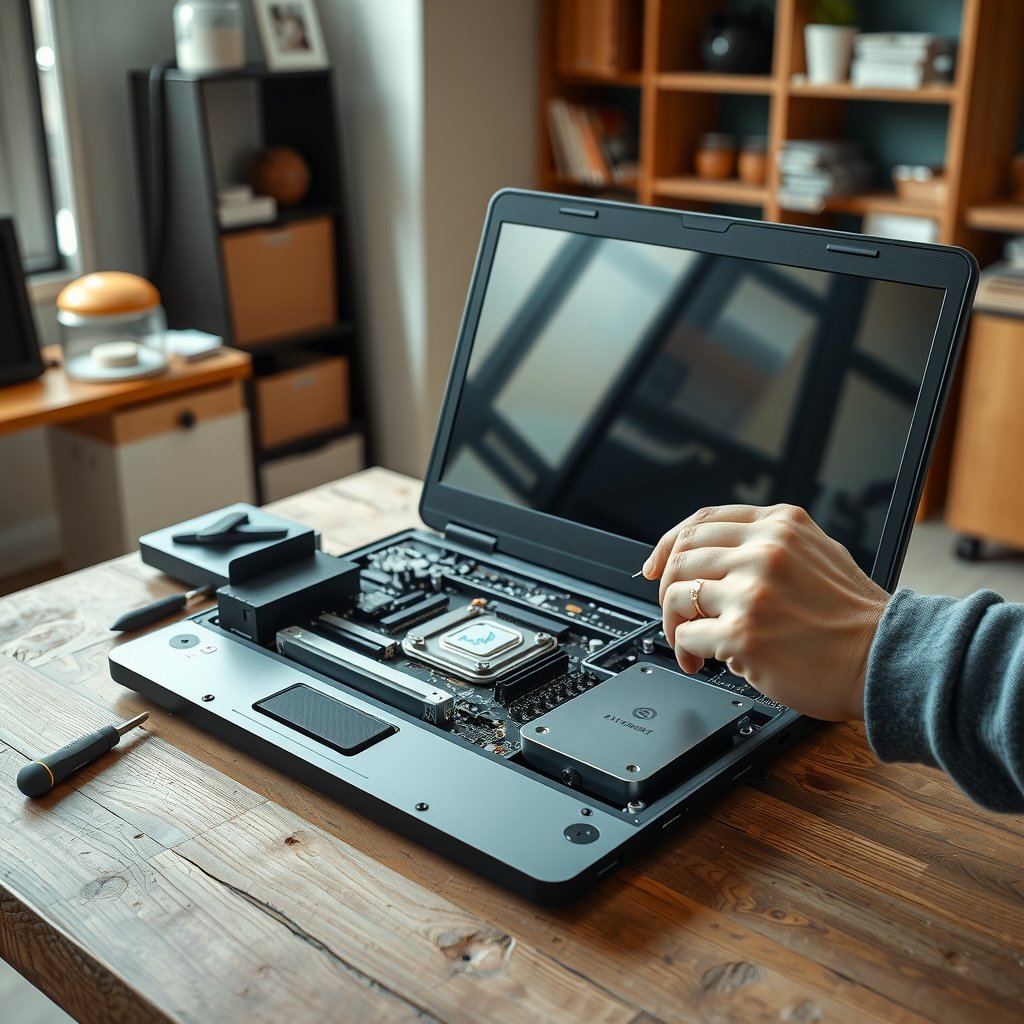
The Framework Laptop 16 review question is less about whether this is the fastest large laptop and more about whether its modular approach improves ownership. Framework’s 16-inch notebook combines upgradeable memory and storage with removable keyboard sections, replaceable expansion cards, and an optional discrete graphics module. That makes it unusually flexible, but also larger, more complex, and potentially more expensive than conventional performance laptops.
This review explains the Framework Laptop 16 modular design, upgradeability, repairability, display, gaming performance, battery behavior, and long-term value. It also separates the features that genuinely extend the laptop’s useful life from the compromises that buyers should understand before ordering.
Editorial disclosure: Technoopia has not independently tested this device. This is a source-based buying analysis using official specifications and the cited documentation. Performance, battery life, pricing, and availability can vary by configuration and market.
Table of Contents
- Framework Laptop 16 review: the short version
- Modular design and upgradeability
- Performance and graphics
- Display, keyboard, and build
- Battery life and thermals
- Repairability and long-term ownership
- How it compares with conventional laptops
- Who should buy the Framework Laptop 16?
- Key takeaways
- Frequently Asked Questions
- Final verdict
Framework Laptop 16 review: the short version
The Framework Laptop 16 is one of the most ambitious modular laptops available. Its mainboard, RAM, SSD, wireless card, battery, keyboard, input modules, and expansion cards are designed to be removed or replaced with ordinary tools and clear documentation. The optional graphics module adds a discrete GPU without permanently integrating that hardware into the main chassis.
That flexibility is the laptop’s defining advantage. A user can replace a failed keyboard, add storage, change the port layout, or potentially move to a newer graphics module instead of replacing the entire computer. Framework also publishes official Framework Laptop 16 product information, including current configuration and availability details.
However, modularity does not make every component universal. Replacement parts must be available, future graphics modules must be electrically and thermally compatible, and the large chassis still has to accommodate cooling hardware and a powerful battery. The Framework Laptop 16 is therefore best viewed as a repairable performance platform, not a guarantee of unlimited upgrades.
What the Framework Laptop 16 does best
- Flexible configuration: users can choose memory, storage, operating system, expansion cards, and input modules rather than accepting one fixed design.
- Accessible repairs: the laptop is built around removable panels, labeled components, and published repair information.
- Meaningful graphics modularity: the discrete graphics module can be separated from the main laptop rather than being soldered directly to the motherboard.
- Long-term potential: common wear items and some performance components are less disposable than they are on many thin laptops.
Where it falls short
- Size and weight: this is a substantial 16-inch performance laptop, especially with discrete graphics installed.
- Cost: modular parts and a relatively low-volume design can make the total system cost difficult to compare with mass-market rivals.
- Battery expectations: high-performance processors and graphics hardware consume considerably more power during demanding work or gaming.
- Upgrade uncertainty: future modules depend on Framework continuing to design, manufacture, and support them.
Framework Laptop 16 modular design and upgradeability
The Framework Laptop 16 modular design operates at several levels. Some changes are familiar to anyone who has opened a laptop, such as replacing the M.2 solid-state drive or installing more memory. Other changes are unusual: the keyboard deck can accept different input modules, and the sides of the computer use swappable expansion cards.
That distinction matters. A laptop with replaceable RAM and storage is useful, but not revolutionary. The Framework goes further by treating the layout around the keyboard and ports as configurable hardware rather than fixed decoration.
Upgradeable memory and storage
Framework sells the Laptop 16 in configurations that allow users to choose their own memory and storage. Buyers should check the exact generation and configuration before purchasing, but the general advantage is clear: a smaller SSD or memory configuration does not necessarily lock the owner into it for the life of the laptop.
This is particularly valuable for creative work, software development, virtual machines, and large game libraries. Someone who starts with a modest SSD can replace it later, while a buyer who needs more memory can select a compatible higher-capacity kit instead of replacing the entire system.
There are still practical limits. Memory and storage have to meet the platform’s compatibility requirements, and opening the laptop does not eliminate the need for backups, careful handling, or electrostatic-discharge precautions. An upgrade is also worthwhile only if the processor, cooling system, and graphics performance remain suitable for the workload.
Expansion cards and input modules
The expansion-card system lets owners choose which ports are installed along the laptop’s sides. Depending on the cards offered for the relevant generation, this can include connections such as USB-C, USB-A, display output, storage, or networking. It is a practical way to avoid carrying adapters for every situation, although the available card mix and bandwidth should be checked before ordering.
The keyboard area is more distinctive. The central keyboard and touchpad can be repositioned, and additional modules can fill the surrounding spaces. Owners may choose a numeric keypad, alternative input hardware, or blank spacers, depending on the available options and their preferred layout.
This is useful for people whose needs change. A developer might prefer a centered keyboard, a finance worker might want a number pad, and a musician or enthusiast might value the ability to experiment with custom modules. It is not the same as having a limitless accessory ecosystem: unusual modules may be expensive or unavailable, and each layout change takes more effort than plugging in a peripheral.
The removable graphics module
The graphics module is the feature that most clearly separates the Framework Laptop 16 from ordinary upgradeable notebooks. In supported configurations, discrete graphics hardware is placed in a removable module at the rear of the chassis rather than being permanently soldered to the mainboard.
The original discrete graphics option was based on AMD Radeon RX 7700S hardware. Framework has also introduced newer graphics-module options over the product’s life, so buyers should confirm the current catalogue, regional availability, operating-system support, and compatibility with their chosen mainboard before treating an upgrade as a future purchase.
A removable GPU is valuable even when an owner never upgrades it. A failed module may be easier to replace than a complete motherboard, and a user who no longer needs gaming performance may be able to use a less power-hungry configuration. The concept also creates a path for future performance improvements that most laptops simply do not offer.
But the graphics module is not a desktop graphics card. It remains constrained by the laptop’s power delivery, cooling, physical connector, firmware, and chassis design. There is no guarantee that every future GPU will be offered or that a later module will provide a dramatic improvement. Framework Laptop 16 upgradeability is real, but it is governed by a product ecosystem rather than by an open universal standard.
Framework Laptop 16 performance and gaming
Framework Laptop 16 performance depends heavily on configuration. A model using integrated graphics is aimed primarily at productivity, coding, office work, content consumption, and lighter creative workloads. A model with the discrete graphics module is a more credible gaming and GPU-accelerated creation machine, but it also draws more power and produces more heat.
The AMD Ryzen processor platform gives the laptop a strong foundation for demanding multitasking. Applications such as code editors, browser-heavy research, photo editing, and moderate video production should benefit from the processor’s multi-core capability. Actual results vary with memory capacity, software optimization, cooling behavior, and the specific graphics module installed.
Framework Laptop 16 gaming review: what to expect
The Framework Laptop 16 gaming review verdict is straightforward: the discrete-GPU version is suitable for modern PC gaming, but it should not be judged as though it were a desktop replacement with unlimited thermal headroom. Performance will vary by game, resolution, quality preset, driver version, and whether the system is connected to AC power.
The high-refresh display can make compatible games feel smoother, while the discrete graphics module provides substantially more rendering capability than integrated graphics. For demanding new games, sensible settings may include reducing resolution, using an upscaling mode where supported, or selecting a balanced quality preset rather than pursuing maximum details in every title.
Competitive games and older releases are generally a better match for high frame rates than the most demanding cinematic games. Users interested in ray tracing should be especially realistic: enabling advanced lighting effects can reduce frame rates substantially, and the best settings depend on the particular GPU module.
For creative applications, the discrete GPU may help with rendering, effects, simulation, and video workflows that support GPU acceleration. The benefit depends on the software and its preferred graphics API, so a buyer should check application requirements rather than assuming that any discrete GPU will accelerate every task.
Integrated graphics or discrete graphics?
| Configuration | Best suited to | Main advantage | Main compromise |
|---|---|---|---|
| Integrated graphics | Office work, programming, web use, media, and lighter creative tasks | Lower power use, lower cost, and less heat than a discrete-GPU configuration | Limited gaming and GPU-compute performance in demanding workloads |
| Discrete graphics module | PC gaming, 3D work, rendering, and GPU-accelerated applications | Much stronger graphics capability and a possible replacement path | More heat, fan noise, power consumption, and system cost |
| Future replacement module | Owners who want to extend the platform later | Potentially avoids replacing the whole laptop | Availability, compatibility, price, and performance gains are not guaranteed |
This makes the Framework Laptop 16 more adaptable than a fixed thin-and-light notebook, but it does not automatically make it a better gaming value than every conventional gaming laptop. Conventional machines may offer faster components or more aggressive cooling for the money during sales. Framework’s advantage is the ownership model and the option to change major parts later.
Framework Laptop 16 display, keyboard, and build
The Framework Laptop 16 display is designed for a balance between workspace and smooth motion. The 16-inch panel uses a tall 16:10 shape and a high refresh rate, which gives documents and timelines more vertical room than a typical 16:9 screen. The refresh rate is useful for gaming and for making scrolling feel more fluid.
As with any laptop display, buyers should look beyond refresh rate. Colour coverage, brightness, response time, calibration, and viewing conditions affect whether the screen is suitable for photo or video work. Framework’s current specifications can change across configurations and production revisions, so professionals should verify the panel details before relying on it for colour-critical delivery.
The large screen and modular deck make the laptop comfortable for multitasking. A full-size layout can be helpful for spreadsheets and development, while the option to reposition the keyboard addresses a common ergonomic complaint: many large laptops place the keyboard noticeably off-centre because of a number pad.
That flexibility comes with a learning curve. Modules must be installed correctly, and a layout with gaps or spacers may not feel as seamless as a conventional keyboard deck. People who never intend to change the layout may prefer the simplicity of a fixed design.
Build quality is best understood through serviceability rather than thinness. The chassis is engineered to be opened and reassembled, so it does not pursue the same minimal profile as an ultraportable. The result feels more like a maintainable workstation than a disposable fashion accessory, which is a benefit for some buyers and a drawback for those who prioritize portability above all else.
Framework Laptop 16 battery life and thermals
Framework Laptop 16 battery life is highly configuration-dependent. The integrated-graphics version should generally be more efficient than a model with discrete graphics, but screen brightness, refresh rate, background processes, browser tabs, wireless activity, and operating-system power settings all influence runtime.
Gaming on battery is a different scenario from writing or browsing. Modern games can push both the processor and graphics hardware hard, and many performance laptops reduce speed away from the charger. For consistent frame rates, the Framework Laptop 16 should be treated as a plug-in gaming machine rather than a console-style portable.
Thermal behavior follows the same pattern. The system needs substantial cooling capacity to support a high-performance processor and optional discrete graphics in a relatively mobile enclosure. Fan noise under sustained workloads is normal, and the bottom panel may become uncomfortable on a lap when the system is rendering, compiling, or gaming.
Users can improve day-to-day endurance by using a lower refresh rate when maximum smoothness is unnecessary, selecting an appropriate operating-system power mode, reducing background applications, and choosing integrated graphics when they do not need GPU performance. These measures do not turn the laptop into an ultrabook, but they make its performance-versus-portability trade-off easier to manage.
Battery capacity and replacement availability should be checked for the exact model and market. The ability to replace a worn battery is a major ownership advantage, but a replacement still costs money and may become harder to find as a platform ages.
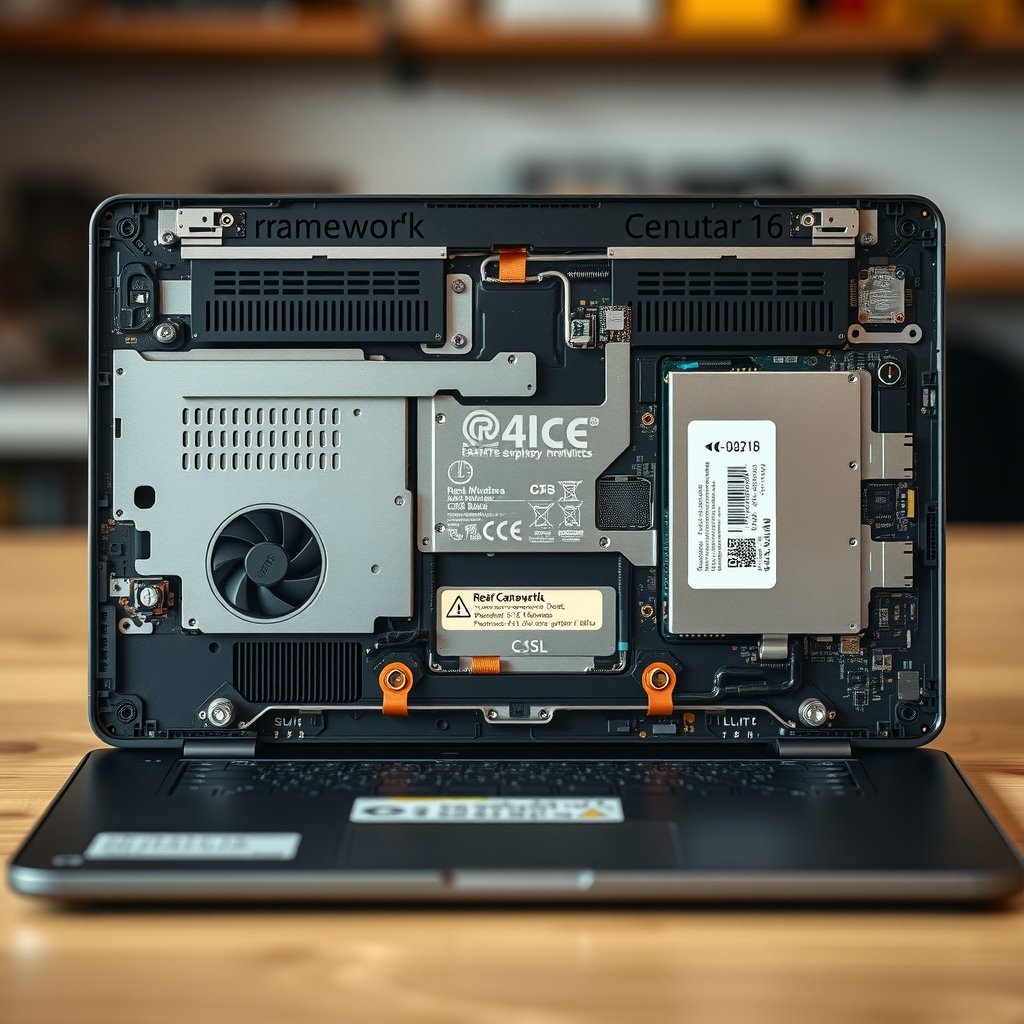
Framework Laptop 16 with its rear graphics module removed, showing the cooling vents, battery area, and internal modular connectors during a
Framework Laptop 16 repairability
Framework Laptop 16 repairability is one of its strongest reasons to buy. The company publishes service information, and the internal layout is intended to let owners reach replaceable parts without treating the entire machine as a sealed unit. iFixit’s Framework Laptop 16 device resources provide another useful reference for owners planning maintenance or repairs.
Repairability has practical value beyond saving a few minutes. A broken port, damaged input module, worn battery, failed fan, or cracked display can otherwise turn a functioning computer into expensive electronic waste. If a part can be purchased and replaced independently, the owner has more options: repair it, use a local technician, or keep the machine as a source of parts.
What owners can realistically repair or replace
- Storage: an M.2 SSD can be replaced or upgraded, subject to compatibility and physical requirements.
- Memory: supported memory modules can be changed when the chosen platform uses replaceable RAM.
- Battery: a worn battery is a service item rather than an unavoidable reason to discard the laptop.
- Keyboard and input modules: individual modules can be removed and replaced or rearranged.
- Expansion cards: port selection can be changed as needs evolve.
- Display and other internal parts: service is more plausible than on many sealed notebooks, although the task still requires care and the correct replacement part.
Repairability does not mean repair is risk-free. A stripped screw, damaged cable, misplaced spacer, or incorrect replacement can create a new fault. Owners should use the official instructions, work on a clean surface, keep track of screws, shut the machine down fully, and back up important data before opening it.
The most important long-term question is parts support. A repair-friendly design helps only when batteries, screens, fans, keyboards, graphics modules, and other components remain available at reasonable prices. Framework’s track record and commitment to publishing repair information are encouraging, but buyers should not assume perpetual stock or universal cross-generation compatibility.
For more context on why repairable electronics matter, the U.S. Environmental Protection Agency’s electronics recycling guidance explains the value of extending device life and handling unwanted electronics responsibly. Repair is not the only environmental solution, but keeping a useful laptop in service usually avoids an unnecessary replacement.
Framework Laptop 16 compared with conventional laptops
A meaningful comparison depends on what the buyer values. A conventional 16-inch gaming laptop may deliver a stronger graphics processor, a faster panel, or a lower sale price. A premium productivity laptop may be thinner, quieter, and lighter. The Framework Laptop 16 competes by making more of the machine changeable and serviceable.
| Priority | Framework Laptop 16 | Typical fixed-design performance laptop |
|---|---|---|
| Memory and storage changes | Designed to be user-accessible in supported configurations | May offer one or both upgrades, but many thin models solder some components |
| Port flexibility | Swappable expansion cards allow the layout to change | Ports are normally fixed at purchase |
| Keyboard layout | Modular sections offer more layout options | Usually one fixed keyboard and touchpad arrangement |
| Graphics replacement | Supported configurations use a removable graphics module | Discrete GPU is usually integrated into the motherboard |
| Repair approach | Designed around owner access and published service information | Repairability ranges from good to very difficult by model |
| Value over time | Potentially stronger if parts and future modules remain available | Often simpler to compare at the initial purchase price |
| Portability | Large and performance-oriented | Can be thinner or lighter, depending on the model |
This table is intentionally qualitative. There is no single “typical” gaming laptop, and prices, component choices, and repair policies vary widely. The Framework Laptop 16 should be compared against a specific alternative with the same processor class, GPU tier, memory, storage, warranty, and display quality.
Is Framework Laptop 16 worth buying?
Is Framework Laptop 16 worth buying? For the right owner, yes. It is particularly compelling if you plan to keep a laptop for many years, value the ability to repair your own equipment, need a configurable port layout, or want a high-performance notebook that is less disposable than most rivals.
Buy it if you value ownership flexibility
- You want to select or replace RAM and storage without replacing the whole computer.
- You regularly change between USB, display, storage, and other connectivity needs.
- You want the option of a discrete graphics module but do not want the GPU permanently tied to the motherboard.
- You are comfortable following repair guides and handling components carefully.
- You prefer a repairable, customizable system over the thinnest possible 16-inch laptop.
- You plan to keep the machine long enough for a battery, keyboard, port, or storage replacement to matter.
Choose something else if your priorities are different
- You need the lightest or quietest laptop for frequent travel.
- You want the highest gaming performance available at a sale price and do not care about future repair options.
- You need guaranteed access to a particular professional GPU or workstation certification.
- You dislike opening electronics or have no interest in configurable keyboard modules.
- You need outstanding battery endurance during sustained high-performance work.
- You require a very specific display specification and Framework’s current panel does not meet it.
Before ordering, calculate the complete configuration rather than focusing on the base model. Include the memory, SSD, operating system, expansion cards, graphics module, charger, and any input modules you actually need. Then compare that total with similarly equipped gaming and creator laptops, including their warranty terms and upgrade limitations.
It is also worth checking current parts availability in your country. The value proposition is strongest when replacement modules are easy to obtain and shipping costs are reasonable. A modular laptop bought in a region with limited parts support may be less attractive than the same laptop sold into Framework’s strongest markets.
Key takeaways
- The Framework Laptop 16 is a modular performance notebook, not a thin ultrabook.
- Its strongest features are accessible repairs, replaceable memory and storage, swappable ports, and a removable graphics module.
- The graphics module can make the system more flexible, but future upgrades depend on compatible products actually being released and sold.
- Gaming performance is credible with discrete graphics, while integrated graphics is the more sensible choice for efficiency and lower cost.
- Battery life and fan noise vary significantly by configuration and workload; demanding gaming is best done while plugged in.
- The display and modular keyboard design suit multitasking, but buyers should verify current panel specifications and layout options.
- The laptop is most compelling for long-term owners who value repairability more than minimum size, weight, or initial price.
Frequently Asked Questions
Is the Framework Laptop 16 fully upgradeable?
No laptop is fully upgradeable in the desktop sense. The Framework Laptop 16 offers unusually broad access to its memory, storage, battery, input modules, expansion cards, and, in supported configurations, discrete graphics module. The processor and mainboard remain platform-specific, and future graphics upgrades depend on Framework producing compatible modules. Always check the compatibility information for the exact generation before buying a part.
Can you replace the Framework Laptop 16 graphics module?
Yes, supported configurations are designed around a removable graphics module rather than a permanently soldered discrete GPU. That makes replacement more practical than on most gaming laptops. It does not mean that any desktop or laptop GPU can be installed. The replacement must be a module designed for the Framework platform, and availability, firmware support, cooling, power requirements, and price all matter.
Is the Framework Laptop 16 good for gaming?
With the discrete graphics module, it is suitable for modern PC gaming and can take advantage of its high-refresh display. Results vary by game, graphics settings, resolution, drivers, and power mode. It is not automatically the fastest gaming laptop for the money, especially during discounts on conventional models. Its appeal is the combination of gaming capability and a more serviceable design.
How is Framework Laptop 16 battery life?
Battery life depends on whether the laptop uses integrated or discrete graphics, along with screen settings and workload. Web browsing, writing, and light productivity should use substantially less power than gaming, rendering, or compiling large projects. Discrete-graphics models are best treated as plug-in performance systems during demanding work. Check reviews and the manufacturer’s current specifications for the exact configuration you intend to purchase.
Is the Framework Laptop 16 easy to repair?
It is more repair-oriented than most performance laptops. Framework provides service information, and many key components are designed to be removable rather than sealed or soldered in place. “Easy” still depends on the repair: replacing an SSD is simpler than servicing a display or motherboard. Work carefully, follow the relevant guide, and confirm that the required replacement part is available before opening the machine.
Does the Framework Laptop 16 come with RAM and storage?
Configuration depends on whether you choose a pre-built system or a DIY option. Framework has offered configurations where buyers select memory and storage, while DIY versions require the owner to supply or install some components. Confirm the current listing before ordering, especially if you need an operating system, a particular SSD capacity, or a specific memory configuration.
Who should avoid the Framework Laptop 16?
It may be a poor fit for shoppers who want the lightest 16-inch computer, the longest possible unplugged runtime, or the most aggressive gaming performance at the lowest sale price. It also requires more attention to parts, configuration, and long-term availability than a conventional laptop. If you do not value repairability or modularity, a simpler fixed-design alternative may offer better immediate value.

Framework Laptop 16 configured for two use cases on the same desk, with one layout showing a centered keyboard for coding and another showin
Final verdict
This Framework Laptop 16 review finds a machine with a clear purpose: it gives owners more control over the laptop’s configuration, maintenance, and useful life. The modular keyboard and expansion cards are practical differentiators, while the removable graphics module gives the platform an upgrade path that conventional gaming laptops rarely provide.
The compromises are equally clear. It is large, performance-focused, and not always the cheapest route to a given level of gaming performance. Battery life, fan noise, and future upgrade value depend on the chosen configuration and on Framework’s continued supply of compatible parts.
For buyers who want a repairable, customizable computer and intend to keep it for years, the Framework Laptop 16 is one of the most interesting performance laptops available. Before purchasing, configure it with the parts you need, compare the total cost against similarly equipped alternatives, and confirm local parts availability. That check will tell you whether its modular design is a genuine long-term advantage for your use case or simply an appealing feature you may never use.