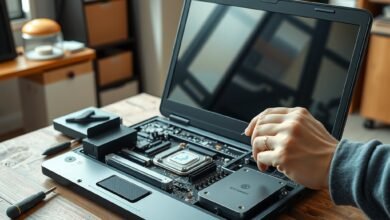
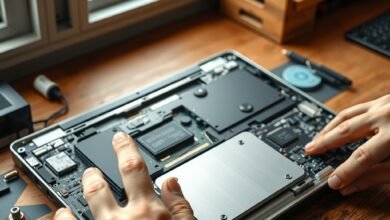
Surface Laptop Ultra is being discussed as a possible new class of Microsoft computer: a premium Windows ARM laptop paired with NVIDIA graphics hardware designed for demanding local workloads. The concept matters because current ARM laptops usually prioritize battery life and efficiency, while workstation-class graphics systems have traditionally relied on x86 processors and discrete GPUs.
Public information remains limited, and the product should be treated as reported hardware rather than a fully confirmed retail machine. This guide separates what has been reported from what is still unknown, explains why an RTX Spark ARM PC would be significant, and shows how to evaluate the Microsoft Surface Laptop Ultra against established Windows workstations and the MacBook Pro.
Table of Contents
- What Is Surface Laptop Ultra?
- What RTX Spark Could Mean for ARM PCs
- Known and Unknown Details
- Why This Microsoft ARM PC Matters
- Surface Laptop Ultra vs MacBook Pro
- Software Compatibility and Windows ARM Risks
- Best Use Cases and Likely Limitations
- Should You Wait for It?
- Key Takeaways
- Frequently Asked Questions
What Is Surface Laptop Ultra?
The Surface Laptop Ultra is the reported name for a high-end Surface computer that could combine an ARM-based system processor with NVIDIA RTX Spark graphics technology. That would place it above Microsoft’s conventional Surface Laptop range in ambition, even though the final name, configuration, price, and release plans have not been publicly established in the available reporting.
The central idea is straightforward: use the efficiency and integration benefits associated with ARM while providing much stronger graphics and compute capability than typical Windows ARM laptops. In theory, that could produce a thin mobile workstation for developers, creators, engineers, and AI users who want long battery life without giving up CUDA-capable NVIDIA hardware.
An Ars Technica report on NVIDIA’s RTX Spark processor connected the technology with a possible Microsoft Surface design. That report is the basis for much of the current discussion, but it should not be confused with a complete Microsoft product announcement.
In practical terms, the Microsoft Surface Laptop Ultra remains a product to watch rather than a system buyers can confidently spec today. Until Microsoft publishes a product page, technical documentation, or launch announcement, details such as the processor model, GPU configuration, memory ceiling, ports, screen size, and battery capacity are unresolved.
Reported product positioning
The “Ultra” label suggests a flagship device rather than a routine refresh of the Surface Laptop. Microsoft could position it as a professional notebook, a mobile workstation, or a premium developer machine. Those categories overlap, but they have different requirements: a creator needs sustained GPU performance, a developer may prioritize toolchain compatibility, and an executive may care more about quiet operation and battery life.
That distinction matters because a powerful ARM laptop is not automatically a workstation. Sustained cooling, driver support, application compatibility, memory bandwidth, and expansion options will determine whether the Surface Laptop Ultra can compete with established professional systems.
What RTX Spark Could Mean for ARM PCs
The reported NVIDIA RTX Spark processor is significant because it points toward NVIDIA participating more directly in the ARM PC market. Rather than treating ARM as a low-power alternative for basic notebooks, this approach could combine an ARM CPU with NVIDIA’s graphics, AI, and professional software ecosystem in a single high-end platform.
That is different from simply adding a conventional discrete GPU to an ARM laptop. A complete NVIDIA ARM PC platform would need firmware, drivers, operating-system support, application libraries, power-management behavior, and developer tools that work together. The quality of that integration will matter as much as the theoretical performance.
Why GPU acceleration is important
Many professional applications can use a GPU for tasks that would otherwise run on the CPU. Examples include 3D rendering, video effects, scientific visualization, machine-learning inference, image processing, and some software-development workloads. NVIDIA’s ecosystem is especially relevant to applications that depend on CUDA or related acceleration libraries.
However, “RTX” does not guarantee that every application will run faster. Performance depends on native ARM support, the application’s graphics API, driver maturity, thermal limits, and whether the workload benefits from GPU acceleration in the first place.
For example, a video editor may see meaningful gains in GPU-accelerated effects but little benefit during ordinary text editing. A developer compiling a large project may be limited by CPU performance, storage speed, or build-system behavior instead of graphics power. The RTX Spark ARM PC concept is therefore most compelling for mixed workloads, not as a universal solution.
The ARM and NVIDIA trade-off
ARM processors can offer strong performance per watt, but the broader Windows ARM ecosystem has historically been less predictable than the x86 Windows market. NVIDIA graphics could address one major weakness—professional GPU capability—while introducing a new set of questions about driver versions, application binaries, and power consumption.
A successful platform would need to make those complexities invisible to most users. If the system requires frequent compatibility troubleshooting, it may appeal mainly to technical buyers. If applications install and behave like they do on a conventional Windows workstation, the platform could become much more compelling.
What Is Known and What Is Still Unknown
The current discussion provides a direction, not a complete specification sheet. Readers should be cautious with social posts or retailer listings that present unverified memory options, benchmarks, pricing, or release dates as settled facts.
| Category | What can reasonably be said | What remains unconfirmed |
|---|---|---|
| Product identity | The Surface Laptop Ultra name is associated with reporting about a premium Microsoft ARM computer. | Whether Microsoft will use that name for a shipping product. |
| CPU architecture | The concept is centered on ARM rather than a conventional x86-only design. | The exact CPU architecture, core layout, manufacturer, clock behavior, and performance. |
| Graphics | The reported design is linked to NVIDIA RTX Spark technology. | The exact GPU configuration, graphics power limit, ray-tracing capability, and driver release schedule. |
| Operating system | Windows is the expected software environment for a Microsoft Surface computer. | The Windows edition, special platform features, and final support matrix. |
| Display and chassis | A premium Surface design would likely emphasize portability and build quality. | Screen size, resolution, refresh rate, weight, materials, ports, and repairability. |
| Availability | No reliable buying decision can be based on the current reports alone. | Launch date, regions, configurations, pricing, warranty, and retail availability. |
This distinction is useful when evaluating coverage. A report may establish that NVIDIA is pursuing high-end ARM PC hardware without confirming that Microsoft will ship a particular Surface Laptop Ultra configuration. Until both companies provide final documentation, treat performance claims and product photographs as provisional.
Why This Microsoft ARM PC Matters
Microsoft has already helped make Windows on ARM more visible through Surface laptops and other Windows devices. Those machines have shown that ARM can support everyday productivity, standby efficiency, and thin designs. The next test is whether ARM can serve users who rely on specialist software and sustained performance.
The Surface Laptop Ultra could be important for three reasons.
- It could broaden Windows ARM’s audience. Developers, designers, engineers, and technical professionals are more likely to consider ARM if they can use serious graphics hardware.
- It could pressure Intel and AMD. A credible high-end ARM workstation would increase competition in performance-per-watt, platform integration, and mobile graphics.
- It could give NVIDIA a larger PC role. NVIDIA has a strong software and accelerator ecosystem, but a broad consumer-facing ARM PC platform would represent a different kind of market presence.
The opportunity is not limited to laptop speed. A well-designed platform could offer quieter operation, longer unplugged sessions for light work, fast local AI processing, and better graphics performance than most thin ARM notebooks. Those advantages would only matter if the machine remains dependable across ordinary Windows software.
There is also a strategic question. Apple controls both its ARM silicon and macOS, allowing it to coordinate hardware and software closely. Microsoft does not control every layer of the Windows PC ecosystem in the same way. A Microsoft ARM PC using NVIDIA hardware could demonstrate how far a multi-company platform can be optimized.
Surface Laptop Ultra vs MacBook Pro
The Surface Laptop Ultra vs MacBook Pro comparison is likely to attract attention because both products could target mobile professionals. The comparison should focus on workflow and software rather than on a single headline benchmark, especially while the Microsoft machine has no confirmed retail specification.
| Consideration | Surface Laptop Ultra concept | MacBook Pro |
|---|---|---|
| Operating system | Expected to run Windows on ARM. | Runs macOS on Apple silicon in current product generations. |
| Graphics approach | Reportedly centered on NVIDIA RTX Spark technology and its software ecosystem. | Uses integrated Apple GPU hardware designed as part of Apple silicon. |
| Application ecosystem | Potential access to Windows software, with ARM-native and emulated applications depending on the program. | Strong native support for macOS software, with compatibility layers for some older applications. |
| Best reason to choose it | Potential combination of Windows compatibility, ARM efficiency, and NVIDIA-accelerated workloads. | Established hardware-software integration and a mature professional macOS workflow. |
| Main uncertainty | Final hardware, drivers, thermals, application support, price, and availability are not confirmed. | Compatibility with Windows-only applications and preference for macOS workflows. |
Users who depend on CUDA applications, NVIDIA-specific plug-ins, or Windows-only engineering tools may find the Microsoft option more interesting than a MacBook Pro if the platform delivers reliable support. Conversely, people already invested in Final Cut Pro, Logic Pro, Xcode, or other macOS tools may gain little from changing platforms.
The MacBook Pro also has an important advantage: it is a shipping product with known configurations and a mature software story. The Surface Laptop Ultra would need to prove itself in sustained workloads, battery behavior, docking, external displays, and professional applications before it could fairly be called a true MacBook Pro competitor.
Apple’s official MacBook Pro product information is a useful reference for evaluating the established alternative. Compare confirmed retail hardware with confirmed Microsoft specifications when available; do not compare a finished Apple product with rumors about the Surface device.
Software Compatibility and Windows ARM Risks
Software compatibility may decide whether the Surface Laptop Ultra is useful or frustrating. Windows ARM can run native ARM applications and, where supported, translate many x86 and x64 applications. Translation helps broaden the software catalog, but it does not guarantee identical performance, plug-in behavior, peripheral support, or copy-protection compatibility.
Buyers should check five layers of compatibility before considering any Windows ARM laptop for professional work:
- The main application: Confirm whether the program has a native ARM version or relies on emulation.
- Plugins and extensions: Audio, video, design, and engineering workflows often depend on third-party components that may lag behind the main application.
- Drivers: Printers, scanners, capture cards, security tools, specialist controllers, and measurement devices may require ARM-compatible drivers.
- GPU acceleration: Verify that the application supports the expected NVIDIA driver and acceleration framework on Windows ARM.
- Virtual machines and containers: Development environments may run different images or require ARM versions of databases, SDKs, and build tools.
Microsoft’s Windows on Arm documentation provides the right starting point for understanding native applications, emulation, and platform considerations. Application vendors remain the final authority for support, particularly for professional software and hardware accessories.
Developer and AI workloads
A high-end ARM workstation could be attractive to developers who build for mobile, cloud, or embedded ARM targets. Native ARM tools may run efficiently, while an NVIDIA accelerator could support local experimentation with compatible machine-learning frameworks.
That does not mean every AI model or development stack will work out of the box. Framework versions, Python packages, container images, CUDA libraries, memory capacity, and GPU support all affect the experience. A buyer should confirm the exact tools they use instead of assuming that an NVIDIA label guarantees compatibility.
For general software development, the more important questions may be keyboard quality, terminal and IDE support, container behavior, external-monitor handling, and sustained compile performance. GPU acceleration is valuable for some workflows, but it is not a substitute for a balanced system.
Best Use Cases and Likely Limitations
Who could benefit from the Surface Laptop Ultra?
- Mobile creators: Video editors, 3D artists, and photographers who use applications with mature NVIDIA acceleration could benefit from a portable system with stronger graphics capability.
- Technical developers: Engineers working across Windows and ARM environments may value a native ARM development machine with powerful local compute.
- AI practitioners: Users who need to test models locally, rather than relying entirely on remote services, may appreciate an NVIDIA-based platform if the required frameworks are supported.
- Windows professionals: People who want a premium Surface design but currently avoid ARM because of graphics limitations may have a more credible upgrade path.
Who should avoid it initially?
- Users who need certainty today: The reported device has no confirmed retail specifications in the information currently available.
- Specialist hardware users: If your work depends on legacy peripherals or proprietary drivers, wait for compatibility testing and vendor confirmation.
- Gamers seeking predictable support: A powerful RTX platform could be interesting, but game compatibility, anti-cheat systems, thermals, and driver support must be assessed on the actual machine.
- Buyers with a proven macOS workflow: Switching platforms only makes sense if Windows or NVIDIA-specific capabilities solve a real problem.
Thermal design deserves particular attention. A thin chassis can briefly deliver impressive performance and then reduce power to control heat and noise. The useful measure will be sustained performance over a long render, compile, simulation, or AI workload—not a short burst or an unverified benchmark screenshot.
Ports and expansion could also separate a high-end ARM workstation from an expensive ultraportable. Professionals may need multiple external displays, fast storage, wired networking, SD-card access, audio interfaces, or a dock that works reliably after sleep. These details are unknown and should remain part of any future review checklist.
Should You Wait for It?
If you are researching the Microsoft Surface Laptop Ultra, waiting is sensible unless you need a laptop immediately. There is not enough verified information to justify reserving money for a particular configuration, predicting its price, or replacing a working computer based only on the RTX Spark connection.
In the meantime, define the workload that would justify the switch. Make a short list of applications, plug-ins, external devices, display requirements, and minimum memory needs. That list will make it easier to judge the final product when Microsoft publishes official details.
When specifications become available, evaluate the Surface Laptop Ultra in this order:
- Confirm software support. Check native ARM status, emulation behavior, GPU acceleration, and driver availability for your essential tools.
- Look for independent sustained testing. Favor long workloads, battery tests, fan-noise measurements, and application benchmarks over synthetic peak scores.
- Check memory and storage options. Professional graphics and AI workloads can become constrained by capacity before the processor reaches its limit.
- Review connectivity. Count the displays, storage devices, peripherals, and docks you use every day.
- Compare the complete cost. Include the laptop, dock, storage, software subscriptions, and any accessories needed to reproduce your current setup.
Microsoft’s official Surface product pages should be the first place to verify a launch, while independent testing should establish whether the final machine delivers workstation-class results. A product announcement can confirm existence; it cannot by itself confirm suitability for a demanding workflow.
Key Takeaways
- The Surface Laptop Ultra is associated with a reported premium Microsoft ARM computer using NVIDIA RTX Spark technology.
- The concept could combine ARM efficiency with NVIDIA graphics and AI acceleration, but the final product and specifications remain unconfirmed.
- Software, drivers, thermals, memory, and sustained performance matter more than the “Ultra” label or a headline benchmark.
- The biggest potential audience includes creators, developers, engineers, and AI users who need Windows and NVIDIA-specific capabilities.
- The MacBook Pro remains the safer comparison point because it is an established product with known hardware and software behavior.
- Do not buy based on rumors alone; wait for Microsoft specifications and independent testing.
Frequently Asked Questions
What is the Surface Laptop Ultra?
The Surface Laptop Ultra is the reported name associated with a possible high-end Microsoft ARM laptop using NVIDIA RTX Spark technology. It has been discussed as a more powerful alternative to ordinary Windows ARM laptops, potentially aimed at creators, developers, engineers, and AI users. Microsoft has not provided enough confirmed retail information to establish its final specifications, price, release date, or even whether the name will be used for a shipping product.
What is an RTX Spark ARM PC?
An RTX Spark ARM PC refers to a computer concept that combines an ARM-based processor platform with NVIDIA RTX Spark graphics and compute capabilities. The goal is to bring ARM efficiency together with NVIDIA’s graphics, AI, and software ecosystem. The label alone does not confirm application compatibility or performance. Those results will depend on the final hardware, Windows support, drivers, thermal design, and whether individual programs provide native ARM and NVIDIA acceleration support.
Is the Microsoft Surface Laptop Ultra officially confirmed?
Current reporting connects Microsoft with the Surface Laptop Ultra concept, but readers should distinguish a report from a formal product launch. A confirmed product would normally have official Microsoft documentation covering its configuration, availability, support, and warranty. Until that information appears, treat the device name, specifications, pricing, and launch timing as unverified.
Will the Surface Laptop Ultra run Windows applications?
If it ships as a Microsoft ARM PC, it would be expected to run Windows on ARM and support a mixture of native ARM applications and translated x86 or x64 programs. Compatibility will vary. Professional users should separately verify their main applications, plug-ins, hardware drivers, security tools, virtual machines, and development packages. A program that launches successfully may still lose features or performance if it lacks native ARM or GPU support.
Could the Surface Laptop Ultra replace a MacBook Pro?
It could become a credible alternative for users who need Windows-only software, CUDA-based workflows, or NVIDIA-specific tools, but that cannot be determined from the current reports. The MacBook Pro is an established product with known performance and battery behavior. The Surface Laptop Ultra would need to demonstrate reliable applications, strong sustained performance, good battery life, and competitive acoustics before it could be considered a true MacBook Pro competitor.
Who should consider waiting for this high-end ARM workstation?
Creators, developers, engineers, and AI practitioners who want a portable Windows computer with potential NVIDIA acceleration are the most logical audience. Waiting makes particular sense if your current laptop is limited by graphics performance but you do not need to upgrade immediately. Buyers who depend on legacy peripherals or mission-critical software should wait for compatibility testing rather than assuming that a new NVIDIA ARM PC will support every existing tool.
Should I buy a current Windows ARM laptop instead?
Buy a current Windows ARM laptop if you need a computer now and your workload is mainly web-based, office-focused, or built around applications with confirmed ARM support. Do not delay a necessary purchase indefinitely for an unconfirmed device. If your work requires high-end graphics, specialist drivers, or sustained compute, compare proven x86 workstations as well and wait for independent reviews before moving to an RTX Spark-based ARM system.
Conclusion
The Surface Laptop Ultra is interesting because it represents a clear test for the next phase of Windows ARM: can an efficient ARM design also serve as a serious, NVIDIA-accelerated mobile workstation? The reported RTX Spark connection gives the concept more professional potential than a typical thin Surface laptop, but it does not yet answer the practical questions about compatibility, thermals, battery life, ports, price, or availability.
The best next action is to make a workload checklist and wait for official Microsoft specifications plus independent testing. If the final Surface Laptop Ultra supports your essential Windows applications and delivers sustained RTX performance without unacceptable compromises, it could become a compelling Microsoft ARM PC. Until then, treat it as a promising reported platform—not a confirmed MacBook Pro replacement.