
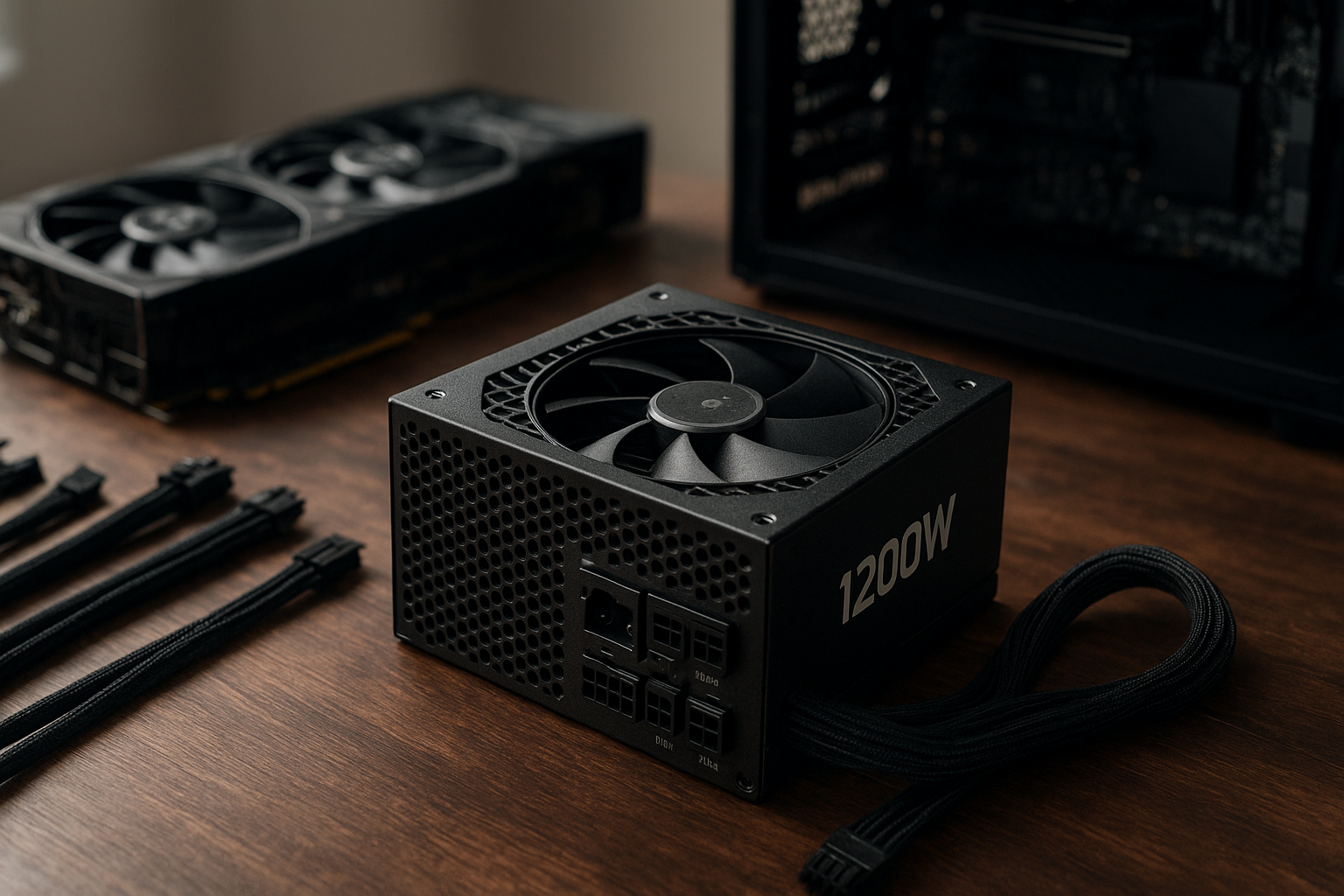
The Seasonic Vertex 1200W is designed for high-end PCs that need substantial continuous power and modern graphics-card connectivity. Its appeal is not simply the 1200-watt rating: the Vertex platform combines fully modular cabling, ATX 3.0-era transient handling, a native high-power GPU connector, and a long warranty.
This review explains what the power supply offers, where its capacity makes sense, how the GX and PX versions differ, what to know about the Seasonic Vertex 1200W connectors, and whether it is a sensible choice for your next gaming workstation or enthusiast build. Because retail bundles and regional model names can vary, confirm the exact suffix and included cables before ordering.
Table of Contents
[[IMAGE: Seasonic Vertex 1200W fully modular power supply photographed from the cable-connector side, with its native high-power GPU cable and modular socket layout visibl
Seasonic Vertex 1200W Overview
The Vertex family is Seasonic’s modern high-wattage platform for demanding desktop systems. The 1200W models target users pairing a flagship graphics card with a powerful processor, several storage devices, liquid-cooling hardware, or expansion cards that make a lower-capacity unit less comfortable.
The most commonly encountered version is the Vertex GX-1200, an 80 PLUS Gold unit. Seasonic also sells Vertex models with different efficiency tiers in some markets, including Platinum variants. That distinction affects efficiency certification and often the purchase price, but it does not automatically mean that the more expensive version is quieter or better for every build.
Seasonic lists the Vertex platform as fully modular and compatible with current high-power graphics-card requirements. The family is also marketed with a long limited warranty, but warranty duration and terms should be checked on the official product page for the exact regional model.
For a detailed Seasonic Vertex ATX 3.0 review, the key question is therefore not “Can it deliver 1200 watts?” It can, assuming a correctly installed and adequately ventilated system. The more useful questions are whether your PC needs that headroom, whether the unit fits your case, and whether the included cable arrangement suits your graphics card.
Specifications and Model Variants
Before comparing prices, identify the complete model name printed on the box and PSU label. “Vertex 1200W” can refer to a GX or PX model, and the exact bundle may differ between regions. Use Seasonic’s official Vertex product information to verify the model’s electrical specifications and included accessories.
| Feature | What it means for a PC build |
|---|---|
| Rated output | Up to 1200 watts of total continuous power under the manufacturer’s stated operating conditions. |
| Efficiency class | GX models are associated with 80 PLUS Gold; other Vertex suffixes may use a different certification tier. Confirm the exact unit. |
| Modularity | Fully modular design lets you attach only the motherboard, CPU, GPU, drive, and accessory cables your build requires. |
| GPU power support | A native high-power graphics-card cable is provided on supported models, reducing the need for adapter assemblies. |
| Form factor | ATX desktop PSU format. Check the unit’s depth against the case and cable-clearance space behind the drive cage. |
| Warranty | Vertex units are sold with a long limited warranty, subject to the exact model, region, registration rules, and terms. |
GX-1200 versus PX-1200
The GX and PX labels primarily indicate different efficiency levels within the Vertex range. Efficiency describes how much input power the PSU must draw to deliver a given output; it does not directly measure voltage regulation, fan noise, transient response, or build quality.
For example, a Platinum model can waste less energy than a Gold model at comparable load, but the real-world difference may be modest relative to the purchase-price gap. A GX-1200 is often the more practical option if the system is used mainly for gaming, while a PX model can make more sense for a workstation that runs for long periods at high load or for a buyer who values every incremental efficiency gain.
Do not mix modular cables from different PSU families, even when the plugs appear to fit. The PSU-side pinout is not universal, and using an incompatible cable can damage components.
ATX 3.0 and Modern GPU Support
One of the main reasons to consider the Seasonic Vertex 1200W over an older high-wattage PSU is its support for the ATX 3.0 generation of power-supply requirements. ATX 3.0 addresses, among other things, short-duration power excursions from modern graphics cards. A PSU that meets the standard is designed with those transient demands in mind rather than being judged only by its steady-state wattage.
The Vertex platform also includes a native 12VHPWR cable on applicable models. This can provide a cleaner connection to graphics cards that use the high-power connector than relying on several traditional PCIe plugs and a bundled adapter.
ATX 3.0 compatibility is not a guarantee that every future graphics card will use the same connector. Newer graphics-card power standards and connector revisions may introduce different mechanical or sensing requirements. Always use the cable supplied for your exact PSU and graphics card, insert it fully, and avoid sharp bends directly beside the connector.
The Intel ATX power-supply resources provide useful background on the platform specifications. For a new build, the practical takeaway is simple: native modern GPU support is preferable to treating an older unit as “good enough” solely because its label shows a large wattage.
What ATX 3.0 does not change
ATX 3.0 does not make power planning unnecessary. A graphics card can still have a high sustained draw, the CPU can still increase consumption during heavy workloads, and poor case airflow can still raise PSU temperatures and fan speed.
It also does not eliminate installation mistakes. A partially seated high-power connector, a cable bent aggressively at the plug, or a cable routed against a sharp chassis edge can create avoidable reliability and safety problems.
Connectors and Cable Management
The Seasonic Vertex 1200W is fully modular, so the power supply does not permanently carry a bundle of unused peripheral cables. That is helpful in large cases, where cleaner routing can improve access to storage bays and reduce obstruction around the front intake.
The connector selection is intended for a high-end build and includes the normal motherboard and CPU connections, multiple conventional PCIe outputs, SATA power, and peripheral/Molex support. The exact number of leads and plugs can vary by model and regional package, so consult the included manual instead of planning a build from a stock photograph.
Seasonic Vertex 1200W connectors to check
- 24-pin motherboard cable: Required for a conventional ATX motherboard.
- EPS/CPU cables: Important for enthusiast motherboards with one or more CPU power sockets. Connect the sockets recommended by the motherboard manual.
- Native high-power GPU cable: Prefer this for a compatible graphics card rather than improvising with third-party cables.
- Traditional PCIe cables: Useful for graphics cards, capture cards, workstation accelerators, and other expansion hardware that uses 6- or 8-pin PCIe power.
- SATA power leads: Used for SSDs, hard drives, fan hubs, pump controllers, and some RGB controllers.
- Peripheral cables: Still useful for older accessories, although many modern builds need few or none.
Route the high-power GPU cable with a gentle curve and leave enough slack to prevent side-panel pressure. If your case has limited space behind the motherboard tray, measure the cable-routing area as well as the PSU chamber; a physically compatible PSU can still be inconvenient when there is no room for the modular plugs and cable bends.
Efficiency and Noise Expectations
The GX-1200’s Gold efficiency rating makes it a sensible mainstream choice for a high-end gaming PC. Efficiency is most relevant when the computer spends many hours under load, because wasted input power becomes heat. Certification results are useful for comparing broad efficiency classes, but they should not be confused with a complete acoustic or electrical performance test.
The Seasonic Vertex PSU efficiency you experience depends on load, mains voltage, temperature, and the precise model. A 1200W unit powering a 450W gaming system may operate at a different efficiency point than the same unit driving a sustained 900W workstation load.
The platform uses a semi-passive fan mode intended to reduce fan activity during lighter workloads. Under gaming or rendering load, the fan may run depending on internal temperature and output demand. The system’s graphics-card and CPU coolers will often remain louder than the PSU, especially in a high-performance build.
Understanding Seasonic Vertex PSU noise levels
There is no single noise figure that applies to every installation. Room temperature, case ventilation, fan-curve settings, PSU orientation, dust buildup, and the distance between the listener and the case all affect perceived sound.
A sensible expectation is quiet operation at light and moderate loads, with increasing fan activity as heat and power draw rise. If your priority is near-silent operation during heavy rendering, compare independent acoustic measurements of the exact model rather than assuming that a Gold or Platinum badge predicts noise. The 80 PLUS program information is useful for certification context, but it is not a substitute for a full review with standardized noise testing.
Coil noise is a separate issue from fan noise. High-pitched sounds can originate from the PSU, graphics card, motherboard, or even a power-management interaction between components. If unusual noise appears, isolate the source before requesting a replacement.
[[IMAGE: High-end gaming PC interior showing the Seasonic Vertex 1200W mounted at the bottom, with the native GPU power cable routed in a wide gentle curve and unused modular sockets left empty]]
Capacity and Build Planning
A 1200W rating provides generous headroom, but bigger is not automatically better. Capacity should reflect the graphics card, processor, storage devices, pumps, fans, USB-powered accessories, and the way you use the PC.
For a single flagship GPU and a high-end desktop CPU, a 1200W ATX 3.0 power supply can provide comfortable margin for transient events and future component changes. It is also useful for a workstation with several drives or expansion cards. By contrast, a mid-range gaming PC may gain little from paying for 1200W when a quality 750W or 850W unit already meets its requirements.
When 1200 watts is justified
- A flagship graphics card is paired with a high-power enthusiast CPU.
- The computer will run demanding games, 3D rendering, AI workloads, or video production for long sessions.
- You need several PCIe-powered expansion cards or many storage devices.
- You want headroom for a planned graphics-card upgrade without replacing the PSU immediately.
- The system includes multiple pumps, a large fan array, or other accessories that add sustained load.
When a smaller PSU may be the better purchase
- The graphics card and CPU are firmly in the mainstream power range.
- You are building a compact system where PSU length and cable space are restricted.
- The price difference would be better spent on a more efficient model, larger SSD, or improved cooling.
- You expect the PC to remain a low-power system for its entire service life.
Do not calculate capacity by adding only the advertised GPU and CPU thermal design values. Those figures are useful starting points, not complete system power measurements. Check the graphics-card manufacturer’s recommendation, consider sustained workload behavior, and leave reasonable margin rather than operating permanently at the limit.
Pros and Cons
Advantages
- Strong capacity for demanding systems: 1200 watts suits flagship single-GPU builds and many enthusiast workstations.
- Modern graphics-card support: ATX 3.0-era design and a native high-power GPU cable reduce dependence on adapter arrangements.
- Fully modular layout: Unused cables can stay in the box, simplifying cable management.
- Long-term ownership appeal: Seasonic’s Vertex range is positioned with a long limited warranty, subject to model and regional terms.
- Choice of efficiency tiers: Buyers can compare Gold and higher-efficiency variants rather than accepting one fixed configuration.
Limitations
- Potential overkill: Many gaming PCs do not need 1200 watts.
- Case compatibility matters: A high-wattage ATX PSU and its cable bends may be difficult to install in a compact case.
- Efficiency is not the same as silence: Fan behavior still depends on heat, load, and airflow.
- Model confusion is possible: GX and PX versions should not be compared as though they were identical units.
- Price varies significantly: The value depends on local pricing and whether your system can use the additional capacity.
Who Should Buy the Vertex 1200W?
The Seasonic Vertex 1200W is a strong fit for a premium single-GPU gaming PC, especially when the build includes a flagship graphics card and a high-end processor. It is also a reasonable choice for creators and technical users who expect sustained rendering, simulation, compiling, or other workloads that keep several components busy at once.
It can be a good candidate for the best PSU for a high-end gaming PC in a shortlist, but “best” depends on more than wattage. Compare the exact model’s price, independent electrical and acoustic testing, connector bundle, physical dimensions, warranty terms, and local support.
Who should avoid it?
Skip the 1200W capacity if your system has modest power requirements and you have no realistic upgrade plan. A smaller, high-quality ATX 3.0 unit may cost less, fit more easily, and run at a more appropriate load range.
It is also a poor choice if your case documentation does not provide enough PSU depth or cable clearance. Measure before buying, particularly in cases with a short PSU tunnel, fixed drive cages, or limited space behind the motherboard tray.
Installation and Safety Checklist
Correct installation matters as much as the PSU specification. The following checklist helps avoid common mistakes during a new build or graphics-card upgrade.
- Confirm the exact Vertex model and read its manual before connecting cables.
- Install only the modular cables supplied with that PSU, unless Seasonic explicitly confirms compatibility.
- Connect the 24-pin motherboard lead and the required CPU EPS lead or leads.
- Use the native high-power GPU cable when the graphics card supports it.
- Push every connector fully into place; do not rely on a partial click or visible gap.
- Keep the GPU cable’s first bend gentle and away from the connector housing.
- Check that the PSU fan intake is not blocked by carpet, a solid case panel, or a dust filter clogged with debris.
- Before closing the case, inspect cable routing for sharp bends, side-panel pressure, and contact with moving fans.
If a graphics card requires an adapter, follow the graphics-card manufacturer’s instructions exactly. Avoid mixing separate modular cables into a single adapter unless the manufacturer specifically designed and approved that arrangement.
Key Takeaways
- The Seasonic Vertex 1200W targets high-end single-GPU systems and demanding workstations, not ordinary office or mid-range gaming PCs.
- ATX 3.0 support is valuable because it addresses modern GPU transient behavior and provides a more current platform than many older PSUs.
- Verify whether you are buying the GX-1200 or another Vertex suffix; efficiency certification and bundle details can differ.
- The native high-power GPU cable is a practical advantage, but installation quality and connector seating remain essential.
- Seasonic Vertex PSU noise levels depend on load, temperature, case airflow, and the exact test environment.
- Measure PSU depth and cable clearance before ordering, especially for compact or tightly partitioned cases.
- Choose 1200 watts for real capacity needs or a credible upgrade path, not simply because the number sounds safer.
Frequently Asked Questions
Is the Seasonic Vertex 1200W suitable for a high-end gaming PC?
Yes, it is designed for demanding systems, particularly a single flagship graphics card paired with a high-performance CPU. Its 1200W capacity offers substantial headroom for transient demand, storage, cooling, and future upgrades. However, suitability depends on the exact graphics card, processor, case, and cable requirements. A smaller quality ATX 3.0 PSU may be better value for a mainstream system that will not approach this level of power consumption.
Is the Seasonic Vertex 1200W an ATX 3.0 power supply?
Vertex models were introduced as modern ATX 3.0-era power supplies, but you should verify the exact model label and documentation before purchase. Retail listings can contain errors, and newer product revisions may use updated naming. Confirm that the unit includes the connector and compliance information required by your graphics card rather than relying only on a marketplace title.
What graphics-card connector does the Seasonic Vertex 1200W use?
Applicable Vertex models include a native high-power GPU cable intended for compatible modern graphics cards, alongside conventional PCIe power cables. The exact connector type and cable quantity can depend on the model and package. Use the cable supplied with the PSU, seat it fully, and follow the graphics-card maker’s instructions for clearance and bending. Never assume that a modular cable from another PSU is electrically compatible.
Is the GX-1200 better than the PX-1200?
Neither is universally better. The GX designation is associated with a Gold efficiency tier, while PX models use a higher efficiency class in the Vertex range. A PX unit may reduce wasted energy during long, heavy workloads, but the benefit depends on usage and electricity cost. Compare the price, independent testing, noise behavior, dimensions, connector bundle, and warranty terms for the exact models available in your region.
Will the Vertex 1200W run quietly?
It should be relatively quiet at light and moderate loads when installed in a well-ventilated case, helped by its semi-passive fan behavior. Under sustained gaming, rendering, or other heavy workloads, the fan may spin faster as internal temperature rises. Perceived noise also depends on the case and other components. Look for independent testing of the precise model if acoustic performance is a primary buying criterion.
Can a 1200W PSU damage a lower-power PC?
No. The PSU does not force 1200 watts into the computer; the components draw the power they require. A high-capacity model can safely power a lower-consumption system when installed correctly. The practical drawbacks are usually cost, physical size, and the possibility that a smaller PSU would provide better value. Use the motherboard, GPU, and PSU manuals to connect the correct cables and avoid incompatible modular leads.
How much power does a PC need before choosing the Vertex 1200W?
Start with the graphics-card manufacturer’s PSU recommendation, add the processor and the rest of the system, then leave sensible headroom for transient loads and future changes. Do not treat CPU and GPU specification numbers as a complete wall-power estimate. A measured load test or a reputable power calculator can improve the estimate, but the final decision should also consider connector requirements, case compatibility, and sustained workload behavior.
[[IMAGE: Close-up of a modern graphics card connected to the Seasonic Vertex 1200W native high-power cable, showing the connector fully seated with ample clearance from the bend]]
Conclusion
The Seasonic Vertex 1200W is a well-targeted option for a powerful single-GPU gaming PC or workstation that genuinely benefits from high capacity, modern transient support, and a native high-power graphics-card connection. Its fully modular design and broad connector selection also make it easier to tailor the wiring to a complex build.
Its main weakness is not a missing feature but the risk of buying more PSU than your system needs. Before ordering, identify the exact GX or PX model, compare independent efficiency and acoustic testing, measure your case, and confirm the supplied GPU cable. If those checks match your build, the Vertex 1200W is a credible long-term choice; if not, a smaller ATX 3.0 unit may deliver better value.