
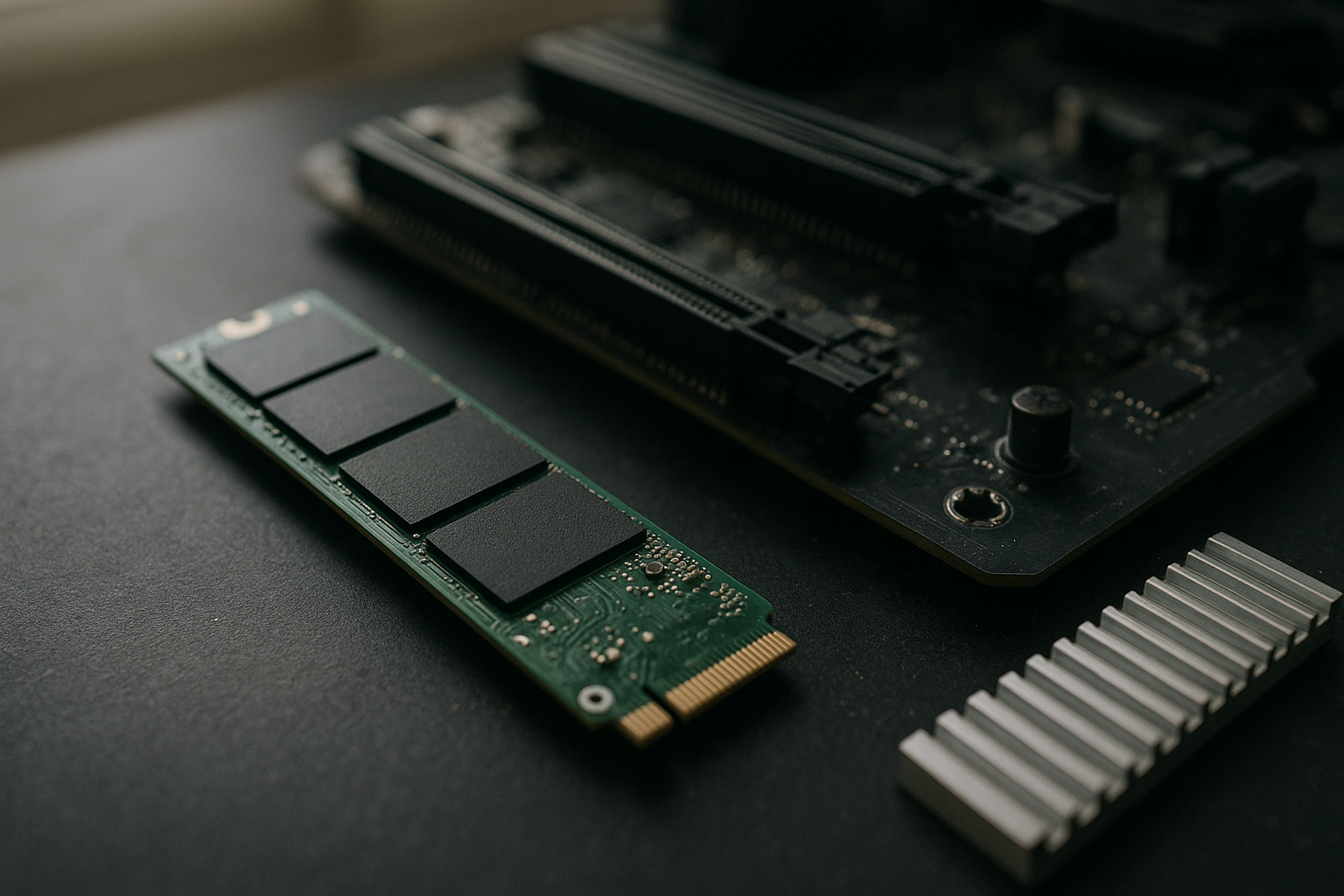
The Samsung 990 EVO Plus review question is more complicated than its “PCIe 5.0” label suggests. This NVMe drive supports PCIe 5.0, but it uses a two-lane PCIe 5.0 connection rather than the four-lane interface found on Samsung’s higher-end 9100 PRO. It can also operate as a PCIe 4.0 x4 drive, making it compatible with a wider range of modern systems.
That hybrid design gives the Samsung 990 EVO Plus SSD a useful balance of compatibility, sequential speed, capacity options, and efficiency. However, buyers should understand where its performance advantage appears, how its thermals depend on the motherboard heatsink, and when a good PCIe 4.0 SSD remains the smarter purchase. This guide explains the drive’s architecture, real-world expectations, upgrade value, gaming suitability, and limitations.
Table of Contents
- Samsung 990 EVO Plus review: what you are buying
- Specifications and PCIe interface explained
- Samsung NVMe SSD performance in practical use
- 990 EVO Plus thermals and power consumption
- Gaming and creative-workload performance
- Samsung 990 EVO Plus vs PCIe 4.0 SSD
- Samsung SSD upgrade guide
- Pros and cons
- Who should buy the 990 EVO Plus?
- Key Takeaways
- Frequently Asked Questions
- Conclusion
[[IMAGE: Samsung 990 EVO Plus M.2 2280 SSD positioned beside a motherboard M.2 heatsink, with labels showing the PCIe 5.0 x2 and PCIe 4.0 x4 operating modes]]
Samsung 990 EVO Plus review: what you are buying
The 990 EVO Plus is a mainstream-to-performance NVMe SSD built around Samsung’s hybrid PCIe interface. On a compatible motherboard, it can use PCIe 5.0 x2; on many other systems, it runs over PCIe 4.0 x4. That is a meaningful distinction because the drive is not a PCIe 5.0 x4 model, and its advertised interface does not automatically make every workload twice as fast.
Samsung positions the drive as an upgrade for modern desktops, laptops, and workstations that need fast storage without moving to the company’s flagship professional-class hardware. It uses the compact M.2 2280 format and is available in 1TB, 2TB, and 4TB capacities, giving buyers more room than many high-end PCIe 5.0 products offered at launch.
The drive is also designed to work with Samsung Magician, the company’s SSD management utility. Magician can provide firmware updates, drive-health information, performance tests, secure erase tools, and other maintenance functions. Check the official Samsung Magician page for supported features and current software requirements.
Why the hybrid interface matters
PCIe 5.0 x2 and PCIe 4.0 x4 offer similar theoretical link bandwidth. In simple terms, the 990 EVO Plus can reach its intended class of sequential performance using either a newer generation with fewer lanes or an older generation with more lanes. This helps Samsung support both newer systems and PCIe 4.0 platforms without creating separate versions of the product.
The arrangement has a practical benefit for laptop owners and desktop builders: you do not need a motherboard with a full PCIe 5.0 x4 M.2 slot to use the drive. It also has a practical limitation. A motherboard that exposes only PCIe 5.0 x1, limits the M.2 slot to PCIe 3.0, or shares bandwidth with other devices may reduce performance.
Specifications and PCIe 5.0 interface explained
The 990 EVO Plus is a TLC NAND-based SSD with a DRAM-less controller design that uses Host Memory Buffer technology. HMB allows the SSD to use a small amount of system memory for mapping information, reducing the need for dedicated DRAM on the drive. That design helps control cost and power, although dedicated-DRAM SSDs can maintain an advantage in certain sustained or heavily mixed workloads.
| Characteristic | What it means for buyers |
|---|---|
| Form factor | M.2 2280, the standard size for most desktop and many laptop M.2 slots |
| Interface | PCIe 5.0 x2 or PCIe 4.0 x4, depending on the host system |
| NAND type | Samsung TLC V-NAND, designed to store three bits per cell |
| Capacities | 1TB, 2TB, and 4TB versions are available in the product family |
| Memory design | DRAM-less architecture with Host Memory Buffer support |
| Software support | Samsung Magician provides monitoring, firmware, and maintenance functions |
Samsung lists sequential read performance of up to 7,250 MB/s for the 990 EVO Plus family, with the exact rated figures and endurance varying by capacity. “Up to” results describe ideal benchmark conditions, not a guaranteed speed for every file transfer. Your motherboard, operating system, free space, temperature, workload, and test software all affect the result.
For a detailed specification check before purchase, use the official Samsung 990 EVO Plus product page. Product pages can change as firmware, regional models, or warranty information are updated, so confirm the capacity-specific details there rather than relying on a retailer’s abbreviated listing.
What DRAM-less design means in everyday use
DRAM-less does not mean slow or unreliable. HMB-equipped SSDs can deliver excellent operating-system responsiveness, application launch times, and game-loading performance. The trade-off becomes more visible when the drive handles long, demanding transfers, a nearly full capacity, or a workload with frequent random writes and sustained queue depth.
The 990 EVO Plus uses a variable-size SLC write cache to absorb incoming data at high speed. Once that cache is exhausted, write performance can fall considerably, as it does with many consumer TLC SSDs. Large video projects, repeated disk images, and high-volume scratch workloads therefore deserve more attention than a short benchmark result.
Samsung NVMe SSD performance in practical use
A good Samsung NVMe SSD performance result should be interpreted by workload rather than by one headline sequential number. Copying a large, well-organized file is a different task from starting Windows, compiling software, loading a game, or editing a project made up of thousands of small files.
- Operating system and applications: The drive should feel very responsive, but the difference from a quality PCIe 4.0 SSD may be subtle during normal desktop use.
- Large sequential transfers: This is where the 990 EVO Plus can show its strongest advantage, particularly on a system that supports its intended interface mode.
- Mixed workloads: Performance depends on queue depth, available cache, drive capacity, and how much free space remains.
- Sustained writes: After the dynamic cache fills, write speed can drop. The size and duration of the transfer matter more than the advertised peak.
- Nearly full drives: Keeping reasonable free space helps the controller manage garbage collection and background data movement.
In a typical desktop, the 990 EVO Plus can improve storage-heavy tasks without transforming every part of the system. CPU-limited applications, network downloads, game engines, and software that performs little disk activity will not suddenly become faster just because the SSD has a PCIe 5.0-compatible label.
How to interpret benchmark results
Use a repeatable test plan if you are comparing drives. Record the motherboard slot and negotiated PCIe link, install the latest firmware, allow the SSD to reach a normal idle state, and test with enough free capacity. Run both short and sustained tests so that cache behavior does not disguise long-transfer performance.
CrystalDiskMark, AS SSD, and similar utilities can illustrate sequential and random behavior, but they do not represent every real-world workload. For a more complete review, combine synthetic tests with a large file copy, an application or game installation, and a workload that uses many smaller files.
Also check whether the drive has actually negotiated PCIe 5.0 x2 or PCIe 4.0 x4. A PCIe 4.0 x4 result is not a failure; it is one of the drive’s intended operating modes. The important question is whether the result matches the capabilities of your platform.
990 EVO Plus thermals and power consumption
Storage temperature affects sustained performance because the controller can reduce speed to protect itself. The 990 EVO Plus generally makes more sense thermally than a high-end PCIe 5.0 x4 SSD, but “more efficient” does not mean “needs no cooling.” A motherboard M.2 heatsink is still useful, especially in a compact case or during extended transfers.
The 990 EVO Plus power consumption varies with capacity, workload, interface mode, and whether the drive is active or idle. Sequential writes and high-queue-depth testing draw more power than light desktop use. Laptop buyers should pay particular attention to idle behavior, sleep-state support, and the manufacturer’s platform compatibility rather than judging battery impact from a peak active figure.
How to manage 990 EVO Plus thermals
- Install the SSD under a properly fitted motherboard M.2 heatsink when one is available.
- Remove protective film from the thermal pad before installation and make sure the pad contacts the drive.
- Avoid placing the SSD directly behind a hot graphics card if another compatible M.2 slot is available.
- Maintain airflow through the case, particularly around the motherboard’s lower expansion area.
- Monitor temperature during a long transfer rather than only after a short benchmark.
Temperature readings should be compared with the drive’s published operating limits and with the behavior of your specific system. A brief high reading under a benchmark does not necessarily indicate a problem, while repeated throttling during normal transfers suggests that the heatsink, airflow, firmware, or workload deserves investigation.
[[IMAGE: Close-up motherboard installation showing the Samsung 990 EVO Plus under an M.2 heatsink, with a temperature-monitoring graph beside a sustained file-transfer timelin
Gaming and creative-workload performance
The 990 EVO Plus is a strong fit for a gaming library, but it is not automatically the best PCIe 5.0 SSD for gaming. Game loading depends on asset layout, CPU decompression, engine behavior, background applications, and software support as well as storage speed. Moving from a hard drive or older SATA SSD produces a much larger improvement than moving from a capable PCIe 4.0 NVMe drive.
Newer game-streaming technologies may increase the value of faster storage over time, but support remains dependent on the game and platform. Microsoft’s DirectStorage documentation explains how the technology is intended to move game data efficiently from storage to the graphics system. It does not guarantee that every DirectStorage-enabled title will saturate a PCIe 5.0 SSD.
For creative work, the drive is more compelling when your workflow regularly reads or writes large files. Video editors handling high-bitrate source media, photographers importing large batches, and developers working with sizeable virtual machines can benefit from the higher sequential ceiling. Still, sustained writes, cache exhaustion, and available capacity matter more than a short peak result.
Capacity matters as much as interface speed
The 4TB version can be particularly useful for a large game collection or a media workstation because it reduces the need to split active projects across multiple drives. Larger-capacity models can also have different performance and endurance ratings, so verify the exact model before ordering.
Do not fill any SSD to its final few gigabytes if you can avoid it. A drive needs working room for operating-system updates, temporary files, cache management, and controller housekeeping. Keeping free space is one of the simplest ways to maintain consistent behavior over the life of the drive.
Samsung 990 EVO Plus vs PCIe 4.0 SSD
The Samsung 990 EVO Plus vs PCIe 4.0 SSD decision usually comes down to price, platform support, and workload. A high-quality PCIe 4.0 drive can already make a modern PC feel fast, and many games do not show a dramatic loading-time difference when moving to a faster interface.
| Buying situation | More suitable choice | Reason |
|---|---|---|
| New desktop with a compatible PCIe 5.0 M.2 slot | 990 EVO Plus, if priced competitively | It provides a newer interface option while retaining PCIe 4.0 x4 compatibility. |
| Existing PCIe 4.0 desktop needing more capacity | Compare the 990 EVO Plus with a quality PCIe 4.0 model | The 990 EVO Plus will operate in PCIe 4.0 x4 mode, so pricing and sustained behavior become decisive. |
| Basic office and web use | Good-value PCIe 4.0 SSD | The extra sequential headroom may be difficult to notice in light workloads. |
| Frequent large file transfers | 990 EVO Plus or another performance-oriented SSD | Higher sequential capability can reduce transfer time, provided the source and destination are also fast. |
| Laptop upgrade | Choose based on compatibility, capacity, and power behavior | Physical clearance, thermal design, and battery priorities may outweigh interface generation. |
There is also a platform question. Some systems expose PCIe 5.0 lanes only to the primary graphics slot, while the M.2 slots remain PCIe 4.0. Others share lanes with SATA ports or expansion slots. Read the motherboard manual before assuming that an M.2 connector provides PCIe 5.0.
If a PCIe 4.0 SSD costs substantially less and your workload is mostly gaming or office software, it may offer better value. If you regularly move large files, want a high-capacity Samsung drive, or are building a new system with a suitable slot, the 990 EVO Plus becomes easier to justify.
Samsung SSD upgrade guide
Use this Samsung SSD upgrade guide to avoid the most common installation mistakes. The drive is a standard M.2 2280 device, but compatibility still depends on the slot, operating-system support, physical clearance, and the system’s boot configuration.
- Check the slot: Confirm that the connector supports NVMe PCIe storage, not only SATA M.2 drives. Check whether it is PCIe 5.0 x2, PCIe 4.0 x4, or another configuration.
- Check physical space: Laptop manufacturers sometimes use nonstandard mounting points or restrict double-sided modules. Confirm clearance before buying the largest capacity.
- Update the platform: Install a current motherboard BIOS or laptop firmware when the manufacturer recommends it, and update Samsung firmware after installation if appropriate.
- Plan the migration: Decide whether to perform a clean operating-system installation or clone the old drive. A clone should include the required EFI and recovery partitions.
- Install carefully: Disconnect power, secure the module with the correct screw or latch, and avoid touching contacts or bending the board.
- Verify the result: Use the operating system and Samsung Magician to confirm capacity, health, firmware, and negotiated PCIe link.
Cloning is convenient, but it can reproduce old partition problems or leave an incorrect boot entry. A clean installation takes longer yet often gives the most predictable result when moving from an old operating system or a heavily used drive.
Before migrating important data, create a separate backup. An SSD upgrade is not a backup strategy, and a cloning error, failed source drive, or interrupted update can make recovery more difficult.
Pros and cons of the Samsung 990 EVO Plus
Pros
- Supports PCIe 5.0 x2 and PCIe 4.0 x4 operation.
- Offers the compact and widely supported M.2 2280 format.
- Available in capacities up to 4TB within the product family.
- Provides high sequential performance for compatible systems and suitable workloads.
- Works with Samsung Magician for firmware and health management.
- Usually requires less aggressive cooling than many PCIe 5.0 x4 flagship drives.
Cons
- It is not a full PCIe 5.0 x4 SSD, despite supporting the PCIe 5.0 standard.
- Gaming improvements over a strong PCIe 4.0 SSD may be modest.
- DRAM-less design and dynamic caching can limit long sustained writes.
- Performance depends heavily on motherboard lane configuration and thermal conditions.
- Actual value depends on capacity pricing at the time of purchase.
Who should buy the 990 EVO Plus?
Buy the 990 EVO Plus if you want a fast, high-capacity NVMe drive for a new desktop, your motherboard supports a suitable M.2 mode, and you regularly perform storage-heavy work. It is also a sensible option for buyers who want PCIe 5.0 compatibility without moving directly to a hotter and more expensive PCIe 5.0 x4 product.
It suits:
- New gaming PCs with a compatible PCIe 5.0 M.2 slot.
- Workstations that move large media, project archives, or virtual machines.
- Users replacing an older NVMe drive and needing 2TB or 4TB of space.
- Builders who want one SSD that can run on either PCIe 5.0 x2 or PCIe 4.0 x4.
Consider a different drive if you mainly browse, use office applications, and play games from an existing PCIe 4.0 SSD. A less expensive model may feel just as responsive. Likewise, professionals with continuous write workloads should compare endurance, sustained-write behavior, and a drive with dedicated DRAM before choosing on peak sequential speed alone.
Key Takeaways
- The 990 EVO Plus supports PCIe 5.0 x2 or PCIe 4.0 x4; it is not a PCIe 5.0 x4 model.
- Its hybrid interface improves compatibility across newer and older modern platforms.
- Peak sequential performance matters most for large transfers, not every everyday task.
- Good motherboard cooling helps control 990 EVO Plus thermals during sustained workloads.
- 990 EVO Plus power consumption changes with capacity, interface mode, and workload.
- A quality PCIe 4.0 SSD can deliver better value for ordinary gaming and office use.
- Check the exact capacity’s specifications, endurance rating, firmware support, and warranty before purchase.
Frequently Asked Questions
Is the Samsung 990 EVO Plus a true PCIe 5.0 SSD?
Yes, it supports the PCIe 5.0 standard, but its PCIe 5.0 connection uses two lanes rather than four. It can also operate as a PCIe 4.0 x4 SSD. That distinction explains why its interface is best described as hybrid. A compatible PCIe 5.0 M.2 slot can use the newer mode, while a PCIe 4.0 slot can use four lanes from the older generation.
Is the 990 EVO Plus good for gaming?
Yes. It is fast enough for a gaming PC and provides useful capacity options for large libraries. However, it may not load games dramatically faster than a good PCIe 4.0 NVMe SSD. Game-engine behavior, CPU work, asset compression, and background activity all affect loading time, so choose the 990 EVO Plus for its overall capacity and platform fit rather than expecting every title to show a major difference.
Does the 990 EVO Plus need an M.2 heatsink?
An M.2 heatsink is recommended when the motherboard provides one, particularly for long transfers or repeated benchmarks. The drive may run acceptably without a heatsink in light use, but heat can reduce sustained performance if the controller reaches its protection threshold. Make sure the thermal pad contacts the SSD correctly and remove any protective film before securing the heatsink.
Will the 990 EVO Plus work in a PCIe 4.0 motherboard?
It is designed to operate over PCIe 4.0 x4, so it can work in a compatible PCIe 4.0 NVMe slot. The motherboard must support NVMe storage and the correct M.2 form factor. Performance will be governed by the PCIe 4.0 connection rather than the drive’s PCIe 5.0 capability. Always check the motherboard or laptop manual because some M.2 slots support SATA only or share lanes with other ports.
Is the Samsung 990 EVO Plus faster than a PCIe 4.0 SSD?
It can be faster in sequential workloads on an appropriate platform, especially when reading or writing large files. The difference may be small in application launches, general desktop use, and many games. A well-designed PCIe 4.0 SSD can remain competitive in random access and everyday responsiveness. Compare sustained-write behavior, capacity pricing, warranty, and endurance rather than relying only on the interface generation.
How much free space should I leave on the 990 EVO Plus?
There is no single universal percentage that guarantees a specific result, but leaving meaningful free space is good SSD practice. Avoid running the drive at its absolute capacity, especially if it hosts the operating system or handles frequent writes. Free space gives the controller more room for garbage collection, temporary data, and background management. The best target depends on your workload and how quickly the drive’s free space changes.
Is the 4TB 990 EVO Plus worth buying?
The 4TB version is worth considering when you need one large active library for games, video, photos, or project files. It can simplify storage management and reduce the need for multiple drives. Check the capacity-specific performance, endurance, price, and your motherboard’s support before buying. If you only need a boot drive and a few applications, a smaller PCIe 4.0 SSD may provide better value.
[[IMAGE: A practical storage-upgrade scene with a 4TB Samsung 990 EVO Plus, a screwdriver, an M.2 mounting screw, and a laptop and desktop compatibility checklist]]
Conclusion
This Samsung 990 EVO Plus review finds a flexible NVMe SSD rather than an uncompromising flagship. Its PCIe 5.0 x2 and PCIe 4.0 x4 design delivers strong sequential capability, broad modern-platform compatibility, useful high-capacity options, and a more manageable thermal profile than many PCIe 5.0 x4 drives.
Its value is strongest for new systems, large file workflows, and buyers who want a fast Samsung SSD with room to grow. For ordinary gaming and office use, compare it carefully with discounted PCIe 4.0 alternatives. Before ordering, check the M.2 slot’s lane configuration, confirm the exact capacity’s specifications, and plan for a heatsink and reliable backup.