
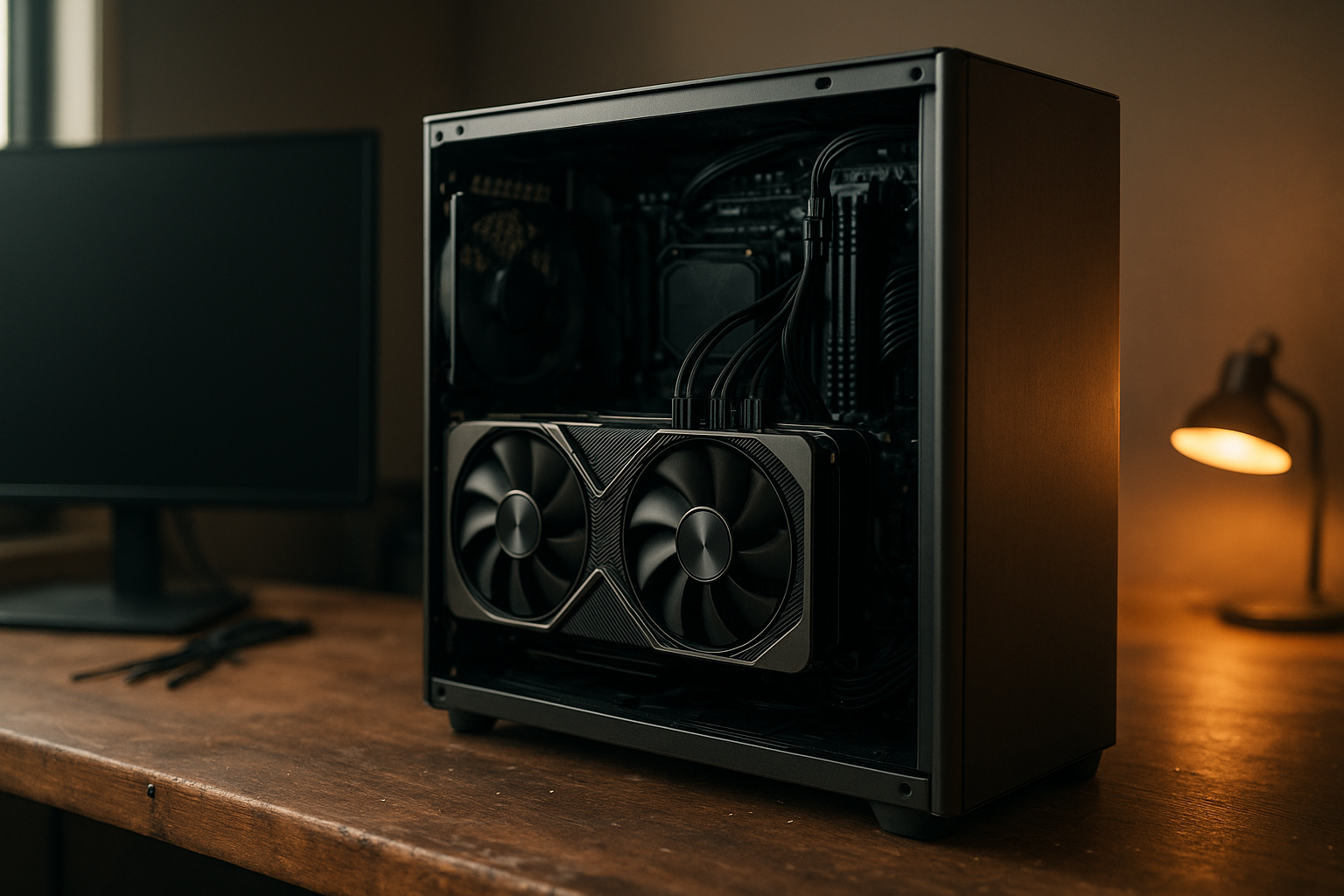
This RTX 5090 review examines Nvidia’s flagship Blackwell graphics card from the perspective that matters most to buyers: real gaming capability, ray tracing, power, cooling, features, and value. The RTX 5090 is built for high-refresh 4K gaming, demanding ray-traced workloads, content creation, and AI-assisted applications, but its performance comes with unusually high power and system requirements.
Below, you will find the specifications that affect everyday use, an explanation of DLSS 4 and Multi Frame Generation, comparisons with the RTX 4090 and RTX 5080, practical RTX 5090 upgrade considerations, and a clear answer to the question: is the RTX 5090 worth it?
Table of Contents
- RTX 5090 review: quick verdict
- Blackwell architecture and key features
- RTX 5090 gaming performance
- Ray tracing and DLSS 4
- Power, cooling, and system requirements
- RTX 5090 versus RTX 4090 and RTX 5080
- Value and upgrade considerations
- Who should buy the RTX 5090?
- Key takeaways
- Frequently Asked Questions
- Conclusion
[[IMAGE: Nvidia GeForce RTX 5090 graphics card installed vertically in a modern high-end gaming PC with visible power cabling, large airflow-focused fans, and a 4K monitor showing a ray-traced gam
RTX 5090 review: quick verdict
The GeForce RTX 5090 is Nvidia’s fastest consumer GPU in the RTX 50 series and a specialist product for uncompromising performance. It combines 32GB of GDDR7 memory, a wide 512-bit memory interface, a 575W total graphics power rating, and new Blackwell hardware for neural rendering and ray tracing.
Its main advantage is not simply higher average frame rates. The card has enough memory and shader throughput to make demanding 4K settings more practical, particularly when ray tracing is enabled. DLSS 4 can also produce much higher displayed frame rates in supported games, although generated frames do not replace the responsiveness of traditionally rendered frames.
- Best for: enthusiasts targeting 4K or ultrawide high-refresh gaming, heavy ray tracing, AI workloads, and GPU-accelerated creative applications.
- Less suitable for: 1440p users, buyers with a mid-range power supply, compact cases, or anyone primarily concerned with performance per dollar.
- Biggest strengths: class-leading GPU performance, 32GB of VRAM, strong ray-tracing hardware, and DLSS 4 support.
- Biggest weaknesses: very high power consumption, large physical designs, a demanding upgrade path, and a price that makes value highly dependent on workload.
The launch MSRP was $1,999 in the United States, but retail pricing varies by region, model, stock, and market conditions. That distinction matters: the RTX 5090 can be a sensible professional tool at one price and a poor gaming value at another.
RTX 5090 Blackwell architecture and key features
The RTX 5090 uses Nvidia’s RTX 5090 Blackwell architecture, the successor to Ada Lovelace in consumer GeForce graphics cards. Blackwell continues Nvidia’s hybrid approach: conventional rasterization remains important, while Tensor Cores, RT Cores, and AI-assisted rendering handle increasingly complex visual effects.
Nvidia lists 21,760 CUDA cores, 32GB of GDDR7 memory, a 512-bit memory bus, and memory speed of 28Gbps for the RTX 5090. Those specifications give the card substantially more memory capacity and bandwidth than the RTX 4090, which is relevant for large textures, modded games, high-resolution video work, and local AI models.
For detailed specifications and connector guidance, consult Nvidia’s official GeForce RTX 5090 product page. Board partners may use different coolers, BIOS settings, dimensions, and factory overclocks, so the Founders Edition specifications do not describe every retail card.
What Blackwell changes for gaming
Blackwell’s most visible gaming feature is DLSS 4, which adds Multi Frame Generation to supported games and uses a new transformer-based model for several DLSS functions. Nvidia also introduced new neural-rendering techniques intended to make complex effects more practical without rendering every pixel through traditional methods.
These features can improve the image-quality and frame-rate options available to developers, but their benefits depend on game support. A game that does not support the relevant DLSS features will rely much more directly on the RTX 5090’s conventional rendering performance.
The card also includes hardware improvements for ray tracing and AI operations. Nvidia’s official explanation of DLSS and its supported rendering technologies is useful when separating genuine rendered frames from AI-generated frames in performance claims.
Memory capacity and bandwidth
Video memory is one of the RTX 5090’s most practical upgrades. Its 32GB capacity gives it more headroom than the 24GB RTX 4090, especially in games with ultra-resolution texture packs, path tracing, extensive mods, or unusually large asset libraries.
More VRAM does not automatically make every game faster. However, insufficient VRAM can cause texture streaming problems, stutter, or settings compromises. For buyers who keep a graphics card for many years, the extra capacity may be more valuable than a small increase in average frame rate.
The 512-bit memory interface and GDDR7 also provide much higher memory bandwidth than previous GeForce flagships. This helps workloads that frequently move large amounts of data, although application performance still depends on the GPU’s compute resources, software optimization, and the rest of the system.
RTX 5090 gaming performance
The defining result of this RTX 5090 review is straightforward: this is a 4K-first GPU. It is designed to keep demanding games playable at very high settings, including workloads where ray tracing or path tracing places a heavy burden on the GPU.
At 1440p, the RTX 5090 can be extremely fast, but the CPU becomes a larger constraint as frame rates rise. That makes the card difficult to justify for a conventional 1440p monitor unless you also use a very high-refresh display, run heavily modded games, stream and record at the same time, or use GPU-intensive professional software.
Rasterized gaming
Traditional rasterized performance remains an important baseline because not every game uses ray tracing or DLSS. In these titles, the RTX 5090’s large shader resources and memory subsystem can deliver excellent results at 4K, but the exact advantage over an RTX 4090 varies by engine and test settings.
CPU limitations become more visible at lower resolutions. A fast processor, current platform, and well-tuned memory can help, but they cannot eliminate engine-level bottlenecks. If your games already exceed your monitor’s refresh rate on an older high-end GPU, the RTX 5090 may deliver less visible benefit than benchmark charts suggest.
RTX 5090 ray tracing performance
The RTX 5090 ray tracing performance advantage is more meaningful in visually demanding games than in lightweight esports titles. Ray tracing calculates lighting, reflections, shadows, or global illumination with more physically informed methods, and those calculations can be extremely expensive at native 4K resolution.
With the RTX 5090, buyers have more flexibility to use high ray-tracing presets while retaining a playable frame rate. Path-traced games still benefit from upscaling and frame generation, however. No consumer GPU should be treated as a guarantee of unrestricted native 4K path tracing in every title.
For the best experience, configure settings in this order:
- Choose a sensible base resolution and refresh-rate target.
- Use native rendering or a quality upscaling mode when image clarity is the priority.
- Enable ray tracing selectively rather than assuming every ultra setting improves the image equally.
- Use Frame Generation after establishing a reasonable base frame rate.
- Check for latency, ghosting, and artifacting in fast-moving scenes instead of judging only the counter in the corner.
Why benchmark results vary
There is no single RTX 5090 gaming performance number that applies to every PC. Results vary with the game engine, resolution, ray-tracing preset, upscaler mode, Frame Generation settings, CPU, driver version, memory configuration, and whether a benchmark is GPU- or CPU-limited.
When comparing reviews, separate native or upscaled base frame rates from generated frame rates. A chart showing a very high Multi Frame Generation result describes display smoothness and animation cadence, but it does not mean the GPU is producing the same number of fully rendered frames or that input latency has fallen proportionally.
Ray tracing, DLSS 4, and Multi Frame Generation
DLSS 4 is a major part of Nvidia’s RTX 5090 strategy. It combines super resolution, frame generation, ray reconstruction, and Multi Frame Generation, depending on the game and the feature profile supported by the developer.
Super Resolution renders a game internally at a lower resolution and reconstructs the output. Frame Generation creates an additional frame between traditionally rendered frames. Multi Frame Generation extends that approach by generating multiple frames for each traditionally rendered frame on supported RTX 50-series hardware.
The distinction is important for buying decisions. These technologies can make a supported game look and feel smoother, but they do not remove the need for a strong underlying frame rate. If the base rendering rate is low, generated frames cannot fully fix sluggish controls, and visual artifacts may become easier to notice.
Image quality and latency considerations
Modern upscaling can look very good at a quality setting, particularly at 4K, but it remains a reconstruction process. Fine foliage, thin wires, particle effects, fast camera movement, and HUD elements can expose differences between native rendering and an upscaled image.
Frame generation can introduce artifacts around rapidly moving objects or scenes with limited motion-vector information. Reflex and similar latency-reduction techniques can help keep the control response closer to the base-rendered experience, but generated frames are not a substitute for lower input latency.
For slower cinematic games, DLSS 4 may be an excellent trade-off. Competitive players should evaluate the base frame rate and latency first, then decide whether generated frames improve the experience without compromising visual clarity or control.
RTX 5090 power requirements, cooling, and system design
The RTX 5090 power requirements are among the most important ownership considerations. Nvidia rates the card at 575W total graphics power and recommends a 1,000W system power supply, although the appropriate choice depends on the processor, drives, cooling, power-supply quality, and the specific graphics card model.
A quality power supply matters more than simply choosing a high wattage number. Look for a modern unit with the required native GPU power connector, suitable transient-response capability, and enough headroom for the rest of the system. Avoid forcing a connector into place or bending the cable sharply next to the plug; follow the graphics card and power-supply manufacturers’ installation instructions.
Potential buyers should also check their case before ordering. RTX 5090 designs vary widely, but many are physically large and can occupy several expansion slots. Measure the available card length, height, thickness, radiator clearance, and cable-bending space rather than relying only on the case’s advertised GPU length.
Heat, noise, and sustained performance
High power draw creates more heat that the cooling system must move out of the case. A well-designed cooler can keep temperatures and fan noise under control, but ambient room temperature, case airflow, fan curves, and nearby components all affect the result.
Partner cards may differ significantly in acoustics and dimensions. A larger cooler is not automatically the best choice if it blocks expansion slots or restricts airflow to another device. Conversely, a compact model may make more sense in a smaller case but run warmer or louder under sustained loads.
Plan the entire system around the GPU:
- Use a properly sized, high-quality power supply rather than reusing an old borderline unit.
- Confirm that the motherboard slot area and case provide sufficient physical clearance.
- Provide direct intake airflow and an unobstructed exhaust path.
- Use a strong modern CPU to reduce bottlenecks at 1440p and high refresh rates.
- Expect higher electricity use than with lower-power alternatives during demanding workloads.
[[IMAGE: Close-up technical illustration of an RTX 5090 power connector, a 1000W-class power supply, case clearance measurements, and front-to-back airflow arrows inside a large gaming PC]]
RTX 5090 versus RTX 4090 and RTX 5080
The most useful comparison is not simply which card is fastest. It is whether the extra performance, memory, and new features address your workload well enough to justify the purchase and the supporting hardware.
| GPU | Video memory | Memory interface | Total graphics power | Original US launch MSRP |
|---|---|---|---|---|
| GeForce RTX 5090 | 32GB GDDR7 | 512-bit | 575W | $1,999 |
| GeForce RTX 4090 | 24GB GDDR6X | 384-bit | 450W | $1,599 |
| GeForce RTX 5080 | 16GB GDDR7 | 256-bit | 360W | $999 |
The table uses official reference specifications and original US launch MSRPs. Current retail prices are not fixed, and board-partner versions can differ in cooler, dimensions, clock speed, and power limit.
RTX 5090 versus RTX 4090
An RTX 4090 owner should not upgrade solely because a new generation exists. The case for moving to an RTX 5090 is strongest if you want more 4K ray-tracing performance, need more than 24GB of VRAM, use supported DLSS 4 features, or perform professional workloads that benefit from additional GPU resources.
The RTX 4090 remains a powerful 4K card, and its lower rated power draw can make it easier to cool and integrate. However, second-hand or remaining-new-stock pricing can complicate the decision. Compare the actual price gap, warranty coverage, condition, and the value of 32GB memory rather than assuming the newer card is automatically the better purchase.
RTX 5090 versus RTX 5080
The RTX 5080 is the more practical choice for many high-end gaming PCs. It uses less power, generally has a lower system cost, and can be a strong fit for 1440p or 4K gaming when you are comfortable with sensible upscaling and settings.
The RTX 5090 earns its premium when you want the highest available consumer performance, more VRAM, or sustained performance in workloads where the RTX 5080’s 16GB capacity becomes a limitation. For a standard 4K 60Hz setup, the RTX 5080 may deliver the better balance unless your games or applications are unusually demanding.
Is the RTX 5090 worth it?
Is the RTX 5090 worth it? For most buyers, the answer depends on resolution, refresh rate, software, and total system cost rather than benchmark leadership alone. It is easier to justify for a workstation or enthusiast gaming system than for a mainstream upgrade.
At the original $1,999 US MSRP, the card targets buyers who are willing to pay for the top tier. Retail prices above that level make the value case weaker unless the card directly replaces a professional GPU or supports a revenue-generating workload.
When the RTX 5090 makes sense
- You use a 4K high-refresh monitor and want fewer compromises in demanding games.
- You play titles with heavy ray tracing or path tracing and want maximum GPU headroom.
- You need 32GB of VRAM for professional rendering, simulation, video work, or local AI experimentation.
- You are building a new premium PC and already budgeted for a suitable power supply, case, processor, and cooling.
- You value maximum performance more than performance per dollar.
When to choose a cheaper GPU
- Your display is 1080p or standard 1440p and your current card already meets its refresh-rate target.
- You mainly play competitive games where CPU performance and latency matter more than ray tracing.
- You would need to replace the case, power supply, motherboard, and CPU to install the card properly.
- You want the best frame rate per dollar rather than the fastest available GPU.
- You are buying near-term technology for a game library that does not support DLSS features.
Also account for the total upgrade cost. A graphics card that costs $1,999 may require a new power supply, additional case fans, a larger case, or a platform upgrade. Those costs can turn a seemingly reasonable GPU purchase into a much more expensive system rebuild.
RTX 5090 upgrade considerations and recommendations
For an RTX 3090 or older flagship owner, the upgrade can be substantial if you now use a 4K display or newer ray-traced games. The change will feel less dramatic if you play at 1080p, run a frame-rate cap, or use a CPU that already limits performance.
For an RTX 4080-class owner, examine your actual frame-time problems. If games are smooth at your chosen settings, extra performance may not be visible outside demanding new releases. If you regularly lower ray tracing, texture quality, or resolution to maintain a target refresh rate, the RTX 5090 has a clearer purpose.
For an RTX 4090 owner, consider memory requirements and DLSS 4 support as much as raw speed. The upgrade is easiest to justify when your work or gaming settings exceed the older card’s 24GB capacity or when you specifically want the RTX 50-series feature set.
Is it the best GPU for 4K gaming?
The RTX 5090 is a leading candidate for the best GPU for 4K gaming when “best” means maximum performance and the fewest compromises. That does not make it the best value or the best fit for every 4K monitor.
A 4K 60Hz display cannot show the full benefit of extremely high frame rates, although higher performance can improve consistency and help with future games. A 4K 144Hz or 240Hz display, demanding ray tracing, and a fast CPU create a much stronger case for the flagship.
Before buying, write down your actual target: native 4K, high-quality upscaled 4K, ray tracing enabled, a specific refresh rate, or a professional application. That target will tell you more about the right GPU than a generic “ultra settings” benchmark.
Key Takeaways
- The RTX 5090 is Nvidia’s flagship GeForce Blackwell GPU, with 32GB of GDDR7 memory and a 575W rated graphics power.
- It is primarily a 4K and high-end workstation card, not a sensible upgrade for every 1440p gaming PC.
- Its ray-tracing capability and DLSS 4 features are central to its appeal, but generated frames should be assessed separately from base rendering performance.
- A quality 1,000W-class power supply, a large compatible case, strong airflow, and adequate cable clearance are essential planning points.
- The RTX 5080 is likely to offer better value for many high-end gamers, while the RTX 5090 is aimed at buyers who want maximum performance or need more VRAM.
- RTX 4090 owners should upgrade for a specific need—such as additional memory, demanding ray tracing, or DLSS 4 support—not simply for a generational change.
- Retail pricing can change the recommendation substantially, so compare the complete system cost rather than the GPU price alone.
Frequently Asked Questions
What is the RTX 5090’s power requirement?
Nvidia rates the RTX 5090 at 575W total graphics power and recommends a 1,000W system power supply. That recommendation is not a universal guarantee for every build: a high-core-count CPU, multiple drives, overclocking, or a factory-overclocked card can change the required headroom. Use a quality modern power supply and check the exact graphics card manufacturer’s requirements before installation.
Is the RTX 5090 good for 4K gaming?
Yes. 4K gaming is the RTX 5090’s primary use case, especially with high ray-tracing settings or a high-refresh monitor. The card can still benefit from quality upscaling and Frame Generation in particularly demanding games. Performance varies by engine, CPU, settings, and driver, so treat “4K capable” as a range of experiences rather than a promise of native 4K at maximum frame rates in every title.
How much VRAM does the RTX 5090 have?
The RTX 5090 has 32GB of GDDR7 memory on a 512-bit memory interface. This is more capacity than the RTX 4090 and gives the card additional headroom for high-resolution textures, modded games, professional 3D work, video projects, and some local AI workloads. More VRAM does not guarantee higher performance in ordinary games, but it can prevent memory-related compromises in demanding applications.
Does DLSS 4 make the RTX 5090 faster?
DLSS 4 can increase displayed frame rates in supported games through Super Resolution, Frame Generation, and Multi Frame Generation. However, generated frames are not equivalent to traditionally rendered frames. Base performance, input latency, image quality, and game support still matter. For the most responsive experience, establish a good native or upscaled base frame rate before enabling frame generation.
Should RTX 4090 owners upgrade to the RTX 5090?
Not automatically. An upgrade makes more sense if you need the RTX 5090’s 32GB memory, want its newer DLSS 4 capabilities, or regularly play demanding 4K ray-traced games where the RTX 4090 does not meet your target. If your RTX 4090 already delivers the frame rate and image quality you want, the money may be better spent on a monitor, CPU platform, storage, or retained for a later upgrade.
Is the RTX 5090 worth it for 1440p gaming?
Usually not for value-focused buyers. At 1440p, many games become CPU-limited before the RTX 5090 can show its full advantage, particularly on a conventional 144Hz display. It can make sense for 1440p high-refresh gaming, heavy modding, path tracing, content creation, or a planned move to 4K. Otherwise, a lower-tier GPU is likely to deliver a better balance of performance, power, and cost.
What size power supply does an RTX 5090 PC need?
Nvidia’s reference guidance points to a 1,000W system power supply, but the final choice depends on the complete PC. Select a reputable unit with appropriate connectors and sufficient transient headroom, then verify the graphics card and PSU documentation. Do not assume an older supply is suitable simply because its printed wattage is high.
Conclusion
This RTX 5090 review finds a technically impressive but deliberately uncompromising graphics card. Its 32GB of GDDR7, Blackwell architecture, powerful ray-tracing hardware, and DLSS 4 support make it an outstanding option for demanding 4K gaming and GPU-heavy professional work.
Its value is much less universal. The power draw, physical size, supporting hardware, and premium price mean that many gamers will be better served by an RTX 5080 or another high-end option. Before purchasing, measure your case, verify your power supply, check your CPU’s ability to keep up, and compare current street prices. If those checks align with a genuine need for maximum 4K performance, the RTX 5090 is one of the most capable consumer GPUs available.
[[IMAGE: High-end 4K gaming desk setup with an RTX 5090 PC, a 4K high-refresh monitor displaying a ray-traced scene, and a second monitor showing GPU power and frame-time graphs]]