
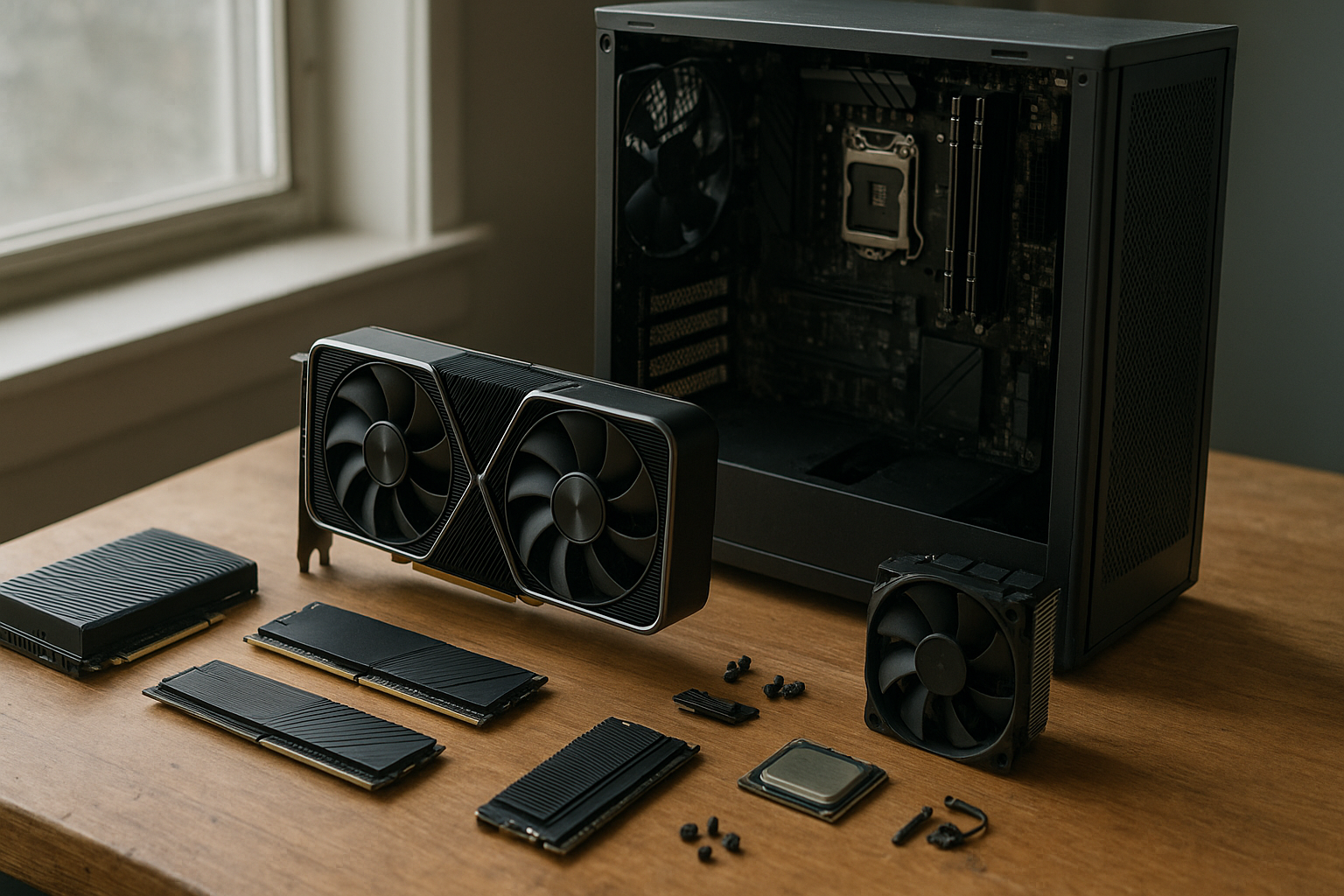
Reports about Nvidia VRAM allocation have raised a question that extends beyond one graphics card generation: could Nvidia’s approach to memory capacity or supply affect GPU prices, product variety, and the amount of VRAM available to gamers? For now, the claims circulating online should be treated as unverified Nvidia hardware reports—not confirmed product policy.
This article distinguishes between two meanings of “allocation,” explains what the current Nvidia VRAM rumors could mean for Nvidia GPU partners and PC builders, and outlines how to make a sensible buying decision without relying on speculation. The practical issue is straightforward: graphics card VRAM limits can affect texture quality, ray tracing, modded games, creative workloads, and how long a GPU remains comfortable to use.
Table of Contents
- What the Nvidia VRAM allocation rumors actually claim
- Why VRAM allocation matters
- How VRAM allocation works in practice
- What the rumors could mean for gamers
- Potential impact on Nvidia GPU partners
- How much VRAM do gamers need?
- How to evaluate unverified hardware reports
- Key Takeaways
- Frequently Asked Questions
- Conclusion
What the Nvidia VRAM allocation rumors actually claim
The phrase “Nvidia VRAM allocation” can refer to two very different things. The first is a supply-chain question: how Nvidia might distribute memory components, GPU packages, or approved memory configurations among board partners. The second is a software question: how a game, driver, or operating system reserves and uses the VRAM installed on a graphics card.
Recent Nvidia VRAM rumors appear to concern the first meaning. Online reports and commentary suggest that future product planning could place tighter constraints on memory configurations, prioritize certain capacities, or make it harder for board partners to offer a broad range of variants. The specific claims vary, and publicly available evidence does not establish a confirmed Nvidia policy.
That distinction is important. A rumor about which memory configurations may be produced does not prove that existing graphics cards will suddenly lose usable VRAM. It also does not show that Nvidia will prevent every partner from launching a particular capacity. Until Nvidia, a board partner, or a reliable regulatory filing provides confirmation, these claims should remain allegations rather than specifications.
Supply allocation versus software allocation
Supply allocation concerns manufacturing decisions: which memory capacities are built, which components are available, and which products receive priority. Software allocation concerns how the system uses the memory already present on a card. Confusing the two can make a speculative report sound far more dramatic than it is.
For example, a claim that Nvidia may allocate fewer high-capacity memory packages to partners could affect product selection or availability. It would not mean that a 12GB card can be converted into an 8GB card through a driver update. Installed physical memory and software-managed memory budgets are related, but they are not interchangeable.
Why VRAM allocation matters
VRAM stores the data a GPU needs to render frames. That includes textures, geometry, shaders, render targets, frame buffers, ray-tracing data, and sometimes assets used by background applications. At higher resolutions and image-quality settings, those assets generally require more memory.
When a game exceeds a card’s practical memory budget, the result is not always an immediate crash. The game may stream assets more aggressively, reduce texture quality, cause stuttering, lower minimum frame rates, or rely on system RAM across the PCIe bus. The exact behavior depends on the game engine, driver, operating system, storage speed, and the GPU itself.
That is why a card can show a high average frame rate while still feeling inconsistent. Average frames per second do not fully capture traversal stutter, sudden asset pop-in, or poor frame-time consistency caused by memory pressure.
VRAM is not the same as GPU performance
More VRAM does not automatically make a graphics card faster. A card with greater memory capacity can still have a slower GPU, narrower memory interface, lower compute performance, or weaker ray-tracing performance than a card with less memory.
Capacity becomes useful when a workload needs it. A large VRAM pool cannot compensate for insufficient shader performance, while a powerful GPU with too little memory may be unable to use its rendering capability comfortably at a demanding resolution. The best purchase balances capacity with the GPU’s intended workload.
Nvidia’s official GeForce graphics card information is a useful starting point for checking published memory specifications. Buyers should still verify the exact model page because capacity, memory type, board power, and outputs can differ between products in the same broad family.
How VRAM allocation works in practice
Operating systems and graphics APIs manage memory through budgets, residency decisions, and resource priorities. A game may reserve part of the available memory, but a reported “allocated” amount is not always the same as the memory the GPU is actively reading at that instant.
Modern engines stream content according to the camera position and expected movement. They may load a large texture cache in advance, then evict or replace assets as the player moves through the world. Monitoring tools can therefore show changing allocation levels even when visual quality remains stable.
Allocated memory, used memory, and memory budget
These terms are often used loosely:
- Physical VRAM: The memory chips installed on the graphics card.
- Allocated memory: Memory reserved by applications, drivers, or the operating system.
- Resident or actively used memory: Data currently available to the GPU without being moved from another memory tier.
- Memory budget: The amount software is advised to use under current system conditions.
- Shared or system memory: Regular RAM that may be used when dedicated VRAM is insufficient, usually with a significant performance penalty.
Windows exposes graphics memory management concepts through Direct3D. Microsoft’s documentation on Direct3D 12 memory residency explains why resources may move in and out of the GPU’s active working set. That is one reason to treat a monitoring overlay as evidence of workload behavior, not as a complete explanation of performance.
Why game settings can change VRAM demand
Texture quality is usually one of the clearest VRAM-sensitive settings, but it is not the only one. Resolution, ray tracing, shadow quality, geometry detail, texture packs, frame-generation buffers, and the game engine’s design can all influence memory use.
Upscaling can reduce the resolution at which some rendering work occurs, but it does not eliminate every memory requirement associated with a high-resolution display. Similarly, lowering textures may solve a capacity problem while leaving a GPU-bound workload unchanged. A useful troubleshooting process changes one setting at a time and tracks frame times, not just the reported allocation number.
What the rumors could mean for gamers
If the GPU memory allocation rumors describe a narrower range of approved or available configurations, gamers could see fewer choices rather than an immediate change to existing hardware. A board partner might offer fewer capacity tiers, launch fewer regional variants, or concentrate production on the configurations Nvidia considers commercially important.
The impact would depend on the details. Restricting an unusual premium configuration would affect fewer buyers than limiting a mainstream card to a capacity that is already becoming uncomfortable for new games. A supply constraint could also push buyers toward more expensive models, even if the underlying GPU performance difference is modest.
| Possible development | Potential effect on gamers | What remains unknown |
|---|---|---|
| Fewer memory configurations | Less choice between entry, mid-range, and high-capacity variants | Which capacities and GPU classes would be affected |
| More emphasis on premium cards | Higher upfront cost for buyers who need additional VRAM | Whether pricing or supply would actually change |
| Partner-specific memory limits | Reduced regional availability or fewer custom-board options | Whether Nvidia or partners would impose the limitation |
| New GPUs with unchanged capacity | Performance may improve while memory headroom remains similar | How future game engines will scale their asset requirements |
| No confirmed policy change | Existing buying advice remains more relevant than rumor coverage | Whether later evidence will support the original reports |
The most important practical risk is a mismatch between GPU performance and memory capacity. A card may be powerful enough to render a game at a target resolution yet still be constrained by its VRAM when high-resolution textures, ray tracing, or large mods are enabled.
Who would feel the impact first?
Enthusiasts who play at 4K, use extensive texture modifications, create content, or keep a GPU for many years would notice a restrictive capacity strategy sooner. They tend to buy for memory headroom as well as current frame rates.
Competitive players using lower settings and high refresh rates may be less affected, provided their chosen games do not have unusually large asset requirements. Laptop buyers, small-form-factor builders, and people shopping in markets with limited inventory could be affected indirectly if fewer board designs are offered.
The issue also matters to creative users. Video editing, 3D rendering, AI applications, and local image-generation tools can consume substantial graphics memory, although the appropriate capacity depends heavily on the application and project size. Gaming benchmarks alone should not determine a workstation purchase.
Potential impact on Nvidia GPU partners
Nvidia GPU partners typically differentiate products through cooling systems, factory settings, circuit-board designs, display outputs, warranty policies, and memory configurations. If memory choices become tightly controlled, partners may lose one of the simpler ways to distinguish models within a product stack.
That could encourage greater emphasis on cooler design, acoustics, factory overclocking, power limits, and premium materials. Those features can be useful, but they do not replace the value of adequate VRAM. A quieter cooler cannot solve texture-streaming problems caused by a capacity limit.
Why memory capacity is a board-design decision
Changing capacity is not always a matter of soldering on extra chips. The GPU’s memory controller, board layout, chip organization, firmware, power delivery, validation process, and memory availability all play a role. A board partner must also confirm that the configuration works reliably across its intended clock speeds and thermal range.
That complexity gives a manufacturer legitimate reasons to limit configurations. It does not, by itself, confirm any particular rumor. A credible report would need to distinguish between technical limitations, supply constraints, commercial agreements, and deliberate product segmentation.
For shoppers, the practical consequence is to compare the exact card rather than relying on a family name. Two cards with similar branding can have different memory capacities, cooler sizes, power connectors, and firmware behavior.
How much VRAM do gamers need?
There is no universal capacity that guarantees a card will remain suitable for every future game. The right answer depends on resolution, settings, game type, mod use, target frame rate, and how long the buyer plans to keep the card.
- Entry-level and mainstream gaming: Focus on the games you actually play and the resolution you use. A card with enough capacity for current settings may be a better choice than a slower card purchased solely for a larger number.
- 1440p gaming: Additional headroom becomes more valuable when using high-quality textures, ray tracing, or demanding modern releases. Check independent tests for the exact GPU and game combination.
- 4K gaming: Capacity and bandwidth both matter. Buyers should look for evidence from 4K tests and consider whether they use high-resolution texture packs or ray tracing.
- Modded games: Large texture packs can change the requirement substantially. The base game’s recommended specification may not describe a heavily modified installation.
- Content creation and GPU computing: Determine the memory requirement of the specific application, project, model, or timeline. Extra VRAM can be more valuable here than a small increase in gaming frame rate.
A better way to judge graphics card VRAM limits
Start with three questions:
- What resolution and refresh rate will the card drive?
- Which settings are non-negotiable, such as ultra textures or ray tracing?
- How many years should the card remain in service?
Then check reviews that report minimum frame rates, frame-time behavior, and image-quality compromises. A review that only lists an average frame rate may miss a memory-related problem. Look for comparisons between texture settings and evidence showing whether reducing a setting improves stutter or merely lowers visual quality.
Do not pay for a much larger memory capacity if the GPU cannot deliver the rendering performance needed for your display. Conversely, do not choose a very fast card with a narrow capacity margin if you expect to use demanding settings for several years. The best choice is usually the model that strikes a sensible balance between GPU capability and memory headroom.
How to evaluate unverified hardware reports
Rumors can offer early clues, but they are not a substitute for documentation. A responsible assessment asks what the source actually knows, whether the claim is internally consistent, and whether independent evidence supports it.
Signals that a report needs caution
- The wording shifts between “allocation,” “restriction,” “shortage,” and “exclusive supply” without defining the terms.
- The report provides no document, product identifier, partner statement, or traceable evidence.
- A single anonymous claim is repeated by multiple outlets without new confirmation.
- The conclusion predicts exact prices, capacities, or launch timing that the evidence does not establish.
- The report treats an alleged production plan as proof of final retail specifications.
Supply chains are fluid. A temporary component shortage, a regional allocation decision, a validation delay, and a permanent product policy can look similar from the outside. Even genuine internal plans can change before a product reaches retailers.
What would count as stronger evidence?
Confidence would increase if several independent signals aligned, such as official product specifications, consistent listings from major retailers, partner documentation, regulatory filings, teardown evidence, or statements from the companies involved. None of these signals is perfect on its own, but together they are more useful than a copied social-media post.
For current cards, use published specifications and independent testing rather than trying to infer a future policy from a rumor. The Steam Hardware & Software Survey can provide broad context about hardware adoption, although it should not be treated as a direct measure of the VRAM requirements of new games or of every PC gamer’s system.
Should you delay a GPU purchase?
Delay only if the rumored product is close to your buying window and you can tolerate waiting. Otherwise, choose from confirmed products based on your actual resolution, games, budget, and expected ownership period.
Waiting for a rumor to resolve can create costs of its own. Prices, stock, competing products, and game requirements can change, while an unannounced GPU may never appear in the form described. If your current card is failing or cannot meet a known workload, a well-reviewed available model is generally a more rational choice than an unverified promise.
Key Takeaways
- The current Nvidia VRAM allocation discussion concerns possible product or supply decisions, not proof that existing cards will lose memory.
- “Allocated VRAM” in a monitoring tool differs from the physical VRAM installed on a graphics card.
- More VRAM helps only when the workload needs it; it does not replace GPU rendering performance.
- Potential restrictions could reduce partner choice, increase pressure on premium models, or leave some GPUs with less future headroom.
- Gamers should judge capacity against resolution, texture settings, ray tracing, mods, and expected ownership length.
- Unverified Nvidia hardware reports deserve cautious language until official specifications or independent evidence confirm them.
- For a purchase decision, prioritize exact model reviews and frame-time results over broad rumor headlines.
Frequently Asked Questions
What does Nvidia VRAM allocation mean?
It can refer either to how Nvidia or its partners distribute physical memory configurations across graphics cards or to how software manages the VRAM already installed in a GPU. Current rumor coverage generally refers to the first meaning. That alleged supply or product-planning issue should not be confused with a driver changing the physical capacity of an existing graphics card.
Are the Nvidia VRAM rumors confirmed?
Not unless Nvidia, an affected board partner, or strong independent documentation confirms the specific claim. Reports that cite anonymous sources or repeat earlier speculation should be treated as unverified. Product plans can change before launch, and terms such as “allocation” may describe supply limits, product segmentation, or ordinary manufacturing constraints.
Can Nvidia reduce the VRAM in my existing graphics card?
A software update cannot remove the physical memory chips installed on a graphics card. A driver can alter reporting, memory management, or application behavior, but that is different from changing the card’s hardware capacity. A future supply or product policy could affect new models or availability; it would not turn an existing card with one physical capacity into a card with another.
How much VRAM do gamers need for 1440p?
The answer depends on the games, settings, and ownership period. Many 1440p buyers should consider memory headroom if they use high-resolution textures, ray tracing, mods, or intend to keep the card for several years. However, capacity should be evaluated alongside GPU performance. Consult reviews of the exact card in the games you play, paying attention to minimum frame rates and stutter rather than average FPS alone.
Does more Nvidia graphics card memory always mean better performance?
No. More memory prevents or delays capacity-related problems, but it does not automatically increase rendering speed. A GPU can have ample VRAM yet remain limited by shader performance, memory bandwidth, cooling, or power limits. Extra capacity is most valuable when a game or application would otherwise need to lower settings, stream assets slowly, or use system memory.
Could VRAM allocation rumors affect Nvidia GPU partners?
Potentially. If partners receive fewer approved memory configurations or less flexibility in sourcing components, they could offer fewer variants or concentrate on premium models. They might then differentiate products through cooling, acoustics, power limits, and design. The size of any effect remains unknown because the underlying reports do not establish which partners, products, or capacities would be involved.
Should I wait for a rumored Nvidia graphics card?
Wait only when the alleged product is relevant to your needs, likely to be announced within your buying window, and you can comfortably keep using your current GPU. Otherwise, compare confirmed cards using independent reviews and current prices. A rumor should influence how closely you monitor announcements, not replace a decision based on a real specification sheet and measured performance.
Conclusion
The Nvidia VRAM allocation story is worth watching because memory capacity can shape both product choice and long-term gaming performance. However, the available Nvidia VRAM rumors do not, by themselves, prove a final specification, a universal restriction on partners, or a change to existing graphics cards.
For now, separate physical memory supply from software memory management, verify every confirmed specification, and match capacity to your resolution, settings, applications, and upgrade cycle. If you are shopping today, the most useful next step is to compare exact cards using reviews that measure frame times and memory-related compromises—not to buy or avoid a GPU solely because of unverified Nvidia hardware reports.