
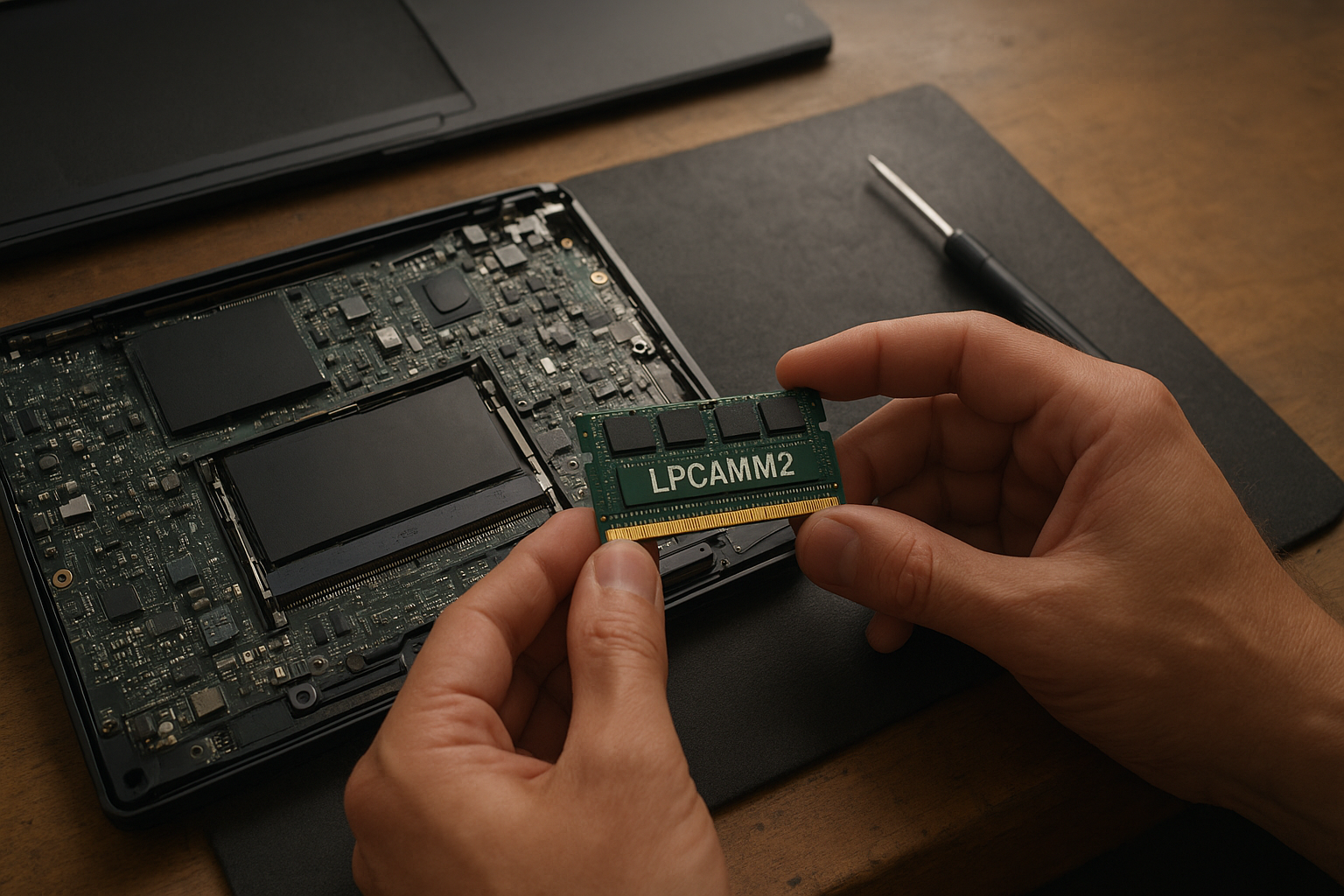
LPCAMM2 RAM is a removable laptop-memory format designed to combine the efficiency of low-power LPDDR5X with the serviceability of a replaceable module. That makes it attractive for thin laptops that would otherwise use soldered memory, but compatibility is far more restricted than with ordinary DDR5 SODIMMs.
This analysis explains the current Crucial LPCAMM2 memory situation, how the format differs from soldered RAM, which compatibility checks matter, and what to do before searching for a replacement or upgrade. The short version: LPCAMM2 is technically promising, but the laptop—not the module listing—determines whether an upgrade will work.
Table of Contents
[[IMAGE: Close-up of a Crucial LPDDR5X CAMM2 module beside an open laptop motherboard, with the connector and mounting screws clearly visibl
What Is LPCAMM2 RAM?
LPCAMM2 is a compact memory module standard based on CAMM2, or Compression Attached Memory Module 2. The “LP” refers to low-power memory, normally LPDDR5X in current laptop implementations. Instead of using long edge connectors like SODIMMs, the module sits flat against the motherboard and connects through a high-density compression connector.
The design addresses a long-standing laptop trade-off. Soldered LPDDR5X can deliver excellent power efficiency and bandwidth, but it cannot be replaced if capacity becomes insufficient or a memory chip fails. LPCAMM2 keeps much of the low-power memory architecture while allowing a technician to remove the module.
CAMM2 is a broader standard. An LPCAMM2 module for LPDDR5X is not automatically interchangeable with every CAMM2 module, particularly versions intended for conventional DDR5 memory. The connector layout, electrical signaling, firmware support, and platform design all matter.
The JEDEC CAMM2 standard documentation provides the industry-level definition of the module approach. Laptop buyers, however, should rely on the service manual and manufacturer specifications for a particular computer rather than assuming that any CAMM2-branded product will fit.
Why LPCAMM2 Matters for Laptop Buyers
Modern thin laptops increasingly use memory soldered directly to the motherboard. That can reduce board space and power consumption, but it turns the original memory configuration into a permanent purchasing decision. A 16GB model may be adequate today yet limiting for development tools, virtual machines, large browser workloads, or creative applications several years later.
LPCAMM2 offers a middle ground:
- Lower-power memory behavior: LPDDR5X is designed for mobile efficiency rather than desktop-style replaceability.
- Serviceability: The module can be removed when the platform supports it.
- Compact installation: A flat module can fit thin chassis designs more easily than multiple SODIMMs.
- Potential capacity flexibility: A laptop maker can ship more than one capacity without soldering every configuration at the factory.
Those advantages do not make LPCAMM2 a universal laptop upgrade. It is better understood as a platform-specific replacement format, similar to how a proprietary battery or Wi-Fi card may require model-specific checks.
Crucial LPCAMM2 Availability
Crucial has been one of the most visible retail brands associated with LPCAMM2 laptop memory. Its products have helped make the format easier to find than a component sold only through laptop manufacturers. However, availability can vary sharply by country, capacity, retailer, and remaining inventory.
That matters because a search result is not proof of continuing supply. A retailer may show an old product page while holding no stock, while marketplace listings may use “CAMM2” as a broad label without clearly identifying LPDDR5X compatibility. Check the official Crucial LPCAMM2 memory product information alongside the seller’s exact part number.
What Crucial Listings Can—and Cannot—Tell You
A genuine Crucial listing should identify the memory family, capacity, speed rating, and module type. It may also provide a compatibility tool or a list of supported systems. These details are useful, but a general compatibility tool cannot replace the laptop maker’s service documentation when the machine is new or unusual.
Be cautious if a listing:
- Calls the product “CAMM2” but does not specify LPDDR5X or LPCAMM2.
- Shows a photograph that does not match the stated part number.
- Uses desktop DDR5 terminology for a laptop LPDDR5X module.
- Promises universal compatibility across CAMM2, LPCAMM2, and SODIMM systems.
- Offers an unusually low price with no clear warranty or return policy.
Crucial consumer-channel changes can also affect long-term stock. If a manufacturer reduces or changes its retail memory business, existing modules may remain available through distributors for a time, but future capacities and regional support become less predictable. For that reason, businesses planning fleet repairs should consider supply continuity, not only today’s purchase price.
How to Read LPCAMM2 Availability
For a one-off laptop upgrade, “in stock” is usually enough if the seller has a reliable return policy. For a repair department or organization buying many identical modules, look for consistent part-number availability from an established distributor and record the supported laptop models before ordering.
Do not buy a module solely because it has the correct capacity. LPCAMM2 RAM must match the laptop’s electrical and mechanical implementation. Availability is useful only after compatibility has been established.
How LPCAMM2 Works
A SODIMM connects through contacts along the edge of a small circuit board. LPCAMM2 uses a flat board with a compression-mounted connector. Screws or a retention mechanism press the module into the connector, creating the electrical contact across a larger, denser interface.
This layout can help a laptop manufacturer place memory close to the processor while keeping the module removable. It also avoids the need for LPDDR5X chips to be soldered directly to the motherboard. The exact mounting hardware and connector position are determined by the laptop design.
LPCAMM2 and LPDDR5X
LPDDR5X is not simply DDR5 with a different label. It uses a different signaling and power model, so an LPDDR5X CAMM2 module cannot be treated as a drop-in substitute for DDR5 SODIMM memory. The memory controller in the processor and the motherboard firmware must support the relevant technology.
This distinction explains many failed upgrade attempts. A laptop that accepts removable DDR5 SODIMMs may still reject LPCAMM2, while a laptop designed for LPCAMM2 may have no SODIMM sockets at all.
Memory speed also requires context. A module’s advertised data rate is a capability under supported platform conditions, not a guarantee that every compatible laptop will operate at that rate. BIOS versions, processor support, module density, and the manufacturer’s validation list can all influence the result.
LPCAMM2 Upgrade Compatibility
LPCAMM2 upgrade compatibility begins with the laptop model, not the memory retailer. Find the exact model number, machine type, or product generation, then consult the manufacturer’s technical specifications and hardware maintenance manual.
A Practical Compatibility Checklist
- Identify the exact laptop configuration. A product family can contain models with soldered memory, SODIMMs, and LPCAMM2 depending on processor or regional configuration.
- Confirm the physical format. Look specifically for LPCAMM2 or LPDDR5X CAMM2. “Upgradeable RAM” by itself is not enough.
- Check the maximum supported capacity. The laptop may support one module but still impose a platform limit on capacity.
- Confirm the memory generation and speed. LPDDR5X LPCAMM2 is not interchangeable with DDR5 SODIMM or a different LPDDR generation.
- Review the service procedure. Some modules require a specific screw sequence, thermal pad placement, or BIOS update.
- Check whether the module is sold separately. A removable module does not guarantee that the manufacturer supports user installation.
- Buy from a seller with returns. This is especially important for new platforms with limited independent validation.
The laptop’s service manual is often more useful than a retailer’s compatibility filter. It may show the connector, retention screws, supported capacities, and whether the system has one or more module positions. The Framework explanation of LPCAMM2 memory is also a useful example of how a laptop maker documents the format, although its information should not be applied automatically to another brand or model.
Can You Mix LPCAMM2 Modules?
Do not assume that two LPCAMM2 modules can be mixed just because they share a connector style. The laptop may use one module only, or it may require matched capacities and validated combinations. Platform documentation should answer this question.
Mixing different capacities, speeds, manufacturers, or memory organizations can create boot failures or force the system to operate at a lower supported setting. When replacing a module, matching the original part number or choosing a configuration explicitly listed by the laptop maker is the safer approach.
Installation Risks
LPCAMM2 installation is not difficult for an experienced technician, but the connector is more delicate than a conventional memory socket. The module must sit flat and align correctly before the retention screws are tightened. Uneven pressure or contamination can cause intermittent memory errors.
Before opening the laptop, shut it down completely, disconnect the charger, follow the manufacturer’s battery-disconnection instructions, and use appropriate electrostatic-discharge precautions. If the manual classifies the module as a customer-replaceable unit, follow its sequence exactly; otherwise, professional installation may be the better choice.
[[IMAGE: Laptop service manual-style view showing an LPCAMM2 module being aligned over its compression connector, with screw locations and battery disconnect highlighted]]
LPCAMM2 Versus Soldered Memory
The most useful comparison is not “which technology is faster?” It is “which compromise fits the laptop’s expected life?” LPCAMM2 and soldered LPDDR5X can both support thin, efficient systems. Their practical difference is whether the memory can be serviced or replaced.
| Characteristic | LPCAMM2 | Soldered LPDDR5X |
|---|---|---|
| Replaceability | Removable when the laptop design permits it | Not normally replaceable as an individual memory module |
| Power and performance target | Designed to bring LPDDR5X characteristics to a removable format | Directly integrated into the motherboard design |
| Upgrade flexibility | Potentially replaceable or configurable, subject to platform limits | Usually fixed at the time of purchase |
| Repair considerations | Module replacement may be possible if the connector and module are available | Memory faults can require motherboard-level repair or board replacement |
| Compatibility | Requires the exact LPCAMM2 implementation supported by the laptop | No user memory-module compatibility decision after purchase |
| Common buying risk | Purchasing the wrong CAMM2 or LPDDR5X variant | Choosing too little memory for the laptop’s expected service life |
The table does not mean LPCAMM2 is always better. Soldered memory can help a manufacturer optimize board layout, power delivery, and thermal behavior. It also eliminates a removable connector that could be damaged. The drawback is permanence: if 16GB becomes inadequate, there is no memory-module upgrade path.
LPCAMM2 Versus SODIMM
SODIMM remains the familiar form of modular laptop RAM, but it generally uses conventional DDR memory. LPCAMM2 is flatter and targets low-power memory designs. A laptop with LPCAMM2 is not an invitation to install a standard DDR5 SODIMM, and a SODIMM laptop cannot normally accept an LPCAMM2 module with an adapter.
An adapter would not solve the underlying problems. The electrical interface, memory controller support, firmware training, power requirements, and physical mounting all need to match. Treat the formats as separate categories when shopping.
Where to Buy LPCAMM2 RAM
When deciding where to buy LPCAMM2 RAM, start with the laptop manufacturer’s part-number guidance, then compare that requirement against Crucial, specialist memory retailers, and established electronics distributors. Search by the complete module part number whenever possible rather than by a generic phrase such as “laptop CAMM2.”
Use this purchasing order:
- Manufacturer documentation: Establish the required format, capacity, and supported speed.
- Official memory-brand page: Confirm that the product is an LPCAMM2 LPDDR5X module and record its exact part number.
- Reputable retailer: Verify stock status, warranty, return period, and whether the item is new.
- Marketplace seller: Use only when the seller provides clear photographs, a traceable part number, and buyer protection.
Availability may be uneven because LPCAMM2 remains a relatively narrow laptop-memory category compared with DDR5 SODIMM. A module listed in one country may not be distributed in another, and older listings may remain indexed after stock has ended.
What to Check Before Ordering
- Exact laptop model and processor platform.
- Whether the machine uses LPCAMM2 rather than standard CAMM2 or SODIMM.
- LPDDR5X support and the manufacturer-approved data rate.
- Capacity limits and single-module restrictions.
- Module dimensions, connector position, and retention hardware.
- Seller return terms in case the laptop fails memory training.
Keep the original module until the replacement has passed several cold boots and a memory test. A system that starts once is not necessarily stable. Run the laptop maker’s diagnostics or a trusted memory-testing utility, and watch for crashes, application corruption, or sleep-and-wake failures.
Who Should Use LPCAMM2?
LPCAMM2 makes the most sense for buyers who want a thin, efficient laptop without completely giving up serviceability. It is particularly appealing to people who keep computers for many years, repair their own equipment, or need a clear path to replacing a failed memory module.
It can also suit professional buyers who need consistent configurations across a small fleet, provided the organization confirms a stable supply of replacement modules. Documenting the exact laptop model and module part number at purchase time can prevent problems later.
Who Should Avoid It?
Avoid choosing a laptop solely because it advertises modular laptop RAM. If a specific machine has poor documentation, no established replacement channel, or an unusual first-generation implementation, the theoretical upgrade path may be less useful than it appears.
Buyers who need a guaranteed, high-capacity configuration immediately should select that capacity at purchase and confirm the manufacturer’s validated options. Buyers who want inexpensive future upgrades may find DDR5 SODIMM laptops easier to source, although they may sacrifice some of the design advantages associated with LPDDR5X.
Realistic Use Cases
- Long-term laptop ownership: Replace a module if the original develops a fault or capacity needs change.
- Development and virtualization: Choose a platform with enough supported capacity for containers, virtual machines, and large projects.
- Field repair: Carrying a spare standardized part can be easier than replacing an entire motherboard, if the manufacturer supports the procedure.
- Thin performance laptops: Obtain LPDDR5X-style efficiency while retaining more serviceability than fully soldered memory.
None of these use cases guarantees an upgrade. They describe why the format is valuable when the complete laptop design supports it.
Key Takeaways
- LPCAMM2 combines a removable CAMM2-style module with low-power LPDDR5X memory.
- It is not interchangeable with DDR5 SODIMM, standard CAMM2, or every other LPCAMM2 implementation.
- Crucial LPCAMM2 memory may be available through selected channels, but stock and regional support can change.
- The exact laptop model, processor platform, firmware, capacity limit, and service manual determine compatibility.
- Check the complete module part number, not just the capacity or the word “CAMM2.”
- LPCAMM2 is most useful when you value thin design, low-power memory, and a realistic repair path.
- If future capacity is critical, buy a validated configuration rather than relying on an upgrade that has not been documented.
Frequently Asked Questions
Is LPCAMM2 RAM the same as CAMM2?
No. CAMM2 is the wider module concept, while LPCAMM2 generally refers to a low-power version using LPDDR5X memory. A laptop may support one CAMM2 variant and not another. Check the laptop’s specifications and the module’s exact type before buying. A generic CAMM2 listing is not sufficient evidence that the product will work in an LPCAMM2 laptop.
Can I install LPCAMM2 RAM in a laptop with DDR5 SODIMM slots?
Normally, no. SODIMM and LPCAMM2 use different physical and electrical interfaces, and an adapter would not address firmware and memory-controller requirements. A laptop designed for DDR5 SODIMMs needs compatible DDR5 SODIMM modules. A laptop designed for LPDDR5X CAMM2 needs a validated LPCAMM2 part or configuration.
Is Crucial LPCAMM2 memory still easy to find?
Availability depends on the country, capacity, seller, and current Crucial distribution. Some products may remain listed after stock becomes limited, and consumer-channel changes can make long-term supply less predictable. Check Crucial’s official product information and compare the exact part number with established retailers. For a business deployment, confirm replacement availability before standardizing on the platform.
Can LPCAMM2 RAM be upgraded in every laptop that uses it?
No. A laptop maker may use the LPCAMM2 label while limiting supported capacities, shipping one fixed configuration, or requiring an authorized repair procedure. The service manual should show whether the module is removable and which capacities are validated. Also confirm that the replacement matches the platform’s LPDDR5X generation, speed, density, and firmware requirements.
Is LPCAMM2 faster than soldered LPDDR5X?
Not inherently. LPCAMM2 is a module format, not a guaranteed performance tier. A laptop using soldered LPDDR5X and one using LPCAMM2 may have similar memory capabilities, while actual results depend on the processor, memory speed, channel arrangement, firmware, and workload. Choose between them primarily on serviceability, capacity, and platform design rather than the connector alone.
Can I mix two LPCAMM2 modules?
Only if the laptop explicitly supports that arrangement. Some systems are designed around one module, while others may validate specific combinations. Mixing capacities or different module specifications can prevent booting or reduce the operating speed. Follow the manufacturer’s approved configurations and avoid assuming that two physically similar modules will function as a matched set.
Where can I find reliable LPCAMM2 compatibility information?
Start with the laptop manufacturer’s technical specifications, maintenance manual, and parts catalog. Then use the memory maker’s part-number information as a secondary check. Retailer compatibility tools can be helpful for established models, but they should not override the service manual. If documentation conflicts, contact the laptop maker or seller before opening the machine.
[[IMAGE: Side-by-side comparison of a flat LPCAMM2 module, a soldered LPDDR5X motherboard layout, and a DDR5 SODIMM, with labels showing their different connectors]]
Conclusion
LPCAMM2 RAM is a meaningful alternative to both soldered LPDDR5X and traditional SODIMM memory. It can preserve the thin-laptop advantages of low-power memory while making replacement possible, but the format remains highly dependent on the laptop’s motherboard, firmware, and approved module list.
Crucial LPCAMM2 memory can be a sensible purchase when its exact part number is documented for your computer, yet availability should not be treated as a permanent guarantee. Before ordering, identify the precise laptop model, confirm LPCAMM2 and LPDDR5X support in the service manual, verify the capacity limit, and buy from a seller offering returns. That checklist is more reliable than any generic “compatible RAM” search result.