
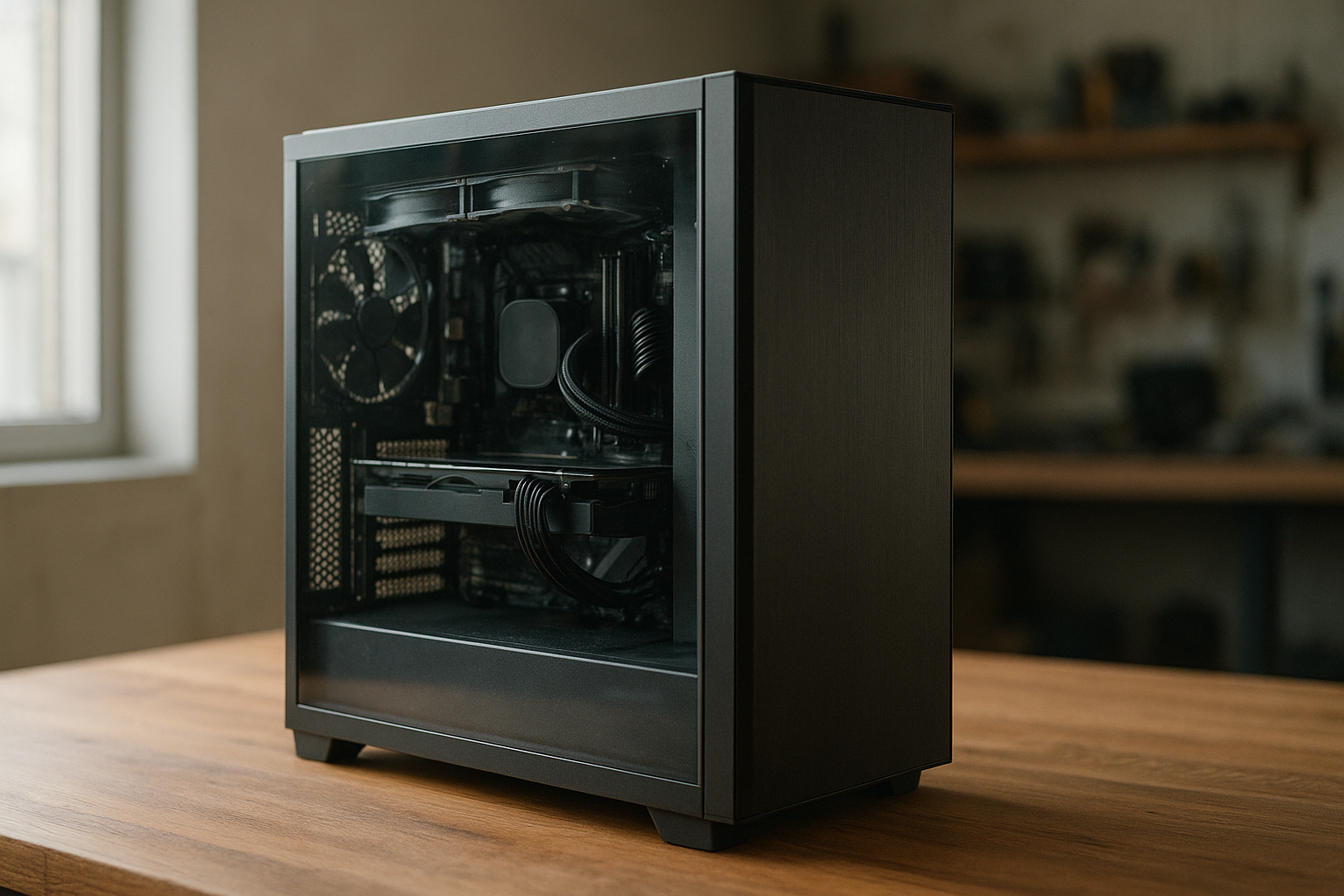
The Lian Li O11 Vision review question is less about whether this case looks good—it clearly does—and more about whether its glass-heavy design fits your hardware, cooling plan, and tolerance for careful building. The Lian Li O11 Vision case is a dual-chamber ATX enclosure built to display components through three tempered-glass panels, but that showcase layout changes how you plan airflow, cable management, and radiator placement.
This O11 Vision PC case review explains the design, compatibility, cooling options, installation trade-offs, and ideal use cases. It also covers Lian Li O11 Vision GPU clearance, radiator support, airflow limitations, and the types of builders who should choose a more conventional mesh-front case instead.
Table of Contents
[[IMAGE: Three-quarter view of a completed Lian Li O11 Vision desktop showing the uninterrupted front and side tempered-glass panels, internal RGB lighting, bottom fans, and rear cable chamber]]
Lian Li O11 Vision Review at a Glance
The O11 Vision is a large, premium-looking mid-tower with a two-chamber internal layout. The motherboard, graphics card, storage, and cooling hardware sit in the visible chamber, while the power supply and much of the cable management occupy the chamber behind the motherboard tray.
Its defining feature is the glass presentation. The front, side, and top panels create a relatively unobstructed view of the components, with the top glass replacing the mesh roof found on many performance-focused cases. That choice gives the O11 Vision its distinctive appearance but makes fan placement and exhaust strategy more important.
The case is best suited to a carefully planned ATX or E-ATX build using a liquid cooler, multiple case fans, and components chosen with visual presentation in mind. It can also house powerful hardware, but it is not a “fit anything and add fans later” enclosure.
| Area | Assessment | What it means for your build |
|---|---|---|
| Design | Excellent for visible components | Ideal for RGB systems, custom sleeved cables, and clean interiors |
| Airflow | Good when planned correctly | Bottom and side intake with top exhaust is a sensible starting point |
| Cooling flexibility | Strong, but layout-dependent | Large radiators and multiple fans are possible, but clearances must be checked |
| Cable management | Better than a single-chamber glass case | The rear chamber hides most wiring, although dense builds still require patience |
| Ease of building | Moderate | Plan fan orientation, radiator thickness, and cable paths before installation |
Design and Build Quality
The O11 Vision uses a “showcase” layout rather than the traditional front-to-back airflow design. The front and side are visually open, and the rear chamber shifts bulky hardware and wiring out of the main viewing area. This produces a clean display surface for the motherboard and GPU.
The glass panels are the main reason to buy this case. They make the system look more like a display cabinet than a conventional PC tower, particularly when the build uses a vertical GPU mount, coordinated lighting, or a matching liquid-cooling loop.
That visual emphasis also exposes mistakes. Untrimmed cables, mismatched fan frames, dust, and an untidy radiator installation are easier to see through three glass panels. A showcase case rewards preparation more than improvisation.
What the dual-chamber layout does well
- Moves the PSU and cable bundle away from the primary display area.
- Creates a cleaner background for the motherboard and graphics card.
- Provides more room behind the motherboard tray than many traditional cases.
- Allows storage drives and controllers to remain largely out of sight.
- Works well with synchronized RGB components and custom cables.
The trade-off is that the case is physically wide and deeper than many ordinary ATX towers. Before buying, measure the desk, the route through your room, and the clearance around the side and rear panels. A case that fits on paper can still feel cramped if it is pushed against a wall where the rear chamber cannot be opened.
Lian Li’s official O11 Vision product page is the best place to confirm the exact specifications and included accessories for the version sold in your region. Do not assume that specifications for the O11 Vision Compact, O11D EVO, or later variants apply to the original model.
Compatibility and Clearance
The original O11 Vision is designed around ATX-class systems and has the internal volume expected from a large mid-tower. It can support high-end components, but compatibility depends on the combination of motherboard, radiator, fan thickness, GPU position, and cable routing.
Motherboard and CPU cooler support
ATX motherboards are the natural fit. Some E-ATX boards can also be compatible, but E-ATX dimensions and cable cutout coverage vary. A wide board may cover routing openings or reduce working space in the visible chamber, so check the board dimensions against Lian Li’s current compatibility information rather than relying only on the “E-ATX compatible” label.
Air cooling is possible, but the case’s visual design and upper glass panel make a large tower cooler less appealing than a clean all-in-one liquid cooler. If you choose air cooling, verify the maximum CPU cooler height and account for the height of the motherboard heatsinks and memory modules.
Lian Li O11 Vision GPU clearance
Lian Li O11 Vision GPU clearance is generous enough for many modern high-end graphics cards, including large multi-slot models. However, maximum card length is only one part of the calculation. A front-mounted radiator is not the usual concern here, but a side radiator, thick fans, a vertical GPU bracket, and the power connector can all reduce practical space.
Pay particular attention to the GPU power cable. Newer graphics cards may use a connector that needs extra bending room near the side glass. Avoid forcing the cable sharply against the panel; use the recommended bend radius from the graphics-card manufacturer and leave enough room for the connector to seat fully.
If you want a vertical GPU, confirm whether the required mounting hardware is included or sold separately. Vertical positioning can improve the presentation, but it may place the card closer to the glass and change how air reaches its intake fans. It can also make the graphics card more sensitive to a poorly arranged bottom intake.
Storage, power supply, and expansion hardware
The rear chamber provides a practical location for the power supply and cable slack. This is one of the case’s strongest functional features because the visible chamber does not need to accommodate a large PSU beside the motherboard.
Check the PSU length if you plan to install several storage drives, fan hubs, RGB controllers, or unusually thick cable extensions. The power supply may fit while the remaining cable space becomes difficult to manage. Modular PSUs are especially useful here because unused cables can stay in the box instead of filling the rear compartment.
Plan expansion cards and controller placement before starting the build. A fan or lighting hub hidden behind the motherboard tray is convenient, but its USB, SATA, and motherboard-header cables still need a clean route.
Lian Li O11 Vision Cooling and Airflow
Lian Li O11 Vision cooling depends more on airflow direction than on simply filling every fan position. A sensible configuration normally draws cool air through the bottom and side positions, then exhausts warm air through the top radiator or top fans. The rear chamber is not a substitute for direct intake and exhaust through the main chamber.
The case’s glass top has an obvious consequence: the top is not a naturally open exhaust area. If you install a top radiator, its fans must push air through the radiator and out through the available vented structure around that mounting area. If you use the top for fans without a radiator, the same principle applies—make sure the fans are exhausting rather than accidentally fighting the side or bottom intake.
Lian Li O11 Vision radiator support
Lian Li O11 Vision radiator support is one of its main attractions. The case is designed for large liquid-cooling layouts, including 360 mm-class radiators in supported positions, but the exact combination depends on radiator thickness, fan thickness, motherboard position, and the mounting arrangement.
Do not treat “supports a 360 mm radiator” as proof that any 360 mm radiator will fit in every position. A thick radiator with push-pull fans occupies substantially more space than a slim radiator with a single row of fans. Motherboard heatsinks, memory modules, pump tubes, and GPU clearance can all affect the result.
The top position is particularly important because the motherboard tray and top radiator need to coexist under the glass roof. In some configurations, the case’s adjustable motherboard mounting position is part of the clearance solution. Read the installation instructions before buying a cooler, especially if you want a thick radiator or a push-pull arrangement.
Recommended fan layouts
- Balanced liquid-cooled build: bottom intake, side intake, and top radiator exhaust.
- Air-cooled CPU build: bottom intake, side intake, and top exhaust fans, provided the CPU cooler and top clearance work together.
- GPU-focused build: prioritize unobstructed bottom intake beneath the graphics card and avoid placing a thick side radiator where it restricts the GPU’s airflow path.
- Quiet workstation: use fewer, larger fans at lower speeds and set a gradual motherboard fan curve instead of running every fan at maximum.
There is no universal best layout because the ideal arrangement changes with the CPU cooler, GPU, radiator, and room temperature. The important goal is a coherent pressure path: cool air should enter through deliberate intake positions, and heated air should leave through a dedicated exhaust route.
Is O11 Vision airflow good enough for high-end hardware?
O11 Vision airflow can work well for high-end hardware when the bottom and side intake positions receive unobstructed air. It is less forgiving than a mesh-front case because the glass panels provide little passive ventilation. A system with a hot CPU, a high-power GPU, and too few intake fans can run warmer or louder than expected.
Use dust filters where provided, keep the bottom intake area clear of carpet and debris, and clean the filters regularly. Fan direction is worth checking visually before final cable management; one reversed fan can undermine an otherwise logical layout.
[[IMAGE: Internal airflow planning diagram for the Lian Li O11 Vision showing bottom and side intake arrows feeding the GPU and motherboard, with warm air exhausting through a top-mounted 360 mm radiator]]
Building and Cable Management
The two-chamber structure makes the O11 Vision easier to keep tidy than a conventional glass-front case, but it does not eliminate cable management. The visible chamber should be planned first: decide where the GPU power cable, motherboard EPS cables, AIO tubes, and front-panel connections will appear before you tighten anything.
Build order matters. Install the motherboard and CPU cooler hardware while access is easy, route the power cables through the rear chamber, and test the fans and lighting before sealing the glass panels. If you install a radiator and GPU before planning the cables, the remaining access points can become awkward.
Practical cable-management advice
- Install the PSU and connect only the modular cables you actually need.
- Route the 24-pin motherboard cable and CPU power cables before fitting bulky radiators or reservoirs.
- Keep front-facing cables parallel and use short runs where possible.
- Mount fan and RGB hubs in the rear chamber, but leave enough slack to remove the side panel.
- Test booting, fan control, USB connections, and lighting before installing all glass panels.
Custom sleeved cables can make a major visual difference, especially for the 24-pin and GPU power leads. They are optional, though; careful routing with the cables supplied by a modular PSU can still produce a clean result.
The case is not ideal for builders who want to swap components frequently without disturbing a carefully arranged display. Removing glass panels and working around multiple radiators is more involved than upgrading a basic mesh tower.
How It Compares With Other Case Styles
The right comparison is not simply “which case has more fans?” The O11 Vision competes with several different designs: conventional mesh-front ATX cases, dual-chamber cases with more ventilation, and other glass showcase enclosures.
| Case style | Main advantage | Main drawback | Best match |
|---|---|---|---|
| O11 Vision-style glass showcase | Excellent component visibility and a clean dual-chamber presentation | Requires deliberate airflow and more attention to aesthetics | RGB builds, custom loops, and display-focused desktops |
| Mesh-front ATX tower | Simple, direct airflow with fewer layout constraints | Less dramatic component visibility | Quiet, practical, or value-focused systems |
| Large dual-chamber mesh case | Combines cable space with stronger ventilation | Usually larger and less visually seamless | High-power hardware with a performance-first priority |
| Compact showcase case | Smaller footprint and attractive presentation | Less room for radiators, GPUs, and cable slack | Moderate-power systems where dimensions matter |
Compared with a mesh-front case, the O11 Vision asks you to think more carefully about fan placement. Compared with a smaller showcase case, it gives you more room to use large components and multiple radiators. That middle ground is why it remains appealing for enthusiast ATX builds.
Before choosing a case, use the manufacturer’s compatibility information and measure the specific parts you intend to install. Lian Li’s official support resources can help when the product page does not answer a detailed installation question.
Pros and Cons
Pros
- Three-sided glass creates an unusually clear view of the components.
- Dual-chamber construction hides the PSU and most cable clutter.
- Strong support for enthusiast-grade liquid-cooling layouts.
- Generous internal space for large graphics cards and ATX-class hardware.
- Works exceptionally well with coordinated RGB components and custom cables.
- Distinctive appearance without requiring a custom case or open test bench.
Cons
- Glass panels provide less passive airflow than a mesh-front design.
- Cooling performance depends heavily on correct intake and exhaust placement.
- Radiator thickness and motherboard position can create clearance conflicts.
- Large GPUs may need careful power-cable routing near the side glass.
- Its width and depth may be inconvenient for smaller desks.
- Dust, fingerprints, and untidy wiring are highly visible.
- It can cost more than a basic airflow case with similar component compatibility.
Who Should Buy the O11 Vision?
The O11 Vision is a strong choice if the appearance of the finished PC matters almost as much as its performance. It suits builders who enjoy selecting matching fans, lighting, tubing, cable sleeves, and component colors.
It is also a sensible option for a powerful gaming or productivity system if you are willing to plan the thermal layout. A high-end GPU, a large CPU cooler, and several fast storage devices can fit comfortably when you confirm clearances before purchasing.
Choose it if you want
- A premium glass presentation for a desk-mounted PC.
- A dual-chamber layout that hides the power supply and cable bundles.
- Room for a large liquid-cooling system.
- A case that makes component lighting and internal design central features.
- A platform for a carefully photographed or displayed custom build.
Consider another case if you need
- The lowest possible temperatures with minimal fan planning.
- A compact enclosure for a small desk.
- Frequent component changes and easy access above all else.
- A quiet build with very few fans and limited active airflow.
- Maximum dust resistance and the forgiving ventilation of a mesh front.
For many buyers, the deciding question is simple: are you buying a PC case to display the build or merely to contain it? The O11 Vision is among the better choices for showcase builds, but a well-ventilated mesh case can be the more rational choice for a hidden workstation or upgrade-heavy system.
Key Takeaways
- The O11 Vision is a dual-chamber ATX showcase case built around three tempered-glass panels.
- Its appearance is a major strength, but the glass-heavy design makes airflow planning essential.
- Bottom and side intake with top exhaust is a practical starting point for many configurations.
- Large radiators and graphics cards can fit, but thickness, mounting position, and cable clearance still matter.
- The rear chamber improves cable management without removing the need for careful routing.
- It is best for display-focused enthusiast builds, not necessarily for the cheapest or simplest PC.
- Always verify the specifications for the exact O11 Vision version rather than a similarly named Lian Li case.
Frequently Asked Questions
Is the Lian Li O11 Vision a good case for gaming PCs?
Yes, provided you install enough intake and exhaust fans and confirm the GPU and cooler clearances. Its dual-chamber layout works well for a high-end gaming PC because it keeps the PSU and cable bundles away from the main hardware. The case is particularly attractive for RGB systems, but a mesh-front case may be a better value if you care more about simple airflow than component visibility.
Does the Lian Li O11 Vision have good airflow?
O11 Vision airflow can be good, but it is not as naturally forgiving as airflow through a mesh-front case. The glass front, side, and top mean that fans must create the intended path rather than relying on large open panels. Bottom and side intake paired with top exhaust is a sensible layout for many systems. Keep the bottom intake clear and adjust fan curves after checking CPU and GPU temperatures.
What radiator sizes does the O11 Vision support?
The case is designed to support large liquid-cooling radiators, including 360 mm-class radiators in compatible mounting positions. Actual compatibility depends on radiator and fan thickness, motherboard position, memory clearance, and whether another radiator occupies an adjacent mount. Check the exact radiator dimensions—not just the advertised size—before buying, particularly for thick models or push-pull fan arrangements.
Will a large graphics card fit in the Lian Li O11 Vision?
Many large graphics cards fit, and Lian Li O11 Vision GPU clearance is one of the case’s useful strengths. However, the practical fit depends on more than card length. A side radiator, vertical GPU bracket, thick fans, and the GPU power connector can reduce available space. Measure the card, connector area, and nearby cooling hardware together before finalizing your parts list.
Is the O11 Vision suitable for air cooling?
It can be used with an air cooler, but the case is visually and functionally better suited to a carefully planned liquid-cooled or showcase build. If you choose a tower cooler, verify its maximum height and consider how the cooler interacts with the top glass and nearby fans. A conventional mesh-front case may provide a simpler air-cooling experience and better value.
Does the O11 Vision include fans?
Fan inclusion can depend on the exact product version, bundle, region, or retailer listing, so confirm the contents of the box before ordering. Do not assume that a case shown with a full set of illuminated fans includes those fans. Budget separately for the number, size, and type of fans your airflow plan requires.
Is the Lian Li O11 Vision worth buying for a non-RGB PC?
It can be, but its strongest advantage is the presentation created by the glass panels. A non-RGB build can still look excellent with a restrained color scheme, clean cabling, and visually consistent components. If the PC will sit under a desk or if appearance is unimportant, a less expensive case with a mesh front may offer more practical cooling for the money.
[[IMAGE: Clean finished O11 Vision build photographed from the side, highlighting organized rear-chamber cabling, a top exhaust radiator, and unobstructed bottom intake fans beneath a large GPU]]
Final Verdict
This Lian Li O11 Vision review finds a case with a clear purpose: it turns a powerful PC into a visible centerpiece. The glass-heavy design, dual-chamber layout, and liquid-cooling potential make it a compelling option for carefully planned showcase builds, while the airflow and clearance requirements prevent it from being an automatic recommendation for every system.
Buy the O11 Vision if you value presentation, have room for its larger footprint, and are prepared to map out radiator thickness, fan direction, GPU power-cable clearance, and rear-chamber wiring. Before ordering, compare the official compatibility details with the exact dimensions of your motherboard, GPU, CPU cooler, PSU, and radiator. That short planning step will tell you whether this is the best PC case for your showcase build—or whether a simpler mesh case better matches your priorities.