
The Core Ultra 9 285K review comes down to a trade-off: Intel’s Arrow Lake desktop flagship delivers excellent multi-core performance, a new platform, and significantly improved efficiency over Intel’s previous high-end desktop chips, but it is not the automatic choice for a gaming-first PC. Its 24-core hybrid design is compelling for rendering, compiling, encoding, and heavy multitasking; its gaming results depend heavily on the title, memory tuning, and graphics card.
This review explains the Intel Core Ultra 9 285K’s architecture, real-world performance position, power behavior, gaming value, motherboard requirements, and alternatives. It also covers who should buy it, who should choose Ryzen instead, and what to check before purchasing an LGA1851 system.
Table of Contents
- Core Ultra 9 285K overview
- Arrow Lake architecture and platform changes
- Core Ultra 9 285K benchmarks and performance
- Core Ultra 9 285K gaming performance
- Core Ultra 9 285K power consumption and thermals
- Motherboard, memory, and compatibility
- Intel 285K vs Ryzen 9
- Pros, cons, and buying advice
- Frequently Asked Questions
- Core Ultra 9 285K review verdict
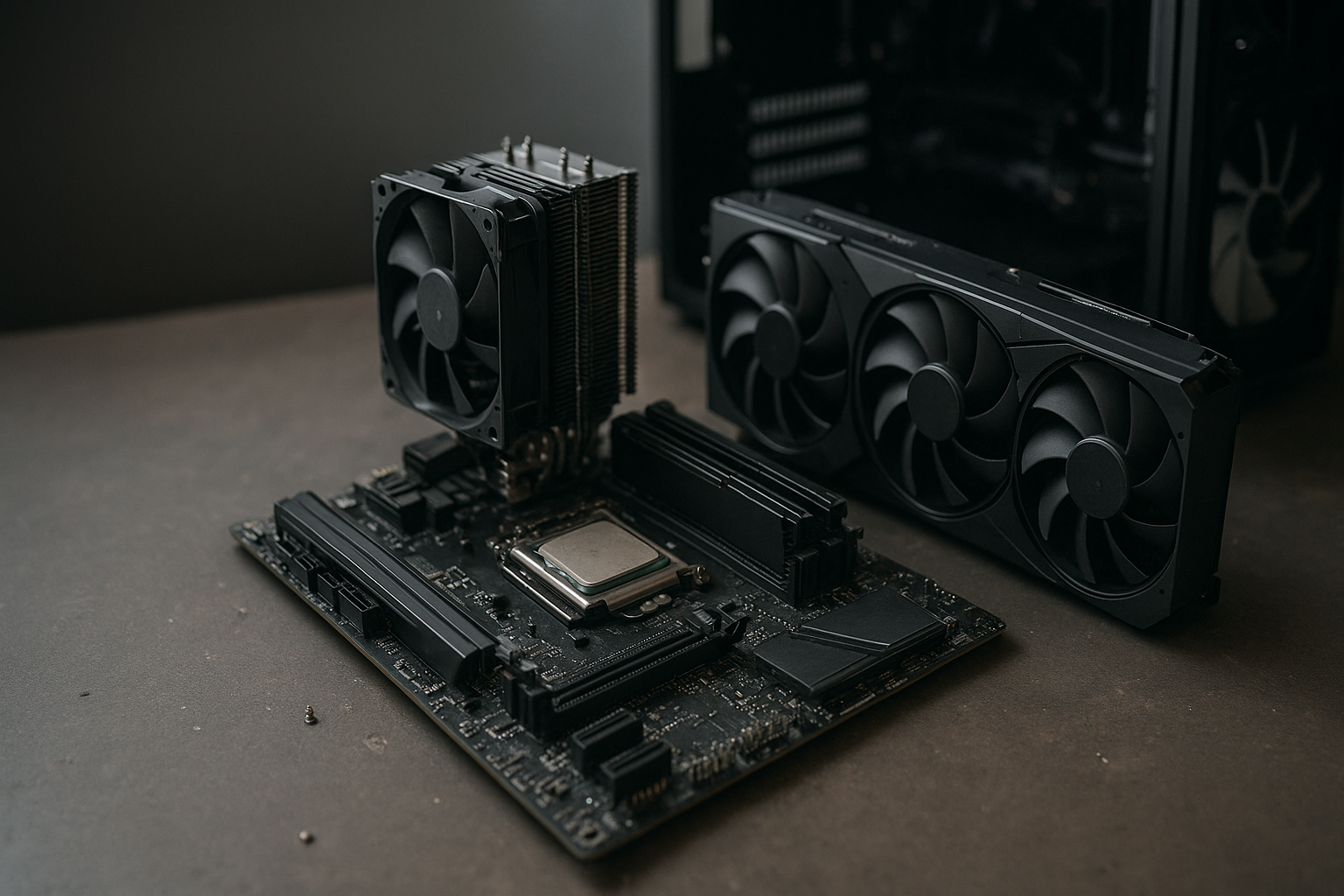
[[IMAGE: Intel Core Ultra 9 285K installed in a modern Z890 motherboard beside DDR5 memory, a liquid CPU cooler, and a discrete graphics card]]
Core Ultra 9 285K overview
The Core Ultra 9 285K is the flagship of Intel’s first Core Ultra 200S desktop generation, also known as Arrow Lake-S. It uses eight performance cores and 16 efficient cores for a total of 24 cores and 24 threads. Unlike recent Core i9 desktop chips, the 285K does not use Hyper-Threading on its performance cores.
According to Intel’s published specifications, the processor reaches up to 5.7 GHz, includes 36 MB of Intel Smart Cache, supports DDR5 memory, and has a 125-watt processor base power rating with a maximum turbo power of 250 watts. Those power figures describe platform limits rather than a constant wall-socket draw. Actual consumption changes with the motherboard’s power settings, workload, cooling, and the number of cores being used.
The chip also includes an integrated GPU and a small NPU for local AI workloads. Neither feature makes a discrete graphics card unnecessary for a serious gaming PC, but the iGPU is useful for display output and troubleshooting, while the NPU may become more relevant as desktop software adds support for local AI acceleration. Intel’s official Core Ultra 9 285K specifications are the best reference for supported features and limits.
| Feature | Core Ultra 9 285K |
|---|---|
| Architecture | Arrow Lake-S hybrid design |
| Core and thread count | 24 cores: 8 performance cores and 16 efficient cores; 24 threads |
| Maximum turbo frequency | Up to 5.7 GHz |
| Cache | 36 MB Intel Smart Cache |
| Memory support | DDR5; motherboard implementation determines supported speeds and capacity |
| Socket | LGA1851 |
| Processor base power | 125 W |
| Maximum turbo power | 250 W |
| Integrated graphics | Included |
On paper, this is a powerful workstation-oriented desktop processor. The more difficult question is whether its performance advantage justifies the cost of a new motherboard, DDR5 memory, and a high-end cooler when competing AMD processors offer a mature AM5 platform and, in some games, stronger results.
Arrow Lake architecture and platform changes
Arrow Lake changes more than the product name. Intel moved the compute tiles and other functions into a chiplet-style package, introduced a new desktop socket, removed Hyper-Threading, and placed more emphasis on efficiency. The result is a processor that behaves differently from the Core i9-14900K even though both occupy the same enthusiast performance tier.
Why the loss of Hyper-Threading matters
The 285K’s 24 threads may look modest beside a 32-thread Ryzen 9 processor, but thread count alone does not determine performance. The Arrow Lake performance cores are newer, and the efficient-core cluster can handle many background and throughput tasks effectively.
Still, applications that scale cleanly across many threads can favor processors with more simultaneous threads. Video encoders, 3D renderers, code compilers, and virtual machines should be judged using application-specific benchmarks rather than core-count comparisons. A 285K system can be very fast, but buyers should not assume that 24 cores automatically beats every 32-thread competitor.
New socket, new chipset, and new expectations
The processor uses LGA1851, so it does not work in LGA1700 motherboards designed for 12th-, 13th-, or 14th-generation Core desktop CPUs. A new build normally pairs the chip with an Intel 800-series motherboard, such as a Z890 model when overclocking and extensive connectivity are priorities.
This platform change is a major part of the buying decision. Someone upgrading from a 14900K cannot simply replace the CPU. They need a compatible board, and an existing DDR5 kit may or may not run at its rated profile on the new platform. A person moving from an older DDR4 system must replace the memory as well.
Core Ultra 9 285K benchmarks and performance
Published Core Ultra 9 285K benchmarks show a processor with a strong multi-core profile and a less consistent gaming profile. The broad pattern is more useful than one synthetic score: heavy workloads tend to benefit from the 285K’s combination of eight fast cores and 16 efficient cores, while lightly threaded applications depend on per-core speed, memory latency, software scheduling, and the specific game engine.
Productivity and creator workloads
For sustained rendering, video production, compression, software development, and large code builds, the 285K is a serious performer. Its efficient cores provide additional throughput without requiring every task to run on the larger performance cores. This makes the chip particularly attractive for people who work on the PC while also running browsers, communication tools, file transfers, or virtual machines.
Performance can vary substantially between applications. A renderer that scales across all available cores may show a clear benefit, while an older application with limited parallelism may respond more like a high-end gaming workload. The best purchase decision comes from comparing results in the programs you actually use, not from choosing the processor with the largest advertised frequency.
Single-core and everyday responsiveness
Everyday desktop use feels fast on the 285K, as expected from a current flagship. Application launches, browser activity, office software, and photo work rarely expose the processor as a bottleneck when paired with adequate memory and solid-state storage.
That does not mean the 285K wins every short benchmark. Modern high-end CPUs are close enough in many lightly threaded tasks that differences may be difficult to notice outside a controlled test. Spending more on a faster SSD, additional memory, or a better monitor can produce a more visible improvement for general-purpose users than moving between two flagship processors.
How to interpret reviews and benchmark charts
When comparing independent results, check the test conditions before drawing conclusions. BIOS versions, Windows updates, memory profiles, motherboard power limits, cooling, and graphics-card selection can all influence the outcome.
- Use application benchmarks that match your workload.
- Separate CPU-limited tests from GPU-limited tests.
- Compare minimum frame rates as well as average frame rates in games.
- Check whether the motherboard applies unrestricted power settings by default.
- Look at performance per watt when comparing long renders or repeated exports.
One benchmark result cannot establish a universal ranking. The 285K is best understood as a high-end general-purpose and productivity CPU whose value depends heavily on whether gaming, creation, or mixed workloads receive priority.
Core Ultra 9 285K gaming performance
Core Ultra 9 285K gaming performance is the most complicated part of this processor’s review. It can deliver excellent frame rates, especially when paired with a powerful graphics card, but it is not consistently the fastest gaming CPU in its price class. AMD’s gaming-focused X3D processors can have an advantage in games that benefit from their large stacked cache.
At 1440p and 4K, the graphics card usually limits performance before the CPU does. In those situations, a 285K system can provide a smooth high-end experience, and the difference between flagship processors may be small. At 1080p with a high-refresh display, however, CPU differences become easier to see, particularly in esports games, simulation titles, strategy games, and large open-world environments.
Gaming strengths
- Strong results in many modern games when paired with a suitable graphics card.
- Good background-task capacity for streaming, recording, browsers, and voice chat.
- Integrated graphics can provide display output while a discrete GPU is being diagnosed or replaced.
- New platform connectivity can suit a high-end gaming and creator build.
Gaming limitations
- It does not offer a universal gaming lead over AMD’s Ryzen X3D chips.
- Some games respond better to cache capacity and memory latency than to additional CPU throughput.
- Buying a new motherboard adds cost if the system already uses LGA1700.
- Frame-rate gains may be difficult to notice at 1440p or 4K unless the graphics card is also upgraded.
For a gaming-first system, choose the CPU after deciding on the graphics card and monitor. If the target is a 4K OLED display, the 285K may be perfectly adequate, but it may not be the most economical place to spend the budget. If the target is competitive 1080p gaming at very high refresh rates, compare current Ryzen X3D benchmarks for the games you play before committing.
[[IMAGE: A gaming benchmark comparison screen showing the Core Ultra 9 285K paired with a high-end graphics card at 1080p, 1440p, and 4K resolutions]]
Core Ultra 9 285K power consumption and thermals
Core Ultra 9 285K power consumption is a notable improvement in the context of Intel’s previous flagship desktop generation, but “more efficient” does not mean “low power.” The official 250-watt maximum turbo power allows demanding workloads to use substantial power, and motherboard defaults can affect the result.
Cooling requirements depend on how the system is configured. A quality large air cooler or 240 mm-class liquid cooler may be suitable in some builds, while sustained all-core workloads, warm ambient temperatures, aggressive motherboard settings, or quiet fan targets can justify a larger cooler. Cooler performance also depends on case airflow and the specific cooler’s mounting hardware for LGA1851.
Power settings and efficiency
Do not compare CPU power numbers without checking the measurement method. Package power, total system power at the wall, and short-term peak power are different measurements. A benchmark that finishes quickly may show a different efficiency profile from a long render or repeated compile.
For a balanced workstation, it can be sensible to use Intel-recommended limits or apply a modest power cap. Small reductions in peak multi-core performance can lower fan noise and heat, while the effect on interactive work may be negligible. Enthusiasts should also verify that the BIOS exposes the expected power controls rather than assuming every board uses identical defaults.
Motherboard, memory, and compatibility
LGA1851 motherboard compatibility is straightforward but unforgiving: the 285K needs a board designed for the new socket and chipset generation. LGA1700 boards are not compatible, even if they use DDR5 and appear physically similar. Confirm the motherboard’s CPU support list and BIOS version before completing a build.
What to look for in a motherboard
The best motherboard for Core Ultra 9 285K depends on the rest of the system rather than on one universally superior model. A Z890 board is the natural choice for an unlocked K-series chip when CPU overclocking, memory tuning, strong expansion, and extensive I/O matter.
- VRM and cooling: Choose a board with a robust power-delivery design and heatsinks suited to sustained high-load work.
- Memory support: Check the board’s qualified memory list and the manufacturer’s capacity and speed guidance.
- Storage: Count the M.2 slots and confirm whether using certain slots disables SATA ports or reduces expansion bandwidth.
- Graphics expansion: Verify the slot layout if you need a large graphics card plus capture, networking, or storage cards.
- Connectivity: Compare USB4 or Thunderbolt support, high-speed USB ports, Wi-Fi, Ethernet, and audio features.
- BIOS controls: Look for clear power-limit, fan-control, memory-training, and troubleshooting options.
Memory and cooling checklist
Use a matched DDR5 kit rather than mixing separate kits. Higher memory speeds can improve some games and applications, but stability is more valuable than a headline specification. Enable the board’s supported memory profile, then test stability instead of assuming a system is reliable because it boots.
Check that the CPU cooler includes an LGA1851-compatible mounting solution. Some coolers share mounting hardware with LGA1700, but compatibility should be confirmed with the cooler manufacturer. A high-end processor also benefits from a case with a clear front-to-back airflow path and at least one effective exhaust fan.
Intel 285K vs Ryzen 9
The Intel 285K vs Ryzen 9 decision depends on the specific Ryzen 9 model and workload. Ryzen 9 9950X is a 16-core, 32-thread AM5 processor aimed strongly at demanding multi-threaded work, while Ryzen X3D models prioritize gaming performance through additional cache. Intel’s 285K counters with a hybrid 24-core design, a new platform, and strong mixed-use capability.
| Consideration | Core Ultra 9 285K | Ryzen 9 9950X |
|---|---|---|
| Core and thread design | 24 cores and 24 threads: 8 performance cores plus 16 efficient cores | 16 cores and 32 threads using AMD’s Zen 5 design |
| Platform | LGA1851 with a new 800-series desktop platform | AM5 platform |
| Memory | DDR5 | DDR5 |
| Gaming priority | Strong high-end gaming, but results vary by title and may trail X3D alternatives | Strong general gaming; X3D variants target gaming more directly |
| Heavy multi-core work | Very strong throughput with its hybrid core layout | Very strong throughput with 32 simultaneous threads |
| Upgrade consideration | Requires an LGA1851 motherboard | Uses AMD’s AM5 platform; exact future support should be checked before purchase |
The AMD comparison is not a simple core-count contest. The 285K can be the better fit for a mixed gaming-and-productivity system, especially when Intel-specific media features or the chosen applications favor it. Ryzen 9 may be more attractive for buyers who already own an AM5 board, want a conventional 16-core/32-thread design, or are targeting an X3D model for a gaming-focused build.
For gaming alone, include Ryzen X3D chips in the shortlist even though they are not direct architectural equivalents. For workstations, compare export time, render time, compile time, and application behavior rather than relying on a generic CPU ranking.
AMD’s official Ryzen 9 9950X specifications provide a useful baseline for this platform comparison.
Pros, cons, and buying advice
Reasons to buy the Core Ultra 9 285K
- Excellent high-end performance for mixed productivity workloads.
- Strong multi-core capability for rendering, encoding, compiling, and multitasking.
- Better efficiency positioning than Intel’s previous flagship desktop generation.
- Modern LGA1851 platform with DDR5 and current connectivity options.
- Integrated graphics for troubleshooting and basic display output.
- Unlocked design gives enthusiasts room to tune power, thermals, and memory.
Reasons to avoid it
- It requires a new motherboard and cannot reuse an LGA1700 board.
- Gaming performance is not consistently ahead of AMD’s X3D alternatives.
- A high-end cooler and well-ventilated case remain advisable for sustained loads.
- The NPU has limited value unless the software you use supports it.
- Many 1440p and 4K gamers will see a larger benefit from investing in the GPU.
Who should buy it?
Buy the 285K if you are building a new high-end PC for a combination of gaming, content creation, development, and demanding multitasking. It is especially sensible when your workload includes long multi-core jobs but you still want strong gaming performance between them.
It can also make sense for a professional who values a current Intel desktop platform and plans to keep the system for several years. In that case, budget for a quality motherboard, stable DDR5, and adequate cooling instead of spending the entire build budget on the processor.
Who should choose something else?
A dedicated gaming buyer should compare Ryzen X3D processors in current game-specific tests. A user upgrading from LGA1700 should calculate the complete platform cost before treating the 285K as a drop-in performance upgrade.
Likewise, buyers with a fixed power, noise, or small-form-factor target should compare sustained performance at a configured power limit. The fastest result at unlimited motherboard settings may not produce the best daily experience in a quiet workstation.
Key Takeaways
- The Core Ultra 9 285K is a 24-core, 24-thread Arrow Lake desktop CPU with eight performance cores and 16 efficient cores.
- It is strongest as a high-end mixed-use and productivity processor rather than as an uncontested gaming champion.
- Its official power limits are 125 watts base power and 250 watts maximum turbo power, but real consumption varies by workload and BIOS settings.
- LGA1851 requires a compatible motherboard; LGA1700 boards cannot be reused.
- DDR5, cooling, memory stability, and motherboard power behavior all affect the final system experience.
- For a gaming-first build, compare Ryzen X3D models. For mixed workloads, compare application-specific results and total platform cost.
- At 1440p and 4K, the graphics card often matters more than small differences between flagship CPUs.
Frequently Asked Questions
Is the Core Ultra 9 285K good for gaming?
Yes, the Core Ultra 9 285K is capable of high-end gaming, particularly when paired with a powerful graphics card. However, it is not automatically the fastest gaming processor in its class. Some AMD Ryzen X3D models perform better in games that benefit from large cache capacity, especially at CPU-limited settings such as 1080p. At 1440p and 4K, GPU limitations often reduce the practical difference.
What socket does the Intel Core Ultra 9 285K use?
The processor uses Intel’s LGA1851 socket. It requires a compatible 800-series desktop motherboard, such as a Z890 model for an enthusiast build. LGA1700 motherboards made for 12th-, 13th-, and 14th-generation Core desktop processors are not compatible with the 285K. Check the motherboard manufacturer’s CPU support list and BIOS guidance before buying.
Does the Core Ultra 9 285K support DDR4 memory?
No. The Core Ultra 9 285K platform uses DDR5 memory. You need a compatible DDR5 motherboard and a matched DDR5 kit. Memory speed and stability depend on the motherboard, BIOS, memory kit, and integrated memory controller, so the fastest advertised kit is not always the best choice. Capacity and reliable operation should come before extreme memory settings.
How much power does the Core Ultra 9 285K use?
Intel lists 125 watts of processor base power and 250 watts of maximum turbo power. These are specification limits, not a promise that the chip constantly draws either amount. Actual package and system power vary with the workload, motherboard settings, cooling, and power limits. A quality cooler and a board with sensible BIOS defaults are recommended for sustained high-load use.
Is the Core Ultra 9 285K better than the Core i9-14900K?
It is not a universal win in every workload, but Arrow Lake improves Intel’s platform design and efficiency position. The 285K also requires an LGA1851 motherboard, so an upgrade from a 14900K involves buying a new board. Compare the complete system cost and your applications rather than assuming a newer model always delivers a large practical improvement. Gaming buyers should also compare AMD’s current X3D options.
What is the best motherboard for Core Ultra 9 285K?
There is no single best motherboard for every build. A strong Z890 board with robust power delivery, effective VRM cooling, adequate M.2 storage, current USB connectivity, and reliable memory support is a sensible starting point. Choose features based on your graphics card, storage, networking, expansion cards, and preferred cooling setup. Avoid paying for extreme overclocking features if you will run the processor at stock settings.
Does the Core Ultra 9 285K include integrated graphics?
Yes. The processor includes integrated graphics, which can drive displays and help with troubleshooting when a discrete graphics card is unavailable. Its integrated GPU is not intended to replace a modern gaming graphics card for demanding titles. The chip also includes an NPU, but its usefulness depends on applications that specifically support local AI acceleration.
Core Ultra 9 285K review verdict
The Core Ultra 9 285K review verdict is positive, with an important qualification: this is a strong all-round flagship, not a straightforward gaming-value winner. Its Arrow Lake design combines excellent productivity capability with more sensible efficiency than Intel’s previous high-end desktop approach, while the new platform provides current connectivity and DDR5 support.
Its weaknesses are equally clear. The processor requires a new LGA1851 motherboard, gaming leadership varies by title, and the total platform cost can make AMD alternatives more attractive for either pure gaming or established AM5 owners. Before buying, compare complete build prices and benchmark results for your actual applications, then choose the motherboard and cooler as carefully as the CPU.
In practical terms, choose the 285K for a new mixed-use workstation that also plays games. Choose a Ryzen X3D processor when maximum gaming performance is the overriding goal, and consider a less expensive CPU when your graphics card or monitor—not the processor—is the likely limit.