
The AMD Radeon RX 9070 XT review question is straightforward: can AMD’s first RDNA 4 enthusiast card deliver high-end 1440p and credible 4K gaming without the price of a flagship GPU? The answer is broadly yes. It combines strong traditional raster performance, a major ray-tracing improvement over older Radeon generations, 16GB of VRAM, and new machine-learning features such as AMD FSR 4.
This review explains the Radeon RX 9070 XT specs, real-world strengths and limitations, RX 9070 XT gaming performance considerations, power requirements, ray tracing behavior, and how it compares with Nvidia’s GeForce RTX 5070. Because results vary by game, resolution, driver version, and upscaling mode, the buying advice focuses on use cases rather than pretending one benchmark tells the whole story.
Table of Contents
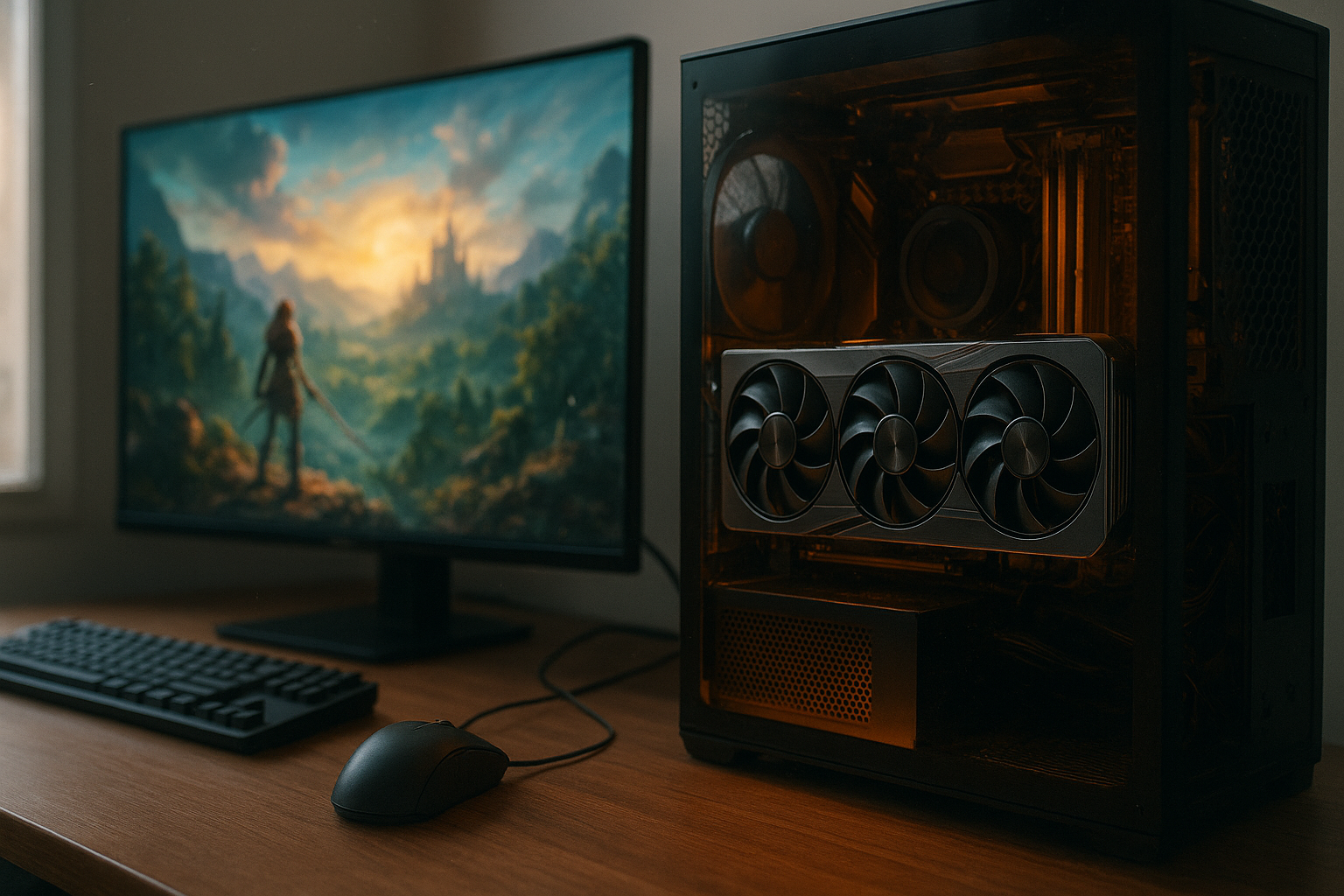
[[IMAGE: AMD Radeon RX 9070 XT graphics card installed horizontally on an open PC hardware test bench, with the large heatsink, triple-fan cooler, PCIe power connectors, and a 1440p gaming monitor visible in the background]]
AMD Radeon RX 9070 XT review verdict
The RX 9070 XT is a high-end, value-focused graphics card rather than a no-compromise flagship. Its strongest case is traditional rasterized gaming at 1440p and 4K, where the combination of a wide memory bus, 16GB of VRAM, and RDNA 4’s improved compute resources gives it comfortable headroom for demanding modern games.
Ray tracing is no longer an obvious reason to dismiss Radeon. RDNA 4 makes a substantial architectural step in ray-tracing hardware, although Nvidia still has advantages in some heavily ray-traced workloads and in the breadth of its AI and creator software ecosystem. AMD’s FSR 4 also makes the card more interesting than a simple raster-performance upgrade, but support depends on individual games and integration.
- Best fit: high-refresh 1440p gaming and sensible 4K gaming.
- Main advantage: strong performance paired with 16GB of VRAM.
- Important improvement: better ray tracing than previous Radeon generations.
- Main limitation: feature support and software ecosystem are not as broad as Nvidia’s in every application.
- Buying advice: compare the actual street prices of the RX 9070 XT, RTX 5070, and faster alternatives before ordering.
AMD lists the card’s launch MSRP at $599, but retail pricing changes by region, model, stock, and retailer. A custom card with a quieter cooler or factory overclock can cost more, so value should be judged against the price of the specific model available to you.
RX 9070 XT specs and RDNA 4 architecture
The Radeon RX 9070 XT uses AMD’s RDNA 4 architecture and the Navi 48 GPU. It is positioned below the company’s previous flagship-tier products in price, while still offering a substantial amount of shader and memory bandwidth for modern games.
| Specification | Radeon RX 9070 XT |
|---|---|
| Architecture | AMD RDNA 4 |
| GPU | Navi 48 |
| Compute Units | 64 |
| Stream processors | 4,096 |
| Game clock | Up to 2.4 GHz |
| Boost clock | Up to 2.97 GHz |
| Memory | 16GB GDDR6 |
| Memory interface | 256-bit |
| Memory bandwidth | 640GB/s |
| Total board power | 304W |
| Recommended power supply | 750W |
| Display support | DisplayPort 2.1a and HDMI 2.1b, depending on implementation |
Clock speeds can vary between AMD’s reference specifications and partner cards. Board dimensions, cooler design, BIOS settings, and connector placement also differ, so check the exact product page before buying if the card must fit a compact case.
What RDNA 4 changes
RDNA 4 is not simply a clock-speed increase. AMD redesigned the ray accelerators and expanded the architecture’s machine-learning capabilities, allowing the RX 9070 XT to handle newer reconstruction and frame-generation techniques more effectively than earlier Radeon cards.
The 16GB memory capacity is particularly relevant for long-term 1440p and 4K use. It does not guarantee smooth performance in every game, but it gives the GPU more room for high-resolution textures and demanding settings than cards with 8GB or 12GB. VRAM capacity also helps reduce the need to compromise texture quality when a game’s other settings are already within the GPU’s performance range.
AMD’s official Radeon RX 9070 XT product page provides the manufacturer’s specifications, display details, supported technologies, and board requirements. Use it as the final reference for specifications, while the particular add-in-board manufacturer remains the authority for that model’s dimensions and warranty.
RX 9070 XT gaming performance
The RX 9070 XT’s gaming performance depends heavily on whether a title uses raster rendering, ray tracing, upscaling, or frame generation. In conventional rasterized games, it is aimed at the upper part of the 1440p market and can also provide a strong 4K experience when settings are chosen sensibly.
At 1440p, the card is well suited to high-refresh monitors. Competitive games that are relatively light on GPU resources can run at very high frame rates, while visually demanding single-player games may require a mixture of high and ultra settings to maintain a stable target. The best GPU for 1440p gaming is not necessarily the one that produces the highest peak number; consistent frame times, adequate VRAM, and a suitable monitor matter just as much.
1440p results: what to expect
For native 1440p gaming, the RX 9070 XT has enough performance to make maximum settings realistic in many current games, although “ultra” presets often provide diminishing visual returns for a disproportionately large performance cost. Lowering volumetric effects, shadows, or screen-space effects by one step can improve consistency without making the image look dramatically different.
High-refresh 1440p players should also consider the CPU. If a game is limited by the processor at 200 frames per second, upgrading from one powerful GPU to another will not produce the expected improvement. This is especially relevant in competitive games, large simulations, and open-world titles with heavy background processing.
4K performance and image-quality choices
At 4K, the RX 9070 XT is better viewed as a flexible high-quality card than as a guaranteed ultra-settings solution. Native 4K can be demanding in modern games, particularly with ray tracing enabled. Upscaling through FSR can provide a better balance between image quality and responsiveness, and it lets users retain more demanding lighting or texture settings.
Frame generation can increase the displayed frame rate, but it should not be treated as a substitute for adequate base performance. A game rendering 45 frames per second before frame generation may look smoother after interpolation, but input response remains closer to the underlying rendered rate than the headline number suggests.
For a fair comparison, evaluate games using the same resolution, quality preset, upscaling mode, ray-tracing settings, and frame-generation state. Results from different review labs are not always directly comparable because test systems and game versions can differ.
Radeon RX 9070 XT ray tracing and FSR 4
The Radeon RX 9070 XT ray tracing story is considerably stronger than it was for earlier mainstream Radeon generations. RDNA 4 includes improved ray accelerators designed to increase ray-tracing throughput, making effects such as reflections, global illumination, and path-traced lighting more practical at 1440p.
That improvement does not erase the performance cost of ray tracing. A game that already pushes the GPU with complex geometry, high-resolution textures, and expensive lighting can still require upscaling or reduced settings. Ray-tracing performance also varies more from title to title than ordinary raster performance because different engines use different effects and quality implementations.
AMD FSR 4 and image reconstruction
AMD FSR 4 is one of the RX 9000 series’ most significant software features. It uses machine-learning-based reconstruction to generate a higher-resolution image from a lower internal rendering resolution. In supported games, that can improve detail stability and reduce some of the shimmering or softness associated with older upscaling implementations.
FSR 4 is not automatically available in every game that supports an earlier FSR mode. It requires appropriate game integration or AMD-supported updates, and the result can differ depending on the game’s anti-aliasing pipeline, motion vectors, foliage, transparencies, and UI rendering. AMD’s official FSR 4 documentation is the best source for current developer and feature information.
Users should select an upscaling mode based on the monitor and target frame rate. Quality modes generally preserve more detail than aggressive performance modes, while ultra-performance modes are better reserved for particularly demanding 4K scenarios. Inspect moving foliage, thin wires, distant text, and particle effects rather than judging a still screenshot alone.
Frame generation: useful, but not free
Frame generation can make camera movement appear smoother by inserting generated frames between traditionally rendered frames. It can be valuable in slower-paced single-player games, but it may introduce visual artifacts and does not reduce the latency of the base render rate in the same way that a genuine increase in GPU-rendered frames does.
For competitive games, native rendering or conventional upscaling with a high base frame rate is usually the safer priority. For cinematic games, FSR 4 and frame generation may be worthwhile if the underlying frame rate is already reasonably responsive.
[[IMAGE: Close-up comparison of a game scene showing native 1440p, FSR 4 Quality, and FSR 4 Performance modes on the same monitor, with foliage, thin cables, distant text, and ray-traced reflections visible for image-quality evaluation]]
RX 9070 XT vs RTX 5070
The RX 9070 XT vs RTX 5070 comparison is not only about average frame rate. Nvidia’s RTX 5070 has 12GB of GDDR7 memory and a lower stated total graphics power, while the RX 9070 XT offers 16GB of GDDR6 and a 304W total board power rating. The better choice depends on game mix, resolution, power limits, software needs, and the actual price gap.
| Consideration | Radeon RX 9070 XT | GeForce RTX 5070 |
|---|---|---|
| Memory capacity | 16GB GDDR6 | 12GB GDDR7 |
| Typical strength | High-end raster performance and VRAM headroom | Nvidia feature ecosystem and efficient performance in supported workloads |
| Upscaling and frame generation | FSR 4 and AMD frame-generation features where supported | DLSS and Nvidia frame-generation features where supported |
| Ray tracing | Much improved with RDNA 4; varies by game | Strong ray-tracing feature support; results vary by workload |
| Power considerations | 304W total board power; AMD recommends a 750W PSU | Check the specific card’s official specifications; power varies by model |
The RX 9070 XT’s additional 4GB can be meaningful for games with large texture pools, especially at 4K. Memory capacity is not the same as performance, however, and a card with more VRAM can still be slower in a particular engine or feature set.
The RTX 5070 may be more attractive to users who rely on CUDA-oriented applications, Nvidia-specific creator plugins, or a particular DLSS implementation. It can also suit a smaller or quieter build if the chosen model has lower power and cooling requirements. Buyers should verify application support rather than assuming that one vendor is universally better for productivity.
Which card offers better value?
If the RX 9070 XT and RTX 5070 are close in price, the Radeon card is compelling for a gaming-first buyer who values raster performance and 16GB of VRAM. If Nvidia’s card is substantially cheaper, or if DLSS behavior and creator software are central to your workload, the RTX 5070 can make more sense despite its smaller memory capacity.
Do not compare launch MSRPs with inflated or discounted retail prices. Check several current retailers, include shipping and regional taxes, and compare the exact cooler model. A modest price difference can change the recommendation, particularly if the PC also needs a power-supply upgrade.
RX 9070 XT power consumption and cooling
RX 9070 XT power consumption is rated at 304W total board power. That is substantial but normal for a high-performance desktop GPU. Actual wall power varies with the game, frame rate, driver behavior, resolution, and card BIOS; uncapped menus and poorly optimized workloads can produce different results from a typical gaming session.
AMD recommends a 750W power supply. The recommendation assumes a complete system, so the right choice also depends on the processor, number of drives, USB devices, overclocking, and PSU quality. Use the correct power cables and avoid forcing a connector into place or relying on questionable adapters.
Noise, temperatures, and case airflow
Cooling performance depends on the partner card. A larger heatsink and three-fan cooler may reduce noise, but it can occupy more expansion slots and add considerable length. Compact models may fit smaller cases but often have less thermal mass or more aggressive fan curves.
A balanced case should provide cool intake air and a clear exhaust path. Keep the GPU’s fans away from cables, ensure the card is properly supported, and check clearance around the front intake fans. Coil whine is also sample-dependent: it can occur on one card and not another, and it does not necessarily indicate a defect.
Enabling a frame-rate cap can reduce unnecessary power use and fan noise when the GPU is rendering far more frames than the display can show. Radeon Software also provides tuning controls, but change one setting at a time and test stability rather than copying an aggressive undervolt from a different card.
[[IMAGE: Side view of a Radeon RX 9070 XT custom-cooled graphics card inside a mid-tower case, showing its multi-slot thickness, airflow direction, two power connectors, and clearance from the front intake fans]]
Who should buy the RX 9070 XT?
The RX 9070 XT makes the most sense for a gaming PC built around a 1440p high-refresh or 4K monitor. It is also a sensible option for buyers who want 16GB of VRAM without moving to a more expensive flagship class. The card has enough headroom that a future monitor upgrade does not immediately require another GPU upgrade.
Buy it if:
- You want strong 1440p performance with room for high settings and high refresh rates.
- You plan to play at 4K and are comfortable using sensible settings or upscaling in the most demanding games.
- You prefer 16GB of VRAM for modern textures and longer-term flexibility.
- You want improved Radeon ray tracing without paying flagship-class pricing.
- The RX 9070 XT is available at a competitive price relative to the RTX 5070 and faster cards.
Consider another GPU if:
- Your case, PSU, or cooling system cannot comfortably support a roughly 300W-class graphics card.
- You depend on CUDA-specific software or Nvidia-exclusive creator features.
- You mainly play competitive games where a less expensive GPU already reaches your monitor’s refresh limit.
- You expect maximum path-tracing performance at 4K without relying on upscaling or frame generation.
- You need a small-form-factor card and the available RX 9070 XT models are too large.
How to choose an RX 9070 XT model
Start with dimensions and power connectors, then compare cooler design, warranty, noise reviews, and retailer return policy. Factory overclocks are less important than a well-designed cooler and a price that remains close to the standard model range.
Also check the card’s outputs if you use multiple high-resolution monitors. The GPU supports modern display standards, but port selection can vary between partner designs. A support bracket is useful for larger cards, especially when the case will be moved or transported.
Key Takeaways
- The RX 9070 XT is designed for high-end 1440p and capable 4K gaming.
- Its 16GB GDDR6 memory is a useful advantage for demanding textures and longer-term flexibility.
- RDNA 4 significantly improves Radeon ray-tracing capability, but results remain game-dependent.
- AMD FSR 4 can improve image quality and performance in supported games, but adoption is not universal.
- The card’s 304W total board power and recommended 750W PSU should be included in the build budget.
- Against the RTX 5070, the deciding factors are price, VRAM, ray tracing, software support, and your game library.
- Check the exact partner card’s dimensions, cooling, connectors, and warranty before purchasing.
Frequently Asked Questions
Is the RX 9070 XT good for 1440p gaming?
Yes. The RX 9070 XT is particularly well matched with high-refresh 1440p monitors. It can handle demanding games at high settings, although maximum presets with ray tracing may require upscaling or a few reduced options. In CPU-limited competitive games, a faster graphics card may not increase frame rates once the processor becomes the bottleneck. Pair it with a modern, capable CPU and choose settings based on your target refresh rate rather than automatically selecting Ultra.
Can the RX 9070 XT play games at 4K?
Yes, but expectations should be realistic. The card offers a strong 4K experience in many games, while the most demanding titles may benefit from FSR, reduced ray-tracing settings, or a High rather than Ultra preset. Native 4K is still substantially more demanding than 1440p. A 4K monitor with adaptive sync can make the experience smoother when frame rates vary, and 16GB of VRAM provides useful capacity for high-resolution texture settings.
How much power does the RX 9070 XT use?
AMD rates the RX 9070 XT at 304W total board power and recommends a 750W power supply. Actual consumption depends on the game, frame-rate limit, driver, card model, and the rest of the PC. A high-quality PSU with the appropriate connectors is more important than choosing a unit based only on its wattage label. If you use a high-power processor or plan to overclock, additional power headroom is sensible.
Is the RX 9070 XT better than the RTX 5070?
There is no universal winner. The RX 9070 XT has 16GB of VRAM and is a strong choice for rasterized gaming, while the RTX 5070 offers Nvidia’s software ecosystem and may be preferable for CUDA-dependent applications or specific DLSS workflows. Prices can change the value calculation significantly. Compare current prices and independent tests using the games, resolution, ray-tracing settings, and upscaling modes you actually intend to use.
Does the RX 9070 XT support AMD FSR 4?
Yes, the RX 9070 XT is designed to support AMD FSR 4. However, FSR 4 is not automatically available in every game that supports older FSR versions. It requires support through the game or an appropriate update, and image quality can vary between engines. When available, start with the Quality mode and inspect motion, foliage, fine geometry, and text. Use more aggressive modes only when the performance gain justifies the visual compromise.
Is the RX 9070 XT good for ray tracing?
It is much better suited to ray tracing than earlier Radeon generations because RDNA 4 improves ray-tracing hardware. The card can provide a good ray-traced 1440p experience in supported games, particularly when paired with upscaling. Heavy path tracing remains demanding, especially at 4K, and Nvidia may still lead in some ray-tracing workloads or software implementations. Treat ray tracing as a game-by-game setting rather than a simple yes-or-no capability.
What power supply does the RX 9070 XT need?
AMD recommends a 750W power supply for the RX 9070 XT. That recommendation is a practical baseline for a typical gaming system, not a guarantee for every configuration. Check the exact card’s connector requirements, use dedicated PSU cables where recommended, and account for a power-hungry CPU, multiple drives, or manual overclocking. A reputable unit with modern protections is preferable to a cheaper model that merely claims a high wattage.
Final verdict
This AMD Radeon RX 9070 XT review finds a well-balanced high-end gaming GPU. Its combination of strong raster performance, 16GB of VRAM, improved ray tracing, and FSR 4 support makes it a compelling choice for 1440p high-refresh gaming and practical 4K play.
It is not the right choice for every workload: Nvidia remains attractive for certain creator applications, CUDA-dependent software, and buyers who prioritize its feature ecosystem. Before purchasing, compare the current RX 9070 XT price with the RTX 5070, confirm that your case and 750W-class PSU are suitable, and check benchmark results from the games you actually play. If those checks line up, the RX 9070 XT is one of the strongest performance-per-dollar options in its class.
[[IMAGE: Radeon RX 9070 XT retail box and installed graphics card beside a 1440p high-refresh monitor, with a checklist showing 16GB VRAM, 304W board power, PSU clearance, and current competitor pricing before purchas