
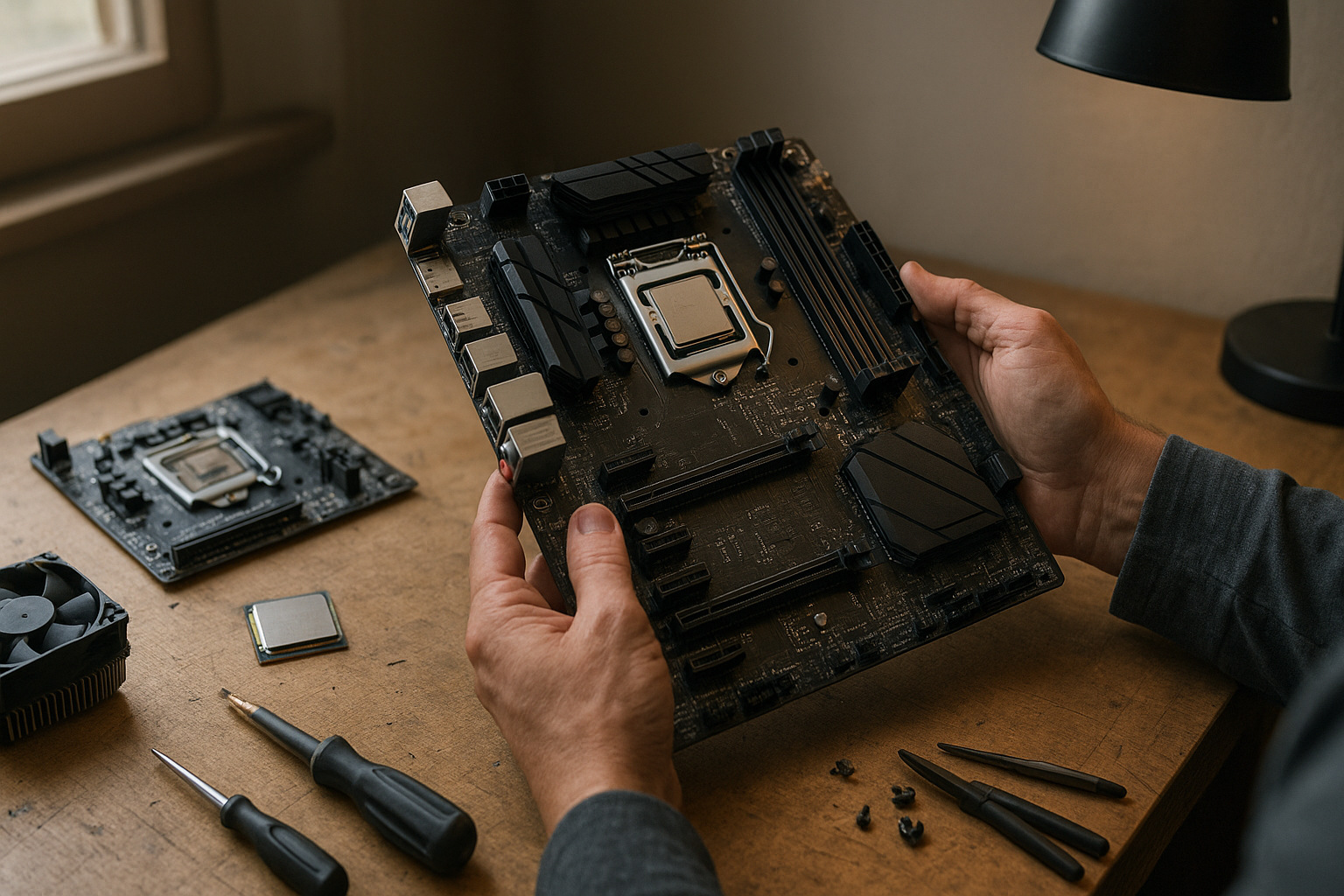
AMD AM5 support now extends through 2029, giving desktop PC buyers a longer upgrade horizon than the platform originally promised. The announcement does not guarantee a specific Ryzen processor, performance level, or BIOS update for every existing motherboard, but it does strengthen AM5’s position as AMD’s current long-term desktop socket.
For builders, that changes the upgrade equation. A motherboard purchased today may remain useful across multiple Ryzen generations, while buyers choosing between a mature AM4 system and a newer AM5 build must weigh memory costs, platform features, firmware support, and the value of future upgrades. This guide explains what AMD’s 2029 commitment means, what it does not mean, and how to choose an AM5 platform without relying on vague promises.
Table of Contents
What AMD AM5 Support Through 2029 Means
AMD’s statement about AMD AM5 support through 2029 is a platform commitment. In practical terms, AMD intends to keep using the AM5 socket for compatible desktop processors and supporting the surrounding motherboard ecosystem for several more years.
That is not the same as promising that every AM5 motherboard will run every processor released before 2029. Compatibility depends on factors such as BIOS capacity, motherboard power delivery, chipset support, memory validation, and whether the board maker provides the required firmware.
AMD’s own Ryzen desktop processor information offers the official starting point for checking current socket and platform details. Future products may introduce new requirements even if they retain the same physical socket, so buyers should treat 2029 as a useful planning horizon—not a guarantee of universal drop-in upgrades.
What “support” normally includes
For a desktop socket, support generally involves a combination of:
- New processors designed for the socket.
- AGESA and BIOS updates that allow supported CPUs to boot.
- Chipset software and motherboard vendor support.
- Platform-level features such as memory compatibility and I/O support.
The physical socket is only one part of the system. A board can have the correct AM5 socket yet still require a firmware update, lack sufficient power delivery for a high-end CPU, or offer fewer connectivity features than newer boards.
What the announcement does not promise
By extending the socket’s lifespan, AMD has not promised the names or specifications of all future Ryzen processors. It also has not made every current motherboard equally suitable for every future chip.
That distinction matters because “AM5 compatible processors” is not one universal list. Compatibility must be checked against the exact motherboard model, BIOS version, chipset, and processor support list published by the manufacturer.
Why the Extension Matters for Builders
A longer socket life reduces the risk of buying into a platform just before it is replaced. If you build an AM5 system now, a future CPU upgrade may be possible without replacing the motherboard, memory, storage, graphics card, and operating-system installation.
The savings are not automatic. A future upgrade may still require a BIOS flash, better cooling, or a motherboard with stronger power delivery. Even so, retaining the same platform gives builders more options than starting over with a new socket.
Lower upgrade friction
The clearest benefit is avoiding a complete platform change. A CPU-only upgrade is usually simpler than replacing the CPU, motherboard, and memory at the same time. It can also preserve a carefully configured system, especially in a compact PC where replacing the motherboard requires substantial disassembly.
This matters particularly to buyers who prefer to start with a mid-range Ryzen processor and upgrade later. The initial system can meet current needs while leaving room for a faster processor when prices fall or software becomes more demanding.
More confidence in a DDR5 investment
AM5 uses DDR5 memory, which was more expensive and less mature when the platform launched than it is today. A longer Socket AM5 lifespan makes that initial memory investment easier to justify because the same memory generation remains part of the platform’s future.
Memory compatibility still varies by motherboard, processor, BIOS, and memory kit. When possible, choose a kit listed on the board’s qualified vendor list, and do not assume that a very high advertised memory speed will work without tuning.
Better resale and system planning
A platform with several years of expected support can remain attractive on the used market. That does not guarantee a particular resale value, but a buyer may view an AM5 motherboard more favorably than a board tied to a platform with no expected processor expansion.
Long-term support also helps businesses and home users plan staged upgrades. One system can receive a CPU replacement later, while another keeps its original processor and moves to a less demanding role.
AM5 Motherboard Longevity and Compatibility
AM5 motherboard longevity depends on more than AMD’s socket roadmap. The motherboard comes from a specific vendor, and its firmware support, power design, expansion slots, networking, and storage layout determine how useful it remains over time.
Chipset is only the first filter
AM5 chipsets distinguish boards by features and market position, but the chipset name does not tell the whole story. Two boards using the same chipset can have different voltage-regulator designs, M.2 layouts, USB connectivity, network controllers, audio hardware, and BIOS interfaces.
Before buying, compare the manufacturer’s specifications and CPU support list. Check the date of the latest BIOS release and whether the board includes a BIOS Flashback feature, which can make a future processor upgrade easier if the installed CPU is not supported by the factory firmware.
Power delivery and cooling
A basic board may handle an efficient mainstream processor well but offer less headroom for a high-core-count model. Look for independent motherboard reviews that examine VRM temperatures and sustained performance instead of judging a board solely by its chipset or heatsink appearance.
The CPU cooler matters, too. A future high-performance processor may produce more heat than the chip installed in the first build. Confirm that the cooler’s mounting hardware supports AM5 and that the case has enough airflow for the intended upgrade.
BIOS support can determine the real upgrade path
Firmware support is the practical bridge between a socket and a processor. When a new CPU launches, the board vendor may need to release a BIOS containing updated microcode and platform initialization support.
That update may require a working older CPU unless the board supports USB BIOS Flashback or a similar recovery method. Keep the original processor until the replacement has been tested, or choose a motherboard with a convenient update feature.
For current firmware and chipset information, use the official AMD support portal alongside the motherboard manufacturer’s support page. AMD supplies platform software, but the board maker controls the model-specific BIOS distribution.
The AMD Ryzen AM5 Upgrade Path
The AMD Ryzen AM5 upgrade path is most valuable when the rest of the system can remain unchanged. A builder might begin with a mainstream Ryzen processor, retain the graphics card and DDR5 memory, and later install a faster CPU when an application or game benefits from additional cores or higher per-core performance.
That scenario is plausible, but it should not be treated as a guaranteed schedule. AMD’s CPU upgrade plans describe a platform direction, not a promise that a future chip will be the best value for every existing board.
Three realistic upgrade scenarios
- Gaming-focused upgrade: A later processor with better gaming performance could extend the life of an existing graphics card and reduce CPU bottlenecks at high refresh rates.
- Productivity upgrade: A higher-core-count processor may improve compiling, rendering, video production, or virtual-machine workloads without requiring a new motherboard.
- Efficiency upgrade: A newer, more efficient processor could reduce power use or improve performance within a small-form-factor system, provided the board and cooling system support it.
In each case, the graphics card, power supply, cooling system, and workload determine whether a CPU upgrade makes sense. A new processor will not fix a graphics-limited game, insufficient memory capacity, slow storage, or poor case airflow.
How to protect your future options
Buy enough motherboard quality for the class of processor you might realistically install. That does not mean paying for the most expensive board; it means avoiding a board whose power delivery or connectivity could become the obvious limitation.
- Check the board’s supported CPU list before purchase.
- Prefer a model with BIOS Flashback when possible.
- Choose memory capacity that suits your likely ownership period.
- Leave thermal and power-supply headroom for a possible CPU upgrade.
- Keep documentation and original hardware for easier troubleshooting or resale.
Also remember that platform support does not make upgrades free. A future CPU may be expensive at launch, and a complete new system may still offer better performance per dollar than upgrading an older board.
AMD AM4 and AM5 Comparison
The AMD AM4 and AM5 comparison is not about declaring one socket universally superior. It is about matching the platform to the buyer’s budget and time frame. AM4 remains relevant for low-cost builds and existing systems, while AM5 offers the newer memory standard and the clearest forward path.
| Consideration | AM4 | AM5 |
|---|---|---|
| Memory generation | DDR4 | DDR5 |
| Platform position | Mature platform with a large selection of used and new components | Current long-term AMD desktop platform |
| Initial system cost | Often lower, especially when reusing DDR4 memory | Can cost more because it requires DDR5 and an AM5 motherboard |
| Future processor headroom | More limited than AM5 for new builds | AMD has stated AM5 support through 2029 |
| Best fit | Budget upgrades, existing AM4 owners, and value-focused systems | New builds intended for several years of CPU upgrade flexibility |
An existing AM4 owner should not upgrade merely because AM5 is newer. If the current processor meets the workload, a graphics-card upgrade, more storage, or additional memory may deliver more noticeable results. AM4 can also make sense for a secondary PC or a strict-budget build where DDR4 components are already available.
For a new system expected to last through several upgrade cycles, AM5 is easier to justify. Its higher starting cost buys access to current processors, DDR5, newer motherboard features, and AMD’s stated AM5 socket support through 2029.
Should You Buy an AM5 Motherboard?
Should you buy an AM5 motherboard? For most people building a new AMD desktop with a planned ownership period of several years, the answer is yes—assuming the total platform cost fits the budget. The 2029 commitment strengthens the case for AM5 because it reduces the chance that a new build will be stranded on an immediately outdated socket.
AM5 is a strong choice if you:
- Are building a new PC rather than upgrading an otherwise capable AM4 system.
- Want the option of a future Ryzen CPU upgrade without replacing the motherboard.
- Plan to keep the system for four or more years.
- Need current platform features such as DDR5 support and newer connectivity options.
- Can afford a suitable motherboard, memory kit, cooler, and power supply together.
AM5 may not be the best choice if you:
- Already own a good AM4 motherboard and a processor that meets your needs.
- Need the lowest possible purchase price and have compatible DDR4 hardware available.
- Will replace the entire PC before a CPU upgrade becomes useful.
- Are allocating so much money to the motherboard that the graphics card must be downgraded.
Do not sacrifice the graphics card or power supply simply to claim a longer upgrade path. A balanced AM5 build with a sensible motherboard is generally more useful than an expensive board paired with an underpowered GPU or unreliable power supply.
How to Choose an AM5 Platform
The best AM5 purchase starts with the processor and workload, not the promise of a future upgrade. Decide whether the PC is mainly for gaming, content creation, software development, office work, or a mixture of tasks. Then select a motherboard that supports the current CPU well and leaves reasonable room for your likely next step.
Use this buying checklist
- Set the total platform budget. Include the CPU, motherboard, DDR5 memory, cooler, and any required BIOS update considerations.
- Check exact CPU support. Read the motherboard vendor’s CPU compatibility page rather than relying only on retailer listings.
- Inspect expansion needs. Count M.2 slots, PCIe slots, USB ports, display outputs, and networking features before choosing a board.
- Assess power delivery. Review reputable testing if you may install a high-end processor later.
- Verify physical compatibility. Confirm cooler mounting, case size, memory clearance, and graphics-card spacing.
- Plan the firmware update. Look for BIOS Flashback and know how to restore default settings if a memory profile fails.
Memory deserves particular attention. AM5 systems can be sensitive to memory settings, and advertised overclocked speeds are not guaranteed across every CPU and kit combination. Check the motherboard’s memory list, update the BIOS when appropriate, and test system stability after enabling a memory profile.
Do not confuse socket support with feature parity
A future AM5 processor may work in an older board while offering fewer platform features than it would on a newer board. A later motherboard could provide faster storage interfaces, more high-speed USB, improved networking, or better support for additional expansion devices.
That is why motherboard longevity should be measured by usefulness, not simply by whether the computer turns on. A board that technically supports a future processor may still be a poor match if it lacks the connections or power delivery your next system requires.
Key Takeaways
- AMD has extended its stated AM5 platform support horizon through 2029.
- The announcement improves confidence in AM5 as a long-term platform, but it is not a guarantee that every AM5 board will support every future Ryzen CPU.
- BIOS updates, VRM capability, cooling, memory compatibility, and motherboard features determine the practical upgrade path.
- AM5 is generally the stronger choice for a new AMD build intended to last several years.
- AM4 remains a sensible value option for existing owners and budget buyers who can reuse DDR4 components.
- Choose a motherboard based on today’s workload and realistic future needs, not on the socket name alone.
Frequently Asked Questions
How long will AMD AM5 support last?
AMD has stated that AM5 support will continue through 2029. That means AMD intends to maintain the platform as a desktop socket through that period, including future processor support within the limits of motherboard firmware and hardware compatibility. It does not mean that every AM5 motherboard will support every processor released before 2029. Always check the exact board model and CPU support list before planning an upgrade.
Does AMD AM5 support through 2029 guarantee future CPU compatibility?
No. The commitment provides a platform-level upgrade expectation, not a universal guarantee. A motherboard may need a BIOS update, and its power delivery or firmware storage may limit which future processors it can support. Newer boards may also offer features that older AM5 models lack. Treat the 2029 date as evidence of a longer upgrade path, then verify compatibility at the motherboard level.
Will current AM5 motherboards support all future Ryzen processors?
There is no basis for assuming that all current boards will support all future Ryzen processors. Compatibility can depend on BIOS support, power requirements, memory behavior, chipset features, and the board manufacturer’s update policy. A high-quality board with BIOS Flashback and adequate power delivery may offer more flexibility, but even those features do not replace an official CPU support list.
Is AM5 better than AM4 for a new PC?
AM5 is usually the better choice for a new system that you expect to keep for several years because it uses DDR5 and has AMD’s longer stated support horizon. AM4 can still be the better value when you already own DDR4 memory, have an AM4 motherboard, or need to minimize the purchase price. The right choice depends on the full platform cost and whether you expect to upgrade the CPU later.
Should existing AM4 owners switch to AM5 now?
Not automatically. If your AM4 processor delivers the performance you need, moving to AM5 may offer less benefit than upgrading the graphics card, storage, or memory. Switch when your workload needs more CPU performance, your current platform limits a planned graphics-card upgrade, or you are ready to rebuild the system around DDR5. AM5 is especially compelling when buying a completely new PC rather than replacing one component.
What should I check before buying an AM5 motherboard?
Check the motherboard’s supported CPU list, BIOS update history, memory compatibility information, power-delivery design, M.2 and USB layout, networking, expansion slots, cooler clearance, and case compatibility. BIOS Flashback is useful if you may install a processor released after the board’s original firmware. Also compare independent testing, because chipset branding alone does not reveal VRM temperatures or the board’s behavior under sustained loads.
Can an AM5 upgrade save money in the future?
It can, because a CPU upgrade may allow you to keep the motherboard, DDR5 memory, storage, case, power supply, and graphics card. The saving depends on the future processor’s price and on whether the existing board can support it properly. If a new CPU also requires a stronger cooler, power supply, or motherboard, the benefit is smaller. Consider AM5 an option for reducing future platform replacement, not a guarantee of a low-cost upgrade.
Conclusion
AMD AM5 support through 2029 makes the socket a more convincing foundation for new Ryzen desktop builds. It gives buyers a reasonable chance to extend a system with a later processor instead of replacing the entire platform, while still leaving the important details to motherboard firmware, power delivery, cooling, and vendor support.
If you are building new, use the workload-based checklist above to compare AM5 boards and choose one that fits both your current processor and realistic future plans. If you already own AM4, keep the system until an upgrade solves a clear performance problem; the longer AM5 roadmap is valuable, but it is not a reason to replace hardware that still does its job.