
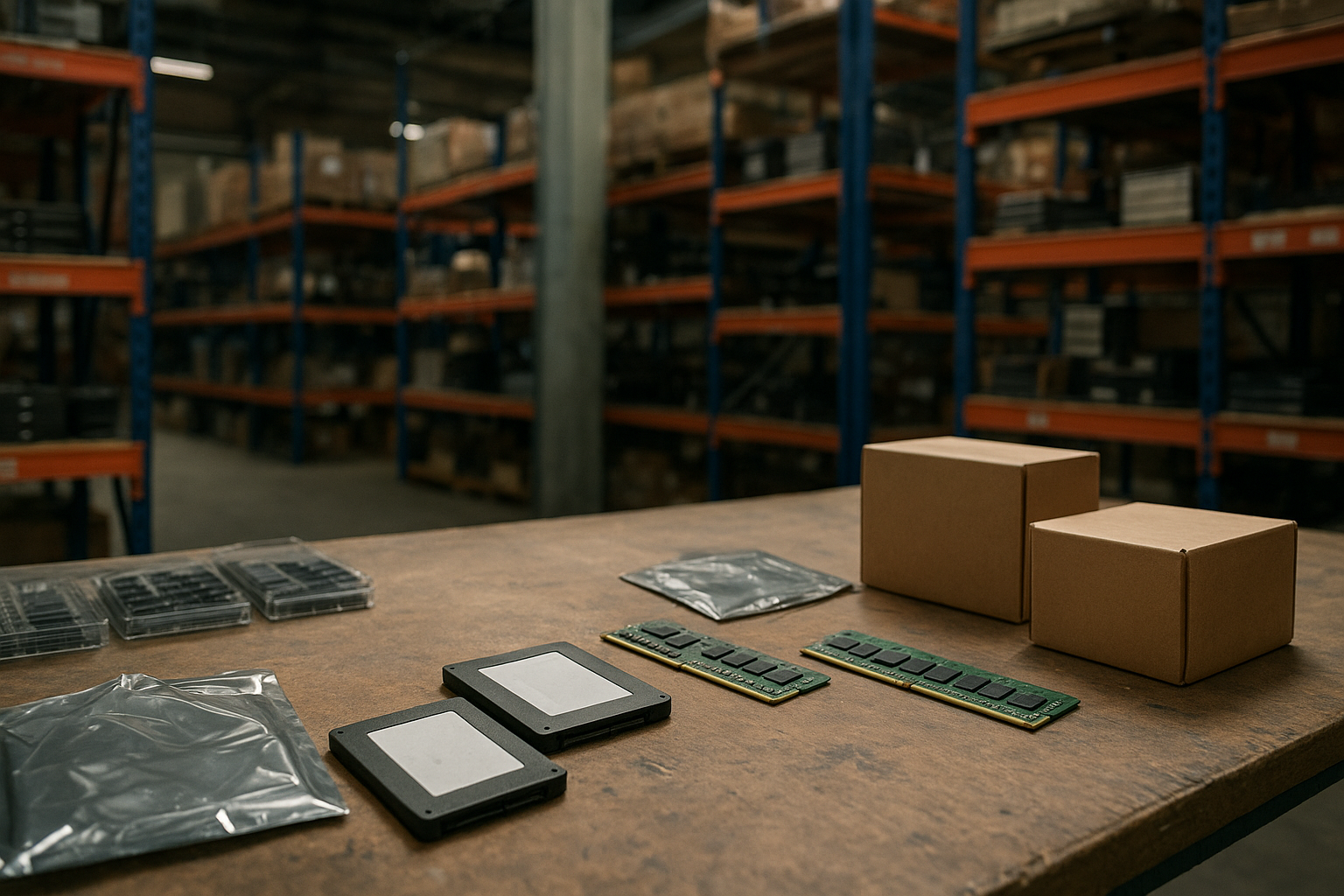
A PC component shortage can affect two of the most visible parts of a computer build: solid-state storage and system memory. When NAND flash, DRAM, packaging capacity, or distribution inventory becomes constrained, retailers may offer fewer models, prices can shift quickly, and popular capacities may sell out before less desirable alternatives.
That does not automatically mean every SSD or RAM kit is about to become unaffordable. Storage and memory follow different manufacturing cycles, and a chip-level shortage does not always become the same shortage at retail. This guide explains what is happening in the PC hardware supply chain, why SSD availability and pricing can change, how DDR5 RAM price trends differ from DDR4, and how to decide whether to buy now or wait.
Table of Contents
What the PC Component Shortage Means
The phrase PC component shortage describes an imbalance between supply and demand, but it can refer to several different problems. A manufacturer might have limited access to NAND wafers, a memory supplier might reduce output, a controller vendor might face a constraint, or a retailer might simply have under-ordered a popular product.
Those situations look similar to shoppers because they can produce the same result: fewer choices and higher prices. However, the underlying cause determines how long the problem lasts and which products are affected.
It is not one single shortage
SSDs use NAND flash memory, while RAM uses DRAM. Both are semiconductor products, but they are manufactured through different processes and sold through different supply chains. A shortage in one category can occur while the other remains well stocked.
The market also includes several layers between a wafer and a finished retail product:
- Wafer fabrication: Produces NAND or DRAM dies from semiconductor wafers.
- Packaging and testing: Turns dies into usable memory packages or modules.
- Controllers and supporting components: SSDs require a controller, firmware, power-management parts, and often a cache design.
- Module assembly: RAM sticks and SSDs are assembled into finished products by manufacturers and system builders.
- Distribution: Regional wholesalers and retailers determine how much stock reaches consumers.
A disruption at any stage can create a local shortage without proving that global production has stopped. Conversely, abundant chips at the factory level may not help a shopper if finished products are held in another region or allocated to large system manufacturers.
Why the headline can be misleading
Shortage reporting often combines different observations: a retailer has fewer SSD listings, a particular RAM capacity is sold out, or wholesale quotes have changed. These are useful warning signs, but they are not interchangeable measurements.
Availability also varies by capacity, speed, interface, brand, and region. A premium PCIe 5.0 SSD may be scarce while PCIe 4.0 drives remain easy to find. Similarly, an unusually fast DDR5 kit may be harder to source than a mainstream kit with a more common specification.
That is why the current SSD shortage crisis should be assessed by product category rather than by a single dramatic claim. Look for patterns across several retailers, replacement models, and weeks of pricing instead of reacting to one empty listing.
Why SSDs and RAM Are Affected Differently
Although both products contain memory chips, NAND flash and DRAM have different technical and commercial characteristics. SSDs store data without power and are built from NAND cells managed by a controller. RAM stores active working data and must be continuously refreshed while the computer is running.
That distinction affects production planning, inventory, performance expectations, and pricing. A PC component shortage may therefore affect SSDs and RAM at different times or with different levels of severity.
| Factor | SSDs | RAM |
|---|---|---|
| Primary memory type | NAND flash | DRAM |
| Main consumer role | Persistent storage for the operating system, applications, and files | Short-term working memory for active programs and system tasks |
| Important product variables | Capacity, controller, NAND type, interface, endurance, and firmware | Capacity, data rate, timings, voltage, module layout, and platform support |
| Typical buying decision | How much space is needed and how the drive connects to the PC | How much memory the workload needs and which generation the motherboard supports |
| Upgrade flexibility | Often straightforward if the PC has a compatible slot or bay | Limited by motherboard generation, available slots, and supported capacity |
How NAND and DRAM cycles differ
NAND manufacturers can increase storage density by placing more bits in each cell and adding more layers. That can reduce the cost per gigabyte, but it also introduces engineering and quality trade-offs. SSD makers then decide how to balance cost, performance, endurance, and controller behavior in the finished drive.
DRAM production involves its own capacity-planning decisions. Module prices can respond to demand from PCs, servers, mobile devices, and other hardware markets. A shift in any of those markets can influence the supply available to consumer desktop builders.
These cycles make the PC component shortage difficult to summarize with a single rule. SSD prices may rise because NAND output has been reduced or because manufacturers are rebuilding inventory. RAM prices may move for different reasons, even during the same quarter.
The role of semiconductor supply constraints
Semiconductor supply constraints are not limited to fabrication plants. Power-management chips, controllers, substrates, advanced packaging, testing capacity, logistics, and export rules can all affect final products.
The location of a constraint also matters. A manufacturer may have enough raw memory but not enough controller inventory to build a particular SSD. A RAM assembler may have DRAM chips but limited access to the module components or testing capacity required for a specific speed grade.
For background on how a major foundry describes its role in chip manufacturing, the TSMC company profile provides useful context. It also illustrates why the PC hardware supply chain includes specialist manufacturers rather than one company making every part of a finished product.
Why SSD Prices Are Rising
The most common explanation for rising SSD prices is a change in the balance between NAND supply and storage demand. When suppliers reduce production after a weak sales period, inventory can tighten later if demand stabilizes or returns. Retail pricing may then rise as wholesalers and manufacturers replace lower-cost stock with more expensive inventory.
That is only one possible explanation for why SSD prices are rising. A retailer may also be selling through an old promotion, replacing a discontinued model, or steering customers toward a newer drive with different NAND and controller hardware.
The NAND inventory effect
NAND is commonly produced in large volumes, so oversupply can put pressure on prices. Manufacturers may respond by adjusting output, delaying equipment expansion, or changing the mix of products they produce. If demand improves before inventory fully recovers, the market can shift from discounting to firmer pricing.
This process does not affect every capacity equally. Large drives can require more NAND packages and may show sharper price changes when high-capacity inventory is limited. Smaller drives may remain inexpensive because they are built from different inventory or face less demand.
Why SSD models are not interchangeable
Two drives with the same advertised capacity can have meaningfully different designs. They may use different NAND types, controllers, cache arrangements, or firmware. Sequential transfer figures also do not fully describe sustained writes, random access, thermal behavior, or performance after the drive’s cache fills.
During a shortage, a familiar model may be replaced by a product with a similar name but different internal components. That does not automatically make the replacement poor, but buyers should check an independent review or the manufacturer’s current specification page rather than assuming every revision is identical.
For technical terminology and standards information, the NVM Express specifications page is a more reliable reference for NVMe concepts than a retailer’s marketing summary. NVMe compatibility still depends on the host system, firmware, physical slot, and supported PCI Express generation.
SSD shortage crisis or normal market cycle?
The term SSD shortage crisis suggests a broad and severe supply failure, but it should be used carefully. A genuine crisis would normally show multiple signs: sustained difficulty obtaining several classes of drives, widespread replacement delays, limited supply across regions, and prices that rise beyond isolated promotions ending.
A normal market cycle may look less dramatic. One or two capacities may be unavailable while competing brands remain in stock. Prices might increase from unusually low sale levels without exceeding the long-term cost of comparable drives.
Consumers should also distinguish between a shortage of retail SSDs and a shortage of NAND itself. Retail listings can change because of purchasing decisions, product launches, warehouse transfers, or manufacturer strategy. Treat an individual listing as evidence about that store, not definitive proof about the entire market.
DDR4 Versus DDR5 RAM
DDR4 versus DDR5 RAM is not simply a question of which number is larger. The two generations use different electrical and platform requirements, so a DDR5 module cannot be installed in a DDR4 motherboard slot, and vice versa. The motherboard and processor determine which generation is compatible.
DDR5 generally offers a newer memory architecture and higher supported data rates than early DDR4 platforms. It also changes how some power-management and memory functions are handled. Actual application performance depends on the processor, timings, capacity, software, and workload rather than the memory label alone.
What DDR5 RAM price trends really tell buyers
DDR5 RAM price trends are influenced by platform adoption, module density, production volume, demand from servers and PCs, and the premium attached to faster kits. Early in a technology transition, newer memory can cost more because production and validation are still scaling. Later, broader adoption can improve availability and pricing, although it does not guarantee a steady decline.
Price comparisons should use equivalent kits. A two-module kit with the same capacity but different speed, timings, and memory density is not a perfect substitute. RGB lighting, overclocking profiles, heat spreaders, and warranty terms can also change the price without changing the amount of memory.
When DDR4 still makes sense
DDR4 remains a sensible choice when upgrading an existing compatible system, especially if the motherboard already has open slots and the current processor does not benefit enough from a platform change. Adding a matched kit can be cheaper and less disruptive than replacing the motherboard, CPU, and memory together.
DDR4 is also appropriate for a budget repair or an older workstation whose main requirement is capacity rather than the latest platform features. Buyers should check the motherboard manual and avoid mixing kits casually, even when the advertised speed appears compatible.
When DDR5 is the better buy
DDR5 is the natural choice for a new platform that requires it. It can also be the more practical long-term option when a buyer is already replacing the motherboard and processor, because choosing an older memory generation may limit future upgrade paths.
That does not mean every user should pay extra for the fastest available kit. For many systems, a reputable mainstream kit with enough capacity is a better purchase than a premium kit whose extra speed has little effect on the intended applications.
| Situation | Usually the more practical choice | Reason |
|---|---|---|
| Adding memory to a compatible existing DDR4 PC | DDR4 | Avoids a motherboard and processor replacement |
| Building a new system on a DDR5-only platform | DDR5 | The platform determines compatibility |
| Replacing an entire PC for long-term use | Compare total platform cost | The cheapest memory kit may not be the cheapest complete system |
| Gaming with an adequate existing capacity | Capacity first, then validated speed | More expensive memory is not automatically faster in every game |
| Content creation with large projects | The generation supported by the chosen platform | Capacity and application workload can matter more than headline speed |
How to Read Shortage Signals
News about a PC component shortage often arrives before reliable retail evidence. A careful buyer can separate useful signals from noise by checking several points instead of relying on one headline or one unusually high listing.
Check real availability, not search results
Search results may display discontinued items, marketplace listings, or products that cannot ship to your location. Check whether a product is sold directly by a known retailer, has a realistic delivery date, and is available in the capacity and specification you actually need.
Compare several equivalent products over time. If only one brand or one speed grade is missing, the issue may be product-specific rather than evidence of a broad shortage.
Compare like with like
For SSDs, compare capacity, interface, form factor, NAND type when disclosed, controller design, warranty, and endurance rating. A low-cost QLC drive and a higher-end TLC drive may both be marketed as 2TB NVMe SSDs, but they serve different workloads.
For RAM, compare total capacity, number of modules, data rate, timings, voltage, and platform support. A 32GB kit made from two modules is not equivalent to a single 32GB module if the system’s memory configuration and upgrade plans differ.
Watch wholesale and manufacturer language
Manufacturer earnings reports and supply-chain statements can provide context, but they should not be treated as a direct forecast for consumer prices. A company may discuss inventory, capital spending, or demand in broad terms without revealing the retail availability of a particular SSD or RAM kit.
Independent market research can help identify the broad direction, but check the publication date, geographic coverage, and whether the report measures contract pricing, spot pricing, or retail listings. Those measures can move at different speeds.
Look for substitution
A healthy market under pressure usually offers substitutes, even when the most popular product is unavailable. Examples include:
- A PCIe 4.0 SSD instead of a premium PCIe 5.0 model when the system does not require the newer interface.
- A different SSD brand with comparable NAND, controller, endurance, and warranty terms.
- A mainstream DDR5 kit instead of an enthusiast-speed kit.
- A smaller SSD purchased now, with a second drive added later if the motherboard supports it.
- A matched DDR4 kit for an existing DDR4 system instead of a complete platform replacement.
Substitution is not always the right answer. A workstation with sustained writes, a server, or a system handling irreplaceable data needs more careful evaluation than a general-purpose gaming PC.
PC Upgrade Buying Guide
The best response to a PC component shortage is not always to buy immediately. Start with the workload, compatibility, and replacement risk, then decide how much price uncertainty you can tolerate.
Should you buy an SSD now?
Buy when you need the storage for a confirmed build, a failing drive, or a project with a clear deadline. A reliable SSD at a fair price is more valuable than waiting indefinitely for the lowest historical price, particularly if a system cannot operate safely without additional storage.
Wait when the purchase is speculative, your current drive has adequate free space, and you are considering a premium model mainly because of benchmark numbers. Prices can change in either direction, and a future purchase may offer a better combination of capacity and controller hardware.
Before buying, check:
- Whether the motherboard has the required M.2 slot, keying, and PCI Express support.
- Whether the drive needs a heatsink and whether the motherboard includes one.
- The manufacturer’s stated endurance and warranty conditions.
- Independent testing of sustained writes and thermal behavior for your workload.
- A backup plan for important data; an SSD is not a backup by itself.
Should you buy RAM now?
Buy RAM when insufficient capacity is causing measurable problems such as paging, application slowdowns, or an inability to run required programs together. Extra memory can improve responsiveness when the system is genuinely running short, but it cannot fix a weak processor, slow storage, or a graphics bottleneck.
For an existing PC, identify the installed modules and motherboard limits before shopping. The safest upgrade is often a validated matched kit rather than a combination of unrelated modules. Mixing can work, but the system may fall back to lower settings or become less stable, especially when pushing memory beyond standard specifications.
For a new build, price the whole platform. A cheaper memory kit may not offset a motherboard or processor choice that costs more, and selecting DDR4 or DDR5 before choosing the platform can lead to incompatible parts.
Who should buy and who should wait?
| Buyer profile | Recommended approach |
|---|---|
| PC with a failing storage drive | Buy a compatible, reputable SSD promptly and migrate or restore from a backup |
| New PC needed for work or study | Choose a balanced system using available mainstream parts rather than chasing one model |
| Existing system running out of RAM | Confirm compatibility and buy enough capacity to solve the workload, not merely the shortage headline |
| Enthusiast seeking a small benchmark gain | Wait or compare alternatives unless the price premium is acceptable |
| Buyer planning a complete upgrade months from now | Monitor prices and compatibility; avoid buying parts that may lose warranty time before use |
Avoid panic-buying
Panic buying creates its own problems. It encourages shoppers to accept unfamiliar sellers, pay marketplace markups, overlook warranty terms, or buy incompatible memory simply because a product page says “limited stock.”
Set a target specification and maximum price before shopping. Keep at least one acceptable alternative for each component, and verify the return policy. If the product is for important work, the cost of downtime may justify buying sooner, but that is a business decision rather than proof that every component will become scarce.
Protect against uncertain inventory
Buy from a seller that clearly identifies the product and provides a usable warranty path. Record the exact model number, not just the product family, because internal components can change during a product’s life.
After installation, update motherboard firmware when appropriate, enable the correct memory profile only after confirming stability, and test the new storage before moving important files. Keep the original drive or a verified backup until the migration is complete.
What This Means for PC Builders and Manufacturers
System builders usually have more purchasing power than individual consumers, but they also face allocation decisions. They may secure memory for high-volume systems while reducing the number of custom configurations available to customers. That can make prebuilt PCs appear more attractive even when individual components are available separately.
Manufacturers also manage a trade-off between inventory and flexibility. Holding too much NAND or DRAM when demand falls can pressure margins. Holding too little can leave them unable to respond when demand returns. These adjustments can create price swings without a permanent reduction in manufacturing capability.
Why product segmentation matters
Suppliers do not treat every chip as interchangeable. Server memory, mobile memory, graphics memory, consumer DRAM, enterprise SSDs, and client SSDs may use related technologies but have different validation requirements and commercial priorities.
Demand from data centers can therefore affect consumer markets indirectly, while a weak desktop market may not immediately reduce the cost of every memory product. The more specialized the component, the less useful a broad “memory prices” statement becomes.
The long-term supply-chain question
Long-term resilience depends on more than adding fabrication capacity. Companies also need dependable materials, equipment, packaging, testing, logistics, and skilled labor. Regional concentration can make the industry efficient during normal conditions but more exposed to transportation, policy, or natural-disaster disruptions.
That does not mean shortages will be permanent. Semiconductor markets have repeatedly moved through periods of excess inventory and constrained supply. The practical lesson for PC buyers is to plan around compatibility and workload rather than assuming a single permanent price direction.
Key Takeaways
- A PC component shortage can affect NAND, DRAM, controllers, packaging, distribution, or only a specific retail product.
- SSDs and RAM follow different manufacturing and demand cycles, so one category can tighten while the other remains available.
- Rising SSD prices may reflect NAND production changes, inventory replacement, discontinued promotions, or a shift to newer hardware.
- DDR4 and DDR5 are not interchangeable; the motherboard and processor determine which memory generation you can use.
- DDR5 RAM price trends should be compared using equivalent capacity, speed, timings, module count, and platform requirements.
- Check several retailers and comparable models before treating an empty listing as evidence of a broad SSD shortage crisis.
- Buy promptly for a failing drive, a firm project deadline, or a genuine capacity problem; wait when the purchase is optional and specification-driven.
- Protect yourself with reputable sellers, clear warranty terms, exact model numbers, backups, and compatibility checks.
Frequently Asked Questions
What is causing the current PC component shortage?
There is rarely one cause. A shortage can result from changes in NAND or DRAM production, inventory corrections, demand from other technology markets, limited controller or packaging capacity, logistics problems, or regional distribution decisions. The effect may be limited to certain capacities, speeds, brands, or countries. Check whether reports refer to factory output, wholesale pricing, or consumer retail listings before drawing a broader conclusion.
Why are SSD prices rising?
SSD prices can rise when NAND supply is reduced, inventory becomes tighter, demand recovers, or retailers replace discounted stock with more expensive inventory. A discontinued model or an expired sale can also make the market appear to rise suddenly. Compare equivalent drives by capacity, NAND type, controller, endurance, and warranty. A higher price for one popular model does not prove that every SSD is affected equally.
Is there an SSD shortage crisis?
The phrase SSD shortage crisis is too broad unless several independent signs support it. A genuine widespread shortage would likely involve sustained difficulty finding multiple categories of drives across retailers and regions, not just one discontinued product or one temporary listing. Consumers should look for consistent availability problems, longer delivery times, and price changes across comparable models. Local shortages can still matter, but they should not automatically be described as global.
Will DDR5 RAM prices keep rising?
No price direction is guaranteed. DDR5 RAM price trends depend on production capacity, demand from PCs and servers, module density, platform adoption, and inventory levels. Prices may rise for a period and later soften, or different speed grades may move in opposite directions. If you need memory for a working system, buy a compatible mainstream kit at a price you can accept rather than basing the decision on an uncertain prediction.
Should I choose DDR4 or DDR5 for a new PC?
Choose the generation supported by the processor and motherboard you plan to use. DDR4 can make sense for a lower-cost compatible platform or an upgrade that reuses existing parts. DDR5 is appropriate for platforms that require it and may be preferable when building a new system intended to remain current for several years. Compare the complete motherboard, processor, and memory cost instead of comparing the RAM kit alone.
Can an SSD shortage affect gaming PC prices?
It can, but the effect depends on how much storage a system includes and whether the builder has existing inventory. A prebuilt manufacturer may absorb a small component increase, change the included drive, or adjust the system price. Gaming performance is usually more sensitive to the graphics card and processor than to choosing a premium SSD, although adequate storage capacity and fast loading remain useful. Compare the exact drive and capacity included in each system.
How can I prepare for a PC component shortage?
Identify compatible alternatives before shopping, monitor prices from several reputable retailers, and keep backups of important data. For an SSD, verify the interface, physical format, endurance, and warranty. For RAM, check the motherboard’s supported generation, capacity, module configuration, and validated speeds. Buy when a genuine need or deadline justifies it, but avoid purchasing parts far ahead of a build if the warranty period and return window will expire before installation.
Conclusion
A PC component shortage is best understood as a collection of supply, inventory, and distribution problems rather than a single event affecting every part equally. NAND and DRAM have different cycles, and SSD availability and pricing can change independently from DDR5 memory costs.
For your next purchase, verify compatibility first, compare equivalent products across several sellers, and decide whether the component solves an immediate problem. This approach will help you respond sensibly to the PC component shortage without paying a panic premium or choosing hardware that does not fit your system.