
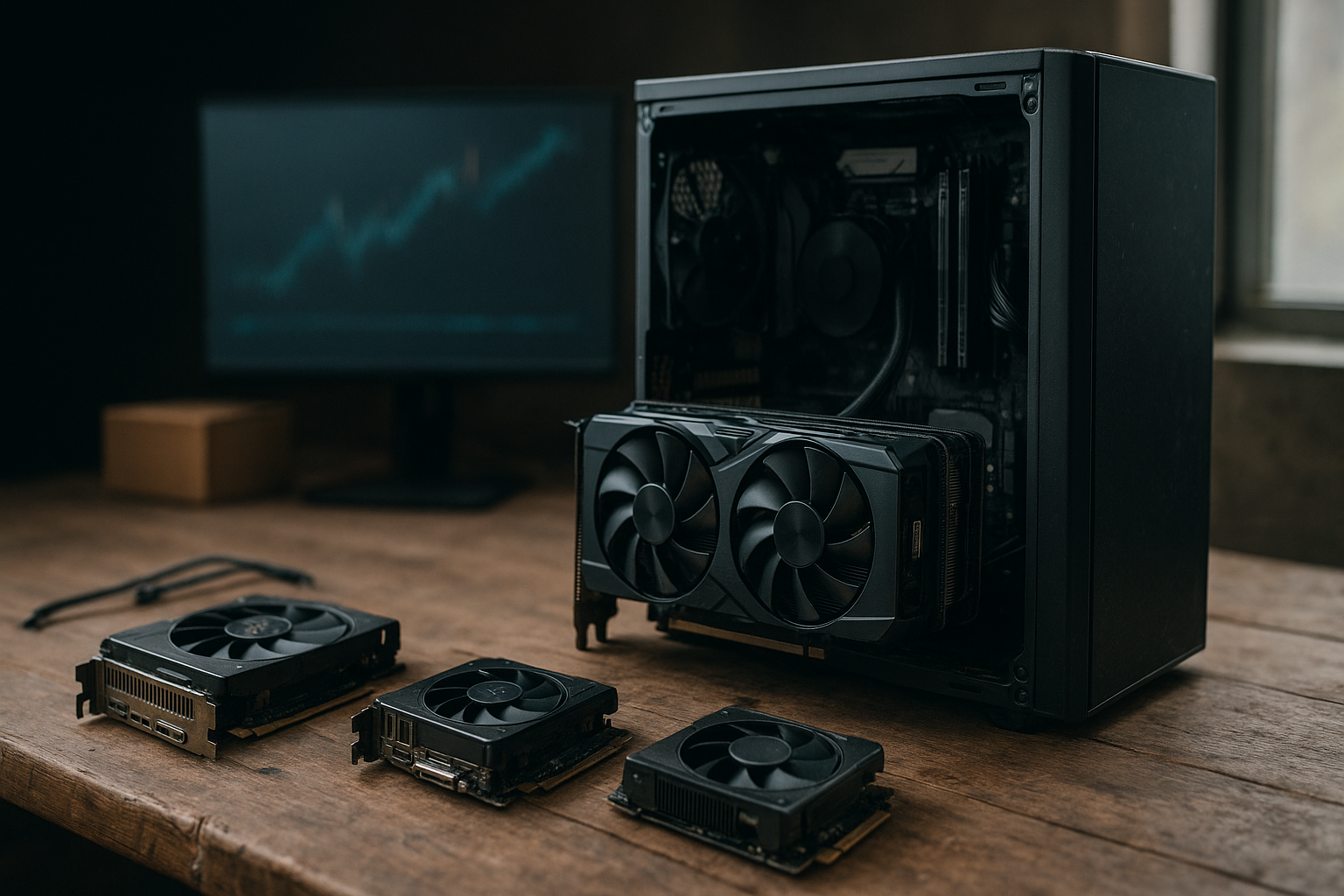
16GB VRAM GPUs are becoming far more visible in the Steam hardware survey—a shift that matters to both PC builders and graphics card pricing. It does not prove that every player suddenly needs 16GB, but it does show how quickly memory capacity is entering the mainstream GPU conversation.
This article explains how to interpret the Steam survey graphics memory data, why 16GB graphics cards are attracting attention, what the trend suggests about upgrade behavior and market demand, and when paying for more VRAM makes practical sense. The essential distinction is between a change in what gamers own and proof that higher-capacity GPUs deliver better value for every buyer.
Table of Contents
What the Steam Survey Really Measures
Valve’s official Steam Hardware & Software Survey provides a monthly snapshot of the hardware and software configurations used by participating Steam users. It covers categories such as operating system, processor, system memory, display resolution and graphics hardware, including dedicated video memory.
The survey is valuable because it reflects real installed hardware rather than retailer listings or enthusiast polls. However, it is not a complete census of PC gamers. Participation and reporting can vary by month, regional mix, laptop adoption, operating system and the way Valve groups hardware values.
What the VRAM categories mean
Dedicated video memory, commonly called VRAM, is memory attached to or reserved for a discrete graphics processor. Games use it for textures, render targets, geometry data, shaders and other assets required to produce each frame.
A Steam category such as 8GB or 16GB describes reported graphics memory capacity. It does not tell us:
- Which GPU model each user owns.
- Whether the card is fast enough to use that memory effectively.
- Which resolution, graphics preset or ray-tracing setting players select.
- Whether a game is limited by VRAM, shader performance, CPU speed or storage.
- How much memory a particular game actually consumes during normal play.
That limitation matters when interpreting claims about 16GB VRAM GPUs. More capacity can remove a constraint, but it cannot compensate for a weak GPU core, narrow memory subsystem, poor driver support or insufficient system performance.
Why the Steam survey is still useful
The Steam hardware survey GPUs data is most useful as a direction-of-travel indicator. If higher-capacity categories gain share across multiple reporting periods, that suggests the installed base is gradually shifting toward newer cards, newer laptops or both.
It is less reliable as a precise sales report. Valve does not publish a full breakdown of units sold by manufacturer and model, and a single month may reflect changes in the participating sample rather than a sudden wave of retail purchases. Compare several months and review category definitions before drawing strong conclusions.
Why 16GB VRAM GPUs Are Rising
There is no single explanation for the growing presence of 16GB VRAM GPUs. The trend reflects a combination of product segmentation, game requirements, higher display resolutions and the normal replacement cycle for aging graphics cards.
Newer mainstream cards start higher
Graphics card makers determine VRAM capacity as part of a product’s performance and price position. As game assets grow larger and newer GPU families arrive, 12GB and 16GB configurations have become more common across the middle and upper parts of a product range.
That changes the composition of the Steam user base even when buyers are not specifically shopping for memory. A player replacing an older 6GB or 8GB card may simply buy a current model that happens to include 16GB.
Modern games use more memory
Large texture packs, detailed environments, open-world streaming and ray-traced effects can all increase video memory demand. Developers also target multiple console and PC configurations, so a game may offer settings that consume substantially more memory at high resolutions than at 1080p.
Memory use is not the same as memory requirement. A game may allocate VRAM aggressively when space is available, while another may stutter only when its working set exceeds the card’s capacity. Visible symptoms can include texture pop-in, sudden quality reductions, hitching or an inability to maintain a chosen preset.
Resolution and content creation push capacity up
Higher resolutions require larger render targets, although resolution alone does not determine total VRAM use. High-resolution texture packs, mods and ray tracing can have a greater effect in particular games.
Outside gaming, 16GB graphics cards appeal to people working with 3D scenes, video effects, local AI workloads and other GPU-accelerated applications. Those users may need more memory for datasets or project assets, but their requirements are application-specific and cannot be inferred from a gaming survey.
What the Data Says About Graphics Card Prices
A larger share of 16GB VRAM GPUs on Steam can influence graphics card pricing, but it does not automatically make 16GB models more expensive. Price depends on the complete product design, including the GPU die, memory bus, cooling system, board power, manufacturing costs, competition and retailer inventory.
| What a rising 16GB share may indicate | What it does not prove |
|---|---|
| More players are using newer cards that include 16GB. | That 16GB is necessary for every game or resolution. |
| Buyers are gradually accepting higher memory capacities as normal. | That shoppers are choosing cards primarily because of VRAM. |
| Manufacturers may see demand for larger-capacity configurations. | That capacity alone caused a price increase. |
| Older low-memory cards are leaving the active upgrade pool. | That all 16GB cards offer similar performance. |
Why capacity can affect pricing
Additional memory chips and a more complex board can add cost, particularly when a manufacturer pairs the capacity with a faster GPU and wider memory interface. Vendors may also use VRAM to differentiate products within a product stack, reserving larger configurations for premium models.
Still, memory is only one part of the bill. A discounted 16GB card with a slower graphics processor may be a poorer gaming purchase than a faster 12GB card at the same price, depending on the games, resolution and settings involved.
Why a Steam shift will not set retail prices
Retail prices respond to supply and demand across several markets, not to one survey category. Cryptocurrency demand, artificial intelligence workloads, tariffs, exchange rates, launch timing, retailer promotions and excess inventory can all affect prices independently of gaming adoption.
The survey can still matter indirectly. If it shows that buyers are shifting toward higher-capacity cards, manufacturers may feel more comfortable launching products with 16GB or more. Greater supply can eventually improve choice, while premium positioning can keep some models expensive.
The strongest conclusion is therefore modest: the survey is evidence that larger VRAM capacities are becoming more common in the installed base. It is not evidence that every 16GB model deserves a premium or that prices will move in one predictable direction.
How to Read GPU VRAM Trends
GPU VRAM trends are easy to oversimplify because capacity is a convenient number. A better approach is to separate ownership trends, technical requirements and buying value.
Capacity is a limit, not a performance rating
VRAM capacity answers the question, “How much data can the GPU keep available locally?” It does not answer, “How quickly can the GPU process that data?” Two cards with 16GB can have very different shader performance, memory bandwidth, cooling and power characteristics.
When a game fits comfortably within a card’s memory, additional capacity may have little effect on average frame rate. Performance can improve when insufficient VRAM was causing asset streaming or stutter, but that is different from gaining speed simply because the capacity number is larger.
The game settings that matter most
Texture quality is often a major VRAM variable, but it is not the only one. Resolution, ray tracing, shadow quality, geometry detail, high-resolution asset packs and mods can all change the memory footprint.
For a practical comparison, test or consult reliable reviews using the settings you actually plan to run. Look beyond average frames per second: check frame-time behavior, texture quality and whether the card maintains its target resolution without streaming problems.
Memory sharing can confuse the picture
Integrated graphics typically use system memory rather than dedicated VRAM. Laptops with discrete GPUs may also use shared system memory under certain conditions, but that does not make shared memory equivalent to fast local graphics memory.
This is another reason to avoid treating a single Steam survey number as a direct measurement of usable gaming performance. The categories describe reported configurations, not a standardized benchmark of memory bandwidth or game behavior.
Who Should Buy 16GB Graphics Cards?
The best VRAM capacity for gaming depends on the GPU’s performance tier, the games you play and how long you intend to keep the card. Evaluate capacity alongside the card’s review results and current street price.
16GB is a strong fit for these buyers
- 1440p players planning a long ownership period: Extra headroom can reduce the chance of needing to lower texture settings as demanding games arrive.
- People using high-resolution texture packs or mods: Community content can raise memory use beyond a game’s standard settings.
- Some 4K gamers: 16GB may be a sensible baseline for certain titles, although GPU rendering performance still determines whether 4K is practical.
- Creators using GPU-accelerated applications: The capacity can help with larger scenes or effects, provided the software supports the chosen GPU.
- Buyers who keep cards for several years: Extra headroom can be valuable when replacing a card is difficult or expensive.
When 16GB may not be worth the premium
- 1080p buyers on a tight budget: A faster card with less memory may deliver a better experience in the games being played today.
- Esports players targeting high frame rates: Competitive settings often reduce texture and visual demands, shifting the priority toward GPU and CPU speed.
- Short-term upgraders: If you expect to replace the card soon, paying extra for future headroom may not return much value.
- Cards with weak overall performance: Memory cannot turn an entry-level GPU into a high-end one.
- Buyers comparing capacity without checking reviews: A larger number on the box is not a substitute for frame-time and game-specific testing.
A simple buying framework
- Set the target first: Choose your resolution, refresh rate and graphics preset.
- Check the GPU core: Confirm that the card can render at that target, with and without ray tracing if those features matter to you.
- Assess memory headroom: Compare reputable reviews and reported behavior in demanding games, not just the advertised capacity.
- Compare total price: Include the power supply, cooling, warranty and likely upgrade interval.
- Buy for your workload: A gaming-only system and a machine used for 3D or compute work can need different capacities.
Upgrade Decisions and Market Demand
GPU upgrade trends often reveal more about product cycles than about minimum requirements. A large increase in the reported share of 16GB VRAM GPUs may mean users are replacing older hardware with current models, not that existing games suddenly stopped working on 8GB cards.
Installed base versus new demand
The Steam survey measures what participating users have installed now. It does not directly distinguish new buyers from people who bought their card years ago, and it does not show how many people considered a 16GB model but chose something else.
For graphics card market demand, this distinction is crucial. Manufacturers and retailers need shipment, sales and inventory information to understand commercial demand. The Steam survey offers a complementary view: the hardware that remains active among a large gaming audience.
What manufacturers may learn
If higher-memory cards become a durable part of the installed base, vendors have an incentive to treat 16GB as a standard option rather than a niche specification. That can improve availability and product choice over time, but it can also create new price tiers.
Manufacturers may use memory to market longevity, particularly as game engines and visual assets continue to grow. Buyers should be cautious with that message: future-proofing has value only when the rest of the card remains fast enough for future games.
How buyers can avoid VRAM marketing traps
Before paying more, ask what problem the added capacity solves. If your current card stutters because it runs out of VRAM, a larger model may help. If it simply cannot render enough frames at your chosen resolution, buying a card with the same GPU but more memory may not address the main limitation.
Also verify that the model has the memory configuration you expect. Product names can span different memory capacities across regions or revisions, and laptop versions often differ substantially from desktop cards. Always check the manufacturer’s specification page and independent reviews for the exact model.
For technical background on how Windows manages graphics memory, Microsoft’s video memory management and GPU scheduling documentation provides useful context. It helps explain why reported or allocated memory is not identical to a universal “amount required” figure.
Key Takeaways
- The Steam Hardware & Software Survey is a useful installed-base snapshot, not a complete sales database or performance benchmark.
- A rising share of 16GB VRAM GPUs suggests that larger-capacity cards are becoming more common among Steam users.
- The trend alone cannot prove that 16GB caused a graphics card price increase.
- VRAM capacity and GPU speed are separate specifications; one cannot replace the other.
- Resolution, textures, ray tracing, mods and the length of the ownership period should guide capacity decisions.
- For many buyers, a well-priced 12GB or 16GB card can be sensible, but the right choice depends on the complete GPU and the games being played.
- Compare frame-time results and current prices before treating a larger memory capacity as a reason to upgrade.
Frequently Asked Questions
Are 16GB VRAM GPUs now the standard for PC gaming?
They are becoming more common, but “standard” depends on the market segment and the survey month. The Steam hardware survey reports an installed mix that includes older desktop cards, laptops and integrated graphics. A growing 16GB category shows that the capacity is moving into the mainstream; it does not mean every current game requires 16GB or that lower-capacity cards are automatically obsolete.
Does the Steam survey prove that 16GB graphics cards are increasing in price?
No. The survey describes hardware ownership, while graphics card pricing depends on supply, competition, manufacturing costs, product positioning, retailer inventory and broader market conditions. A larger installed share may influence future product planning, but it cannot establish that VRAM capacity caused a particular price movement. Check current prices for comparable GPU performance rather than using the survey as a price forecast.
Is 16GB enough for 4K gaming?
It can be enough for many games, but capacity is only one requirement. The GPU must also have enough rendering performance for the target frame rate, and demanding ray tracing or high-resolution texture settings can change the result. Reviews using the specific games and settings you care about are more useful than a general capacity rule. Some workloads may benefit from more than 16GB, while others will be limited by GPU speed first.
Is 16GB better than 12GB for a gaming GPU?
Not automatically. Sixteen gigabytes provides more headroom, which can help with demanding textures, mods, higher resolutions and longer ownership. However, a faster 12GB card may produce a better experience than a slower 16GB card when both have enough memory for the chosen settings. Compare the complete specifications, independent game testing, frame-time behavior and price difference before deciding.
Can more VRAM increase frame rates?
More VRAM can improve performance when the previous capacity was causing data to spill over, texture reductions or stuttering. It generally does not create a large frame-rate gain when the game already fits comfortably in memory. The graphics processor, memory bandwidth, architecture and game engine still determine most rendering performance. Capacity is best understood as headroom and a potential constraint remover, not as a direct speed rating.
Should I upgrade from an 8GB card because of this Steam trend?
Upgrade because your current card fails to meet your needs, not because a survey category is rising. Look for symptoms such as texture quality compromises, inconsistent frame times or insufficient performance at your target resolution. If your games run well at the settings you want, waiting may offer better value. If you are buying a replacement for several years of use, comparing 12GB and 16GB options is reasonable.
What is the best VRAM capacity for gaming in 2026?
There is no universal answer. Eight gigabytes can still suit budget 1080p systems and lighter games, while 12GB or 16GB offers more flexibility for modern 1440p gaming and longer ownership. Higher capacities can make sense for 4K, demanding texture packs and creator workloads. Choose the capacity that fits your resolution and games, then ensure the GPU itself is powerful enough to use it.
Conclusion
The growing presence of 16GB VRAM GPUs in the Steam survey is a meaningful hardware trend, but it should be understood as evidence of changing ownership—not a simple warning about prices. Newer products, heavier game assets and longer upgrade cycles are all moving the mainstream toward larger memory capacities.
For your next purchase, start with the games, resolution and frame rate you actually target. Then compare complete GPU performance and current street prices, treating VRAM as a durability and workload consideration. That approach will show whether a 16GB graphics card is a sensible upgrade for your system, rather than turning the Steam survey into a universal buying instruction.