
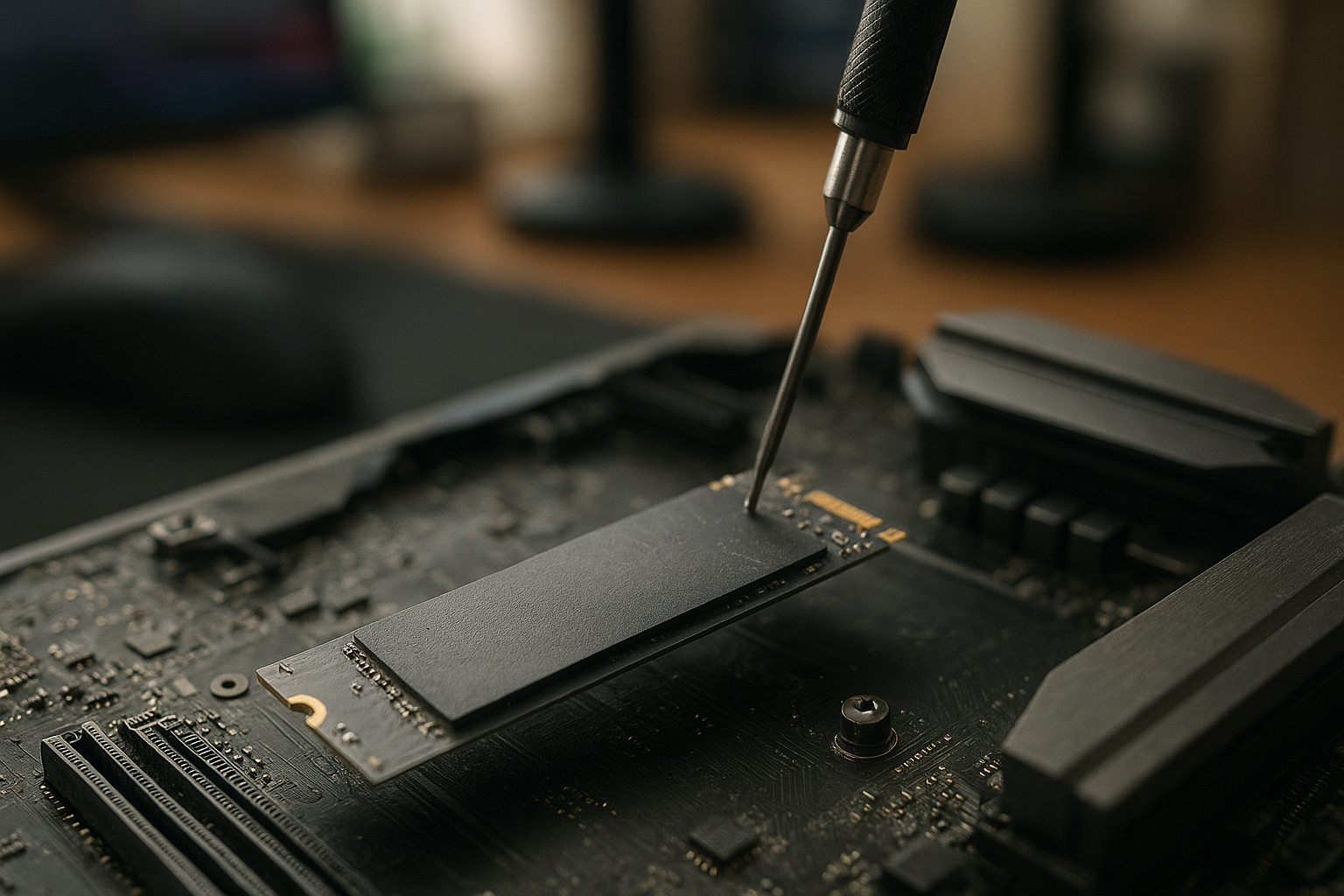
The WD Black SN850X 4TB is a high-capacity PCIe 4.0 NVMe SSD aimed at gaming PCs, workstations, and anyone who wants to keep a large library on one fast drive. It combines a rated sequential read speed of up to 7,300 MB/s with a substantial endurance rating and enough space for modern games that can consume well over 100GB each.
This WD Black SN850X review explains what the 4TB model offers, how it compares with smaller capacities, what to expect from its real-world performance, and where its limitations matter. It also covers cooling, installation, endurance, pricing, and whether it deserves consideration as the best 4TB SSD for gaming for your particular system.
Table of Contents
[[IMAGE: WD Black SN850X 4TB NVMe SSD shown removed from its packaging beside an M.2 2280 motherboard slot and a small heatsink, with the SSD label clearly visibl
WD Black SN850X 4TB overview
The WD Black SN850X 4TB is a single-sided M.2 2280 solid-state drive that uses a PCIe 4.0 x4 connection. It is designed for systems with an available M.2 slot supporting NVMe storage; it is not a SATA drive and will not deliver its intended performance through a SATA adapter or older SATA-only slot.
Its main attraction is capacity without stepping down to a slower, budget-oriented product. The 4TB model gives you room for a Windows installation, applications, creative projects, and a large game library while retaining the fast controller and flash architecture associated with the SN850X family.
Rated peak specifications are impressive, but they need context. Sequential transfers are most relevant when moving large files, cloning drives, or loading sizeable assets. Game loading, application launches, and operating-system responsiveness also depend on queue depth, small random access, CPU performance, memory, game-engine design, and the storage behavior of the rest of the platform.
What comes in the range?
WD sells the SN850X in several capacities and, depending on the market, with or without an integrated heatsink. The heatsink version can be useful in a desktop without a motherboard cover, but it may not fit every laptop, handheld, expansion card, or motherboard slot with a fixed thermal shield.
The 4TB version is especially attractive for people who are tired of constantly moving games between drives. It also makes sense for video editors, photographers, developers, and other users who regularly work with large local files but do not need the higher sustained throughput of a PCIe 5.0 platform.
WD Black SN850X 4TB specifications and features
The following are the manufacturer-rated characteristics for the 4TB model. Maximum speeds describe ideal conditions rather than a guarantee for every workload. Your motherboard, firmware, operating system, thermal conditions, and available free space can all affect results.
| Specification | WD Black SN850X 4TB |
|---|---|
| Form factor | M.2 2280 |
| Interface | PCIe Gen4 x4, NVMe |
| Rated sequential read | Up to 7,300 MB/s |
| Rated sequential write | Up to 6,600 MB/s |
| Endurance rating | Up to 2,400 TBW |
| Warranty | Five years, subject to the manufacturer’s terms |
| Heatsink options | Available with or without an integrated heatsink, depending on the product variant and region |
PCIe 4.0 compatibility
In a PCIe 4.0 x4 slot, the WD Black SN850X 4TB can approach its advertised sequential limits under suitable test conditions. In a PCIe 3.0 system, it remains compatible but will be constrained by the older interface. It will still function as a fast NVMe drive, but buying it specifically for 7,300 MB/s performance would make little sense in that configuration.
Check your motherboard manual before installation. Some M.2 slots share lanes with SATA ports or PCIe expansion slots, while others support only certain physical lengths or protocols. A correctly installed drive can still appear missing if the chosen slot is disabled by a lane-sharing rule.
Flash, cache, and controller behavior
The SN850X is a performance-focused drive with onboard DRAM and a dynamic cache. This helps it handle demanding workloads more consistently than many entry-level DRAM-less NVMe drives, particularly when the workload involves frequent random access or a large number of simultaneous operations.
That does not mean every long write will run at the maximum advertised speed. SSDs commonly use a faster temporary write region, and performance can change once that region is exhausted. The exact result depends on the amount of data, the drive’s free space, temperature, firmware, and the type of files being written.
WD Black SN850X performance in practice
The WD Black SN850X performance profile makes the drive a strong match for a modern gaming desktop. Its high sequential throughput is useful for installing large games and transferring media, while its low-latency NVMe design helps with general system responsiveness.
However, users should not expect a 7,300 MB/s benchmark result to make every game load twice as quickly as a good PCIe 3.0 SSD. Many games spend time decompressing assets, initializing shaders, contacting services, or waiting on CPU work. Storage can remove one bottleneck, but it cannot eliminate all of them.
Gaming and everyday use
As a primary gaming drive, the 4TB capacity is its biggest practical advantage. You can keep more frequently played titles installed, avoid juggling a nearly full boot drive, and leave space for updates that may temporarily require more storage than the final game size suggests.
Microsoft’s DirectStorage technology can allow supported games to use modern storage more efficiently, but adoption and results vary by title. The official DirectStorage overview explains the broader storage and decompression model; it should not be read as a promise that every game will show a dramatic improvement from one NVMe drive to another.
For Windows, office software, browsing, and most creative applications, the drive feels fast and responsive. The difference between this model and a less expensive current PCIe 4.0 SSD may be difficult to notice outside file transfers, disk-heavy workflows, or benchmark software.
Large file transfers and sustained writes
The WD Black SN850X 4TB is better suited to large local transfers than a small, low-end SSD because its capacity provides more room for caching and its rated write performance is high. Even so, a multi-hundred-gigabyte transfer can eventually exceed the fast cache and expose the underlying NAND write speed.
If you routinely ingest very large video projects, virtual-machine images, or database files, pay attention to sustained-write tests rather than only short benchmark scores. Keep the source and destination drives in mind as well: copying from a slower disk cannot demonstrate the full capability of the SN850X.
Random performance and queue depth
Random input and output matters more to operating-system responsiveness than sequential throughput alone. A drive can post excellent sequential figures while offering a less noticeable improvement in everyday use, where requests are often small and issued at low queue depths.
The SN850X’s hardware and firmware are built for high-performance workloads, but the practical gain over another quality NVMe SSD is workload-dependent. It is most defensible as an upgrade when you need more capacity, are replacing an older drive, or regularly move large files—not merely because a benchmark chart has a larger number.
NVMe SSD thermals and cooling
NVMe SSD thermals deserve attention in a fast PCIe 4.0 drive. Controllers generate heat during sustained transfers, and an SSD may reduce its speed when it reaches a protective temperature threshold. That behavior is normal thermal management, not evidence that the drive is failing.
In a desktop, the motherboard’s M.2 heatsink is often sufficient if it has a proper thermal pad and the protective film has been removed before installation. Positioning also matters: an M.2 slot directly under a graphics card may receive less airflow than a slot farther from the GPU.
[[IMAGE: Close-up of the WD Black SN850X 4TB installed beneath a motherboard M.2 heatsink, showing the thermal pad contacting the SSD and airflow direction from a front case fan]]
Should you buy the heatsink version?
Choose the integrated-heatsink version when your system lacks M.2 cooling or when you want a simple, ready-to-install solution in a desktop. Do not stack it under a motherboard heatsink unless the board manufacturer explicitly supports that arrangement; the extra height can prevent correct contact or create mechanical pressure.
For laptops and compact systems, check clearance carefully. The bare drive is usually the safer choice, although the laptop’s own thermal design may still limit sustained performance. A heatsink cannot compensate for poor airflow or a slot located beside a continuously hot component.
How to monitor temperatures
Use a reliable SMART-monitoring utility or the storage software supplied by the drive manufacturer to watch temperature, health, firmware, and total host writes. Tools such as smartmontools can expose drive health information on supported systems, although the presentation varies by operating system and SSD.
For a meaningful thermal check, copy a large amount of data or run a repeatable workload while recording temperature and transfer rate. A short benchmark may finish before the drive reaches a sustained operating temperature, so it can hide throttling that appears during longer work.
WD Black SN850X endurance, warranty, and software
The WD Black SN850X 4TB carries a rated endurance of up to 2,400 terabytes written, or TBW. This is a warranty and qualification metric, not a countdown that predicts the exact moment the SSD will stop working. Actual service life depends on workload, operating conditions, flash wear, power events, and other factors.
For a gaming library, the rating is comfortably large because reading installed games does not consume endurance in the same way writing does. Frequent game updates, video production, scratch-disk use, and repeated temporary files contribute more to total writes than simply launching games.
Five-year warranty considerations
The five-year limited warranty is subject to Western Digital’s terms and typically includes both a time limit and a written-data limit. Keep your purchase record, and check the warranty conditions for your region before relying on the headline duration.
Warranty coverage is not a substitute for backups. An SSD can fail without reaching its TBW rating, and file recovery from a failed flash drive may be difficult or expensive. Maintain at least one separate backup of irreplaceable photographs, documents, project files, and save data.
Firmware and management tools
Before using the drive for important work, check for firmware updates through Western Digital’s current support resources. The company’s official support portal provides product documentation, downloads, warranty information, and troubleshooting guidance.
Firmware updates are not routine performance upgrades that every owner must install immediately. Read the release notes, back up important data, close active applications, and avoid interrupting power during an update. A desktop connected to a dependable power source is preferable to a system that may shut down unexpectedly.
WD Black SN850X 4TB value and alternatives
Capacity changes the value calculation. A cheaper 1TB or 2TB drive may cost less at checkout, but buying several small drives can use more M.2 slots and create a less convenient library. Conversely, a 4TB premium drive is not automatically good value if your workloads are light and you could meet your needs with a slower model.
| Option | Best fit | Advantages | Trade-offs |
|---|---|---|---|
| WD Black SN850X 4TB | Gaming desktops, high-capacity primary drives, demanding PCIe 4.0 users | Large capacity, high rated throughput, DRAM-equipped performance design, strong endurance rating | Needs a compatible PCIe 4.0 platform to reach its headline speeds; sustained workloads still produce heat |
| Smaller high-end PCIe 4.0 SSD | Users with a separate game or archive drive | Often lower purchase cost and enough capacity for an operating-system drive | Less room for a large game library and major project files |
| Budget PCIe 4.0 SSD | General computing and cost-sensitive builds | Usually adequate for everyday applications and gaming at a lower price | May have lower sustained-write performance, less cache, or lower endurance |
| PCIe 5.0 SSD | New high-end systems and storage-heavy professional work | Higher interface bandwidth on compatible platforms | Higher platform cost, greater cooling demands, and limited benefit for many games |
SN850X 4TB versus the older SN850
The SN850X is an evolution of the earlier SN850 rather than a completely different category of product. If you already own a healthy SN850, moving to the SN850X may not produce a dramatic gaming improvement. The upgrade becomes easier to justify when the newer drive offers substantially more usable capacity at an attractive sale price.
When comparing listings, confirm the exact model, capacity, heatsink configuration, and seller. SSD naming can be confusing, and a product page may combine specifications for several capacities. Look for the manufacturer’s model information rather than relying only on a retailer’s short title.
Price per terabyte is not the whole story
Calculate the sale price divided by usable capacity, but also consider warranty, endurance, heatsink requirements, and the number of free M.2 slots in your system. A slightly more expensive 4TB drive can be sensible if it avoids buying a second drive or replacing a nearly full SSD within a year.
Prices fluctuate substantially by region and retailer, so a fixed recommendation based on a single launch or sale price quickly becomes outdated. Compare the SN850X 4TB with current alternatives on the day you buy, and avoid paying a large premium for performance your workload cannot use.
Who should buy the WD Black SN850X 4TB?
The drive is a particularly good fit for the following users:
- PC gamers who want one large, fast library drive rather than several smaller SSDs.
- Desktop builders with a PCIe 4.0 x4 M.2 slot and suitable motherboard cooling.
- Content creators who need fast local storage for active projects, media caches, or application files.
- Power users who frequently install software, move large files, or run storage-intensive development tools.
- Buyers replacing an older or nearly full SSD who want a substantial capacity increase without moving to PCIe 5.0.
Who should avoid it?
It is a poor fit if your computer has only PCIe 3.0 or SATA storage and you are paying a substantial premium for its top-end speed. The drive will work in a compatible older NVMe system, but a less expensive model may deliver a better balance.
It may also be excessive for a basic office computer that stores documents in the cloud and rarely handles large transfers. In that situation, capacity, reliability, and price matter more than peak sequential performance.
Installation checklist
- Confirm that the motherboard or laptop has an NVMe-capable M.2 slot with the correct physical length.
- Review the manual for lane sharing, boot support, and the preferred slot for a PCIe 4.0 drive.
- Install the drive at an angle, secure it with the correct screw or retention mechanism, and avoid bending the PCB.
- Use one heatsink solution: either the motherboard’s cover or the SSD’s integrated heatsink, not both unless explicitly supported.
- Update motherboard firmware and SSD firmware when appropriate, then initialize and format the drive in the operating system.
- Leave free space for normal operating overhead and keep backups of important data.
Key takeaways
- The WD Black SN850X 4TB is a high-end PCIe 4.0 x4 NVMe SSD with rated sequential speeds of up to 7,300 MB/s read and 6,600 MB/s write.
- Its 4TB capacity is more meaningful for gaming than a small difference in benchmark throughput because it reduces the need to uninstall and move games.
- The rated endurance is up to 2,400 TBW, backed by a five-year limited warranty subject to the manufacturer’s conditions.
- Use an M.2 heatsink or the integrated heatsink version, but verify clearance and avoid stacking heatsinks.
- PCIe 4.0 compatibility is essential for its advertised performance; PCIe 3.0 systems will limit throughput.
- Existing owners of a good PCIe 4.0 SSD should upgrade mainly for capacity, sustained workloads, or a favorable price—not just for a small benchmark improvement.
Frequently Asked Questions
Is the WD Black SN850X 4TB good for gaming?
Yes. The WD Black SN850X 4TB is well suited to gaming because it combines high PCIe 4.0 throughput with enough capacity for a large library. It can shorten storage-related loading and installation tasks, but it will not guarantee dramatically faster game loading than every other NVMe SSD. Game-engine design, CPU decompression, updates, and shader compilation also affect results. Its strongest gaming advantage is often the ability to keep more titles installed.
Does the WD Black SN850X 4TB need a heatsink?
A heatsink is recommended for sustained workloads and sensible in a desktop, although the drive can operate without one under lighter use. Many motherboards include an M.2 cover with a thermal pad. If yours does not, consider the SN850X heatsink variant or a compatible third-party heatsink. Check clearance first, particularly beneath a graphics card or in a laptop. Do not install the SSD’s heatsink beneath a motherboard cover unless the board supports that combination.
Will the WD Black SN850X 4TB work in a PCIe 3.0 slot?
It is backward-compatible with a suitable PCIe 3.0 NVMe slot, but the older interface will limit performance. The drive will not reach its advertised PCIe 4.0 sequential speeds in that system. Before buying, verify that the slot supports NVMe rather than SATA-only M.2 storage and check whether motherboard lane sharing disables the slot when other ports are in use.
How much endurance does the WD Black SN850X 4TB have?
The 4TB model has a manufacturer-rated endurance of up to 2,400 TBW. TBW means terabytes written and is used as part of the product’s warranty qualification; it is not a precise prediction of failure. Gaming typically produces far fewer writes than workloads such as video scratch storage, virtual machines, or constant data logging. Keep backups regardless of the endurance rating, because any SSD can fail unexpectedly.
Is the WD Black SN850X 4TB faster than the SN850?
The SN850X is the newer performance-oriented model, but the practical difference depends on the workload and the exact capacity being compared. Both belong to the high-performance PCIe 4.0 class, so an existing SN850 owner may notice more benefit from the SN850X’s additional capacity than from ordinary game loading. Compare current prices and model specifications rather than assuming that the newer name alone makes an upgrade worthwhile.
Can a PS5 use the WD Black SN850X 4TB?
The SN850X family is commonly considered for compatible console expansion, but suitability depends on the exact drive version, heatsink, physical clearance, firmware, and the console manufacturer’s current requirements. A bare drive generally needs an approved heatsink solution, while an integrated-heatsink model must fit the expansion bay. Confirm the current console specifications and the exact model dimensions before purchase rather than relying on a retailer’s compatibility label.
Is 4TB enough for a gaming PC?
For many players, 4TB is a comfortable capacity for Windows, applications, and a large selection of games. It is not unlimited: modern installations, downloadable content, recording files, and game updates can consume space quickly. If you keep a very large archive of video or install dozens of oversized titles, plan a secondary SSD or hard-drive archive. Leaving some free capacity also makes day-to-day management easier.
[[IMAGE: A gaming PC desktop displaying a storage-management screen with a nearly full 4TB WD Black SN850X game drive, alongside a second backup drive and labeled game-library folders]]
Conclusion
The WD Black SN850X 4TB is a compelling high-capacity PCIe 4.0 gaming SSD when you have a compatible desktop and can buy it at a competitive price. Its rated performance, DRAM-equipped design, substantial endurance rating, and four-terabyte capacity make it more versatile than a small boot drive, especially for large game libraries and storage-heavy projects.
Its limitations are equally clear: benchmark speeds are not the same as universal real-world gains, sustained transfers can generate heat, and PCIe 3.0 systems cannot use its full interface potential. Check your motherboard slot, cooling arrangement, and current sale prices first. If those align, the SN850X 4TB is a sensible choice; if not, a less expensive PCIe 4.0 SSD may deliver nearly the same everyday experience.