
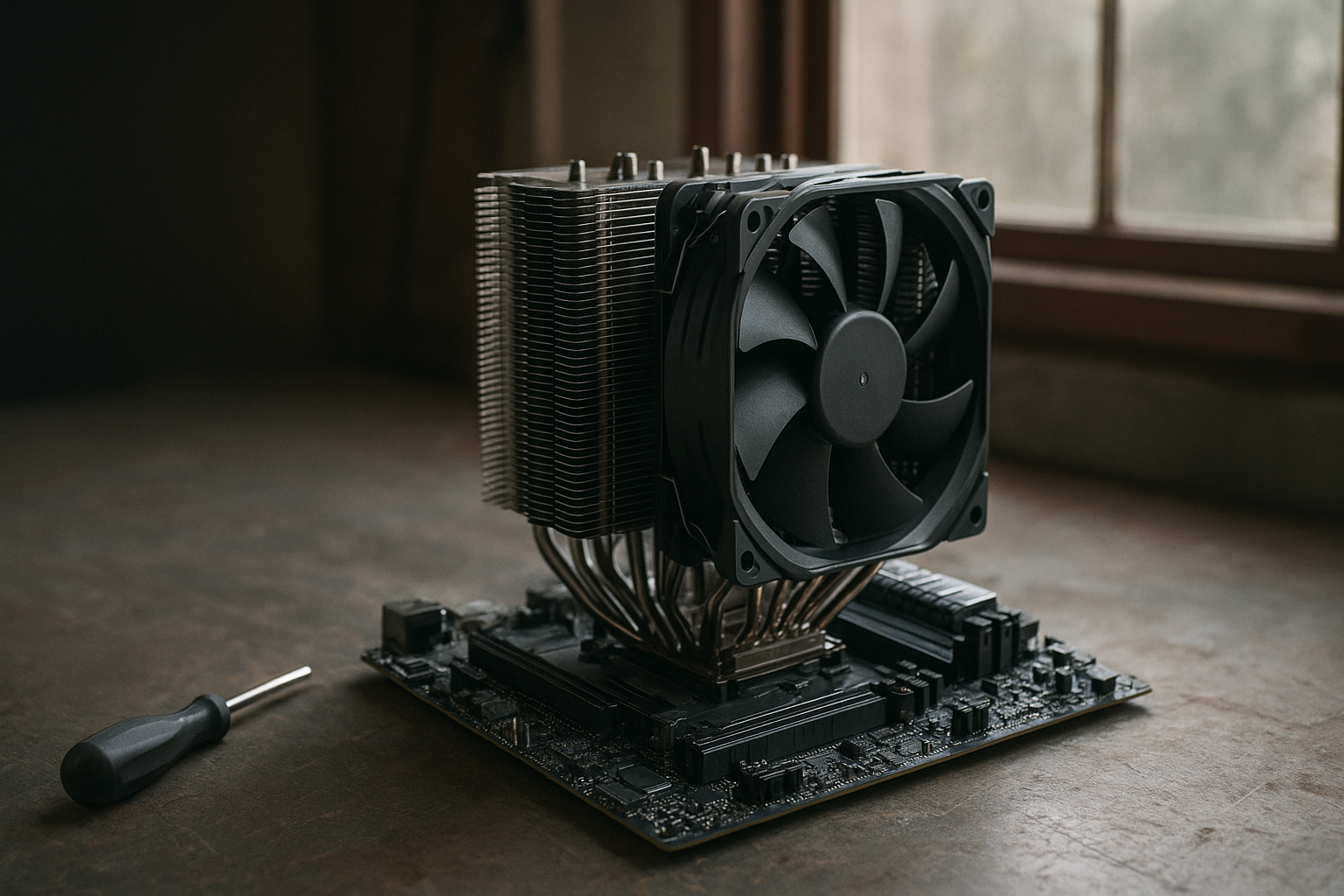
The Noctua NH-D15 G2 review question is straightforward: can this large dual-tower air cooler justify its premium price when high-end air coolers and 240 mm liquid coolers are widely available? The NH-D15 G2 improves Noctua’s long-running flagship with revised fin stacks, updated 140 mm fans, refined mounting hardware, and better attention to modern CPU heat spreaders.
This review examines the NH-D15 G2 CPU cooler’s cooling approach, expected noise levels, installation, RAM and case clearance, socket compatibility, and overall value. It is not a substitute for controlled lab testing on your exact processor, but it explains where this cooler makes sense—and where a smaller tower or liquid cooler may be a better purchase.
Table of Contents
[[IMAGE: Noctua NH-D15 G2 dual-tower CPU cooler installed on a modern ATX motherboard, with both brown NF-A14 G2 fans visible and tall DDR5 memory modules beside the front tower]]
Noctua NH-D15 G2 review: overview
The NH-D15 G2 is a premium, dual-tower air cooler designed for desktop processors that produce substantial heat during sustained workloads. It uses two aluminum fin stacks, six heatpipes, and two 140 mm PWM fans rather than a pump, radiator, or liquid loop.
Noctua sells the cooler in standard, Low Base Convexity (LBC), and High Base Convexity (HBC) versions. The different base shapes are intended to account for variations in CPU heat-spreader geometry. The standard version is the general-purpose choice, while the LBC and HBC variants are aimed at users who want to match the cooler more closely to a particular platform or processor contact pattern.
That choice is a useful distinction, but it does not turn the NH-D15 G2 into a universally superior cooler. Modern CPUs can draw enough power to challenge any air cooler, especially when motherboard firmware removes power limits. The result depends on the processor, contact quality, workload, ambient temperature, case airflow, fan curve, and power settings.
Who the NH-D15 G2 suits best
- Users building a quiet workstation, gaming PC, or content-creation system.
- Owners who prefer a cooler without a pump or liquid-filled radiator.
- Builders using a high-performance CPU with sensible power limits.
- People who want long-term serviceability and widely available mounting support.
It is less compelling for compact cases, systems with very tall memory modules, or buyers who want the cleanest possible view of their RGB components. Its large size and premium price are central to the buying decision, not minor details.
Design and build quality
The NH-D15 G2 retains the familiar dual-tower layout that made the original NH-D15 a reference point among large air coolers. A central fan sits between the towers, while the second fan mounts on the front and can be repositioned vertically to accommodate different memory heights.
Each tower uses a dense stack of aluminum fins connected to a copper base by six heatpipes. The base is nickel-plated, and the finish is intended to resist oxidation while matching the cooler’s overall premium construction. As with other large tower coolers, heat transfer depends on firm mounting pressure and good contact between the base and the CPU heat spreader.
The included NF-A14x140 G2 PWM fans are one of the cooler’s most important upgrades. They use a broad 140 mm frame and a PWM connection, allowing the motherboard to reduce fan speed at low loads and increase it when processor temperature rises. Noctua also includes low-noise adapters, thermal paste, mounting hardware, and a screwdriver in the retail package.
Unlike a liquid cooler, the NH-D15 G2 has no pump to wear out and no radiator tubes to route around the case. Dust can still accumulate in the fin stacks, and the fans are mechanical components that may eventually need replacement, but the cooler itself is relatively straightforward to maintain.
Noctua’s official NH-D15 G2 product page provides the current specifications, package contents, and version details. Check that page before buying because mounting support and bundled accessories can differ between products and revisions.
Noctua NH-D15 G2 cooling performance
In the context of a Noctua air cooler review, the NH-D15 G2’s main advantage is sustained thermal capacity. Its two large fin stacks provide considerably more surface area than a compact single-tower cooler, while the 140 mm fans can move air through the fins without needing the very high rotational speeds often associated with smaller fans.
That design makes the cooler a strong match for demanding gaming processors, workstation CPUs, and productivity systems that run for hours at a time. It can also handle short bursts of high processor power effectively, provided the case has a clear path for warm air to leave the chassis.
What to expect from NH-D15 G2 cooling
The NH-D15 G2 cooling performance should be viewed as high-end rather than unlimited. On a mainstream or enthusiast CPU operating within its recommended power range, it should provide low temperatures and reasonable fan speeds. On a heavily overclocked processor or a chip running unrestricted package power, temperature may still approach the CPU’s control target.
Modern desktop processors are designed to use available thermal and power headroom. A higher reported temperature does not automatically mean the cooler is failing. The more useful questions are whether the processor maintains its intended boost behavior, whether fan noise remains acceptable, and whether it avoids thermal throttling during the workload that matters to you.
Performance also changes substantially with the case. A well-ventilated mesh-front chassis with one or two exhaust fans can allow the NH-D15 G2 to perform close to its potential. A sealed front panel, a restricted top vent, or a hot graphics card exhausting into the CPU area can reduce the benefit of even the largest air cooler.
- Gaming: Usually a comfortable workload for a cooler of this class, although frame rates and game engines create different CPU loads.
- Rendering and code compilation: Sustained all-core workloads place more pressure on the cooler and case airflow.
- Productivity: Burst-heavy applications benefit from the cooler’s thermal mass and responsive PWM control.
- Manual overclocking: Possible on supported platforms, but power limits and voltage matter more than the cooler’s name.
Do not compare temperature numbers from different reviews without checking the test platform. CPU samples, motherboard defaults, ambient temperature, thermal paste, fan curves, and power limits can produce larger differences than a small change in cooler design.
Noctua NH-D15 G2 noise levels
The Noctua NH-D15 G2 noise levels depend primarily on fan speed. At low and moderate loads, a suitable motherboard curve can keep the fans quiet. Under sustained heavy workloads, the fans will become audible as they move more air through the fin stacks, but the large 140 mm design should avoid the sharper, higher-pitched character common to small high-speed fans.
Noctua’s published acoustic figures are ratings for the supplied fans under specified test conditions, not a guarantee of what a complete PC will sound like. Case panels, fan resonance, GPU noise, pump noise from other components, and room acoustics all affect the final result.
The included low-noise adapters reduce maximum fan speed. That can lower acoustic output, but it also reduces peak cooling capacity. They are most useful when the processor remains within a moderate power envelope or when the system is already stable at lower fan speeds.
Setting a quiet fan curve
A sensible fan curve is more useful than simply forcing the fans to run at their minimum speed. Set a low baseline for idle operation, then increase fan speed gradually as CPU temperature rises. Avoid aggressive temperature-based oscillation, where the fans repeatedly accelerate and slow down because the curve reacts too quickly to short bursts.
For a quiet build, also configure the case fans. The NH-D15 G2 cannot compensate for a rear exhaust fan that is blocked, a front intake with a clogged filter, or a graphics card that saturates the internal air supply.
Compared with a liquid cooler, the NH-D15 G2 eliminates pump noise and the possibility of pump speed changes. Compared with a small air cooler, it can often achieve the same thermal result at a lower fan speed. Neither comparison guarantees silence, however; a high-power CPU will still create heat that must leave the case.
NH-D15 G2 installation and socket compatibility
The NH-D15 G2 installation uses Noctua’s SecuFirm2+ mounting system. The process is more involved than fitting a low-profile cooler, but the hardware is substantial and the included screwdriver makes access easier. Read the platform-specific instructions before applying paste or positioning the towers.
- Confirm the cooler’s socket support and case height limit.
- Install the correct backplate or mounting brackets for the motherboard.
- Apply thermal paste according to the supplied instructions.
- Lower the heatsink evenly onto the CPU and tighten the spring-loaded screws alternately.
- Install the center and front fans only after checking memory and motherboard clearance.
- Connect the fans to the CPU fan headers and verify that the cables cannot touch the blades.
The mounting system is designed to apply consistent pressure, but installation still requires care. Do not overtighten screws, force the tower against a memory module, or allow the front fan to extend beyond the case’s maximum cooler height.
NH-D15 G2 socket compatibility
NH-D15 G2 socket compatibility includes current Intel LGA1851 and LGA1700 platforms, as well as supported Intel LGA1200 and LGA115x sockets. On AMD systems, the cooler supports AM5 and AM4. Platform support can change with mounting kits, motherboard layouts, and product revisions, so verify the exact board using Noctua’s CPU cooler compatibility centre before ordering.
Motherboard compatibility is not only about the socket. Tall heatsinks around the CPU socket, large VRM shrouds, graphics cards in the top PCIe slot, and memory-slot placement can affect whether the towers or heatpipes fit comfortably.
On AMD AM5, Noctua’s offset mounting approach is intended to improve contact over the hotter region of compatible processors. The practical benefit still depends on the motherboard and CPU, so treat it as a design advantage rather than a guaranteed temperature reduction.
[[IMAGE: Close-up of the NH-D15 G2 SecuFirm2+ mounting hardware on an AM5 motherboard, showing the spring-loaded screws, offset brackets, thermal paste, and screwdriver used during installation]]
NH-D15 G2 RAM clearance and case fit
NH-D15 G2 RAM clearance is the main compatibility issue for many builders. The front fan sits over the memory slots, so tall RGB DIMMs may require the fan to be raised. Raising it increases the cooler’s total height and may cause the complete assembly to exceed the case’s CPU-cooler limit.
Standard-height memory is usually easier to accommodate, but you should measure the actual module height rather than assume that every DDR4 or DDR5 kit has the same dimensions. Large heat spreaders, decorative light bars, and removable top sections can all change the fit.
Before buying, check these measurements in order:
- The case’s maximum CPU cooler height.
- The memory module height listed by the RAM manufacturer.
- The motherboard’s distance from the CPU socket to the first PCIe slot.
- The position and height of VRM heatsinks around the socket.
- Whether moving the front fan upward leaves enough clearance beneath the side panel.
If your memory is too tall, there are several options. You can move the front fan upward, use the cooler with a single center fan, select shorter memory, or choose a different cooler. Running one fan can reduce cost and clearance problems, but it may also reduce airflow and increase the speed required for the same temperature.
The cooler’s substantial height and width also make it a poor fit for small-form-factor cases. Measure the complete system rather than relying on motherboard or case photographs. A cooler that technically fits can still make cable routing, memory replacement, and cleaning unnecessarily difficult.
NH-D15 G2 value compared with alternatives
The NH-D15 G2 occupies the premium end of the air-cooling market. Its value comes from a combination of thermal capacity, fan quality, mounting support, low maintenance, and long-term replaceability. It is not automatically the best value for every processor.
| Option | Main advantage | Trade-off | Best fit |
|---|---|---|---|
| NH-D15 G2 | Large air-cooling capacity with two 140 mm PWM fans and no pump | High price, large footprint, and memory-clearance concerns | Quiet high-performance desktops with spacious cases |
| Smaller single-tower air cooler | Lower cost and easier installation | Less fin area and generally less thermal headroom | Mainstream CPUs, compact builds, and moderate workloads |
| 240 mm liquid cooler | Moves the radiator away from the CPU socket and can offer strong sustained cooling | Includes a pump, radiator, tubes, and more installation complexity | Cases with good radiator support and users comfortable with liquid cooling |
| 280 mm liquid cooler | Large radiator and 140 mm-class radiator fans | Requires compatible case mounting and may interfere with the motherboard or RAM area | High-power CPUs in cases designed for top or front 280 mm radiators |
The table compares design characteristics rather than universal benchmark results. A well-designed 240 mm or 280 mm liquid cooler can outperform a large air cooler in some sustained workloads, while a poorly ventilated case can undermine either solution.
Is the NH-D15 G2 worth it?
The value proposition is strongest when reliability and acoustic behavior matter as much as peak temperature. A pump-free cooler has fewer system-level failure points, and its fans can be replaced independently. Noctua’s long-term accessory and mounting-kit support is also useful for builders who keep a platform for many years.
The purchase is harder to justify for a mid-range CPU that would remain cool with a smaller tower. In that situation, the NH-D15 G2 may provide little visible benefit while consuming more space and money. It is also not the obvious choice for a showcase build where the cooler’s brown fans and large towers conflict with the visual design.
For a high-end processor, compare the total build rather than the cooler alone. If the case already supports a large tower and you do not need extremely low temperatures under unrestricted all-core loads, the NH-D15 G2 can be a sensible alternative to liquid cooling. If your processor regularly runs at very high sustained power, compare it with a quality 280 mm or 360 mm liquid cooler as well.
Pros and cons
Advantages
- High-end dual-tower design with strong sustained cooling potential.
- Two large PWM fans that can run quietly at moderate speeds.
- No pump, radiator, or liquid loop to maintain.
- Robust mounting hardware and broad support for modern Intel and AMD sockets.
- Included thermal paste, low-noise adapters, and installation tools.
- Fan replacement is straightforward if a fan eventually wears out.
Limitations
- Large dimensions can interfere with tall RAM, VRM heatsinks, or the top PCIe slot.
- Raising the front fan for memory clearance can exceed the case height limit.
- Premium pricing makes smaller air coolers more attractive for moderate CPUs.
- Brown-and-beige fans may not suit every system’s visual design.
- It cannot remove the heat produced by an unrestricted high-power CPU without making noise.
- Installation takes more time than fitting a compact tower cooler.
Who should buy the NH-D15 G2?
Buy the NH-D15 G2 if you want one of the most capable mainstream air-cooling designs, have a case with generous clearance, and prefer to avoid pump-based cooling. It is particularly sensible for a workstation or gaming system that runs sustained workloads but is configured with reasonable CPU power limits.
It is also a good option for buyers who value serviceability. Fans can be cleaned or replaced, the heatsink does not need software, and the cooler remains useful across multiple builds when the appropriate mounting hardware is available.
Consider a smaller air cooler instead if you use a mid-range processor, a compact chassis, or short memory modules that do not need a very large heatsink. Consider liquid cooling if your priority is maximum sustained CPU performance in a case designed for a large radiator, or if you need to keep the area above the memory slots visually open.
Key takeaways
- The NH-D15 G2 is a premium dual-tower cooler for demanding desktop CPUs.
- Its revised 140 mm fans and large fin stacks target strong cooling with controlled fan speeds.
- Noise depends on fan speed, CPU power, case airflow, and the motherboard’s fan curve.
- RAM height and case cooler clearance should be checked before purchase.
- NH-D15 G2 socket compatibility covers modern Intel LGA1851 and LGA1700 systems plus supported older Intel and AMD AM4/AM5 platforms; confirm your exact motherboard with Noctua.
- It offers excellent pump-free longevity, but a smaller cooler may deliver better value for moderate CPUs.
- For unrestricted, high-power processors, compare it with a strong 280 mm or 360 mm liquid cooler instead of assuming any air cooler will remain silent.
Frequently Asked Questions
Is the Noctua NH-D15 G2 good for high-end CPUs?
Yes, it is designed for high-performance desktop processors and sustained workloads. Its actual results depend on the CPU’s power limits, voltage, workload, case airflow, and ambient temperature. A high-end processor that runs unrestricted may still reach high temperatures or require audible fan speeds. The NH-D15 G2 is best viewed as a strong premium air cooler, not as a guarantee of low temperatures on every high-power chip.
How loud is the NH-D15 G2?
The Noctua NH-D15 G2 noise levels vary with fan speed. At idle and moderate loads, its 140 mm PWM fans can operate quietly when paired with a sensible fan curve. During sustained rendering, compiling, or other all-core workloads, they become more audible as cooling demand increases. Case airflow and other components also matter, so published fan specifications should not be treated as a complete-system noise measurement.
Does the NH-D15 G2 fit tall RAM?
It may, but the front fan can overlap the memory slots. With tall RGB DIMMs, you may need to raise the fan, use one fan, or select shorter memory. Raising the fan increases the cooler’s total height, which can create a side-panel clearance problem. Check the RAM height, motherboard layout, and case cooler-height limit together before purchasing.
What sockets does the NH-D15 G2 support?
NH-D15 G2 socket compatibility includes Intel LGA1851, LGA1700, LGA1200, and LGA115x platforms, along with AMD AM5 and AM4 support. The exact mounting hardware and motherboard fit should still be confirmed through Noctua’s compatibility centre. Socket support alone does not account for VRM heatsinks, memory clearance, or graphics-card placement.
Is the NH-D15 G2 better than a 240 mm AIO cooler?
Not in every situation. A good 240 mm AIO can provide strong sustained cooling and may offer more space around the memory slots, but it introduces a pump, radiator, tubes, and liquid-cooling installation requirements. The NH-D15 G2 avoids pump noise and liquid-loop concerns while offering excellent air-cooling capacity. Compare case support, CPU power, noise priorities, price, and long-term maintenance rather than relying on cooler type alone.
Does the NH-D15 G2 come with thermal paste?
Yes, the retail package includes Noctua thermal paste and mounting accessories. Follow the supplied installation instructions and use only the amount recommended for your platform. If you reinstall the cooler after removing it from the CPU, clean both contact surfaces and apply fresh paste rather than reusing the old application.
Which NH-D15 G2 version should I buy?
The standard version is the safest general-purpose choice when you do not have a specific reason to match the cooler’s base curvature to a CPU platform. Noctua also offers LBC and HBC variants for different heat-spreader geometries. Check Noctua’s current product guidance and your processor platform before choosing a variant, particularly if you are optimizing contact for a specific CPU rather than building a general-purpose system.
[[IMAGE: Side-by-side PC building comparison showing the NH-D15 G2 beside a 240 mm AIO radiator, with callouts for case height, RAM clearance, pump hardware, and front-fan positionin
Noctua NH-D15 G2 review conclusion
This Noctua NH-D15 G2 review finds a highly capable but physically demanding air cooler. Its revised tower design, large PWM fans, robust mounting system, and pump-free construction make it a strong candidate for a quiet, high-end desktop when the case and memory are compatible.
Its limitations are just as clear: the cooler is expensive, large, and not automatically the best choice for an unrestricted high-power CPU or a compact build. Before ordering, measure the case’s maximum cooler height, check your RAM dimensions, confirm your motherboard through Noctua’s compatibility centre, and decide whether you value pump-free simplicity more than the radiator flexibility of an AIO.
If those checks line up with your build, the NH-D15 G2 remains one of the strongest choices in the premium air-cooling category and a credible candidate for the best CPU air cooler for high-end PCs. If they do not, choose a smaller tower or a properly sized liquid cooler rather than forcing this oversized design into an unsuitable case.