
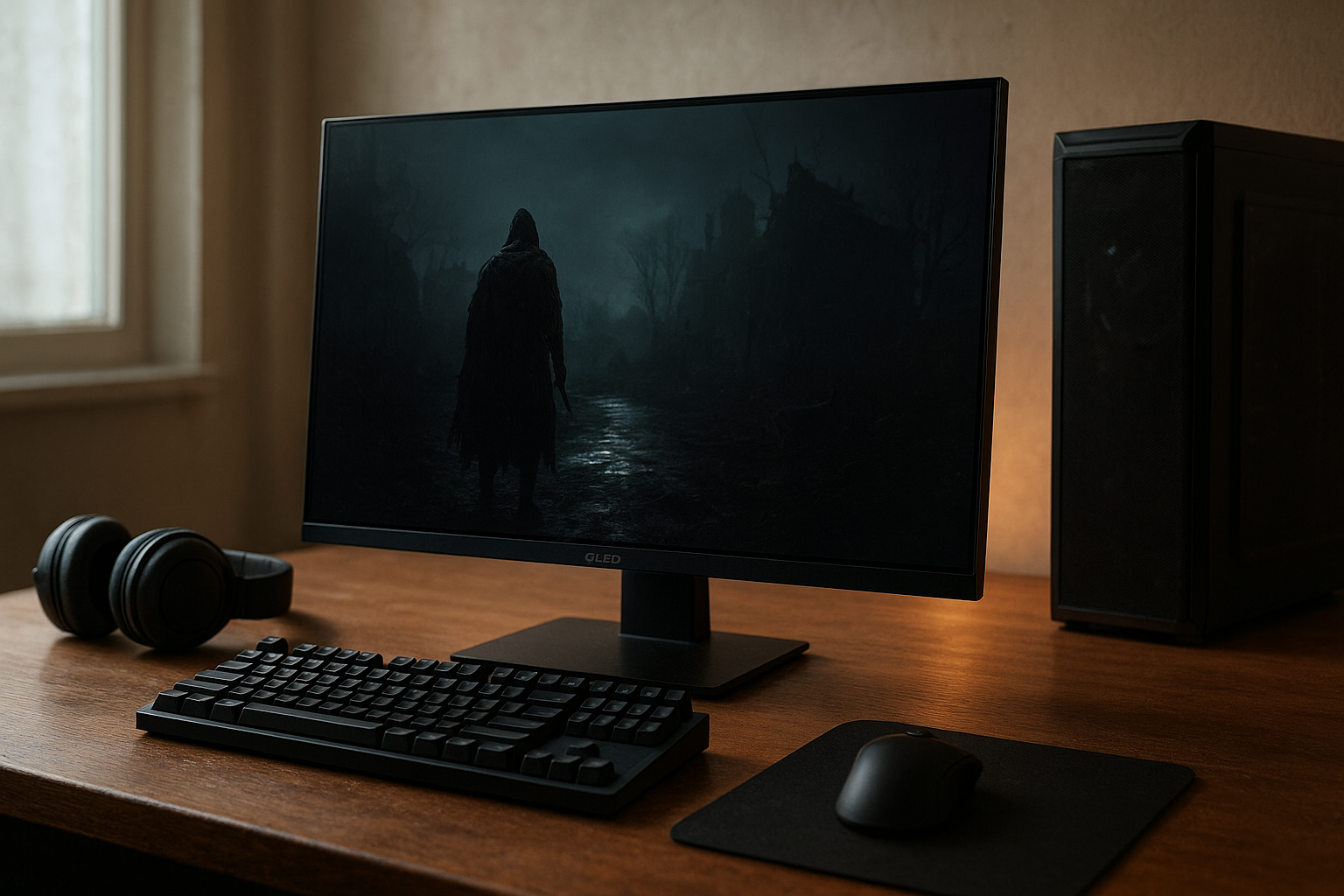
The Asus ROG Swift OLED review question is easy to summarize: the ROG Swift OLED PG32UCDM combines a sharp 32-inch 4K panel with a 240Hz refresh rate, near-instant OLED response, HDMI 2.1, USB-C connectivity, and extensive gaming controls. It is designed for players who want one premium display for high-end PC gaming, current consoles, creative work, and everyday desktop use.
This review explains what makes the PG32UCDM different from a conventional IPS monitor, where its OLED panel excels, what limitations buyers should understand, and whether it makes sense for your graphics card, games, and desk. Because firmware, pricing, and regional bundles can change, check the official ROG Swift OLED PG32UCDM specifications before ordering.
Table of Contents
[[IMAGE: Asus ROG Swift OLED PG32UCDM shown at a gaming desk with a 4K game scene, a 240Hz refresh-rate overlay, and its slim OLED panel visible from a three-quarter angl
Asus ROG Swift OLED review: verdict
The ROG Swift OLED PG32UCDM is one of the most complete premium 4K gaming monitors available in its class. Its main attraction is not simply the 240Hz figure. It is the combination of 4K detail, OLED contrast, extremely fast pixel transitions, a large 32-inch format, and features that make it practical beyond gaming.
Games with dark scenes benefit from OLED’s ability to control individual pixels, while fast competitive titles benefit from the high refresh rate and low response time. The result is a display that can serve both a cinematic single-player game and a high-frame-rate shooter without requiring two separate monitors.
There are compromises. A 4K 240Hz OLED monitor demands a powerful graphics card if you want to approach 240 frames per second in modern games. OLED panels also require sensible care when used as a desktop display, and text may not look quite as clean as it does on a comparable 4K IPS monitor.
- Best feature: the balance of 4K sharpness, OLED contrast, and 240Hz motion.
- Best for: high-end PC gamers who also want a large, versatile desktop display.
- Main drawback: the premium cost and the need to manage OLED image-retention risks.
- Buying advice: confirm your GPU has DisplayPort 1.4 with DSC or HDMI 2.1, and check the latest firmware before setup.
Key specifications and features
The PG32UCDM uses a 31.5-inch-class 4K UHD QD-OLED panel with a 3840 × 2160 resolution and a 240Hz maximum refresh rate. Its quantum-dot OLED design delivers self-emissive pixels, so the screen can turn individual pixels off rather than relying on a backlight.
The listed response time is exceptionally low for a gaming display, although response-time figures should not be compared directly across brands without a consistent test method. Real-world motion clarity also depends on frame rate, refresh-rate mode, overdrive behavior, and whether the game engine produces consistent frames.
| Feature | What it means for buyers |
|---|---|
| 31.5-inch-class 4K UHD resolution | Provides a high level of detail while keeping the viewing area large enough for immersive games and multitasking. |
| 240Hz refresh rate | Allows smoother motion and lower display latency when the PC can render high frame rates. |
| QD-OLED panel | Produces pixel-level contrast, wide color capability, and fast transitions, with OLED care considerations. |
| HDMI 2.1 | Makes the monitor more suitable for modern consoles and high-bandwidth PC connections. |
| DisplayPort connection with DSC support | Helps carry 4K at high refresh rates over a compatible PC setup. |
| USB-C connectivity | Can connect a compatible laptop and provide video, USB functionality, and power delivery, subject to the laptop and monitor settings. |
| Built-in KVM functionality | Lets one keyboard and mouse control more than one connected computer when configured correctly. |
| OLED protection features | Automated maintenance and screen-care controls are intended to reduce image-retention risk during long-term use. |
The exact port behavior matters more than the port count. For example, USB-C power delivery can be useful for a laptop, but it may not replace a high-power charger for every performance notebook. Similarly, the best 4K 240Hz experience depends on using a suitable cable and enabling the required operating-system and GPU settings.
Asus gaming monitor features that matter
Asus includes a broad set of controls aimed at both competitive and general gaming. Depending on the active input and display mode, these can include variable refresh rate support, game presets, shadow enhancement, an on-screen crosshair, frame-rate information, and aspect-ratio options.
The monitor also includes a configurable OLED care system. Features such as pixel cleaning, screen movement, and static-logo dimming are designed to reduce the stress caused by fixed interface elements. These controls are useful, but they do not make an OLED panel immune to image retention or permanent burn-in.
HDR support is another major part of the feature set. The display is designed for DisplayHDR True Black-class performance; the VESA DisplayHDR standards explain why OLED and LCD HDR measurements use different approaches. Certification alone does not describe every aspect of HDR quality, so game tone mapping and the monitor’s selected HDR mode still matter.
OLED image quality and HDR
The strongest reason to consider this monitor is its OLED image quality. Each pixel produces its own light, which allows dark areas to remain genuinely dark in a controlled viewing environment. There is no conventional LCD backlight blooming around a bright object on a black background.
That difference is obvious in games with night scenes, space environments, horror sequences, and letterboxed films. A small bright highlight can appear more distinct against a dark background than it typically does on an IPS display with a standard edge-lit backlight.
The QD-OLED structure also supports a wide color gamut. Vibrant effects, colored lighting, and saturated landscapes can look especially rich when a game is configured correctly for HDR. However, “more colorful” does not automatically mean “more accurate,” so creators and users who need predictable color should select an appropriate mode and consider calibration.
HDR strengths and limitations
HDR works best when the game, Windows, GPU driver, and display mode all agree. Some games offer excellent HDR implementation, while others produce a washed-out or overly bright image regardless of the monitor. It is worth adjusting the game’s paper-white and peak-brightness controls instead of assuming the default is correct.
OLED HDR also has a practical limitation: a large white webpage or full-screen productivity window cannot remain at the same peak brightness as a tiny HDR highlight without placing considerable demand on the panel. This is normal behavior for many OLED displays and helps explain why a bright LCD may still look stronger in a sunlit office.
For Windows users, the Microsoft guidance for HDR settings in Windows is a useful starting point. Use HDR for supported games and video, but do not feel obligated to leave it enabled for every desktop task if the SDR image looks more natural.
Gaming performance and connectivity
A 240Hz gaming monitor can make motion look smoother and can reduce the time between frames, but the benefit depends on the game and the computer driving it. At 240Hz, a new frame is displayed roughly every 4.17 milliseconds. At 120Hz, the interval is roughly 8.33 milliseconds. That difference is most meaningful in fast camera movement and competitive play.
4K makes the graphics workload substantially heavier than 1440p. In demanding single-player games, many owners will sensibly use a lower render load, upscaling, or a frame-rate cap rather than attempting to sustain 240 frames per second. In esports titles with modest graphics demands, a powerful GPU and CPU may make much better use of the refresh rate.
Variable refresh rate and response behavior
Variable refresh rate helps the panel synchronize its refresh behavior with the GPU’s changing frame rate. That can reduce visible tearing and make uneven performance feel less distracting. Compatibility can vary by graphics card, driver, game, and connection, so test the mode with the titles you actually play.
OLED’s fast pixel transitions are particularly helpful when a dark object moves across a bright background. You are less likely to see the slow trailing behavior associated with an overly aggressive LCD overdrive setting. Nevertheless, a high refresh rate cannot fix poor frame pacing, a slow game engine, or input delay elsewhere in the system.
Ports, consoles, and laptop use
HDMI 2.1 makes the PG32UCDM a more flexible choice for PlayStation 5 and Xbox Series X|S users than a monitor limited to older HDMI bandwidth. Consoles do not use the full 4K 240Hz capability, but HDMI 2.1 can support the high-refresh 4K modes those systems target, subject to the console, game, cable, and display settings.
On PC, DisplayPort is the natural choice for high-refresh 4K gaming. Display Stream Compression can be used to carry a high-resolution, high-refresh signal over DisplayPort without the visible quality loss associated with older forms of chroma subsampling. Make sure your GPU and cable support the required mode.
USB-C is useful for a laptop desk because one cable can carry video and connect the computer to the monitor’s USB functions while also supplying power. The convenience depends on the laptop’s USB-C video support and power requirements. A gaming laptop may still need its dedicated adapter during demanding play.
[[IMAGE: Close-up of the Asus PG32UCDM rear ports labeled HDMI 2.1, DisplayPort, USB-C, USB hub, and headphone output, with a laptop and gaming PC connected]]
Desktop use, text clarity, and burn-in
The 32-inch 4K format is comfortable for many desks because it provides a large workspace without the extreme pixel density of a smaller 4K screen. You can place two documents side by side, keep a browser and chat window visible, or use a large game at a more immersive viewing distance.
Text clarity is good enough for general work, but OLED subpixel layouts can produce colored fringing around high-contrast text, particularly at smaller font sizes or when viewed close to the screen. The effect varies with operating-system scaling, font rendering, application, and viewing distance. A 100% or 125% scaling setting may look different from one user’s desktop to another.
If your monitor will display spreadsheets, browser toolbars, code editors, or static productivity panels for eight hours every day, a modern IPS monitor remains the less complicated choice. The PG32UCDM can handle office work, but its OLED advantages are most compelling when gaming and video are a substantial part of the workload.
How to reduce OLED image-retention risk
Burn-in is not a reason to dismiss every OLED gaming monitor, but it is a reason to use one thoughtfully. Static elements such as taskbars, channel logos, health bars, and application toolbars can place repeated stress on the same pixels over long periods.
- Allow the monitor to complete its pixel-care cycle when it requests one.
- Use automatic screen-off or sleep settings rather than leaving a static desktop visible for hours.
- Keep brightness at a sensible level for the room instead of using maximum brightness constantly.
- Enable the monitor’s OLED protection features instead of disabling them for convenience.
- Vary full-screen content when possible, especially if the display is used for long work sessions.
These steps reduce risk but do not guarantee permanent protection. Check the warranty terms in your region, because OLED coverage and exclusions can differ by market and product policy.
Comparison with other gaming monitors
The right comparison is not simply “OLED versus LCD.” It is a trade-off between image quality, brightness behavior, text rendering, performance requirements, and how much static content the monitor will display.
| Use case | PG32UCDM | 4K IPS gaming display | 1440p OLED gaming display |
|---|---|---|---|
| Dark-room gaming | Excellent pixel-level contrast and minimal haloing around bright objects. | Depends heavily on the backlight; dark scenes may show glow or blooming. | Excellent contrast, although the lower resolution shows less fine detail than 4K. |
| High-refresh PC gaming | Offers 4K at up to 240Hz, but needs substantial graphics hardware. | Can offer high refresh rates with less OLED-care concern, depending on the model. | High refresh is easier to drive than 4K, but image detail is lower. |
| Bright-room performance | Can look vivid, but full-screen brightness behavior may be less consistent than a strong LCD. | Often a straightforward choice for bright offices and large white desktop windows. | Similar OLED brightness considerations, with model-specific differences. |
| Text-heavy work | Usable, though some users may notice OLED subpixel fringing. | Usually the safer choice for crisp, predictable desktop text. | Also depends on the panel’s subpixel layout and pixel density. |
| Console flexibility | HDMI 2.1 makes it well suited to current high-bandwidth consoles. | Only models with suitable HDMI bandwidth offer the same connection flexibility. | Varies by model; check the individual HDMI specifications. |
This comparison explains why the PG32UCDM is not automatically the best monitor for everyone. A 4K IPS display may be the better purchase for a bright office, static professional interface, or user who values uncomplicated long-term desktop use. A 1440p OLED model may be more practical if your graphics card cannot render 4K smoothly.
PG32UCDM versus a 4K 144Hz monitor
Compared with a conventional 4K 144Hz monitor, the PG32UCDM offers a higher refresh ceiling and OLED contrast. The difference is most visible when your system can generate well above 144 frames per second, or when you play fast games where motion clarity matters.
On the other hand, the jump from 144Hz to 240Hz is less dramatic than the jump from a standard LCD’s contrast to OLED’s pixel-level blacks. If your games normally run between 60 and 120 frames per second, you may gain more from the OLED panel and responsive behavior than from the unused top end of the refresh range.
Pros and cons
Pros
- Sharp 4K resolution on a spacious 32-inch-class screen.
- 240Hz refresh rate for high-frame-rate PC gaming.
- OLED contrast gives dark games and films impressive depth.
- Very fast pixel transitions suit competitive games.
- HDMI 2.1 improves compatibility with modern consoles.
- USB-C and KVM features can simplify a multi-device desk.
- OLED-care controls address important panel-maintenance tasks.
Cons
- Requires powerful hardware to take full advantage of 4K at 240Hz.
- OLED brightness behavior is less ideal for large, bright desktop windows.
- Some users may notice text fringing from the panel’s subpixel arrangement.
- Static desktop content requires more care than it does on a typical IPS monitor.
- The premium feature set may be excessive for casual gaming or low-frame-rate systems.
Who should buy the PG32UCDM?
The PG32UCDM is a strong fit for a high-end PC gamer who wants one display rather than separate screens for competitive gaming, cinematic games, and general use. It also suits players who use a current console alongside a PC and want HDMI 2.1, or laptop owners who can benefit from a USB-C-centered desk setup.
It is particularly compelling if you can appreciate OLED in dark-room gaming and regularly play titles that can exceed 144 frames per second. The large 4K canvas also makes it a more versatile work display than many smaller high-refresh gaming monitors.
Who should avoid it?
Choose a different monitor if your priority is a very bright, static office display, if you spend most of the day reading dense text, or if your graphics hardware is better suited to 1440p. An IPS display may offer a calmer ownership experience for fixed desktop layouts, while a lower-resolution OLED can deliver much of the motion and contrast benefit with less rendering demand.
You should also avoid paying for 240Hz if the games you play are capped near 60 or 120 frames per second and you do not plan to upgrade your system. In that situation, a less expensive 4K display with a lower refresh rate may provide better value.
[[IMAGE: Split-screen comparison showing a dark HDR game on the PG32UCDM beside a bright spreadsheet, illustrating OLED contrast benefits and the practical desktop-use trade-off]]
Key Takeaways
- The ROG Swift OLED PG32UCDM combines 4K resolution, a 240Hz refresh rate, and QD-OLED contrast in a large gaming format.
- Its biggest visual advantage is pixel-level control in dark scenes, not merely its saturated colors.
- A powerful PC is needed to make meaningful use of 4K at very high frame rates.
- HDMI 2.1 makes the monitor a flexible option for current consoles, while DisplayPort suits high-refresh PC gaming.
- USB-C, KVM, and OLED-care features make it more practical for a multi-device setup.
- Text fringing, full-screen brightness behavior, and image-retention management are the main ownership considerations.
- A 4K IPS monitor may be better for static office work, while a 1440p OLED may be better for weaker gaming hardware.
Frequently Asked Questions
Is the Asus ROG Swift OLED PG32UCDM worth buying?
It is worth considering if you want a premium all-purpose gaming monitor with 4K detail, OLED contrast, and a 240Hz refresh rate. The value is weaker if your PC cannot render demanding games above 60 or 120 frames per second, or if you mainly use a monitor for static office work. Compare the current price with capable 4K 144Hz OLED and IPS alternatives, then decide whether the extra refresh rate and connectivity justify the premium.
Is the PG32UCDM a true 4K 240Hz OLED monitor?
Yes. The monitor is built around a 3840 × 2160 4K UHD panel with a maximum refresh rate of 240Hz. Reaching 240Hz requires a compatible graphics card, connection, cable, and display setting. You also need a game that can produce sufficiently high frame rates; otherwise, the panel will still look excellent, but the headline refresh-rate advantage will not be fully used.
Does the Asus PG32UCDM support HDMI 2.1?
Yes, HDMI 2.1 is part of the PG32UCDM’s connectivity, which makes it suitable for modern consoles and compatible PC hardware. Console output remains limited by the console and game, so HDMI 2.1 does not turn a console into a 240Hz 4K system. For a PC, confirm the GPU’s output capabilities and use a suitable certified cable for the desired mode.
Is OLED burn-in a problem on the PG32UCDM?
OLED burn-in remains a potential long-term risk when the same static elements are displayed repeatedly. The PG32UCDM includes panel-care features intended to reduce that risk, but those features cannot guarantee permanent protection. Let maintenance cycles run, use automatic sleep settings, avoid unnecessarily high brightness, and check the warranty available in your country before buying.
Is the PG32UCDM good for work and reading?
It can be good for general desktop use because the 32-inch 4K format provides ample workspace and sharp detail. However, OLED subpixel rendering can produce colored edges around some text, and large bright windows may not behave like they do on a bright IPS monitor. If you read or edit text for most of the day, compare the display in person when possible or consider an IPS panel as your primary work screen.
What graphics card is needed for 4K 240Hz gaming?
There is no single graphics card that guarantees 240 frames per second in every game at 4K. Lightweight competitive games require much less performance than modern ray-traced releases. A high-end GPU is the sensible starting point, but use game-specific settings, upscaling, and frame-rate monitoring rather than buying the monitor on the assumption that every title will run at its maximum refresh rate.
Is this monitor suitable for PS5 or Xbox Series X?
Yes, its HDMI 2.1 connectivity makes it a suitable match for current consoles, subject to each console’s supported output modes and the game’s own settings. The benefit is mainly access to compatible 4K high-refresh console modes, not the monitor’s full 240Hz capability. If console gaming is your only use, a less expensive 4K 120Hz display may provide better value.
Final verdict
This Asus ROG Swift OLED review finds the ROG Swift OLED PG32UCDM to be a technically ambitious and unusually versatile gaming monitor. Its 4K resolution brings fine detail, the QD-OLED panel delivers superb contrast, and 240Hz gives fast PC games room to feel exceptionally fluid.
The decision comes down to your priorities. Buy it if you have the hardware to drive 4K at high frame rates, want OLED’s dark-scene performance, and will use its HDMI 2.1, USB-C, or KVM features. Choose a 4K IPS display for a bright, static work environment or a 1440p OLED monitor for a lower graphics workload. Before purchasing, verify the regional warranty, confirm your GPU connections, and check the latest Asus firmware and OLED-care guidance.