
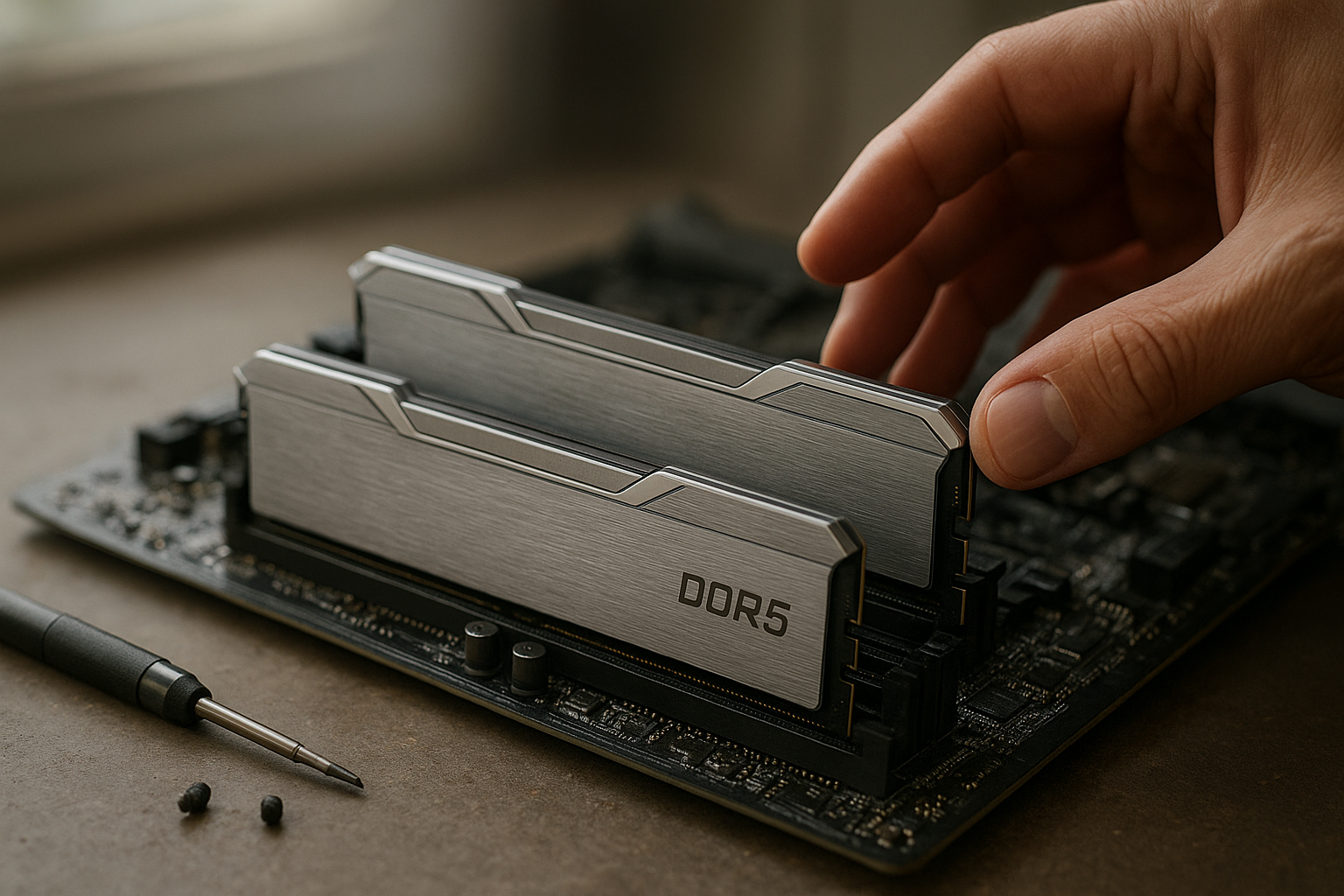
The Dominator Titanium DDR5-8000 sits at the enthusiast end of desktop memory, trading easy compatibility for very high advertised transfer rates. It is designed for users with a modern Intel platform, a capable motherboard, and the patience to validate memory stability rather than simply install a kit and forget it.
This Corsair Dominator Titanium review explains what DDR5-8000 actually changes, how the memory profiles work, where compatibility becomes difficult, and whether the premium makes sense for gaming, content creation, or a high-end workstation. Because Dominator Titanium kits vary by capacity, timings, voltage, and profile support, check the exact part number before buying.
Table of Contents
[[IMAGE: Corsair Dominator Titanium DDR5-8000 kit installed in two motherboard DIMM slots beside its removable top bar and RGB lighting components]]
What Is Dominator Titanium DDR5-8000?
The Dominator Titanium is Corsair’s premium DDR5 desktop memory family. DDR5-8000 identifies the kit’s rated data-transfer speed: 8,000 MT/s, not an 8,000 MHz physical memory clock. The real clock is half that figure because DDR memory transfers data twice per cycle.
At this speed, the kit is aimed at enthusiasts who want maximum memory bandwidth and are comfortable enabling an overclocking profile in firmware. The advertised rating is normally achieved through Intel XMP rather than the motherboard’s conservative default settings, so the result depends on the processor’s integrated memory controller, motherboard layout, BIOS version, and the exact memory kit.
What the speed rating means
A DDR5-8000 dual-channel configuration can provide substantially more theoretical bandwidth than a lower-speed DDR5 kit. However, applications do not automatically scale with memory bandwidth. Many games remain limited by the CPU’s cores, cache, or graphics card, while some productivity workloads benefit more from capacity than from an extreme transfer rate.
Latency also deserves attention. For example, a DDR5-8000 kit rated at CL38 has a first-word CAS latency of approximately 9.5 nanoseconds, calculated from the advertised timing and data rate. That figure does not describe total memory latency, which also includes motherboard, memory-controller, and interconnect behavior.
Design and Build Quality
Corsair positions Dominator Titanium above its mainstream Vengeance line, and the construction reflects that. The modules use substantial heatsinks, a distinctive industrial design, and addressable RGB lighting. The top lighting assembly is removable on supported designs, allowing owners to change the visual appearance or use a different accessory without replacing the entire memory kit.
The heatsinks are not merely decorative. High-speed DDR5 can require more voltage than standard JEDEC memory, producing additional heat during extended workloads. A large metal heat spreader helps keep temperatures predictable, although it cannot compensate for poor case airflow or excessive voltage.
Clearance and system design
The Dominator Titanium is relatively tall compared with low-profile DDR5 modules. That matters if the system uses a large air cooler whose front fan sits over the DIMM slots. Before ordering, compare the memory height with the cooler manufacturer’s clearance guidance.
- Air cooling: Check front-fan clearance, especially with dual-tower heatsinks.
- Liquid cooling: Physical clearance is usually easier, but radiator and tubing placement can still affect access to the slots.
- Four-DIMM builds: Filling every slot can reduce achievable memory speed on many platforms.
- RGB control: Lighting control generally depends on Corsair’s iCUE software and motherboard software compatibility.
The styling is a strength for a visible gaming build, but the premium enclosure does not make a weak memory controller stronger. Treat the thermal design and appearance as supporting features, not proof that every DDR5-8000 kit will run at its advertised setting.
Dominator Titanium DDR5-8000 Performance
The main attraction of Corsair DDR5-8000 memory is bandwidth. Synthetic memory tests and bandwidth-sensitive workloads can show a meaningful advantage over slower configurations, particularly when the processor and application can keep the memory subsystem busy.
Real-world gains are more variable. Moving from a conservative default profile to any properly tuned XMP configuration can make a system feel more responsive in memory-sensitive work, but the difference between a good DDR5-6000 or DDR5-6400 kit and DDR5-8000 is often much smaller than the headline speed suggests.
How Dominator Titanium performance changes by workload
- CPU-limited gaming: Some games can gain frame-rate consistency or improved minimums, but the benefit varies by engine and graphics settings.
- GPU-limited gaming: At high resolutions or demanding visual settings, the graphics card usually determines performance, reducing the value of faster RAM.
- Compression and encoding: Certain workloads respond to bandwidth, while others depend more heavily on core count and software optimization.
- Large creative projects: Capacity and application behavior often matter more than a small increase in transfer rate.
- Integrated graphics: Faster memory can be particularly relevant because the graphics engine shares system memory bandwidth with the CPU.
- Benchmarking: DDR5-8000 is attractive when the goal is to maximize memory test results and tune the platform.
Do not confuse a high memory score with a universally faster computer. A system with adequate capacity, current firmware, and stable timings can outperform an unstable DDR5-8000 setup that repeatedly corrects errors, crashes, or falls back to a lower speed.
Bandwidth, timings, and latency trade-offs
High-speed DDR5 kits frequently use looser primary timings than lower-speed kits. That is not automatically a problem: the transfer rate and timing values work together, and the useful result depends on the complete platform latency rather than the CAS number alone.
When comparing a DDR5 RAM overclocking kit, examine at least four details: capacity, data rate, primary timings, and operating voltage. A 64GB kit with slightly lower speed may be more useful for a demanding workstation than a faster 32GB kit that causes the system to rely on a page file.
| Configuration | Typical strength | Typical limitation | Best fit |
|---|---|---|---|
| Dominator Titanium DDR5-8000 | Very high bandwidth and enthusiast tuning potential | More demanding motherboard and CPU compatibility | High-end Intel gaming and benchmarking systems |
| Lower-speed performance DDR5 | Usually easier to stabilize and often offers strong latency | Less peak bandwidth | General gaming and mixed-use PCs |
| JEDEC-default DDR5 | Broad baseline compatibility and simple setup | Lower performance than tuned profiles | Business systems and reliability-first builds |
| Higher-capacity DDR5 kit | More room for virtual machines, editing, and large projects | Capacity and module count can reduce maximum speed | Workstations and heavy multitasking |
The table describes the normal design trade-offs rather than guaranteed results for every part number. Always use the exact Corsair specification page and your motherboard’s memory support list when comparing kits.
DDR5-8000 Compatibility
Compatibility is the most important issue in any DDR5-8000 review. The memory may be electrically compatible with a DDR5 motherboard, yet still fail to operate at 8,000 MT/s. The maximum stable setting is determined by the whole platform, not the DIMM alone.
Intel platforms and XMP
High-speed Dominator Titanium kits are generally most practical on recent Intel desktop platforms with a motherboard designed for memory overclocking. Many models use an Intel XMP profile that automatically enters the tested frequency, timings, and voltage when enabled in the BIOS.
XMP is an overclocking profile, not a guarantee that every compatible processor will reach the advertised speed. Intel’s own RAM overclocking guidance explains the basic relationship between memory profiles, motherboard firmware, and system stability.
AMD EXPO and AM5 limitations
AMD EXPO DDR5 memory profiles are intended to simplify memory tuning on supported Ryzen systems, but an Intel XMP kit and an EXPO kit are not interchangeable labels. Some AMD motherboards can read and apply XMP settings, yet that does not mean a particular DDR5-8000 kit will reach its rated speed on AM5.
AM5 systems often deliver a strong balance of latency, stability, and price at lower memory speeds. A DDR5-8000 kit may work on a particular Ryzen processor and board, but it should be considered an enthusiast experiment unless the motherboard vendor and memory manufacturer provide clear support for the exact combination. AMD’s official EXPO overview is useful background when choosing a profile type.
What to verify before buying
- Confirm that the motherboard supports DDR5 and has a current BIOS.
- Check the board’s qualified vendor list for the exact Corsair part number, not only the Dominator family name.
- Prefer two matched modules over four when targeting a very high memory speed.
- Verify the processor generation and its expected memory-controller capability.
- Check module height against the CPU cooler.
- Confirm whether the kit provides Intel XMP, AMD EXPO, or both.
- Buy from a retailer with a practical return policy in case the advertised profile is unstable on the specific system.
A qualified vendor list is helpful but not absolute. Motherboard testing covers selected combinations, while production processors can vary slightly. Conversely, a kit absent from a QVL may still work. The list should guide your purchase rather than replace sensible validation.
[[IMAGE: BIOS memory overclocking screen showing an Intel XMP profile for a DDR5-8000 kit, with frequency, timings, and voltage fields visibl
Installation and BIOS Setup
Install a two-module kit in the motherboard slots recommended by the manual, commonly the second and fourth slots from the CPU socket. The exact labels vary, so follow the board documentation instead of assuming that adjacent slots are correct.
On the first boot, the motherboard may take longer than usual while it trains the memory. This is normal for DDR5, particularly after changing capacity, timings, or frequency. Do not interrupt the process immediately unless the board clearly reports a failed boot.
Enabling the rated profile
- Update the BIOS before tuning, using a stable default configuration.
- Enter firmware setup and locate the memory overclocking or AI tuning menu.
- Select the listed XMP profile, if the kit is an XMP model.
- Save and reboot, then confirm the resulting speed in the BIOS or operating system.
- Run stability tests before relying on the system for important work.
The first profile may not be the only option. Some kits include multiple profiles with different speed, timing, or voltage combinations. Start with the profile that matches the advertised rating, but keep a lower setting available if the system proves unstable.
Stability testing matters
Successful booting is not a stability test. Use a memory-focused tool such as MemTest86, an extended operating-system memory test, or a demanding workload that reflects how you use the computer. Monitor for application crashes, blue screens, corrupted archives, unexplained game exits, and event-log errors.
If the system fails, return to default settings first. Then try the latest BIOS, reseat the modules, test each module independently if necessary, and use a lower memory ratio. Raising voltage or manually changing secondary timings can help experienced users, but random adjustments make diagnosis harder and may increase heat or reduce component longevity.
For a work machine, stability is worth more than the final few percentage points in a benchmark. A slightly reduced setting that completes overnight tests is a better result than an 8,000 MT/s profile that crashes during a project export.
Comparison With Lower-Speed DDR5
The right comparison is not “fast RAM versus slow RAM.” It is high-speed memory versus a balanced kit that may deliver nearly all the system’s practical performance with fewer compatibility concerns.
A well-matched DDR5-6000 or DDR5-6400 kit can be a particularly sensible choice for a mainstream gaming build. It may cost less, work with a wider range of processors, and leave more tuning headroom on platforms whose memory controllers do not reliably handle DDR5-8000.
That does not make the Dominator Titanium unnecessary. Its value increases when the buyer has a premium motherboard, a processor known to handle fast memory, a workload that benefits from bandwidth, or a genuine interest in manual tuning and benchmarking.
When the extra speed can make sense
- You are building a high-end Intel PC with a two-DIMM enthusiast motherboard.
- You use integrated graphics or a bandwidth-sensitive application.
- You already have a powerful CPU and GPU, so memory is a likely performance constraint.
- You value premium construction and a distinctive RGB design.
- You are willing to test and, if needed, run below the advertised profile.
When capacity or balance matters more
- You edit high-resolution video, work with large photo catalogs, or run virtual machines.
- Your motherboard has four DIMM slots populated or a conservative memory topology.
- You use an AMD platform where a lower-speed EXPO kit is better validated.
- You want a silent, low-maintenance system with no overclocking.
- The price difference would force you to buy less storage, a weaker graphics card, or insufficient memory capacity.
For a gaming PC, spending on the graphics card usually produces a larger visible improvement than moving from already-good DDR5 to DDR5-8000. For a workstation, moving from 32GB to 64GB or 96GB can be more valuable than increasing transfer rate while keeping the same capacity.
Pros, Cons, and Buying Advice
Advantages of the Corsair Dominator Titanium DDR5-8000
- High bandwidth: It offers enthusiast-level memory throughput when the platform can sustain the rated profile.
- Premium construction: The substantial heatsinks and distinctive design suit high-end builds.
- Strong tuning appeal: XMP simplifies the initial setup while leaving room for manual experimentation.
- Useful RGB customization: The lighting design is more flexible than a basic fixed light bar.
- Good upgrade visibility: The appearance works well in a showcase case with a glass side panel.
Limitations to consider
- Platform dependence: DDR5-8000 compatibility varies significantly between CPUs and motherboards.
- Profile reliance: The headline speed usually requires enabling an overclocking profile.
- Higher cost: The premium may not translate into a large gaming improvement.
- Physical height: Large CPU air coolers can interfere with installation.
- Potential troubleshooting: Failed training or intermittent errors may require BIOS updates and lower settings.
- Capacity trade-offs: A faster 32GB kit is not automatically preferable to a slower kit with enough capacity for the workload.
Who should buy it?
Buy the Dominator Titanium DDR5-8000 if you are deliberately building an enthusiast Intel system around fast two-module memory, have verified the motherboard’s support, and are comfortable testing the result. It is also a logical choice when premium aesthetics are part of the build rather than an afterthought.
Before ordering, search the exact kit code on the motherboard manufacturer’s QVL and read the memory section of the latest BIOS notes. If the vendor lists only a lower maximum speed for your processor or board, choose a lower-rated kit or plan to operate the Corsair memory below its advertised setting.
Who should avoid it?
Avoid it if you want guaranteed plug-and-play operation, are using an older DDR5 platform, plan to fill all four DIMM slots, or are choosing between memory speed and essential capacity. It is also a poor value for a graphics-card-limited gaming system when the same budget could improve the GPU or storage.
Key Takeaways
- The Dominator Titanium DDR5-8000 is enthusiast memory, not a universal plug-and-play upgrade.
- Its 8,000 MT/s rating requires a suitable motherboard, processor, BIOS, and memory profile.
- Intel systems with a strong two-DIMM memory layout are generally the most appropriate target.
- AMD compatibility must be checked carefully; an XMP kit is not automatically an EXPO kit.
- Capacity, stability, and total system balance matter more than peak memory speed alone.
- Enable the rated profile, verify the applied settings, and run extended stability tests.
- Compare the exact part number, timings, voltage, capacity, and profile support before buying.
Frequently Asked Questions
Is Dominator Titanium DDR5-8000 worth buying for gaming?
It can be worthwhile for a high-end, CPU-limited gaming system built around a motherboard and processor that support very fast memory. The improvement over a good lower-speed DDR5 kit is not guaranteed to be large, however. If your games are GPU-limited, the difference may be difficult to see outside benchmarks. For most buyers, sufficient capacity and a balanced graphics card are higher priorities than the maximum memory rating.
Will DDR5-8000 work on every DDR5 motherboard?
No. A motherboard can accept DDR5 modules while failing to run a DDR5-8000 profile reliably. Memory speed depends on the CPU’s integrated memory controller, board trace layout, BIOS maturity, module count, and the specific kit. Check the board’s QVL and processor guidance, update the BIOS, and treat the advertised speed as a tested overclocking target rather than a universal guarantee.
Is Corsair DDR5-8000 memory compatible with AMD Ryzen?
Some AMD systems may run a Corsair DDR5-8000 kit, but compatibility is highly platform-specific. Many high-speed kits are configured primarily for Intel XMP, while AMD systems may be better served by a validated EXPO kit at a lower speed. Check the exact module part number, motherboard QVL, BIOS support, and processor generation before purchasing. Do not assume that a successful Intel configuration will translate directly to AM5.
Does DDR5-8000 need manual overclocking?
You normally do not need to enter every timing manually. The kit’s XMP or EXPO profile can apply the tested settings automatically, but enabling that profile is still a form of memory overclocking because it goes beyond conservative default operation. Manual tuning may be necessary if the rated profile is unstable on your system. In that case, lowering the memory speed is usually the simplest first step.
Can I use four Dominator Titanium DDR5-8000 modules?
You can install four compatible modules if the motherboard supports them, but reaching DDR5-8000 becomes less likely as the electrical load increases. Two matched modules are normally the safer configuration for very high transfer rates. If you need more memory, buying a larger two-module kit is often preferable to combining two separate kits, even when both kits appear to have identical specifications.
What BIOS settings should I use for this memory?
Start with the motherboard’s default settings, update the BIOS, and then select the memory profile listed for the kit. Confirm the resulting frequency, timings, and voltage after rebooting. Avoid changing several settings at once. If the system fails to train or produces errors, clear or revert the settings and try a lower memory ratio before experimenting with voltage or secondary timings.
Is DDR5-8000 better than DDR5-6000?
It offers more theoretical bandwidth, but “better” depends on the platform and workload. DDR5-8000 may help bandwidth-sensitive applications and enthusiast benchmarks, while DDR5-6000 can offer easier compatibility and strong overall latency. On many gaming systems, the difference is modest compared with the effect of the graphics card, processor, game settings, and memory capacity. Choose the faster kit only when your platform and use case can take advantage of it.
[[IMAGE: High-end gaming PC interior showing tall Corsair Dominator Titanium modules, a large CPU air cooler with clearance, and two populated DIMM slots]]
Final Verdict
The Dominator Titanium DDR5-8000 is compelling high-speed DDR5 memory for a carefully selected enthusiast system. It combines very high bandwidth with premium heatsinks, customizable lighting, and a strong focus on Intel XMP-based tuning, but its headline specification should not be mistaken for a guaranteed result on every DDR5 platform.
For the best buying decision, identify the exact kit, verify DDR5-8000 compatibility with your motherboard and processor, and decide whether your workload needs speed or capacity first. If the platform is validated and you enjoy tuning, this Corsair Dominator Titanium review has a positive conclusion; if you want effortless reliability, a well-supported lower-speed kit may be the smarter purchase.