
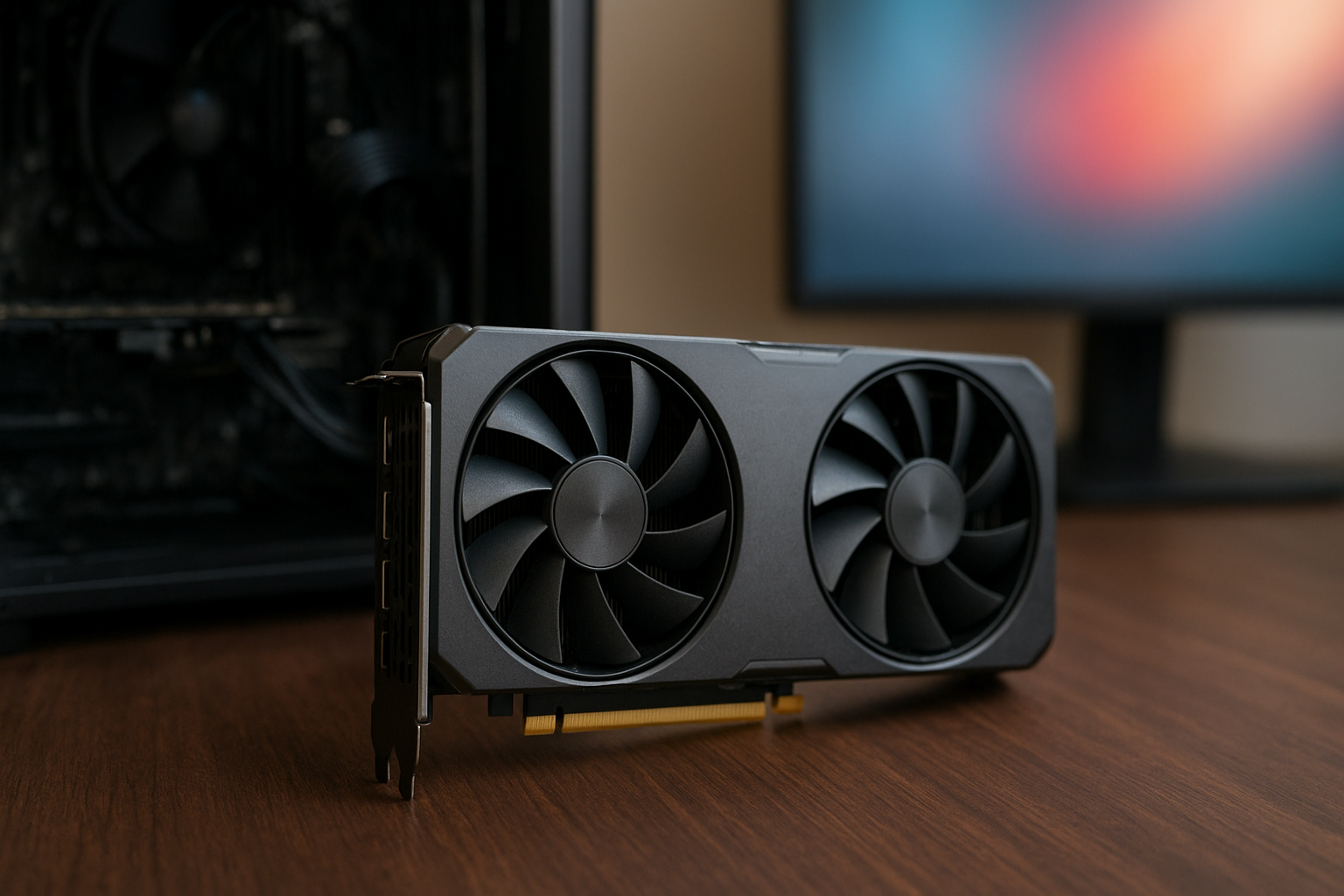
The Intel Arc B580 review verdict is unusually straightforward: this is one of the most interesting budget GPUs for 1440p gaming, mainly because its 12GB of VRAM and wide memory bus give it more breathing room than several older cards in the same price class. Intel’s Battlemage B580 GPU also brings stronger ray-tracing hardware and a more mature driver platform than first-generation Arc.
That does not make it the right choice for every PC. Game-specific driver behavior, motherboard support for Resizable BAR, power-supply capacity, and the card’s street price all matter. This review explains the Intel Arc B580 performance profile, features, power requirements, image-quality technologies, and the situations in which it makes sense over competing graphics cards.
Table of Contents
- Intel Arc B580 Specifications and Features
- Intel Arc B580 Performance
- Intel Arc B580 Benchmarks and Real-World Gaming
- Arc B580 Ray Tracing and XeSS
- Intel Arc B580 Power Consumption and System Requirements
- Comparison With Competing Budget GPUs
- Pros, Cons, and Buying Advice
- Key Takeaways
- Frequently Asked Questions
- Conclusion
[[IMAGE: Intel Arc B580 graphics card installed horizontally in a gaming PC, with the 12GB Battlemage GPU and rear case ventilation visibl
Intel Arc B580 Specifications and Features
The Arc B580 is Intel’s first mainstream desktop graphics card based on its second-generation Xe2 architecture, marketed under the Battlemage family. It launched with a $249 US suggested price, although actual prices depend on board partner models, retailer stock, taxes, and regional availability.
Intel positions the card for modern 1440p gaming rather than just entry-level 1080p play. Its most useful hardware advantage is not a single headline clock speed; it is the combination of 12GB of GDDR6 memory, a 192-bit memory interface, and a relatively modern feature set.
| Specification | Intel Arc B580 | GeForce RTX 4060 | Radeon RX 7600 XT |
|---|---|---|---|
| Architecture | Intel Xe2 / Battlemage | NVIDIA Ada Lovelace | AMD RDNA 3 |
| Dedicated memory | 12GB GDDR6 | 8GB GDDR6 | 16GB GDDR6 |
| Memory interface | 192-bit | 128-bit | 128-bit |
| Rated board power | 190W | 115W | 190W |
| Host interface | PCIe 4.0 x8 | PCIe 4.0 x8 | PCIe 4.0 x8 |
| Upscaling and frame-generation options | XeSS, with support varying by game and feature | DLSS, with support varying by game and feature | FSR, with support varying by game and feature |
The competitor specifications above are useful context, not a performance ranking. CUDA cores, Xe2 cores, and AMD stream processors are designed differently and cannot be compared directly. For the complete Intel specification list, including supported display standards and clock information for the reference design, consult Intel’s official Arc B580 product specifications.
Memory capacity is a practical advantage
Modern games can exceed 8GB of VRAM at 1440p when using high-resolution textures, large open worlds, or demanding ray-tracing settings. A game may still run on an 8GB card, but it can require reduced textures or produce more noticeable hitching when the engine constantly moves data between video memory and system memory.
The B580’s 12GB capacity is not a guarantee of smooth performance in every new release. GPU horsepower still limits frame rates, and poor game optimization can affect any card. However, the extra memory gives the Intel card a more comfortable specification for a new gaming build than many 8GB alternatives.
Xe2 improves the Arc foundation
Xe2 is designed to improve efficiency and execution behavior over the first Arc generation. The B580 includes 20 Xe2 cores, hardware ray-tracing units, XMX AI engines, and dedicated media hardware for modern video workloads.
That media block matters beyond games. The card supports hardware-accelerated encoding and decoding features useful for streaming, video editing, and playback. Support and performance can vary by application, so content creators should check their software’s current Intel GPU support rather than assuming every workflow benefits equally.
Intel Arc B580 Performance
Intel Arc B580 performance is strongest when the card has a sensible workload and a properly configured system. In conventional rasterized games, the B580 generally competes above older entry-level 1080p cards and can challenge or exceed the GeForce RTX 4060 in many titles, particularly at 1440p.
That broad result should not be mistaken for a fixed percentage advantage. Results change with the game engine, graphics API, resolution, driver version, quality preset, and whether a benchmark includes a CPU-limited scene. A review that averages only a small number of games can make the B580 look much better or worse than it will in a buyer’s own library.
1080p gaming
At 1080p, the B580 has enough performance for high-refresh gaming in esports and well-optimized competitive titles. In visually demanding single-player games, it is better suited to high settings than to blindly selecting every ultra preset, especially when ray tracing is enabled.
1080p can also expose a limitation that is less obvious at 1440p: the processor becomes more important. A fast GPU may spend part of its time waiting for the CPU, game engine, or background tasks, which narrows the gap between graphics cards. If the target is a 240Hz display, check CPU benchmarks and the specific game rather than judging the GPU from an average 1440p review result.
1440p gaming
1440p is the natural target for this Intel B580 graphics card. The resolution places more pressure on the GPU and memory subsystem, allowing its 192-bit bus and 12GB VRAM to contribute more meaningfully than they do in many 1080p tests.
With rasterized rendering, a sensible high-quality preset should deliver a good experience in a broad range of games. The most demanding releases may require a small adjustment to shadows, volumetric effects, or reflections. Those targeted changes usually preserve image quality better than switching every setting from ultra to medium.
The Arc B580 is also a reasonable choice for a 1440p monitor because it does not depend on upscaling in every game. XeSS can provide a useful performance option, but native rendering remains available when the game is light enough or when the user prefers maximum clarity.
Older games and game compatibility
Intel’s first Arc cards earned criticism for inconsistent performance in some older DirectX 9 and DirectX 11 games. Driver translation and subsequent updates improved that situation, and Battlemage starts from a stronger position, but software behavior remains part of the ownership experience.
Newer DirectX 12 and Vulkan titles tend to be a more comfortable fit for the architecture. If a PC is mainly used for a large back catalog of older games, search for current benchmarks of those specific titles. This is one area where the best budget graphics card on a specification sheet may not be the best card for a particular library.
Intel Arc B580 Benchmarks and Real-World Gaming
Intel Arc B580 benchmarks should be read as a range rather than a promise. Look for tests that include both 1080p and 1440p, multiple graphics APIs, minimum frame rates, and a recent driver. Average FPS alone can hide stutter, shader-compilation problems, or a game that spends most of its time CPU-limited.
For a useful buying comparison, group games into three categories:
- Rasterized AAA games: These show the B580’s conventional rendering value and are usually the clearest test of its 1440p position.
- Ray-traced games: These reveal how the card’s RT hardware, upscaling mode, and driver support work together.
- Competitive and older games: These can expose CPU limits, API-specific behavior, and compatibility differences that a modern AAA average misses.
Frame-time charts are particularly valuable. Two cards can post the same average frame rate while one has worse 1% lows or more frequent spikes. A smooth 70 FPS experience is preferable to a nominally faster result that repeatedly pauses during traversal or shader compilation.
What independent testing should include
A credible Intel B580 gaming performance test should use the same processor, memory, operating system, driver policy, and game settings for every GPU. Reviewers should also state whether Resizable BAR is enabled, because that feature can materially affect Arc performance.
When comparing results from different publications, do not combine numbers as though they came from one controlled lab. Differences in test platforms and patches can be larger than the performance gap between two closely matched cards.
For current driver releases, the safest starting point is Intel’s official Download Center. A driver update can improve a newly released game, but it can also change performance in older titles, so it is worth checking release notes when troubleshooting.
[[IMAGE: 1440p PC gaming benchmark scene showing an Intel Arc B580 performance chart with average FPS, 1% lows, and rasterization versus ray-tracing results]]
Arc B580 Ray Tracing and XeSS
Arc B580 ray tracing is more credible than the card’s budget label might suggest. Intel includes dedicated ray-tracing hardware in each Xe2 core, giving the B580 a better foundation for reflections, shadows, and global-illumination effects than a purely software-driven approach.
Ray tracing remains expensive, however. Enabling it can reduce frame rates substantially, and the result depends heavily on the game’s implementation. The B580 is best approached as a card that can use ray tracing selectively, not as a product designed to run every path-traced game at native 1440p.
XeSS can recover performance
Intel XeSS is an AI-assisted upscaling technology that renders a game internally at a lower resolution and reconstructs an output image. On supported Intel hardware and compatible games, the XMX engines can accelerate the workload; games may also offer a cross-vendor XeSS path with different hardware behavior.
At a quality-focused setting, XeSS can make a demanding 1440p game more playable while retaining more detail than a basic spatial upscaler. The quality varies by title. Fine foliage, moving particles, thin geometry, and fast camera motion are useful areas to inspect when deciding whether the visual trade-off is acceptable.
XeSS 2 adds features such as frame generation in supported games, but compatibility is not universal and generated frames do not replace the responsiveness provided by real rendered frames. Treat frame generation as an optional image-output technique, not as a reason to purchase a card that cannot produce a healthy base frame rate.
When to use ray tracing
For a practical setup, begin with native or high-quality upscaled 1440p rendering and ray tracing disabled. Enable one RT effect at a time, such as reflections, then monitor frame time. If the game remains smooth, add a higher-quality XeSS mode before lowering unrelated settings.
This approach usually produces a better experience than turning on every RT option and accepting unstable frame rates. It also makes the B580 easier to evaluate: you can see its raster performance separately from its upscaling and ray-tracing performance.
Intel Arc B580 Power Consumption and System Requirements
Intel Arc B580 power consumption is rated at 190W for the card, placing it well above the GeForce RTX 4060’s 115W rating and in a similar broad class to the Radeon RX 7600 XT. Actual wall power varies with the board design, workload, power limit, cooling profile, and the rest of the system.
A quality 550W power supply is a sensible baseline for a typical system, provided it has the required PCIe power connector and the PC does not contain an unusually power-hungry processor or other expansion hardware. Follow the board partner’s recommendation for the exact model, especially for factory-overclocked versions.
Resizable BAR is not optional in practice
Resizable BAR allows the CPU to access a larger portion of the GPU’s memory aperture instead of working through smaller mapped windows. Arc cards are designed to benefit from this feature, so a system without it can lose enough performance to undermine the value proposition.
Before buying, check that the motherboard firmware supports Resizable BAR and that the option is enabled. On many systems, this also involves enabling Above 4G Decoding and disabling legacy boot compatibility. The names and menu locations vary by motherboard manufacturer.
- Use a relatively modern CPU and motherboard platform.
- Update the motherboard BIOS if the firmware is old.
- Enable Above 4G Decoding and Resizable BAR where available.
- Install the current Intel graphics driver.
- Connect the recommended PCIe power cable directly from the power supply when possible.
The B580 is not an especially difficult card to cool, but board partner designs differ. A compact dual-fan model can fit smaller cases, while a larger cooler may run quieter. Check card length, thickness, power connectors, and front-intake clearance before ordering.
Comparison With Competing Budget GPUs
The closest alternatives depend on the price in the buyer’s region. The RTX 4060 offers lower power consumption and broad DLSS support. The RX 7600 XT offers 16GB of memory, while the B580 combines a larger-than-8GB buffer with a wider memory interface and competitive raster performance.
Intel B580 versus RTX 4060
The GeForce RTX 4060 remains attractive for a quiet, efficient system. Its mature feature ecosystem, CUDA support, NVENC video encoding, and DLSS availability can matter more than a modest difference in traditional gaming performance.
The B580 is generally more compelling when its price is close to or below the RTX 4060 and the buyer values 12GB of VRAM or 1440p raster performance. The decision becomes less clear for applications that rely on CUDA, specific creator plug-ins, or NVIDIA-only features.
Intel B580 versus Radeon RX 7600 XT
The RX 7600 XT’s 16GB VRAM capacity is appealing for texture-heavy games and some creator workloads, but memory capacity alone does not establish a faster card. The B580’s wider 192-bit interface and Battlemage architecture give it a different balance of bandwidth, rendering capability, and software features.
Choose between them using current game-specific testing and local pricing. AMD’s ecosystem may be preferable for a FreeSync-focused setup or a user who already relies on Radeon software features, while Intel’s XeSS and media support may be more useful to another buyer.
| Priority | More suitable direction | Why |
|---|---|---|
| Best 1440p raster value at a competitive price | Arc B580 | Strong memory configuration and generally competitive conventional rendering |
| Lowest graphics-card power draw | RTX 4060 | Its rated board power is substantially lower than the B580’s |
| Maximum VRAM capacity in this comparison | RX 7600 XT | It includes 16GB, though capacity does not equal performance |
| CUDA-dependent applications | RTX 4060 | Software compatibility can outweigh gaming specifications |
| Modern Intel media and XeSS features | Arc B580 | Useful for supported games and compatible video workflows |
The table is a buying framework, not a substitute for current independent testing. Retail pricing can change the recommendation overnight. A discounted competing card may be better value than the B580 at its suggested price, while an overpriced competitor can erase its own advantages.
Pros, Cons, and Buying Advice
Reasons to buy the Intel Arc B580
- 12GB of VRAM: A useful middle ground for modern 1440p gaming.
- Competitive raster performance: It can challenge more established cards in conventional rendering.
- Good memory specification: The 192-bit bus is a notable advantage over many 128-bit alternatives.
- Capable feature set: XeSS, hardware ray tracing, and modern media engines broaden its usefulness.
- Improved Arc platform: Battlemage is a stronger starting point than Intel’s original desktop Arc generation.
Reasons to avoid it
- Higher power use than the RTX 4060: This matters in small, quiet, or low-power systems.
- Resizable BAR dependence: An old or incompatible platform can reduce the card’s appeal.
- Game-to-game variation: Older APIs and particular titles may not match the best review averages.
- Ray tracing limits: It can run RT effects, but demanding path tracing still requires compromises.
- Application compatibility: CUDA-specific software may favor NVIDIA regardless of gaming value.
Who should buy the B580?
The B580 is a strong candidate for a new midrange gaming PC paired with a 1440p monitor. It is particularly appealing to buyers who want more than 8GB of VRAM without moving into a significantly more expensive class of GPU.
It also suits users who enjoy tuning game settings. The best results come from choosing sensible presets, enabling XeSS when appropriate, and keeping drivers current rather than expecting an ultra preset to be optimal in every game.
Who should choose something else?
Choose another card if the PC uses an old platform that cannot enable Resizable BAR, if low power draw is a top priority, or if the main workload depends on CUDA. Buyers who play a narrow set of older games should also check those titles specifically before purchasing.
For a compact system, compare the exact cooler dimensions and power requirements instead of relying on the GPU name. Two B580 models can have noticeably different noise, size, and connector arrangements.
[[IMAGE: Close-up comparison of an Intel Arc B580 beside an RTX 4060 and Radeon RX 7600 XT, showing memory labels, cooler size, and PCIe power connectors]]
Key Takeaways
- The Intel Arc B580 is primarily a 1440p budget GPU, not merely an entry-level 1080p card.
- Its 12GB of GDDR6 and 192-bit memory interface are meaningful advantages for newer games.
- Intel Arc B580 performance is generally competitive with the RTX 4060 in rasterized gaming, but results vary by title and driver.
- Ray tracing is usable with sensible settings, though demanding RT and path-traced workloads require upscaling or reduced quality.
- Resizable BAR and a current graphics driver are essential parts of a successful Arc installation.
- The RTX 4060 remains preferable for lower power consumption or CUDA-dependent software.
- The RX 7600 XT may be worth considering when its 16GB VRAM or local price provides a clearer advantage.
- Compare current street prices and benchmarks for the games you actually play before choosing.
Frequently Asked Questions
Is the Intel Arc B580 good for 1440p gaming?
Yes. The Arc B580 is designed to be most convincing at 1440p, where its 12GB of VRAM and 192-bit memory interface help it handle modern textures and higher render resolutions. Most demanding games still benefit from sensible settings rather than a universal ultra preset. Ray tracing may require XeSS or reduced effects. Check benchmarks for the specific games you play, because performance varies across engines and graphics APIs.
How does the Intel Arc B580 compare with the RTX 4060?
The B580 generally offers competitive or better conventional gaming performance in many titles, particularly at 1440p, while the RTX 4060 uses considerably less power. NVIDIA also has advantages in CUDA-dependent applications, DLSS support, and some creator workflows. The B580’s 12GB memory capacity can be more comfortable than the RTX 4060’s 8GB in newer games. The better purchase depends on price, software needs, and your power or noise priorities.
Does the Arc B580 support ray tracing?
Yes. The card includes dedicated ray-tracing hardware through its Xe2 architecture. Arc B580 ray tracing is practical for selected effects and supported games, but full ray tracing or path tracing can be too demanding at native 1440p. Use a quality-focused XeSS mode and reduce the most expensive effects if necessary. Always judge the result by frame time and image quality rather than enabling every RT option automatically.
How much power does the Intel Arc B580 use?
Intel rates the B580 at 190W of board power. Actual consumption depends on the card model, workload, power limit, and system configuration. This is notably higher than the RTX 4060’s 115W rating and broadly similar to the RX 7600 XT’s 190W rating. A quality 550W power supply is a sensible starting point for a typical system, but check the exact board partner recommendation and required PCIe connector.
Does the Arc B580 require Resizable BAR?
It is not merely an optional performance tweak in practice. Intel Arc cards can lose performance when Resizable BAR is unavailable or disabled, so a compatible modern motherboard and processor are strongly recommended. Enable Above 4G Decoding and Resizable BAR in firmware when those options are available, then verify the configuration with a trusted system-information tool. Update the motherboard BIOS if the required settings are missing.
Is the B580 better than the RX 7600 XT?
Neither card wins every workload. The RX 7600 XT offers 16GB of VRAM, while the B580 has a wider memory interface and is generally a strong competitor in rasterized 1440p gaming. Driver behavior, game support, ray tracing, and local price can change the result. Compare current reviews using the games and settings you care about. Do not choose solely on VRAM capacity or a single benchmark average.
Is the Intel Arc B580 suitable for streaming and video editing?
It can be. The B580 includes dedicated media hardware for supported encoding and decoding workloads, and modern applications may take advantage of Intel GPU acceleration. Results depend on the editor, codec, plug-ins, and export settings. If your workflow requires CUDA, specific NVIDIA encoders, or a plug-in with limited Intel support, a GeForce card may remain the safer choice. Check the current requirements for your exact software before buying.
Conclusion
This Intel Arc B580 review finds a graphics card with a persuasive mainstream design: enough performance for serious 1440p gaming, 12GB of VRAM, a 192-bit bus, modern media features, and useful ray-tracing hardware. It is not universally fastest, quietest, or most compatible, but it offers a strong balance when its street price stays near its intended budget tier.
For the next step, confirm that your motherboard supports Resizable BAR, check the exact card’s dimensions and power connector, and compare current Intel Arc B580 benchmarks for your most-played games. If those checks pass and you do not need CUDA or unusually low power consumption, the B580 deserves serious consideration as a best budget graphics card candidate.