
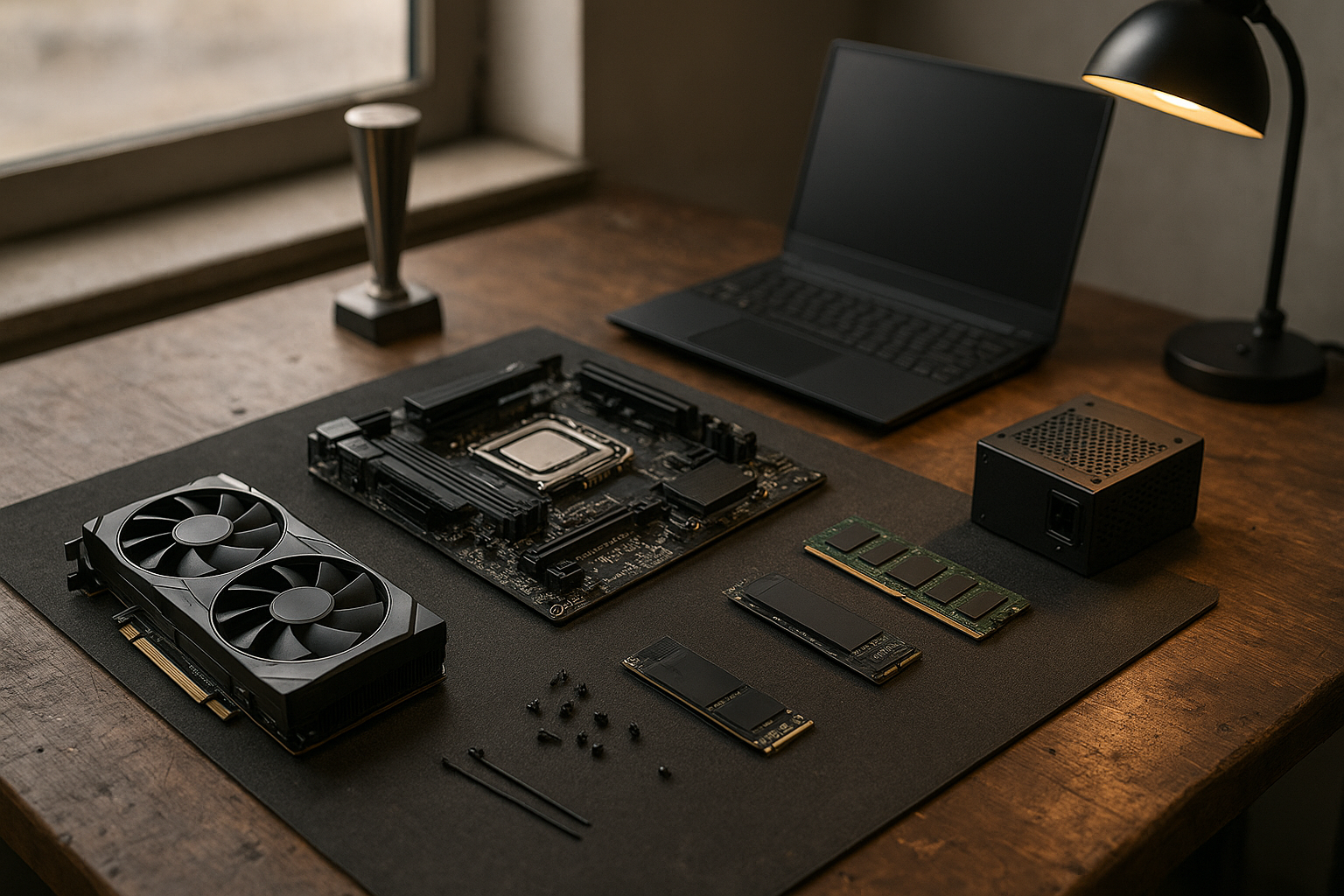
The 2026 PC hardware awards recognize the components and systems that make the most sense for real buyers—not simply the products with the highest specifications. This year’s shortlist spans processors, graphics cards, gaming laptops, storage, motherboards, memory, power supplies, and cases, with separate attention to performance, efficiency, upgradeability, noise, and value.
These 2026 PC hardware winners provide an editorial snapshot for buyers comparing current platforms. Product availability, firmware support, regional pricing, and new launches can change quickly, so treat each award as a starting point—not a substitute for checking the latest listing. Below, you will find the best PC components 2026 has to offer, who should buy them, and when a less expensive alternative makes more sense.
Table of Contents
2026 PC Hardware Awards at a Glance
The main 2026 PC hardware awards are organized by use case because no single component is the best fit for every buyer. A flagship GPU may be ideal for high-refresh 4K gaming but poor value for a compact workstation, while a midrange processor may be the better all-round choice for a new build.
| Category | Editorial winner | Best suited to | Main limitation |
|---|---|---|---|
| Gaming CPU | AMD Ryzen 7 9800X3D | High-refresh gaming builds | Less compelling if heavily weighted toward multicore production work |
| High-end CPU | AMD Ryzen 9 9950X | Rendering, compiling, editing, and mixed workloads | Requires a suitable cooler and platform budget |
| Performance graphics card | NVIDIA GeForce RTX 5090 | Enthusiast 4K gaming and GPU-heavy work | High total system cost and demanding power requirements |
| Balanced graphics card | AMD Radeon RX 9070 XT | High-end 1440p and 4K gaming without flagship spending | Feature support and game results vary by title |
| Gaming laptop | Lenovo Legion Pro 7i Gen 10 | Buyers who need desktop-class gaming in a portable system | Weight, fan noise, and battery life remain compromises |
| PCIe 4.0 SSD | Samsung 990 Pro | Fast, mature storage for most gaming and productivity PCs | Not the newest PCIe generation |
| PCIe 5.0 SSD | Crucial T705 | Large file transfers and enthusiast workstations | Heat, cost, and limited gaming benefit |
The table distinguishes outright performance from balanced buying advice. Prices and stock can change, so the winner is not necessarily the cheapest model on the day you read this. Compare the current street price with similarly equipped alternatives before ordering.
How We Selected the Winners
We selected the 2026 PC hardware winners by asking four practical questions: How well does each product perform for its intended workload? How easy is it to build around? How much will it cost to operate and upgrade? And are its advantages apparent beyond the specification sheet?
- Performance: The product must be competitive in its target workload, whether that means gaming, rendering, storage transfers, or mobile productivity.
- Platform value: A component should not require unnecessary spending on cooling, memory, power delivery, or proprietary accessories.
- Longevity: Support for current interfaces, firmware updates, driver development, and future upgrades matters more than a small short-term lead.
- Practical limitations: Noise, heat, size, battery life, connector requirements, and software compatibility are part of the award decision.
These are editorial recommendations, not claims of a single laboratory test result. Independent benchmarks remain valuable because results can change with game patches, BIOS versions, drivers, memory configuration, laptop power limits, and the exact model of a graphics card or SSD.
For graphics cards, buyers should also distinguish between a GPU family and a specific board design. Cooling, factory settings, dimensions, warranty terms, and power connectors can differ substantially between manufacturers, even when the underlying GPU is the same.
Best CPUs 2026: AMD Ryzen 7 9800X3D and Ryzen 9 9950X
2026 PC Hardware Awards Gaming CPU: AMD Ryzen 7 9800X3D
The AMD Ryzen 7 9800X3D earns the gaming CPU award because it focuses on the qualities gaming systems often benefit from most: a large processor cache and strong per-core performance. It is particularly appealing for high-refresh 1080p and 1440p systems, where the graphics card is not always the limiting component.
Its eight-core design also strikes a sensible balance for a gaming-first desktop. Buyers get a focused processor without paying for a larger core count that many games will not use consistently. Check motherboard BIOS support before installation, especially when pairing the chip with an older AM5 board.
Who should buy it
- Gamers building around a powerful midrange or high-end graphics card.
- Players using a high-refresh monitor and competitive settings.
- Users who want an AM5 desktop platform with a clear future upgrade path.
Who should avoid it
- Editors, developers, and 3D artists whose priority is sustained all-core throughput.
- Buyers whose graphics card is modest enough that the CPU will rarely matter.
- Anyone choosing between it and a cheaper gaming processor when the saved money could fund a much faster GPU.
Best 2026 PC Hardware Winner for Creation: AMD Ryzen 9 9950X
The Ryzen 9 9950X is the more convincing choice for a mixed workstation. Its larger core and thread budget makes it better suited to compiling, CPU rendering, encoding, virtual machines, and other workloads that scale beyond typical gaming tasks.
It is not automatically the best CPU for every creator. A buyer who spends nearly all their time gaming may find better overall value in the Ryzen 7 9800X3D, while a professional application may favor a processor with specific software or accelerator support. Check the applications you actually use instead of choosing by core count alone.
Both processors belong to the AM5 ecosystem, but a complete build still requires compatible DDR5 memory, a properly supported motherboard, and cooling appropriate to the workload. AMD’s official Ryzen desktop processor information is a useful place to verify platform details before buying.
Best Graphics Cards 2026: Flagship Power or Balanced Value?
Performance Award: NVIDIA GeForce RTX 5090
The GeForce RTX 5090 is the performance pick among the 2026 PC hardware awards for buyers seeking the highest tier of desktop graphics capability. It is designed for enthusiasts running demanding games at 4K, using advanced lighting effects, or working with GPU-accelerated creative and technical applications.
The trade-off is clear: this class of card can consume the budget of an entire PC. It also requires careful attention to case clearance, power-supply capacity, airflow, and the specific connector arrangement used by the board-partner model.
Buy it when you already own a high-end monitor and will use the performance regularly. Avoid it if you play at 1080p, use a mainstream display, or would need to compromise on the CPU, memory, storage, or power supply to afford it. NVIDIA’s official GeForce RTX 50 Series page provides current product information, but partner-card specifications still require separate checking.
Balanced Graphics Award: AMD Radeon RX 9070 XT
The Radeon RX 9070 XT is the more broadly sensible choice for many serious gaming builds. It targets high-end 1440p and 4K play without pushing every other component into a premium price tier, making it a strong candidate for buyers comparing the best graphics cards 2026 offers.
Its value depends on the games and features you use. Rasterized performance, ray tracing, upscaling, frame-generation features, creator software support, and power consumption can change the ranking from one workload to another. Read reviews that test your target games and resolution instead of relying on a single average figure.
Graphics card buying checklist
- Measure the maximum card length, height, and thickness your case accepts.
- Confirm the recommended power supply and available power connectors.
- Match the GPU to the monitor: 1080p, 1440p, ultrawide, and 4K create different priorities.
- Check whether the card’s software features work in the games and applications you use.
- Compare cooler noise and warranty support, not only the GPU name.
Best Gaming Laptops 2026: Lenovo Legion Pro 7i Gen 10
The Lenovo Legion Pro 7i Gen 10 wins the gaming-laptop award for buyers who need strong performance in a ready-to-use system. Its appeal is less about being thin or light and more about delivering a powerful configuration, a high-quality display option, and a chassis designed for sustained gaming.
As with every gaming laptop, the model name does not tell the whole story. GPU wattage, screen resolution, refresh rate, memory configuration, SSD capacity, and regional CPU options can differ. Two laptops with the same graphics processor may perform differently because of cooling and power limits.
Choose this type of laptop if you frequently move between homes, offices, or events and do not want to assemble a desktop. Avoid it if you rarely travel: a desktop usually offers easier upgrades, more display flexibility, simpler repairs, and better performance per dollar.
What to check before buying a gaming laptop
- Memory: Prefer a configuration that meets your needs now and verify whether the RAM is upgradeable.
- Storage: A second M.2 slot can be more valuable than a small factory capacity increase.
- Display: Resolution and color coverage matter as much as refresh rate for creative work.
- Power behavior: Confirm whether the advertised performance requires the supplied charger.
- Port selection: Check USB, display, networking, and charging ports before purchase.
Best PC Storage 2026: Samsung 990 Pro and Crucial T705
Best Mainstream SSD: Samsung 990 Pro
The Samsung 990 Pro remains a strong storage award choice because PCIe 4.0 NVMe drives are fast enough for most gaming and productivity systems, widely supported, and easier to cool than the hottest PCIe 5.0 models. It makes particular sense as a primary drive for a new desktop or laptop that supports a standard M.2 2280 SSD.
For gaming, the difference between a good PCIe 4.0 drive and a faster sequential benchmark result is often less noticeable than the difference between an SSD and a hard drive. Capacity, sustained behavior, firmware health, and a reliable warranty can matter more than headline transfer numbers.
Install the manufacturer’s management utility when appropriate, keep firmware current, and maintain free space for normal operating-system operation. Also verify whether the SSD includes or requires a motherboard heatsink.
Best Enthusiast SSD: Crucial T705
The Crucial T705 wins the enthusiast storage category for buyers who regularly move large files or run workloads that can take advantage of very high sequential throughput. It is a specialist choice for video production, large project files, scratch workloads, and demanding workstation use.
It is not a universal gaming recommendation. PCIe 5.0 SSDs can run hotter, may need substantial heatsinking, and often provide less noticeable improvement in game loading than their specifications suggest. Use the T705 when your workload moves enough data to justify it; otherwise, put the budget toward capacity or another component.
| Storage choice | Best use | Why it makes sense | When to choose another option |
|---|---|---|---|
| PCIe 4.0 NVMe SSD | Gaming, office work, general editing | Strong real-world speed with mature thermals and broad compatibility | Choose a larger or cheaper model if capacity matters more than peak speed |
| PCIe 5.0 NVMe SSD | Large file transfers and specialist workstations | Higher interface bandwidth for suitable workloads | Avoid paying extra when your applications do not benefit |
| SATA SSD | Older desktops, extra game libraries, secondary storage | Useful compatibility and often reasonable capacity pricing | Choose NVMe for a new motherboard with an available M.2 slot |
| Hard disk drive | Bulk archives and backups | High capacity at a low cost per unit of storage | Do not use it as the only drive for a modern operating system |
Top Motherboards 2026: Choose the Platform, Not the Logo
Motherboards are harder to rank than processors because the right model depends on the case, expansion cards, storage layout, memory kit, and future upgrade plans. For an enthusiast AM5 build, a well-equipped X870E board such as the ASUS ROG Crosshair X870E Hero is an appropriate premium award candidate; for many buyers, a simpler B850 or B650-class board may be the better purchase.
The important question is not whether a board has the most expensive heatsinks. Check the rear I/O, M.2 slot arrangement, USB connectivity, networking, audio needs, PCIe layout, BIOS flash options, and the number of fan headers you will actually use.
Motherboard features worth paying for
- A socket and chipset that support the processor you plan to install.
- Reliable BIOS support and an update method that does not require a working CPU, when available.
- Enough M.2 slots for your storage plan without disabling an expansion slot you need.
- Suitable power delivery for the chosen processor and sustained workloads.
- Networking and rear-panel ports that match your home or studio setup.
Spend more on a premium motherboard only when its connectivity or expansion genuinely solves a problem. It rarely makes a large gaming performance difference by itself. Intel buyers should verify the exact socket and chipset generation using the company’s official processor and platform specifications, while AMD buyers should check the board manufacturer’s supported-CPU list.
Other PC Hardware Award Winners
Best Memory Approach: 32GB DDR5 for Most Gaming PCs
For a new mainstream gaming desktop, 32GB of compatible DDR5 is the sensible default in 2026. It leaves room for a game, browser tabs, voice chat, and background applications without forcing most buyers to pay for capacity they do not need.
Move to 64GB if you edit high-resolution video, use virtual machines, work with large creative projects, or keep numerous heavy applications open. Memory speed and timings matter, but a stable kit at a reasonable capacity is usually preferable to an extreme kit that requires manual tuning.
Best Power Supply Approach: Quality Before Wattage
The power-supply award goes to a purchasing principle rather than one universal model: choose a reputable, appropriately rated unit with the connectors required by your graphics card and enough headroom for the complete system. A huge wattage number does not compensate for poor quality or an unsuitable cable layout.
For a high-end GPU, check the manufacturer’s guidance and the power supply’s native connectors. Avoid using questionable adapters, mixing modular cables from different power supplies, or buying a unit solely because it is inexpensive.
Best Cooling Choice: A Sensible Air Cooler for Most Builds
A capable tower air cooler remains the best default for many desktop buyers. It avoids pump failure concerns, is usually easy to maintain, and can provide enough thermal capacity for gaming-focused processors. A 240mm or larger liquid cooler makes more sense when the case supports it and the processor will sustain heavy multicore workloads.
Cooling performance also depends on case airflow, fan curves, mounting pressure, and ambient temperature. A premium cooler cannot compensate for a case with restricted intake or an incorrectly installed heatsink.
How to Use These Awards in a Build
Start with the workload, then set a complete-system budget. Do not spend the entire budget on a CPU or graphics card and try to compensate with inadequate memory, storage, cooling, or power delivery.
- Choose the target resolution and applications. A 4K gaming build has different priorities from a 1080p esports system or a video-editing workstation.
- Select the platform. Confirm the CPU socket, motherboard chipset, memory type, and upgrade options before adding other parts.
- Check physical compatibility. Measure the graphics card, CPU cooler, radiator, storage devices, and power supply against the case.
- Balance the budget. Put money where it affects your workload most instead of paying for premium branding.
- Verify software and firmware support. Update the motherboard BIOS when necessary and install current chipset and graphics drivers.
- Review the complete power and cooling plan. Include sustained workloads, summer temperatures, dust buildup, and future upgrades.
For example, pairing the Ryzen 7 9800X3D with a balanced high-end GPU, 32GB of DDR5, a quality PCIe 4.0 SSD, and a dependable power supply will usually produce a more coherent gaming PC than pairing the same CPU with a flagship graphics card while compromising on every supporting component.
Likewise, a creator may gain more from the Ryzen 9 9950X, 64GB of memory, and a spacious secondary SSD than from a premium gaming-focused processor paired with insufficient project storage. This workload-first approach is the central lesson of this PC hardware buying guide.
Key Takeaways
- The AMD Ryzen 7 9800X3D is the gaming-focused CPU pick, while the Ryzen 9 9950X is better for demanding multicore work.
- The GeForce RTX 5090 is the performance graphics winner, but the Radeon RX 9070 XT is a more balanced choice for many high-end gaming builds.
- The Lenovo Legion Pro 7i Gen 10 suits buyers who need powerful gaming in a portable system, with weight and battery life as unavoidable compromises.
- A quality PCIe 4.0 SSD remains the sensible default for most PCs; PCIe 5.0 storage is a specialist upgrade.
- Motherboard features, cooling, power delivery, and upgrade support matter more than premium branding.
- Always verify current pricing, stock, BIOS compatibility, dimensions, power requirements, and regional configurations before buying.
Frequently Asked Questions
What are the 2026 PC hardware awards?
The 2026 PC hardware awards are an editorial selection of notable current PC components and systems organized by use case. They include gaming and creator CPUs, graphics cards, gaming laptops, SSDs, motherboards, memory, power supplies, and cooling approaches. The awards do not guarantee that one product is best for every buyer. Workload, price, regional availability, firmware, and the exact configuration can change the most sensible choice.
What is the best CPU for gaming in 2026?
The AMD Ryzen 7 9800X3D is the gaming-focused recommendation in this guide. Its design targets strong gaming performance, especially in systems using a fast graphics card and a high-refresh display. It is not automatically the best choice for heavy rendering, compiling, or other sustained multicore tasks. Compare the current price with other AM5 processors and make sure the selected motherboard has appropriate BIOS support.
What are the best graphics cards 2026 buyers should consider?
The GeForce RTX 5090 is the flagship performance choice for enthusiasts, while the Radeon RX 9070 XT is the more balanced recommendation for many high-end 1440p and 4K gaming systems. The better option depends on the games, display, ray-tracing requirements, creator applications, power supply, and budget. Check independent reviews of the exact card model because cooler design, noise, dimensions, and power behavior vary between manufacturers.
Are PCIe 5.0 SSDs worth buying for gaming?
Usually, not as a first priority. A good PCIe 4.0 NVMe SSD already provides fast application and game storage, and the visible improvement from a PCIe 5.0 drive can be limited outside large transfers or specialized workloads. PCIe 5.0 makes more sense for video production, large datasets, or workstation tasks that repeatedly move substantial files. Consider capacity, reliability, cooling, and warranty support before peak sequential speed.
How much RAM should a new gaming PC have?
Thirty-two gigabytes of DDR5 is a sensible starting point for most new gaming PCs in 2026. Choose 64GB if you run virtual machines, edit large media projects, use demanding creative software, or want more headroom for simultaneous applications. Do not select a memory kit solely by its advertised speed. Confirm motherboard compatibility, use matched modules, and prioritize stable operation and adequate capacity.
Should I buy a gaming laptop or build a desktop?
Buy a gaming laptop if portability, a built-in display, and a ready-to-use system matter more than easy upgrades. Build or buy a desktop if you want better component access, more flexible cooling, simpler repairs, and stronger performance per dollar. Gaming laptops can also have model-specific power limits, so compare complete reviews rather than judging performance from the GPU name alone.
Does an expensive motherboard improve gaming performance?
Not by itself. A premium motherboard may provide better connectivity, stronger expansion support, more storage slots, improved diagnostics, or easier overclocking, but those features do not automatically increase frame rates. Choose a board that supports the processor, memory, storage, and ports you need. Put the remaining budget toward the graphics card, display, storage capacity, or cooling if those areas will have a larger practical impact.
Conclusion
The 2026 PC hardware awards point to a clear buying strategy: choose the processor for your workload, match the graphics card to your monitor, and treat storage, cooling, power delivery, and motherboard support as parts of the same system. The Ryzen 7 9800X3D, Ryzen 9 9950X, GeForce RTX 5090, Radeon RX 9070 XT, Legion Pro 7i Gen 10, and the featured SSDs each win for different reasons—not because one specification dominates every category.
Use these 2026 PC hardware winners to create a shortlist, then verify the current price, stock, compatibility, and independent testing for the exact model you plan to purchase. That final check is the most useful next step toward turning an award list into a reliable PC build.