
Gemini API vs Gemini Pro is not a simple comparison between two competing products. The Gemini API is a developer interface for adding Google’s AI models to software, while Gemini Pro usually refers to a consumer-facing Google AI plan or, in older discussions, a Gemini model tier. The difference affects billing, privacy, quotas, customization, and how you build.
This guide explains the distinction, compares the available experiences, and shows which option fits common development scenarios. Because Google regularly changes model names, plan labels, and quotas, always confirm current availability in the official Gemini API documentation before choosing a model or estimating costs.
Table of Contents
- Gemini API vs Gemini Pro explained
- What the Gemini API does
- What a Gemini Pro subscription includes
- Gemini API and Gemini Pro comparison
- Pricing, billing, and usage limits
- Which option fits different developer use cases?
- API limitations and risks to plan for
- A practical setup recommendation
- Key takeaways
- Frequently Asked Questions
- Conclusion
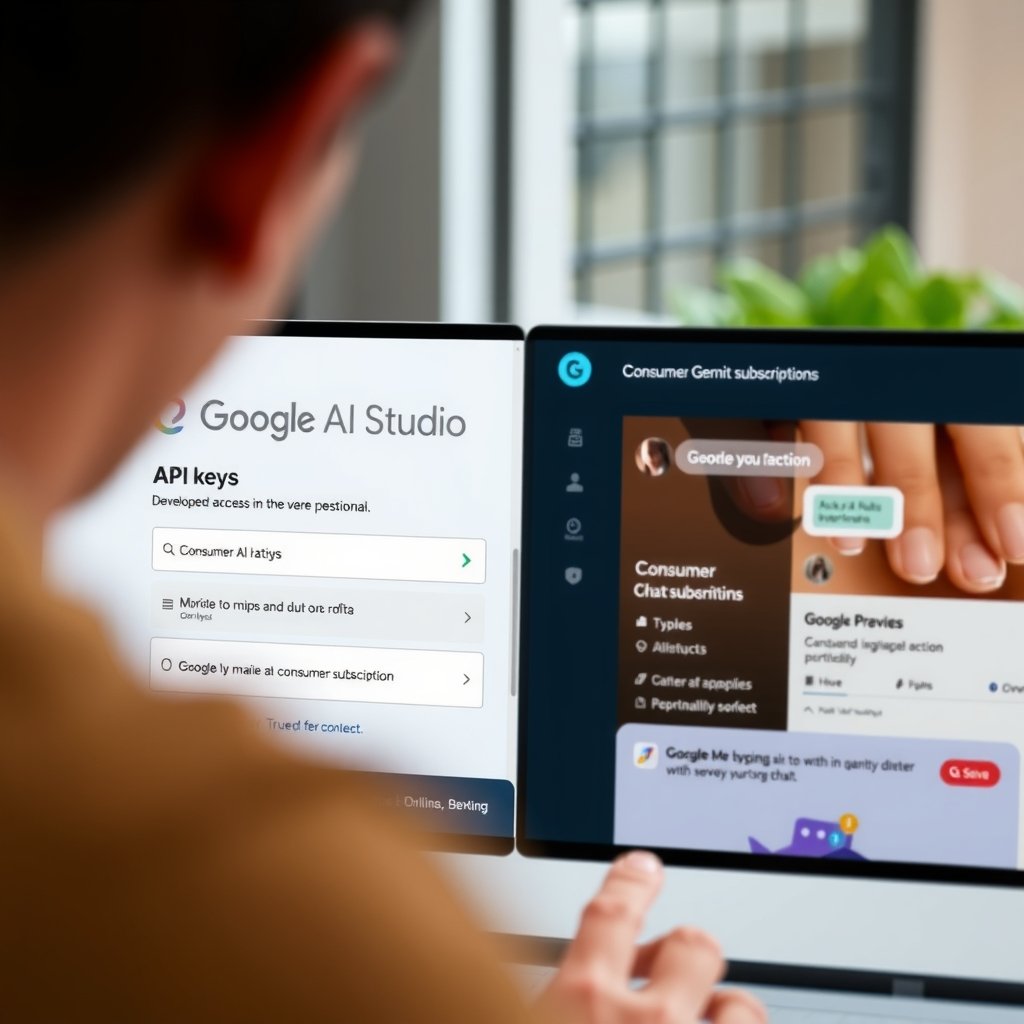
Gemini API vs Gemini Pro explained
The Gemini API is a programming interface. It lets an application send prompts, files, images, audio, or other supported inputs to a Gemini model and receive a generated response. Developers can use it from a server, command-line tool, mobile backend, automation workflow, or web application.
Gemini Pro, by contrast, is an ambiguous term. It has been used for both a Gemini model family and a paid consumer experience associated with Google’s AI subscriptions. A consumer plan is designed for people using Gemini through Google’s apps and services; it is not automatically a license to embed Gemini in your own product.
That distinction is the central answer to the Gemini API vs Gemini Pro question:
- Choose the API when your software needs to call a model programmatically.
- Choose a consumer AI plan when you want higher-level access to Gemini for personal work inside Google’s supported applications.
- Use both when a team needs personal productivity features as well as a separately billed production integration.
Do not assume that a subscription to a Gemini consumer plan includes unrestricted API calls. Consumer access and developer API access normally have separate terms, interfaces, quotas, and billing arrangements.
What the Gemini API does
The Gemini API for developers provides model access through Google AI Studio and related Google Cloud services. The exact workflow depends on whether you are experimenting with an API key through Google AI Studio or deploying a more controlled application through Vertex AI.
Typical Gemini API workflow
- Create or select a Google project and enable the relevant service.
- Generate credentials using the supported Google developer console or cloud workflow.
- Select a currently available Gemini model that matches your latency, quality, context, and cost requirements.
- Send requests from a protected server or backend rather than exposing a production key in browser code.
- Measure tokens, latency, errors, safety behavior, and output quality before expanding usage.
Depending on the model and endpoint, an application may support text generation, structured output, multimodal input, function calling, streaming, embeddings, or other capabilities. These features are model-specific, so developers should check the current model documentation instead of relying on an old tutorial that mentions “Gemini Pro.”
Google AI Studio is useful for prototyping prompts and obtaining developer credentials. Vertex AI is generally more relevant when a business needs Google Cloud project controls, IAM, regional configuration, centralized billing, logging options, or enterprise deployment practices. The right choice depends on the application’s operational and compliance requirements.
What developers can build with the Gemini API
- Customer-support assistants connected to approved business data.
- Document extraction and classification pipelines.
- Content drafting tools with structured JSON output.
- Image, audio, or video analysis where supported by the selected model.
- Natural-language search and question-answering interfaces.
- Internal coding assistants and workflow automation.
- Agent-like applications that call approved functions or business services.
API access also gives you control that a consumer chat window does not: your own interface, application logic, authentication, data routing, retries, moderation rules, storage policy, and user-level quotas. That control brings responsibility. You must design for prompt injection, sensitive data handling, abuse prevention, and unexpected model output.
What a Gemini Pro subscription includes
The phrase Gemini Pro subscription commonly describes a paid Google AI plan for individual users. Google’s branding and plan names have changed over time, so the exact benefits should be checked on the current Google AI plan page.
A consumer AI plan may provide expanded access to Gemini in Google’s supported apps, higher limits for selected features, additional storage, and access to certain Google services or models. The bundle can be valuable for writing, research, summarization, brainstorming, and personal productivity.
However, the subscription is built around a user account and Google’s consumer applications. It is not the same as receiving a production API entitlement. It usually does not provide the controls a software team needs for per-customer authentication, request logging, automated retries, cost allocation, or application-level data isolation.
Gemini Pro features for personal use
The features associated with a paid Gemini plan can change by country, account type, product version, and rollout status. In general, the consumer experience is most suitable for:
- Direct conversations with Gemini through a supported web or mobile application.
- Drafting, rewriting, summarizing, and brainstorming.
- Research assistance where the product supplies the relevant experience.
- Working with supported Google services or files under the plan’s terms.
- Trying advanced capabilities without building an application.
A subscription can help a developer evaluate how a model responds to everyday prompts, but that is not the same as testing the API in production conditions. API responses may differ because of model IDs, system instructions, safety settings, tool definitions, context handling, quotas, and SDK versions.
Gemini API and Gemini Pro comparison
The following table compares the product categories rather than promising a particular model or plan feature. Google can change model availability and consumer benefits, so treat it as a decision framework.
| Area | Gemini API | Gemini Pro or a consumer Google AI plan |
|---|---|---|
| Primary audience | Developers, product teams, and businesses | Individual users and productivity-focused subscribers |
| Main interface | API requests, SDKs, Google AI Studio, or Google Cloud services | Gemini apps and supported Google consumer products |
| Purpose | Embed model capabilities in your own software | Use Gemini directly for personal or professional tasks |
| Billing model | Usually based on the selected service, model, input/output usage, and applicable free tier or cloud billing | Usually a recurring subscription, with benefits and limits defined by the current plan |
| Application control | High: you control prompts, interface, workflows, authentication, and integrations | Limited to the controls exposed by the consumer application |
| Scaling | Subject to model quotas, project limits, account configuration, and service policies | Subject to consumer plan limits and product availability |
| Production integration | Designed for programmatic integration, subject to the API terms and technical requirements | Not a substitute for a production API integration |
| Best starting point | Prototype in Google AI Studio, then evaluate the appropriate production service | Subscribe if you primarily want direct access to Gemini features |
Gemini API pricing, billing, and usage limits
Gemini API pricing depends on the service and model you use. Some developer access may include a free tier with quotas, while paid usage is commonly calculated according to the selected model and the amount or type of input and output processed. Rates, included quotas, and eligible features can change.
Use the official Gemini API pricing documentation for current rates. Do not estimate production costs from a blog post that lists a retired model or from the price of a consumer subscription.
How Google Gemini API billing differs from a subscription
API billing follows application activity. A quiet prototype may cost little, while a popular application can generate charges as users send requests. Depending on the deployment route, charges may be managed through an AI Studio-related billing setup or a Google Cloud project, particularly when using Vertex AI.
A consumer subscription follows a different pattern: you pay a recurring fee for the plan, regardless of whether your application sends one request or a million requests. That subscription does not normally convert API traffic into unlimited included usage.
For a realistic estimate, record at least these variables:
- Requests per user per day.
- Average input tokens, including conversation history and retrieved documents.
- Average output tokens.
- The percentage of requests that use images, audio, video, tools, or long context.
- Retries, streaming behavior, failed requests, and background jobs.
- The model selected for each task.
A simple prototype can hide costs because short prompts and a small test group produce little traffic. Before launch, create a small load test using representative prompts and documents. Set project budgets, alerts, rate limits, and application-level spending controls where the selected Google service supports them.
Understanding Gemini API usage limits
Gemini API usage limits are not one universal number. Limits can vary by model, project, billing status, region, account, endpoint, and quota category. They may include requests per minute, tokens per minute, requests per day, concurrent requests, or other service-specific restrictions.
A free tier is particularly unsuitable as a promise of production capacity. It may be intended for evaluation, can have lower quotas, and may not provide the reliability or support expectations required by a customer-facing application.
When an application approaches a limit, it may receive throttling or quota errors. A robust implementation should:
- Use exponential backoff for temporary rate-limit responses.
- Apply per-user and per-tenant quotas before requests reach the API.
- Limit maximum input and output sizes.
- Cache safe, repeatable results where appropriate.
- Queue non-urgent work instead of retrying everything immediately.
- Track usage by model, feature, user, and project.
- Offer a degraded experience if the model is temporarily unavailable.
For teams deploying through Google Cloud, review the Vertex AI generative AI quotas documentation and the billing documentation for the exact service path you plan to use.
Which option fits different developer use cases?
Building a customer-facing application
Use the API. Your product needs a controlled backend, application-specific instructions, user authentication, data permissions, observability, and a way to manage costs. A consumer subscription cannot provide those controls simply because it gives a person access to Gemini.
Start with a narrow workflow rather than a general chatbot. For example, define whether the model must extract invoice fields, answer from a known knowledge base, or classify support tickets. A constrained task makes quality and cost easier to measure.
Adding AI to an internal tool
The API is usually the better fit when the tool must connect to a database, ticketing platform, document repository, or business process. Consider Vertex AI if the organization already manages workloads in Google Cloud and needs centralized identity, project governance, or cloud-level operations.
A consumer plan may still help individual employees test ideas manually. It should not be treated as the organization’s integration layer without checking the product’s terms, privacy controls, and administrative features.
Learning prompt design or evaluating Gemini
Either option can be useful, but they answer different questions. A consumer plan helps you assess the conversational experience from a person’s perspective. Google AI Studio and the API help you test the actual model configuration, system instructions, structured outputs, tool calls, and programmatic error handling that your product will use.
If the end goal is software, prototype in the developer environment early. Otherwise, you may design around behavior or features that are not exposed through the API.
Automating a personal workflow
The right choice depends on how much control you need. A consumer plan may be simpler for occasional manual assistance. The API is more appropriate when a script must run on a schedule, process many files, call other services, or produce machine-readable output.
For a small script, API setup and billing controls may be more work than the task justifies. For a recurring workflow, that initial setup usually provides better repeatability than copying prompts into a chat application.
Developing a mobile or browser application
Use a backend-mediated API design. Do not place a long-lived production API key directly in publicly distributed mobile code or front-end JavaScript. Users can extract client-side credentials and use them outside your application, potentially creating unexpected charges or violating your intended access policy.
Use your server to authenticate users, validate requests, enforce quotas, remove unnecessary sensitive data, call the model, and return only the result the client needs. Short-lived or proxy-based designs may be appropriate in some cases, but they still require careful credential and abuse management.
API limitations and risks to plan for
The API gives developers flexibility, not guaranteed correctness. Gemini can produce incomplete, outdated, ambiguous, or incorrect responses. A polished answer is not proof that the underlying claim is reliable.
Quality and evaluation
Create a test set that reflects real user requests, including difficult and adversarial examples. Measure factual accuracy, structured-output validity, refusal behavior, latency, token usage, and failure recovery. Review the results whenever you change the model, system prompt, retrieval data, or safety configuration.
For high-impact decisions, keep a human review step or use deterministic validation. Do not let a model make unverified decisions about health, employment, credit, legal rights, security access, or financial transactions without appropriate safeguards.
Privacy and data governance
Before sending business or personal information, read the current terms and data-handling documentation for the exact API product and account type. Minimize the information in each request, redact unnecessary identifiers, restrict access to logs, and define retention rules.
Google AI Studio, the Gemini Developer API, and Vertex AI can have different operational contexts. The fact that two interfaces access Gemini models does not mean their data controls, administration, or contractual terms are identical.
Model changes and compatibility
Model aliases, versions, quotas, and supported features can change. Pin a model version when the service supports it and your application requires predictable behavior, but also plan a migration process because versions can be deprecated.
Keep prompts, schemas, evaluation cases, and model configuration in source control. Treat model upgrades like dependency upgrades: test them, review changes in output quality, and deploy gradually.
A practical setup recommendation
For most developers, the sensible path is to separate exploration from production:
- Clarify the task. Define the input, expected output, acceptable error rate, and whether a human reviews the result.
- Prototype with Google AI Studio or the Gemini API. Try more than one currently supported model if the task has meaningful quality or latency trade-offs.
- Measure representative usage. Include long conversations, large documents, malformed inputs, retries, and peak traffic in the estimate.
- Select the deployment service. Use the developer API for suitable prototypes and consider Vertex AI when cloud governance or enterprise operations require it.
- Protect credentials. Keep keys on the server, restrict access, and rotate them if exposure is suspected.
- Add controls before launch. Implement authentication, quotas, input limits, logging, monitoring, budget alerts, and fallback behavior.
- Recheck documentation regularly. Verify pricing, model availability, quotas, and deprecation notices before major releases.
Which Gemini plan is best for developers?
For developers building software, the API is normally the relevant choice. It gives your application a programmable interface and lets you select an appropriate model and service path. A consumer Gemini Pro or Google AI subscription is better for personal productivity, manual experimentation, or evaluating Gemini from an end-user perspective.
Some developers may reasonably use both. A subscription can support research and individual work, while API billing remains separate for a product or internal automation. Keep those purposes, credentials, budgets, and data flows distinct.
Do not select a plan based only on the word “Pro.” Confirm whether the page describes a model, an app subscription, Google Cloud access, or an API product. Those labels can sound similar while serving entirely different needs.
Key takeaways
- The Gemini API is for integrating Gemini models into software.
- Gemini Pro may refer to an older model name or a consumer-facing Google AI subscription, so the current product page matters.
- A consumer subscription does not automatically provide unlimited or production-ready API access.
- Gemini API pricing depends on the service, model, and processed usage; confirm current rates in official documentation.
- API quotas can include request, token, daily, concurrent, or model-specific limits.
- Protect API credentials by calling Gemini from a controlled backend rather than exposing keys in browser or mobile code.
- Evaluate quality, cost, privacy, and failure handling before putting an AI feature in front of customers.
Frequently Asked Questions
Is Gemini Pro the same as the Gemini API?
No. The Gemini API is a developer interface for sending requests to Gemini models from software. Gemini Pro may describe a consumer subscription or an older Gemini model tier, depending on when and where the term appears. A subscription gives a person access to supported consumer experiences; it does not automatically give an application production API access. Check the current Google product documentation to identify the exact plan or model being described.
Does a Gemini Pro subscription include API access?
You should not assume that it does. Consumer subscriptions and API services generally have separate billing systems, quotas, credentials, and terms. If your application needs to call Gemini, create the appropriate developer or Google Cloud setup and review its current pricing and usage requirements. A subscription may be useful for personal work, but it should not be used as the cost or access model for a customer-facing integration.
What is the difference between Gemini Apps and the Gemini API?
Gemini Apps are user-facing applications where a person interacts with Gemini through Google’s supported interfaces. The Gemini API is a programmable service that allows your own application to send inputs and process outputs. The API requires development work, credentials, error handling, security controls, and billing management. The app is simpler for direct use, while the API is the appropriate foundation for automation and software integration.
How does Gemini API pricing work?
Pricing varies by the selected model, service, input, output, and applicable free or paid tier. Some API access may have no charge within defined quotas, while paid usage can be billed according to processed tokens or other model-specific units. The exact calculation can change, so use Google’s current pricing documentation rather than a third-party summary. Estimate costs with realistic prompts, conversation history, files, retries, and expected traffic.
What are Gemini API usage limits?
Usage limits are service and model dependent. They can include requests per minute, tokens per minute, requests per day, concurrency, or project-level quotas. Limits may also differ between free and paid access and between Google AI Studio-related workflows and Vertex AI. Build for throttling by adding exponential backoff, queues, per-user limits, and monitoring. Treat published quotas as operating constraints, not as a guarantee of unlimited capacity.
Should I use Google AI Studio or Vertex AI?
Google AI Studio is often a convenient place to explore prompts and prototype with the developer API. Vertex AI may be a better fit for teams that need Google Cloud project management, IAM, centralized billing, enterprise operations, or other cloud governance controls. The correct choice depends on your organization and deployment requirements. Review the current documentation for both services before moving a prototype into production.
Can I use Gemini Pro for my SaaS application?
Use the API or an approved cloud service for a SaaS application rather than attempting to automate a consumer chat subscription. A SaaS product needs controlled credentials, tenant isolation, usage tracking, error handling, and a billing model that can support customer traffic. Before launch, also review Google’s current API terms, privacy requirements, model limitations, and commercial-use conditions for your intended workflow.

Conclusion
The practical answer to Gemini API vs Gemini Pro is to match the product to the job. Use the Gemini API when you are building an application, automating a workflow, or requiring control over prompts, authentication, quotas, and costs. Use a Gemini Pro or Google AI consumer plan when you primarily want direct access to Gemini for personal productivity.
Before committing, identify the exact current model or subscription name, verify Gemini API pricing and quotas, and test a representative workload. If you are building a real product, start with a small API prototype, keep credentials on the server, measure output quality and usage, then choose the deployment route that fits your operational and data requirements.