
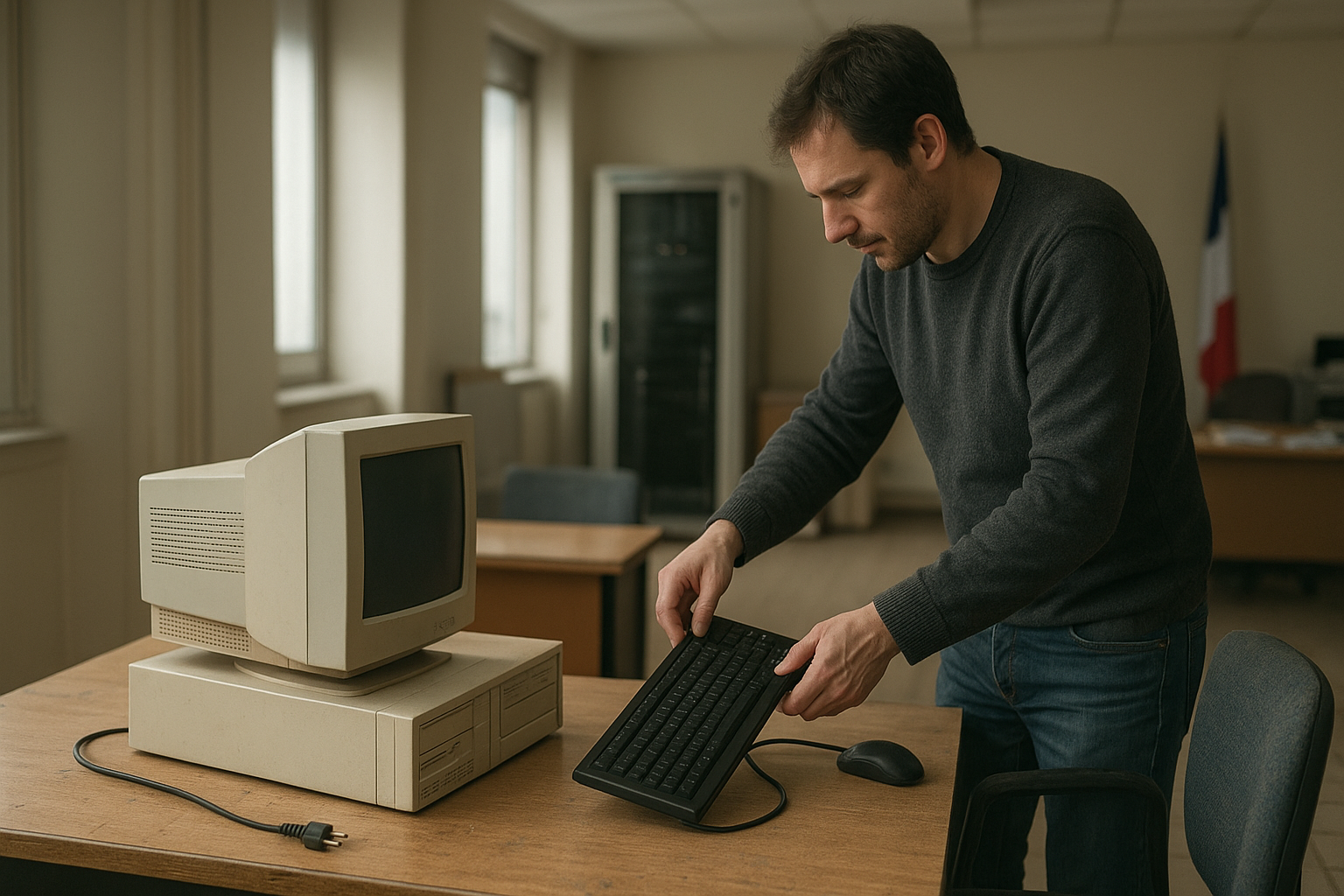
The France Linux migration story is more nuanced than a simple nationwide switch from Windows to Linux. French public administrations have promoted open-source software, interoperability and digital sovereignty for years, while some agencies and local authorities have deployed Linux desktops or Linux-based tools. However, that does not prove that every one of the often-reported 2.5 million government computers has already abandoned Windows.
The immediate pressure is familiar: organisations must decide whether to upgrade eligible devices to Windows 11, replace unsupported hardware, or extend the useful life of existing computers with another operating system. This article examines what is known about French government Linux adoption, why Linux appeals to public-sector IT teams, where the case is weaker, and what a responsible government desktop migration would involve.
Table of Contents
- What the France Linux migration really means
- Why French public administrations are looking at Linux
- France’s open-source software policy and digital sovereignty
- Linux versus Windows for government desktops
- How a government desktop migration would work
- The main risks and limitations
- What this means for Windows 11 government computers
- Key Takeaways
- Frequently Asked Questions
What the France Linux migration really means
Reports about the France Linux migration often combine several separate developments: France’s long-standing open-source policy, individual Linux deployments, public-sector procurement guidance, and the approaching end of support for older Windows installations. These developments are related, but they are not the same event.
There is no single operating-system switch covering every French ministry, town hall, hospital, school and publicly funded agency. France’s public sector is distributed across national government, regional authorities, communes and independent institutions. Each organisation has its own budgets, contracts, applications, security requirements and migration timetable.
The widely repeated figure of millions of computers should therefore be treated cautiously unless it is linked to a clearly identified government programme and published methodology. A national policy can encourage Linux and open standards without meaning that all government PCs have been converted. The most accurate description is an ongoing move toward greater software independence, with Linux as one possible component.
Policy is not the same as deployment
France has encouraged public bodies to consider free and open-source software for many years. That can lead to Linux servers, open document formats, open-source office suites, browser deployments, custom software and shared tools without requiring a Linux desktop on every employee’s computer.
For example, a department might run Linux servers while its staff use Windows laptops. Another authority could use an open-source office suite on Windows. A third might deploy a Linux desktop for a specific group whose work is mostly browser-based. Counting all of these as a complete desktop migration would give a misleading picture.
Why the Windows 11 decision created a new deadline
Windows 11 introduced hardware and security requirements that exclude some older PCs, including requirements related to supported processors, Secure Boot and TPM 2.0. Organisations still operating Windows 10 devices must decide whether to upgrade, replace hardware, purchase additional support, or evaluate another operating system.
That deadline makes Linux more visible, but it does not automatically make Linux the cheapest or safest choice. A public body must compare the full cost of hardware, applications, support, training, security controls, accessibility and procurement—not just the licence fee.
Why French public administrations are looking at Linux
Linux is most appealing on public-sector PCs when an organisation wants greater control over its desktop environment and does not depend on a narrow set of Windows-only applications. Linux distributions can be inspected, modified and maintained through a broad ecosystem of vendors and community projects.
- Longer hardware life: a suitably selected Linux desktop may run acceptably on computers that cannot meet Windows 11 requirements, although performance and security still need testing.
- Reduced vendor dependence: the authority is less tied to one desktop supplier’s licensing model, update schedule and account ecosystem.
- Customisation: administrators can create a controlled image containing approved applications, settings and security policies.
- Open standards: browser-based services and standards-based document workflows are easier to move between platforms than proprietary desktop systems.
- Auditability: source availability can support independent review, although open source does not mean that every deployment is automatically audited or secure.
- Local expertise: French and European service providers can build support, integration and training around open technologies.
These benefits matter most for call centres, public kiosks, schools, libraries and administrative roles centred on web applications. They are less decisive for specialist teams using software with no supported Linux version or relying on tightly integrated Windows components.
Where the France Linux migration has the strongest business case
A targeted France Linux migration normally begins with a small number of predictable user groups rather than the entire workforce. A browser-first service desk, for instance, may need a web browser, a secure identity client, a PDF viewer, an office suite and remote-support tools. That is far easier to standardise than a design office, laboratory or police unit with specialised peripherals and software.
Linux is also easier to evaluate when the authority controls the applications it uses. If a ministry’s core system is delivered through a browser and its documents follow agreed formats, the operating system becomes less visible to users. The migration still requires testing, but application compatibility is no longer the main obstacle.
Why Linux does not automatically mean zero cost
Linux distributions can be downloaded without a per-device licence charge, but a government desktop needs more than an installer. It requires deployment tools, identity management, patching, endpoint protection, backup, help-desk processes, accessibility testing, hardware support and a supplier or internal team capable of responding when something fails.
Migration also creates temporary costs. IT staff must package applications, rewrite documentation, train support agents and assist users. A project that ignores those costs may look inexpensive in a spreadsheet while creating operational risk after launch.
France’s open-source software policy and digital sovereignty
The France open-source software policy forms part of a wider European debate about interoperability, public code, resilient infrastructure and dependence on large technology suppliers. “Digital sovereignty” does not mean that France must build every component itself. It means public authorities want meaningful control over important systems, data, suppliers and exit options.
France’s interministerial digital administration has published and maintained resources that help public bodies identify recommended free and open-source software. The Socle interministériel de logiciels libres, commonly known as SILL, is a useful example: it provides a catalogue and guidance for software used in public administration rather than declaring that every workstation must run Linux.
The government’s broader digital policy resources are available through the French government’s digital transformation portal. These programmes generally focus on practical issues such as common components, secure services, data governance and reuse of public code. Desktop operating systems are only one part of that picture.
Open source is a procurement and governance choice
Public bodies gain the most from open source when they can maintain a healthy project and supplier ecosystem. That means documenting requirements, contributing fixes where appropriate, avoiding unmaintained custom forks and ensuring that more than one qualified provider can support the system.
A government can also use open-source software while buying commercial support. Paid support, security maintenance, integration and service-level agreements may be essential for a public service. The relevant question is not whether the software has a price tag, but whether the authority has control, continuity and a defensible total cost of ownership.
What digital sovereignty can and cannot solve
Linux can reduce dependence on a desktop vendor, but it does not remove all external dependencies. Public-sector systems may still rely on cloud hosting, identity providers, chip manufacturers, proprietary document formats, telecommunications networks and specialist applications.
That is why a serious sovereignty strategy examines the whole stack. A Linux desktop connected to a single proprietary cloud service may deliver useful benefits, but it should not be described as complete technological independence.
Linux versus Windows for government desktops
The choice between Linux and Windows should follow the authority’s applications, security model and support capability. Neither platform is universally safer, cheaper or easier. Security depends on configuration, patching, identity controls, permissions, application governance and the quality of the operational team.
| Decision area | Linux desktop | Windows desktop |
|---|---|---|
| Licensing model | Many distributions and applications can be used without per-device licence fees, with optional paid support. | Licensing is commonly tied to editions, subscriptions, device rights or existing enterprise agreements. |
| Hardware lifecycle | Some lightweight environments may work on older hardware, subject to driver, performance and security testing. | Windows 11 has defined hardware requirements that may exclude older PCs. |
| Application compatibility | Strong for web applications and native Linux software; variable for Windows-only specialist tools. | Usually strongest for software designed specifically for Windows and its management ecosystem. |
| Central management | Available through Linux-compatible identity, configuration and endpoint-management tools, but implementation varies by distribution and supplier. | Deep integration with Microsoft enterprise management is widely available where an organisation already uses that ecosystem. |
| User transition | Requires training when menus, workflows or office applications change. | Often familiar to users already working with Windows, though major version or cloud changes can still require training. |
| Supplier choice | Can support multiple distributions, integrators and support providers if the deployment is designed for portability. | Can simplify procurement through an established vendor relationship, but may increase dependence on that ecosystem. |
This table describes general platform characteristics, not a universal scorecard. A Linux deployment using unsupported packages can be a poor security choice, just as an unpatched Windows environment can be. The right platform is the one the authority can operate reliably for the specific service.
A practical Linux versus Windows for government test
Before selecting a platform, an IT team should take a representative sample of users and measure real tasks. That sample should include ordinary office work, document exchange, printing, smart cards, video meetings, accessibility tools, VPN access, digital signatures and line-of-business applications.
Testing should also cover failure scenarios. Can the help desk reset a broken profile? Can an employee access the service during an update? Can the authority retrieve its data if a supplier leaves the market? These questions are more valuable than a desktop demonstration showing only a browser and an office suite.
How a government desktop migration would work
A successful government desktop migration is an operational programme, not an image-installation exercise. The following sequence reduces avoidable disruption and provides evidence for a go-or-no-go decision.
- Inventory the estate. Record hardware, operating systems, applications, peripherals, identity systems, network dependencies and user groups. Unknown dependencies are a major source of migration failure.
- Classify applications. Separate browser services, native applications, virtualised tools, Windows-only software and unsupported legacy systems. Confirm whether vendors provide a Linux version or a supported alternative.
- Define a standard build. Select a distribution, desktop environment, update channel, management tools, security baseline and approved software catalogue. Avoid allowing every department to choose a different build.
- Run a controlled pilot. Include technically confident users and people who need accessibility or specialist workflows. Measure support requests and task completion rather than relying only on user sentiment.
- Prepare identity and security controls. Integrate authentication, device certificates, encryption, least-privilege administration, logging, vulnerability management and incident response before scaling.
- Build a support model. Update help-desk scripts, knowledge bases, training, spare-device procedures and supplier escalation paths. A pilot without support preparation says little about production readiness.
- Migrate in waves. Move compatible groups first, retain a documented exception process, and keep a rollback or replacement plan for critical users.
- Review the results. Compare support volume, application availability, security findings, user productivity, hardware reuse and total cost against the original baseline.
Application compatibility is the central question
The desktop itself is rarely the hardest part. Problems usually arise around document macros, plugins, barcode scanners, card readers, printers, digital-signature middleware, video-conferencing controls and old internal applications.
Web applications can simplify the France Linux migration, but “web-based” does not always mean platform-neutral. A service may require a particular browser engine, certificate store, smart-card integration or proprietary extension. Each dependency needs a named owner and a tested workaround before deployment.
Data and document interoperability
Government organisations exchange documents with other administrations, businesses and citizens. They should define which formats are authoritative, how documents are converted, how layout fidelity is checked and how long-term records are preserved.
Open formats can improve portability, but format choice alone cannot repair a poorly designed workflow. Teams should test real forms, spreadsheets, templates and digitally signed records—not just a blank text document.
The main risks and limitations
The case for Linux on public-sector PCs is weaker when an organisation has a large installed base of specialist Windows applications, heavily customised management tools or contractual requirements that assume Microsoft software. A migration may still be possible, but it could require application replacement, virtual desktops or a mixed environment.
- Legacy software: old applications may depend on Windows libraries, macros or undocumented behaviour.
- Peripheral support: specialist printers, scanners, smart cards and laboratory devices may have incomplete Linux drivers.
- Skills and recruitment: the organisation needs administrators who understand the selected distribution and its management stack.
- Fragmentation: different departments can create incompatible Linux builds unless governance is centralised.
- Training burden: even familiar applications can feel different when menus, shortcuts and file associations change.
- Supplier maturity: an open-source project may be technically strong but unsuitable for a critical service without a reliable support arrangement.
- Accessibility: assistive technologies and public-service workflows require specific testing with real users.
- Security misconceptions: Linux’s lower exposure to some desktop malware does not eliminate phishing, credential theft, vulnerable applications or misconfiguration.
When a mixed estate is the right answer
A mixed Windows-and-Linux estate is not necessarily a failure. It may be the most responsible arrangement while an authority replaces a legacy application or waits for a supplier to support open standards.
The danger is unmanaged inconsistency. The authority should define common security controls, asset records, patch deadlines, authentication standards and support responsibilities across both platforms. “We have Linux somewhere” is not a migration strategy; a governed platform portfolio is.
What this means for Windows 11 government computers
Organisations responsible for Windows 11 government computers should not treat the France Linux migration as a reason to switch immediately. They should first identify which machines are eligible for Windows 11, which applications require Windows, and which devices can be retired or repurposed safely.
A useful decision tree looks like this:
- Keep or upgrade Windows when critical applications, peripherals and management systems already work well and the hardware meets the organisation’s security requirements.
- Replace the device when the machine is unreliable, lacks required security features or is too old to support a maintainable operating system.
- Pilot Linux when the user’s work is browser-based, the hardware is serviceable, and the authority can provide support and testing.
- Use a mixed approach when only particular roles or departments are ready for Linux.
- Retire the workflow when the application or process is obsolete, rather than preserving it indefinitely through compatibility workarounds.
This approach avoids a false binary. The objective is not to maximise the number of Linux installations; it is to provide secure, supportable and interoperable public services at a sustainable cost.
What to measure after a pilot
Decision-makers should publish or at least document pilot criteria before choosing a platform. Useful measures include successful completion of representative tasks, help-desk contacts per user, time to resolve incidents, patch compliance, application failure rates, accessibility outcomes and the number of unsupported exceptions.
Financial measures should include migration labour, training, support contracts, hardware replacement, application changes and productivity effects. A licence saving that creates a larger support bill is not a saving, while extending hardware life safely may deliver value even if support services cost more.
Key Takeaways
- The France Linux migration is best understood as a set of public-sector initiatives and deployments, not proof of one completed nationwide switch.
- French government Linux adoption is driven by interoperability, hardware lifecycle concerns, supplier choice and digital sovereignty.
- France’s open-source policy supports reuse and control, but it does not require every public computer to run Linux.
- Linux is most promising for browser-based, standardised and centrally managed workloads.
- Windows remains practical for specialist applications, established enterprise management and hardware with strong vendor support.
- A pilot must test identity, security, documents, peripherals, accessibility and real administrative tasks.
- The right outcome may be Linux, Windows or a governed mixed estate—not a politically attractive operating-system target.
Frequently Asked Questions
Is France replacing Windows with Linux on all government computers?
No clear evidence supports that blanket claim. French ministries and other public bodies have promoted open-source software and some have deployed Linux or Linux-based systems, but France’s public sector is decentralised and uses many different platforms. Reports citing millions of devices should be checked against the named programme, date, organisation and definition of “migration.” A policy favouring open source is not the same as a completed conversion of every government desktop.
Why is France interested in Linux for public-sector PCs?
The main reasons are greater control over software, reduced dependence on a single supplier, interoperability, possible hardware-life extension and digital sovereignty. Linux can also fit well with browser-based services and open-source office or collaboration tools. These benefits are balanced by migration, training and support costs. The strongest case usually appears in well-defined user groups with standard workflows, rather than in every specialist public-sector department.
Does France require government agencies to use Linux?
France encourages the use and reuse of free and open-source software through public digital policy and resources such as the interministerial SILL catalogue. That is not the same as a universal legal requirement for every agency or computer to use Linux. Individual authorities still need to meet their own operational, security, accessibility and procurement obligations. They may choose Windows, Linux, another platform or a mixed environment when that best supports the public service.
Can Linux run on computers that cannot upgrade to Windows 11?
Often it can, because some Linux desktop environments have modest hardware requirements. Compatibility alone is not enough, however. The device must support a maintained distribution, receive security updates, work with required peripherals and meet the authority’s encryption and management standards. Reusing an old computer is worthwhile only when its hardware remains reliable and the resulting system can be supported. A Linux installation should not be used to keep unsafe or failing equipment in service.
Is Linux more secure than Windows for government work?
Neither operating system is automatically secure. Linux can reduce some forms of vendor dependence and may offer strong administrative control, but it still needs timely patches, secure configuration, identity protection, application controls, logging and incident response. Windows has mature enterprise management and security tooling that many public bodies already understand. The relevant comparison is between complete, maintained deployments—not between an ideal Linux installation and a neglected Windows one.
What applications make a Linux government migration difficult?
Common obstacles include Windows-only line-of-business systems, Microsoft Office macros, proprietary plugins, smart-card middleware, specialist printers, scanners, laboratory equipment and old database clients. Digital-signature and accessibility tools also need hands-on testing. A browser-based application may still depend on a particular browser feature or certificate store. Before migration, an authority should inventory these dependencies and obtain written support statements or tested alternatives.
Should a public authority choose Linux or Windows?
It should choose based on service requirements rather than the operating system’s political image. Linux is a strong candidate for standardised, browser-first roles where the authority can provide a managed build and support. Windows may remain the safer operational choice for specialist software and established enterprise tooling. Many authorities will need a controlled mixed estate. A representative pilot, total-cost analysis and security review should come before a large purchase or deployment.
Conclusion: a measured France Linux migration is more credible than a forced switch
The France Linux migration reflects a real policy direction, but headlines can make a gradual, varied process sound like a single nationwide event. France is using open-source principles to question vendor dependence, improve interoperability and preserve greater control over public technology. Linux is an important tool in that strategy, not a universal answer.
For a government department or local authority, the next step is practical: inventory applications and hardware, select representative users, run a controlled pilot, and publish clear success criteria. That process will show whether Linux, Windows or a mixed platform can deliver the most secure and supportable public service.