
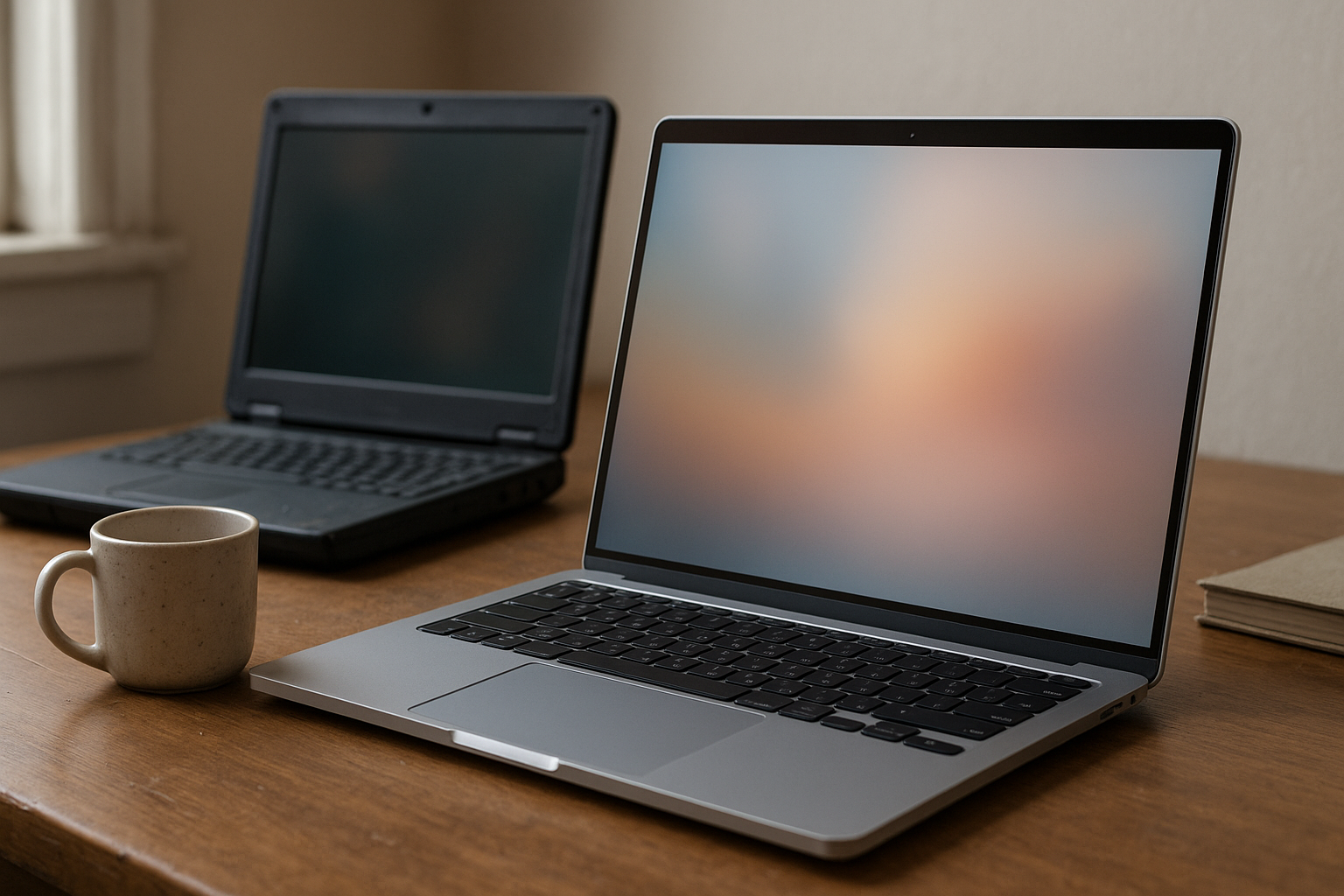
The Googlebook Aluminium OS teaser suggests a possible new Google laptop platform built around premium aluminum hardware and a redesigned operating system. However, Google has not publicly confirmed a product, launch date, specifications, price, or final name matching those claims. That distinction matters: the available information should be treated as an early teaser or report, not a finished product announcement.
This guide separates what appears to be known from speculation, explains how an Aluminium OS device could differ from a Chromebook, and outlines what students, professionals, developers, and current ChromeOS users should watch next. It also addresses the practical question behind the teaser: what is Aluminium OS, and does it represent a genuine new Google laptop platform or simply a more ambitious direction for ChromeOS?
Table of Contents
- What the Googlebook Aluminium OS Teaser Actually Tells Us
- From Chromebook to Googlebook: What Could Change?
- What Is Aluminium OS?
- Possible Hardware and Software Direction
- Googlebook Versus Chromebook: A Careful Comparison
- What Remains Unconfirmed
- Who Should Watch the Platform?
- Key Takeaways
- Frequently Asked Questions
- Conclusion
What the Googlebook Aluminium OS Teaser Actually Tells Us
The most defensible interpretation of the Aluminium OS teaser is that Google may be exploring a laptop experience beyond the familiar Chromebook formula. The terms “Googlebook” and “Aluminium OS” suggest a combination of first-party hardware branding and a new or substantially revised software layer. However, neither term should be treated as a confirmed retail product name without an official Google announcement.
That makes the teaser intriguing but limited. A concept image, leak, event reference, or industry report can point to a possible direction, but it cannot establish whether Google plans to sell the device, license the operating system, or merge the project into ChromeOS before release.
What the teaser may indicate
- A closer connection between Google-designed hardware and Google-developed software.
- A premium aluminum laptop positioned above entry-level Chromebook models.
- A possible effort to unify Android, ChromeOS, web applications, and artificial intelligence features.
- A new branding strategy for users who want a Google laptop rather than a third-party Chromebook.
What it does not confirm
- A release date, retail price, processor, memory configuration, or screen size.
- Whether Aluminium OS is a separate operating system or an internal project name.
- Whether existing Chromebooks will receive the same software features.
- Whether “Googlebook” will become the final consumer brand.
Readers should therefore distinguish between an announcement and a teaser. An official product page, Google blog post, support documentation, or developer release would provide much stronger evidence than a promotional rendering or a brief event mention.
From Chromebook to Googlebook: What Could Change?
The phrase “Google Chromebook successor: the Googlebook” captures the central theory behind the story: Google could be preparing a first-party laptop family that takes the company’s Chromebook experience in a more controlled direction. That would be a notable shift because ChromeOS has traditionally appeared on hardware made by companies such as Acer, Asus, HP, Lenovo, Samsung, and others.
A Googlebook could give Google greater control over the complete product stack. Apple’s Mac strategy demonstrates the advantage of coordinating the operating system, industrial design, update policy, security model, and support experience. Google may want some of those benefits while retaining the web-first strengths associated with ChromeOS.
Still, “successor” does not necessarily mean that Chromebooks are ending. Google could position the Googlebook as a premium tier, much as Pixel phones sit alongside Android devices from other manufacturers. The more likely strategic question is whether Google wants a flagship reference device or a completely separate platform.
A reference device or a new product category?
Google has used first-party hardware to demonstrate where Android and ChromeOS can go. A Googlebook could follow that model by showing manufacturers how Google expects a modern laptop to handle mobile applications, local AI, security, battery management, and cloud services.
A separate product category would be more ambitious. It might introduce a different application model, a new interface, or tighter integration with Android phones and Google services. That approach could attract attention, but it would also create compatibility questions for developers and buyers.
Why aluminum matters to the story
Aluminum alone would not make a laptop a new platform. It would, however, signal a move toward a more premium design language. A metal chassis can improve perceived build quality and rigidity, although it may also increase cost, weight, heat-transfer requirements, or repair complexity depending on the design.
The material is therefore best understood as a clue about positioning, not proof of technical capability. The software experience, update commitment, repairability, and application support will matter more than the enclosure material.
What Is Aluminium OS?
Aluminium OS is not currently a broadly documented consumer operating system with a publicly established feature list. In the context of the teaser, it appears to describe a possible Aluminium laptop operating system or a Google project related to a future laptop platform. Until Google publishes technical documentation, its relationship to ChromeOS remains unknown.
There are several plausible interpretations:
- A new name for a ChromeOS evolution: Google could rebrand or substantially redesign ChromeOS while preserving its web and Android foundations.
- An internal development label: “Aluminium OS” could refer to a prototype, branch, or project that never reaches consumers under that name.
- A companion environment: It could be a software layer that sits alongside ChromeOS or Android rather than replacing either system.
- A media shorthand: The phrase could describe a rumored product concept without representing an official Google operating system.
These possibilities would have very different consequences. A ChromeOS refresh would be comparatively easy for users to understand. A separate operating system would require Google to explain application compatibility, developer tools, security updates, device support, and migration paths.
How it might relate to ChromeOS
ChromeOS already combines a browser-centered desktop with support for web applications, Android applications, Linux development environments on compatible devices, and Google account services. Any successor would have strong reasons to preserve that software catalog because application availability is one of the platform’s main advantages.
A future Google laptop platform could instead focus on reducing the seams between those environments. For example, Google might aim for more consistent window behavior, better file handling, improved notifications, or easier movement between a phone and a laptop. Those are reasonable design goals, but they should not be presented as confirmed Aluminium OS features.
Why the name may be temporary
Technology projects often use internal labels that never appear on store shelves. Google could retain the ChromeOS name, choose “Googlebook” for hardware only, or introduce an entirely different public brand. Search results and social posts may continue using Aluminium OS even if Google ultimately adopts another name.
For buyers, the final branding matters less than the support policy. The key questions will be whether existing ChromeOS applications run, how long devices receive updates, and whether the platform works offline as well as it does with a reliable internet connection.
Possible Hardware and Software Direction
The Googlebook hardware plans, if they become real, would likely be judged on the balance between premium construction and the simplicity that made Chromebooks popular. Buyers may welcome a better display, keyboard, trackpad, speakers, webcam, and battery system, but a higher-end shell should not come at the expense of easy maintenance or dependable updates.
Hardware questions worth asking
- Performance: Will the device use an Intel, AMD, Arm, or Google-designed platform, and how will it handle Android applications, Linux tools, and local AI workloads?
- Thermals: Can the aluminum chassis remain quiet and comfortable during sustained work?
- Repairability: Are the battery, keyboard, storage, and display replaceable by qualified technicians?
- Connectivity: Will it include modern USB-C support, external display capabilities, Wi-Fi, and optional mobile connectivity?
- Input quality: Can Google deliver a keyboard and trackpad suitable for long writing and programming sessions?
- Camera and audio: Does the device address the weak webcams and speakers found on many inexpensive laptops?
None of these specifications can be confirmed from the teaser alone. They are the practical evaluation points that should guide coverage once Google releases a real product page or review unit.
Software capabilities that would make a difference
A new Google laptop platform would need more than a new name and a polished desktop. Useful improvements could include faster startup, reliable sleep and wake behavior, clearer storage management, stronger support for external monitors, and a more coherent approach to Android and Linux applications.
Google may also emphasize on-device artificial intelligence. Local processing can improve privacy and responsiveness, but it depends on the processor, application support, thermal design, and whether features continue working without a network connection. “AI-powered” should not be treated as a meaningful specification until Google explains what runs locally and what data leaves the laptop.
Integration with Android phones
Phone-to-laptop continuity could become one of the strongest reasons to consider a Googlebook. Useful examples include unlocking with a phone, sharing a mobile connection, moving files, replying to messages, and continuing supported tasks across screens.
However, these features are valuable only when they work consistently across phone models and network conditions. Google would need to explain whether advanced integration is limited to Pixel phones, available to other Android devices, or connected to a paid Google service.
Googlebook Versus Chromebook: A Careful Comparison
The following comparison separates the established Chromebook model from the unconfirmed direction suggested by the Googlebook Aluminium OS teaser. The Googlebook column describes open questions and likely positioning, not specifications that Google has announced.
| Area | Chromebook today | Possible Googlebook direction |
|---|---|---|
| Hardware source | Made by a broad range of computer manufacturers | Could use tighter Google control or a first-party reference design |
| Operating system | ChromeOS with browser, web, Android, and supported Linux workflows | Could retain ChromeOS foundations or introduce a related Aluminium OS layer |
| Design position | Ranges from inexpensive education models to premium laptops | The aluminum teaser suggests a stronger premium identity, but no final design is confirmed |
| Application compatibility | Depends on ChromeOS, web apps, Android support, Linux support, and device capabilities | Would need a clear compatibility plan to avoid fragmenting the user experience |
| Google services | Integrated through the Google account and supported ChromeOS features | Could offer deeper first-party phone, cloud, and assistant integration |
| Buyer risk | Established product category with known purchasing criteria | Higher uncertainty until software support, updates, and pricing are documented |
Advantages a Googlebook could offer
- More consistent design: Google could coordinate materials, ports, speakers, cameras, and software behavior.
- Longer-term platform direction: A first-party product could establish a clearer roadmap for developers and buyers.
- Better cross-device features: Android and Google account integration could become more seamless.
- Premium Chromebook alternative: Users who like ChromeOS but dislike budget hardware might gain another option.
Potential disadvantages
- Higher cost: Premium materials and first-party engineering may move the device beyond the traditional Chromebook budget.
- Platform fragmentation: A new operating system could confuse buyers and developers if it divides application support.
- Repair concerns: Thin aluminum designs can be difficult or expensive to service if components are tightly integrated.
- Early-adopter uncertainty: A new platform may have incomplete features, limited accessories, or unclear long-term support.
What Remains Unconfirmed
A responsible Googlebook announcement would need to answer several basic questions. At present, the teaser does not provide those answers, so articles or social posts that list exact specifications should be treated cautiously unless they cite an official source or verifiable regulatory filing.
- Is the product real and approved for sale? A concept, prototype, and shipping laptop are not the same thing.
- What is the final operating system name? Aluminium OS may be a project label rather than consumer branding.
- Will ChromeOS applications run? Compatibility is essential for current Chromebook owners and developers.
- What is the update policy? Buyers need a defined support period, security process, and end-of-support explanation.
- Where will it be sold? Google may limit a first-party laptop to selected markets or channels.
- How much will it cost? No credible price should be inferred from the aluminum design.
- Can it work offline? A productive laptop must remain useful when the internet is unavailable.
Google’s ChromiumOS project information provides useful background on the open-source foundations associated with ChromeOS, but it does not confirm Aluminium OS. Likewise, Google’s official Chromebook Help documentation is a reliable reference for current Chromebook behavior, not evidence of future Googlebook specifications.
How to judge future reports
Look for primary evidence first: a Google product page, a Google blog post, official developer documentation, a support article, or a regulatory document that identifies the manufacturer and model. Anonymous claims can be useful leads, but they should remain labeled as reports until corroborated.
Pay attention to the language, too. “Google is testing,” “Google is considering,” and “Google has announced” describe three different levels of certainty. Good coverage should preserve those distinctions rather than turning a teaser into a guaranteed launch.
Who Should Watch the Platform?
The potential Google laptop platform is most relevant to people who already value ChromeOS but want stronger hardware or deeper integration with Android. It could also interest developers who want to understand whether Google is consolidating its desktop strategy around a new application and AI model.
Likely audience
- Students and educators: Watch for price, management tools, repairability, and offline classroom workflows.
- Remote workers: Focus on the webcam, microphone, external-display support, keyboard, and video-conferencing compatibility.
- Android users: Look for dependable phone integration rather than a list of loosely connected features.
- Developers: Check Linux tooling, container support, SDK availability, and whether existing web and Android applications remain first-class.
- Google hardware enthusiasts: Expect a polished reference design, but wait for support and repair details before buying.
Who should avoid buying on the teaser alone?
People who need guaranteed Windows software, professional graphics applications, specialized engineering tools, or a specific enterprise management stack should wait for compatibility testing. The same applies to buyers who need a laptop immediately: a current, well-reviewed Chromebook or Windows laptop is a more rational purchase than planning around an unconfirmed device.
Existing Chromebook owners should not assume an upgrade is necessary. If a current model receives security updates and handles its owner’s applications, the teaser provides no practical reason to replace it today.
How to Follow the Googlebook Announcement
Search coverage may group the story with an Android Show 2026: all the news and announcements roundup, or place it beside a “Related” label in a technology news feed. Those labels describe editorial organization, not confirmation that Google introduced a shipping Googlebook at that event.
Readers may also encounter navigation terms such as “More in Tech,” “Most Popular,” “The Verge Daily,” or “Top Stories.” They can help locate additional reporting, but popularity and placement are not substitutes for primary documentation. For broader technology coverage, The Verge’s technology section is a real, established source; individual claims should still be checked against Google’s own announcements.
A practical verification checklist
- Confirm that the report names an official Google source or clearly identifies its evidence.
- Separate a product codename from the final retail name.
- Check whether specifications come from Google, a regulator, a benchmark database, or an unsourced post.
- Look for update guarantees and application compatibility, not just industrial design images.
- Wait for independent reviews before judging battery life, build quality, performance, or thermals.
This approach is more useful than guessing a launch date from a teaser. It also protects buyers from paying a premium for a platform whose long-term support has not yet been explained.
Key Takeaways
- The Googlebook Aluminium OS concept suggests a possible premium Google laptop and a new software direction, but Google has not publicly established all of the product details.
- “Aluminium OS” may be a project name, a ChromeOS evolution, a companion layer, or media shorthand; its exact identity remains unclear.
- An aluminum chassis would indicate premium positioning, not necessarily better performance or durability.
- The most important unanswered issues are application compatibility, update support, offline capability, repairability, price, and availability.
- Current Chromebook owners should wait for official documentation before changing devices.
- Buyers who need a laptop now should choose among established platforms based on their software and support requirements.
Frequently Asked Questions
What is Aluminium OS?
Aluminium OS is an unconfirmed name associated with a possible future Google laptop platform. It is not yet a consumer operating system with a publicly documented feature set, release schedule, or hardware list. The term could describe a ChromeOS successor, an internal Google project, or a software layer intended for a premium laptop. Until Google publishes official documentation, it is safest to describe Aluminium OS as a reported or teased concept rather than a shipping product.
Is Google making a Googlebook laptop?
The teaser suggests that Google may be considering or developing a Googlebook laptop, but the available information does not establish a confirmed retail launch. There is no verified basis here for stating a model number, price, processor, screen size, or release date. A genuine Googlebook announcement would normally be supported by an official Google product page, blog post, developer document, or support listing.
Will Googlebook replace Chromebook?
There is no confirmed evidence that a Googlebook would replace the Chromebook category. Google could use the product as a premium first-party reference device while continuing to support laptops made by other manufacturers. Alternatively, it might eventually introduce a broader platform change. The answer will depend on Google’s application-compatibility strategy, licensing plans, and update policy.
Will existing Chromebook apps work on Aluminium OS?
That cannot be confirmed yet. Compatibility with web applications would probably be important for any Google laptop platform, but Android and Linux support could require additional technical work. Buyers should wait for an official compatibility list or developer documentation before assuming that Android apps, Linux tools, Chrome extensions, or enterprise software will behave exactly as they do on ChromeOS.
Would an aluminum Google laptop be more durable?
An aluminum enclosure can feel rigid and premium, but the material alone does not determine durability. Hinge design, keyboard construction, display protection, port reinforcement, cooling, battery quality, and repair procedures all matter. Aluminum can also be vulnerable to dents and may complicate repairs in thin designs. Independent reviews and repair assessments would provide a better answer than the teaser’s appearance.
Should I wait for the Googlebook before buying a laptop?
Only if your purchase is flexible and you specifically want to evaluate Google’s next laptop direction. The Googlebook has no confirmed specifications or availability in the information described here, so it should not be treated as a near-term buying recommendation. If you need dependable software, a known support period, or a laptop for school or work now, compare currently available Chromebooks, Windows laptops, or MacBooks instead.
Where can I verify a Googlebook announcement?
Start with Google’s official product, blog, and support pages, then compare the details with reputable independent reporting. Look for a named product, an official specification sheet, availability information, and an update policy. A headline, concept image, event roundup, or “Top Stories” placement may indicate interest but does not verify that a device is ready for sale.
Conclusion
The Googlebook Aluminium OS teaser is best understood as a signal of possible change, not a complete product announcement. It raises a credible strategic question about whether Google wants to build a more tightly integrated laptop around ChromeOS technology, Android services, premium hardware, and local AI. However, the most important facts remain unconfirmed.
For now, treat specific prices, specifications, release dates, and compatibility claims as speculation unless Google publishes them. The useful next step is to monitor official Google documentation and wait for independent testing. That evidence will show whether Aluminium OS is a genuine Google laptop platform or simply an early name for a future evolution of ChromeOS.