
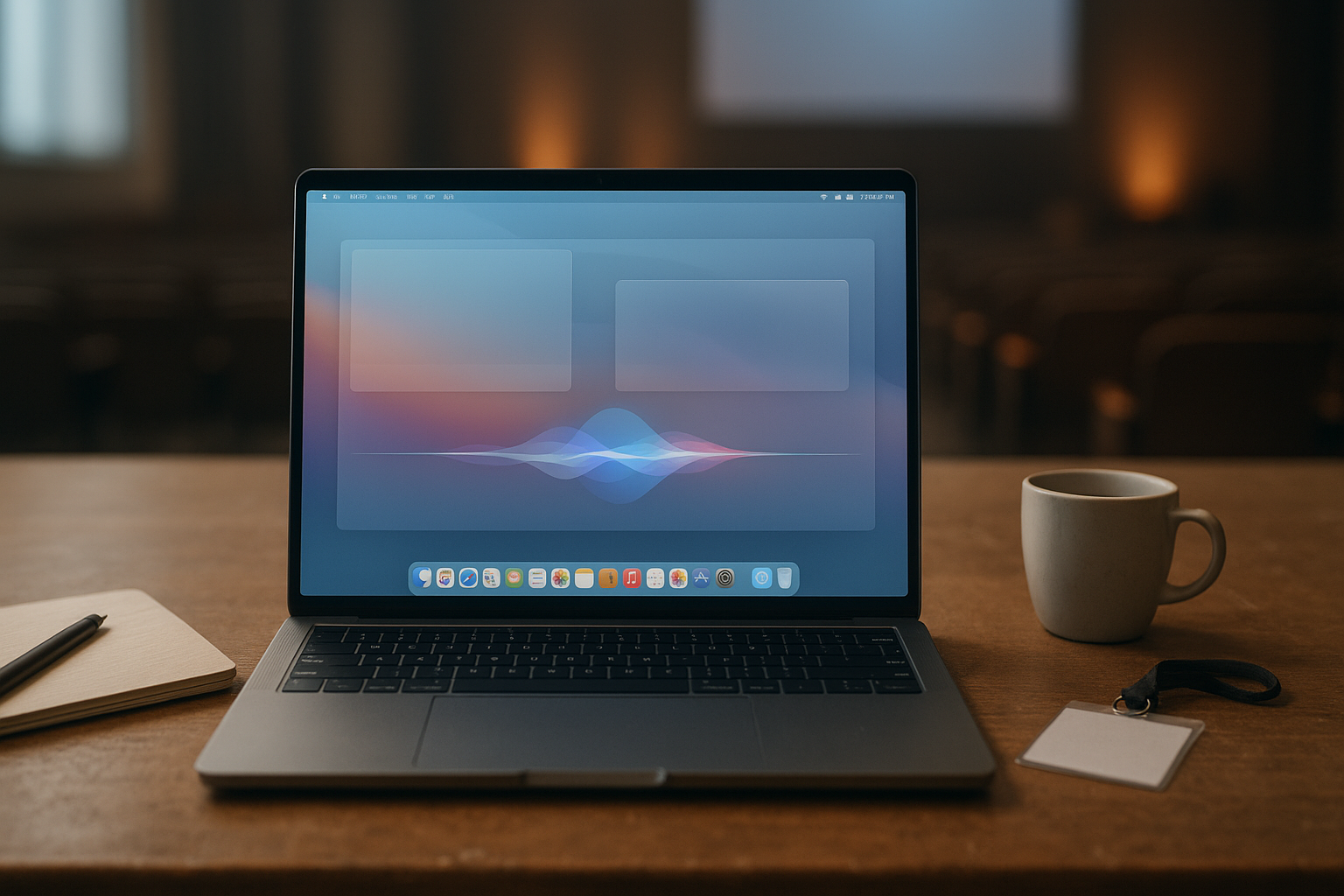
The Apple WWDC 2026 recap signals a major macOS redesign—not a routine feature update. Apple’s macOS 27 presentation introduced a new visual direction, more adaptable controls, and a greater role for on-device intelligence. The most discussed themes are the macOS 27 Golden Gate design, Liquid Glass controls, and expanded Siri AI capabilities.
This guide separates the headline changes from the practical questions that matter after a keynote: which features could affect daily work, what may require newer hardware, what remains unclear, and whether owners of supported Macs should upgrade immediately. Because Apple can change features between the developer beta, public beta, and final release, treat availability details as provisional until Apple publishes the final documentation.
Table of Contents
- Apple WWDC 2026 Recap at a Glance
- macOS 27 Golden Gate Design
- macOS 27 Liquid Glass Controls
- macOS 27 Siri AI and Intelligence Features
- WWDC 2026 macOS Announcements for Work
- macOS 27 Supported Macs and Compatibility
- Should You Install the macOS 27 Beta?
- Key Takeaways
- Frequently Asked Questions
- Final Verdict
Apple WWDC 2026 Recap at a Glance
The keynote’s central message was clear: macOS is becoming more visually unified with Apple’s other platforms while retaining the window management, menu bar, and keyboard workflows Mac users expect. This is more than a new wallpaper or icon set; the redesign changes how controls, sidebars, alerts, and system surfaces present information.
| Area | What changes for users | What to check before upgrading |
|---|---|---|
| Interface | A more layered visual system, including translucent and depth-oriented elements associated with the Golden Gate design direction. | Whether contrast, text legibility, and older graphics hardware meet your needs. |
| Controls | Liquid Glass treatments make some buttons, toolbars, and panels appear more fluid and context-sensitive. | Whether third-party applications have updated their layouts and accessibility support. |
| Siri and AI | Siri is positioned as a more capable assistant for understanding requests and working across tasks. | Language availability, privacy settings, regional support, and hardware requirements. |
| Compatibility | Some features may be available only on newer Macs, even if the operating system itself installs on an older model. | Apple’s final supported-device list and feature-by-feature requirements. |
That last distinction is crucial. A Mac may support macOS 27 while still lacking specific AI functions because those features depend on a newer processor, memory configuration, or local processing capability. Apple’s official macOS overview should be treated as the definitive source for final feature availability.
macOS 27 Golden Gate Design
The macOS 27 Golden Gate label describes the broader design language discussed around the new release. Its goal is to give macOS a stronger visual relationship with Apple’s current software platforms while preserving the Mac’s desktop identity.
The most visible changes are likely to appear in window chrome, application sidebars, menus, dialogs, and system utilities. The design uses layers, translucency, highlights, and changes in depth to distinguish the active surface from background content. These effects can make the interface feel more responsive, but they also require careful implementation to preserve readability.
What the redesign changes in daily use
- More visual hierarchy: Active controls and selected areas are intended to stand out from surrounding content.
- More consistent system surfaces: Apple is bringing common visual treatments to more parts of macOS instead of limiting them to a few applications.
- A stronger role for appearance settings: Users who prefer reduced transparency, increased contrast, or less motion may rely on accessibility settings to adjust the experience.
- A transition period for developers: Applications that use custom toolbars or nonstandard controls may look inconsistent until their developers adopt the updated design guidance.
The practical benefit will depend on the workflow. Someone who spends most of the day in Safari, Mail, Finder, and Apple’s productivity applications may notice a cohesive redesign quickly. A user who works primarily in a professional application with a custom interface may see fewer changes until that software receives a macOS 27 update.
Golden Gate is a design direction, not a performance guarantee
A new interface can make an operating system feel newer without making every task faster. Translucency and animation may also affect battery life or visual comfort on some systems, although the real impact depends on Apple’s final implementation and each application’s behavior.
Users who value stability over appearance should wait for independent testing after the public release. If you depend on a Mac for production work, the redesign alone is not a strong reason to install a first developer beta.
macOS 27 Liquid Glass Controls
macOS 27 Liquid Glass controls are among the most recognizable interface changes associated with the release. The term refers to controls and panels that appear translucent, layered, and responsive to the content or surface behind them.
In practical terms, this may affect toolbars, navigation areas, buttons, popovers, and other controls that previously used a flatter appearance. The concept is designed to make interface elements feel integrated with their surroundings while still showing users where they can click, drag, or type.
Potential benefits of Liquid Glass
- Clearer focus: Layered surfaces can help users understand which panel or window is active.
- More adaptable layouts: Controls can occupy less visual space when they are not the main focus.
- Better platform consistency: Familiar treatments across Apple devices may reduce the learning curve for people who move between an iPhone, iPad, and Mac.
Potential drawbacks to watch
- Contrast problems: Transparency can make text or icons harder to read over complex backgrounds.
- Visual distraction: Motion and layered effects may not suit people who prefer a calm, highly static desktop.
- Third-party inconsistencies: Applications that do not adopt Apple’s updated frameworks may look out of place beside redesigned system apps.
- Accessibility concerns: The default appearance will not be ideal for every user, so reduced-transparency and increased-contrast options remain important.
For that reason, the best macOS 27 experience may depend as much on customization as on Apple’s defaults. After upgrading, review System Settings for appearance, display, motion, and accessibility controls rather than assuming the keynote configuration is the only option.
macOS 27 Siri AI and Intelligence Features
macOS 27 Siri AI is the other major theme in the Apple keynote 2026 recap. Apple’s direction is to make Siri more useful for requests involving context, multiple steps, and information from more than one application.
The important question is not whether Siri can answer more questions in a demonstration. It is whether the assistant can reliably understand what the user means, ask for clarification when necessary, and complete an action without creating unexpected changes in files, messages, calendars, or system settings.
Where a more capable Siri could help
- Natural-language system help: Users could describe a setting or task instead of navigating through several menus.
- Cross-application tasks: A request may involve information stored in more than one Apple application, subject to permissions and supported integrations.
- Contextual follow-ups: Siri may be better able to understand a second request that refers to the first one.
- Summaries and organization: AI-assisted summaries could reduce the time spent scanning long messages, notes, or documents.
These capabilities have meaningful limitations. AI assistants can misunderstand ambiguous instructions, produce inaccurate summaries, or make incorrect assumptions about names and dates. Users should review important results before sending a message, deleting information, changing a file, or relying on a generated summary for a consequential decision.
Privacy and processing matter more than the demo
Apple has generally emphasized privacy, permissions, and a mix of on-device and remote processing for its intelligence features. Exact behavior can vary by task, device, language, and region, so the presence of a Siri feature in the keynote does not automatically mean every Mac will receive it.
Read Apple’s current privacy information and product documentation alongside the final macOS 27 release notes. Pay particular attention to what data an application can provide to Siri, which requests require network access, and whether a feature works locally on your Mac.
WWDC 2026 macOS Announcements for Work
The WWDC 2026 macOS announcements matter most when they reduce friction in common workflows. A redesigned interface is easy to notice, but the features that determine whether macOS 27 is worth adopting are less glamorous: compatibility, permissions, file behavior, backup reliability, and application support.
For office and general productivity users
People who mainly use web applications, Mail, calendars, documents, and video meetings will likely experience macOS 27 as an interface transition. The biggest adjustment may be learning where redesigned controls appear and deciding whether the new transparency effects improve or hinder focus.
Before upgrading a work Mac, confirm that your browser extensions, password manager, VPN, printer software, and conferencing tools support the new operating system. These utilities often matter more to a workday than the headline features.
For creative professionals
Photographers, video editors, musicians, designers, and developers should take a slower approach. Creative applications frequently depend on plug-ins, drivers, codecs, graphics frameworks, and hardware accessories that require separate updates.
- Check the compatibility statements for your primary applications.
- Confirm that audio interfaces, capture devices, printers, and color-management tools are supported.
- Make a complete backup before testing the operating system.
- Keep a separate production Mac or external startup option when possible.
For developers
Developers have a reason to install the macOS 27 beta earlier than most users: they need time to test applications against new SDKs, window behavior, system permissions, and interface frameworks. That does not make a beta suitable for a primary development machine without a recovery plan.
Apple’s WWDC developer resources are the right place to review session videos and platform guidance as Apple publishes them. Pay attention to deprecations and migration notes, not only the visual-design sessions.
macOS 27 Supported Macs and Compatibility
Check the macOS 27 supported Macs list directly against Apple’s final compatibility page. Do not infer support from a Mac’s age alone, and do not assume that a Mac capable of installing macOS 27 can run every advertised intelligence feature.
Apple commonly separates operating-system compatibility from feature availability. Newer capabilities can depend on the processor’s neural-processing hardware, memory, language support, or Apple’s decision to limit a feature to specific models.
| Compatibility question | Why it matters | What to do |
|---|---|---|
| Can the Mac install macOS 27? | This determines whether the operating system can be upgraded at all. | Use Apple’s final supported-model list, not a third-party prediction. |
| Does the Mac support every AI feature? | Siri and other intelligence features may have hardware or regional limits. | Check each feature’s requirements separately. |
| Will existing applications work? | An operating-system upgrade can expose problems in older software and plug-ins. | Review developer compatibility notes before installing. |
| Is there enough storage and recovery capacity? | Major upgrades need free space and a reliable way to restore the previous system. | Back up important data and keep adequate free storage available. |
Owners of older Intel-based Macs should be especially cautious about feature differences if Apple limits advanced capabilities to Apple silicon. Owners of Apple silicon Macs should still check application compatibility, because a newer processor does not prevent problems caused by outdated extensions or drivers.
Should You Install the macOS 27 Beta?
For most people, the sensible answer is to wait for the public release and the first round of application updates. The developer beta exists to help software makers find problems, not to provide a finished daily-driver experience.
Install early only if you have a clear reason
- You develop or test Mac software.
- You have a spare Mac that is not needed for work or school.
- You can restore the system and recover your files independently.
- You accept that battery life, peripherals, applications, and AI features may change.
Wait if your Mac is essential
- You rely on specialized professional software or hardware.
- You have no current backup or recovery plan.
- You need predictable battery life while traveling.
- You are mainly interested in the new appearance rather than a specific productivity benefit.
When the final release arrives, wait several days before upgrading a critical machine and monitor the support pages for your most important applications. A staged rollout is less exciting than installing immediately, but it reduces the risk of discovering a compatibility problem at the worst possible time.
Key Takeaways
- The Apple WWDC 2026 recap is dominated by a macOS redesign, Liquid Glass controls, and a more capable Siri direction.
- The macOS 27 Golden Gate design changes the visual hierarchy of windows, panels, toolbars, and system surfaces.
- macOS 27 Liquid Glass controls may look cohesive, but transparency and motion settings will matter for readability and comfort.
- macOS 27 Siri AI could be useful for contextual and multi-step tasks, but important results still require human review.
- A supported Mac may not receive every AI feature; operating-system compatibility and feature compatibility are separate questions.
- Creative professionals and owners of essential work Macs should wait for application, driver, and plug-in updates before upgrading.
- The safest next step is to review Apple’s final documentation, back up the Mac, and test macOS 27 on noncritical hardware first.
Frequently Asked Questions
What is the biggest change in macOS 27?
The biggest change is the broader visual redesign associated with the macOS 27 Golden Gate direction. It affects the appearance and hierarchy of system surfaces rather than adding only one isolated application feature. Liquid Glass treatments, updated controls, and closer visual alignment with Apple’s other platforms are central to the experience. The practical value will depend on whether you prefer the new appearance and whether third-party applications adopt it consistently.
What are the main macOS 27 keynote highlights?
The main macOS 27 keynote highlights are the redesigned interface, Liquid Glass controls, and expanded Siri AI ambitions. Apple’s presentation also makes compatibility and privacy important parts of the discussion, because advanced intelligence features may not work identically across every Mac, language, or region. Use the final release notes and Apple’s feature-specific documentation to confirm what ships and which models support each capability.
What does macOS 27 Liquid Glass mean?
Liquid Glass describes a visual treatment for controls and panels that uses translucency, layering, depth, and context-sensitive presentation. It is intended to make interface elements feel integrated with the desktop while preserving clear actions and navigation. Some users may prefer reduced transparency or increased contrast, particularly if layered surfaces make text harder to read. The design may also look different in applications that have not yet adopted Apple’s updated frameworks.
Will every Mac that supports macOS 27 get Siri AI features?
Not necessarily. Apple can make the operating system available to a wider range of Macs while reserving specific intelligence features for newer hardware, supported languages, or selected regions. Local processing requirements are one possible reason for differences between models. Check Apple’s final feature requirements rather than relying only on the general macOS 27 supported Macs list.
Should I install the macOS 27 developer beta?
Most users should not install a developer beta on a primary Mac. Early versions can contain application compatibility problems, bugs, battery-life issues, and changes to features that have not reached final release. Developers, testers, and users with a spare Mac may have a good reason to participate, but they should maintain a verified backup and a recovery plan. A public beta is generally more appropriate for enthusiasts who understand those risks.
Will macOS 27 slow down an older Mac?
There is no reliable way to answer that for every model before independent testing and the final release. Performance can vary according to processor generation, memory, storage condition, graphics effects, and application updates. A Mac may run the operating system acceptably while handling newer visual effects or AI features differently from a recent model. Wait for model-specific testing, keep free storage available, and use accessibility settings if animations or transparency affect responsiveness or comfort.
Where can I verify the WWDC 2026 macOS announcements?
Use Apple’s WWDC developer page, the official macOS page, and the release notes published for the relevant beta or final version. Those sources are more reliable than screenshots, social-media summaries, or compatibility lists created before Apple confirms them. For a work or production Mac, also consult the support pages for every important application, plug-in, driver, and peripheral before upgrading.
Final Verdict
The Apple WWDC 2026 recap is less about one headline application and more about the Mac’s direction: a more unified interface, more expressive controls, and an assistant expected to handle richer requests. Golden Gate and Liquid Glass could make macOS feel substantially different, while Siri AI may deliver the most practical benefits if it works reliably across supported hardware and applications.
Do not base the upgrade decision on keynote visuals alone. First confirm your Mac’s eligibility, check the exact AI requirements, review professional-software support, and create a tested backup. If your current Mac is essential, wait for the final release and early compatibility reports; if you have a spare system, macOS 27 offers a reasonable opportunity to evaluate the new design before committing your primary workflow.