

Finding worthwhile Australian laptop deals is less about chasing the biggest discount and more about matching the machine to your work, software and upgrade needs. A $499 laptop can be excellent for web browsing and study, yet frustrating for video editing or gaming; a discounted premium model may still be poor value if its battery is worn or its warranty is unclear.
This laptop buying guide Australia shoppers can use explains how to compare prices, specifications, operating systems, warranties and retailer policies. You will also find practical recommendations for students, home users, professionals and gamers, plus a checklist for judging whether a sale price is genuinely worth paying.
Table of Contents
- How to judge Australian laptop deals
- Choose a laptop by use case
- Laptop specifications guide
- Windows, macOS and Chromebooks
- Where to find laptop deals in Australia
- Deal-buying checklist
- Key Takeaways
- Frequently Asked Questions
- Final verdict
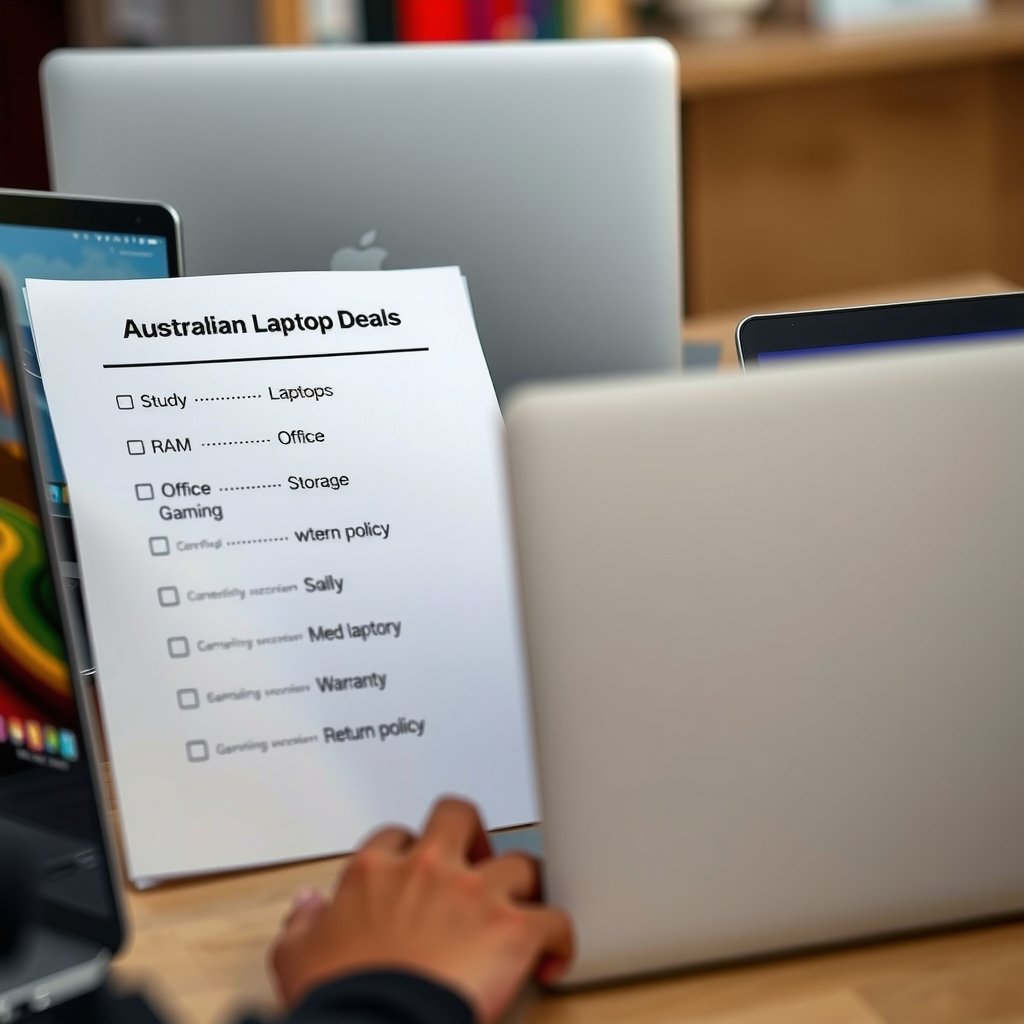
Australian laptop deals comparison scene showing three laptops for study, office work and gaming beside a printed checklist of price, RAM, s
How to judge Australian laptop deals
A good deal is the lowest price for a laptop that meets your requirements over its useful life. It is not necessarily the model with the largest percentage reduction or the cheapest machine in a retailer’s sale banner. Start with a shortlist of acceptable specifications, then compare the final delivered price, warranty and return terms.
Check the real cost, not only the advertised price
Australian advertised prices generally include GST, but the checkout total can still change because of delivery, accessories, extended warranty offers or different configurations. Confirm the exact model number and included charger before comparing one listing with another. Two laptops with similar names may have different processors, screen panels, memory or storage.
Pay attention to these details:
- Model identifier: Record the full model code, not just a family name such as “IdeaPad”, “Inspiron” or “MacBook Air”.
- Configuration: Verify the processor, RAM, SSD capacity, display resolution and operating system.
- Keyboard layout: Confirm that the laptop has an Australian or otherwise suitable English keyboard layout.
- Condition: Distinguish new, manufacturer-refurbished, retailer-refurbished, ex-display and used stock.
- Warranty: Check who provides support, how long it lasts and whether you must pay return shipping.
- Returns: A change-of-mind policy is separate from rights that apply when a product is faulty or not as described.
For Australian consumer rights, read the ACCC guidance on consumer guarantees. A retailer’s voluntary warranty does not replace applicable consumer guarantees, although the practical process for resolving a problem can differ between sellers.
Compare like with like
Price comparisons become misleading when one listing includes 16GB of memory and another includes 8GB, or when one uses a larger SSD. Make a simple spreadsheet with the model code, processor, RAM, storage, screen, weight, price, warranty and seller. This takes a few minutes and prevents a “deal” from being compared against a better-equipped laptop.
Historical pricing can also help. A discount shown against a high “was” price does not prove that the current offer is exceptional. Look at the laptop’s recent price range where reliable price history is available, and consider whether a newer generation has replaced it.
Choose a laptop by use case
The best laptop deals Australia shoppers find will differ by workload. A student who mainly uses a browser, documents and video calls has different priorities from a developer running virtual machines or a gamer who needs a dedicated graphics processor.
Student laptops Australia buyers can carry every day
For school, university and general study, prioritise low weight, comfortable keyboard travel, reliable Wi-Fi, a useful battery and a screen that is pleasant to read. A 13- or 14-inch laptop is often a sensible compromise between portability and workspace, although a 15- or 16-inch model can be better if it stays on a desk.
For many students, 16GB of RAM is a comfortable target if the budget allows, especially when using many browser tabs, office applications and video calls together. A fast SSD is preferable to old mechanical storage because it improves startup and application loading. Check whether memory is upgradeable before buying a cheaper configuration.
Choose student laptops Australia shoppers can repair or support locally when possible. A very thin model may look attractive but offer no memory or storage upgrade path. That is not automatically a reason to reject it, but it makes the original configuration more important.
Laptops for work and study
Office work, spreadsheets, accounting software, remote meetings and research call for a balanced laptop rather than an extreme specification. Look for a comfortable keyboard, a clear webcam, a good microphone, USB-A or USB-C ports that match your accessories, and a display with enough brightness for your workspace.
Business users should investigate docking support, external monitor compatibility and security features. A fingerprint reader, camera privacy shutter and reliable support channel can be more valuable than a small processor performance increase. If the laptop will contain customer or employer data, do not overlook encryption, strong account security and timely software updates.
For laptops for work and study, a 14-inch business-oriented model is often a safer long-term purchase than a bargain entertainment laptop. It may cost more, but the keyboard, chassis, port selection and warranty support can make the extra cost worthwhile over several years.
Home, streaming and family use
Web browsing, streaming, online forms and light photo management do not require a gaming-class processor. A basic modern laptop with an SSD, sufficient memory and a decent display should handle these tasks. Avoid extremely low-cost models with very small storage unless you are comfortable using cloud storage and keeping local files to a minimum.
If several people will share the laptop, screen quality and keyboard comfort matter more than a tiny saving. A 15-inch display can be easier for older users, while a 2-in-1 hinge may be useful for reading or presenting recipes, but neither feature is essential for every household.
Gaming laptop deals
Gaming laptop deals require more careful comparison because performance depends on the combination of processor, graphics processor, cooling system, display and power limits. The name of the graphics chip alone does not tell the whole story. Two laptops using the same graphics family can perform differently because of cooling and power settings.
For a gaming machine, inspect:
- Dedicated graphics: Essential for demanding modern 3D games; integrated graphics suit lighter games and many esports titles.
- Cooling design: Read reviews for fan noise, temperatures and sustained performance rather than relying only on a brief benchmark.
- Display: Match resolution and refresh rate to the graphics hardware. A high-refresh screen is less useful if the laptop cannot drive games at suitable frame rates.
- Memory and storage: Modern games can occupy substantial space, so a small SSD may become inconvenient quickly.
- Portability: Gaming laptops often weigh more and have shorter battery life away from the charger.
Choose a gaming laptop if you need portable gaming or one machine for games and demanding creative software. Avoid one if you mainly play simple titles and value quiet operation, long battery life and low weight; a mainstream laptop may be a better fit.
Laptop specifications guide
Specifications are useful only when translated into the work you actually do. This laptop specifications guide focuses on the components most likely to affect everyday satisfaction.
Processor
The processor affects application responsiveness, multitasking and tasks such as compiling code or exporting video. Compare processors from a similar generation where possible, and look beyond the marketing tier. A newer mid-range chip may be preferable to an older high-end chip, particularly if it brings better efficiency and integrated graphics.
For browsing, office applications and study, a current entry-level or mid-range processor is usually sufficient. Heavy editing, software development with large projects and 3D work justify a stronger processor. Check independent reviews for sustained performance when the task runs for more than a few minutes.
RAM
RAM allows the laptop to keep active applications and data readily available. Too little memory causes slowdowns when many browser tabs, meetings and documents are open. As a practical buying rule, 8GB can suit basic use, while 16GB gives more headroom for multitasking and is a safer choice for a laptop you intend to keep for years.
Higher capacities are useful for professional editing, development environments, virtual machines and some content-creation workflows. If the memory is soldered, buy the capacity you expect to need later because upgrading may not be possible.
Storage
An SSD makes a laptop feel considerably more responsive than an older hard disk. Capacity matters as much as speed: the operating system, applications, photos and games quickly reduce the free space shown on the box.
For light work, a smaller SSD can be workable if you use external or cloud storage. For gaming, photography, video or large software projects, choose more capacity or confirm that the laptop supports a practical storage upgrade. Do not assume every thin laptop can be opened without affecting support or warranty arrangements.
Display
Screen size describes the diagonal, not the overall viewing quality. Check resolution, brightness, contrast, viewing angles, colour coverage and surface finish. An inexpensive laptop may have a sharp resolution but a dim or narrow-viewing display that is unpleasant in bright Australian rooms.
Glossy screens can look vivid indoors but reflect windows and overhead lights. Matte screens reduce reflections, while a high-refresh display benefits gaming and can make scrolling feel smoother. For office and study work, comfortable brightness and text clarity are generally more valuable than an extreme refresh rate.
Battery, ports and portability
Battery claims are not directly comparable because manufacturers test under different conditions. Reviews provide a better indication, but actual runtime still depends on brightness, applications, Wi-Fi quality and power settings. Treat battery capacity as a clue rather than a guarantee.
Make a list of the devices you connect before buying. You may need HDMI, USB-A, USB-C charging, an SD card reader, a headphone jack or a full-size network port. A USB-C connector does not automatically support charging, video output and high-speed data, so check the manufacturer’s specifications.
| Buyer profile | Priorities | Trade-offs to expect | Deal warning |
|---|---|---|---|
| Student or general user | Low weight, comfortable keyboard, SSD, dependable battery, webcam | Less graphics performance and fewer ports | Do not sacrifice memory and screen quality for a dramatic discount |
| Office professional | Keyboard, display, docking, security, support and build quality | May cost more than consumer models with similar processor labels | Check port compatibility and business warranty terms |
| Creative professional | Strong processor, adequate RAM, colour-appropriate display, fast storage | More weight, heat, noise and expense | Verify display colour claims and upgrade options |
| Gamer | Dedicated graphics, cooling, display refresh rate, RAM and SSD capacity | Shorter unplugged runtime and heavier chassis | Compare graphics power limits, not just the GPU name |
| Family or basic home use | Simple support, good screen, quiet operation and sensible price | Less suitable for demanding games or professional software | A very small SSD can become restrictive |
Windows, macOS and Chromebooks
Operating system choice affects software compatibility, accessories, account integration and support. Windows laptops Australia shoppers see span the widest range of prices and hardware, making them the easiest category in which to find a model for a specific budget.
Windows laptops Australia buyers should compare
Windows is a strong choice for Microsoft 365, business applications, PC games, specialist software and broad hardware choice. Confirm that the laptop meets the requirements of any essential application, especially if you rely on accounting, engineering, education or creative software.
Microsoft publishes the Windows 11 specifications and requirements. Do not treat an advertised “Windows” label as proof that every future operating system feature will work; hardware support and manufacturer drivers still matter.
Some low-cost Windows laptops use restricted configurations or limited storage. They may be suitable for documents and browser work, but check the exact edition, storage capacity and available ports before ordering.
Mac laptops
A Mac can be a good fit if you already use Apple devices, need macOS software or value a quiet, portable design. It may be less suitable where you depend on Windows-only programs, certain games, specialised peripherals or software that requires a specific architecture.
Compare the memory and storage carefully because many thin models cannot be upgraded after purchase. A discounted base configuration can become expensive if you later need more storage or memory, so calculate the configuration you actually require rather than the headline price.
Chromebooks
Chromebooks focus on browser-based applications and cloud services. They can be inexpensive and simple to manage, making them useful for web, email, documents and education environments that support ChromeOS.
A Chromebook is a poor choice if you need traditional Windows desktop software, certain peripheral drivers or demanding local creative tools. Check offline support, app compatibility, storage and your school or employer’s platform requirements before buying.
Where to find laptop deals in Australia
Retailers run laptop sales around major shopping events, end-of-financial-year promotions, back-to-school periods and model transitions. The timing can help, but a good configuration at a fair price is more useful than waiting indefinitely for a particular sale date.
Manufacturer stores and authorised retailers
Manufacturer stores can make configurations and warranty terms easier to verify. Authorised retailers may offer broader stock, local pickup or competitive bundles. Check who is responsible for fulfilment when a marketplace hosts a third-party seller; the website’s reputation alone is not enough.
Refurbished laptops can offer strong value when the seller clearly states the condition, battery policy, included accessories, testing process and warranty. Ask whether the unit is manufacturer refurbished or simply inspected by a retailer. A lower price is not worthwhile if the battery is heavily degraded or replacement parts are unavailable.
How to spot risky offers
Be cautious with listings that omit a model number, use stock photos for a supposedly unique configuration, pressure you to pay outside the retailer’s normal checkout or promise specifications that do not appear on the manufacturer’s page. Extremely low prices can indicate grey imports, incorrect listings, counterfeit accessories or products with limited local support.
For safer online shopping habits, consult advice from the Australian Cyber Security Centre. Use a payment method with appropriate dispute protections, keep order confirmations and avoid sending identity documents through an unverified contact channel.
Coupons, bundles and extended warranties
A coupon can make a real difference when it applies to the exact configuration, but calculate the final price rather than assuming the advertised percentage applies universally. Bundles are useful only when you need the included dock, bag, monitor or software. Otherwise, compare the laptop alone against competing offers.
Extended warranties deserve particular scrutiny. Read the exclusions, claim process, accidental-damage coverage and whether repairs are performed locally. Do not buy one simply because a checkout screen presents it as necessary; first understand the manufacturer warranty and your consumer rights.
Close-up of a laptop deal checklist showing model number, Australian keyboard layout, SSD capacity, warranty provider, seller name and final
Deal-buying checklist
Use this process before committing to Australian laptop deals. It is designed to separate genuine value from a low price attached to the wrong machine.
- Write down the workload. List the applications, games, files and accessories you use regularly.
- Set minimum specifications. Choose the minimum acceptable RAM, storage, screen size and processor class before browsing sales.
- Choose the operating system. Eliminate laptops that cannot run your essential software.
- Check the exact configuration. Match the model number and every major component against the manufacturer’s listing.
- Check physical details. Confirm keyboard layout, charger plug, weight, ports and screen finish.
- Research limitations. Look for reviews covering battery life, fan noise, heat, webcam quality and upgradeability.
- Compare the final price. Include delivery, required accessories and any unavoidable fees.
- Read support and returns information. Save a copy of the listing and the order confirmation.
- Decide whether the saving justifies the compromise. A slightly more expensive model may offer a better display, keyboard or upgrade path.
When a cheaper laptop is the right choice
Choose a cheap laptop Australia retailers sell when your work is browser-based, your storage needs are modest and you value low purchase cost above premium materials or specialist performance. A budget model can be sensible for a child’s homework, a secondary household computer or travel use.
Avoid choosing solely on price when the laptop is your main work tool. If a poor keyboard, dim screen, weak webcam or inadequate storage costs you time every day, the initial saving can disappear quickly. The same applies to an underpowered gaming laptop that requires immediate upgrades.
When to spend more
Spend more for a stronger reason than brand prestige. Extra money is usually easiest to justify when it buys a brighter or better-quality display, a more comfortable keyboard, longer support, more memory, a larger SSD, improved portability or a graphics processor that meets a real requirement.
Also consider the cost of replacing a non-upgradeable laptop. If you expect to keep it for four or five years, buying enough memory and storage at the start may be better value than accepting a very cheap base specification.
Key Takeaways
- Compare the full model number and configuration, not only the laptop family name or discount percentage.
- Start with your workload and software requirements, then set minimum specifications.
- For many students and office users, memory, SSD capacity, keyboard quality and screen comfort matter more than premium processor branding.
- Gaming laptop deals need scrutiny of cooling, graphics power, display and upgradeability.
- Check Australian keyboard layout, GST-inclusive checkout cost, delivery, warranty, returns and seller identity.
- Refurbished laptops can be good value when condition, battery policy and warranty are clearly explained.
- Read independent reviews for battery life, noise and sustained performance rather than trusting headline specifications alone.
Frequently Asked Questions
What is a good price for a laptop in Australia?
There is no single good price because the right figure depends on the workload and configuration. Compare laptops with the same processor class, RAM, SSD, display and warranty rather than comparing headline prices. A low-cost model may suit browsing and documents, while work, creative software or gaming requires a larger budget. Check the exact model number and recent pricing, then judge whether the saving comes with compromises you can accept.
How do I choose a laptop for university in Australia?
Start by checking the software requirements for your course. For general documents, research, video calls and browser work, prioritise a comfortable keyboard, reliable battery, SSD storage, a clear display and enough memory for multitasking. Portability matters if you carry it between home and campus. If your course uses engineering, design, data science or other specialist applications, confirm operating system and graphics requirements before choosing from student laptops Australia retailers promote.
Are refurbished laptops worth buying?
They can be worthwhile if the seller explains the grading, testing, battery condition, included charger and warranty. Manufacturer-refurbished stock may provide clearer quality control, while retailer-refurbished products vary considerably. Confirm the return process and ask whether replacement batteries or parts are available. Avoid listings that do not identify the exact model or that rely on vague claims such as “as new” without explaining what was inspected.
How much RAM does a laptop need?
Eight gigabytes can be adequate for basic browsing, documents and light home use, but 16GB offers more comfortable multitasking and is a safer target for a laptop intended to last several years. Demanding editing, development environments and virtual machines may need more. Check whether the memory can be upgraded. If it is soldered, choose a capacity that meets your expected future use rather than assuming you can add more later.
Are gaming laptops good for everyday work?
They can handle everyday work well, but they are not ideal for everyone. Gaming laptops often offer strong performance and useful screens, yet they may be heavier, louder and less convenient away from a charger. Choose one if you also need dedicated graphics for games or demanding creative tasks. If you mainly use email, documents and video calls, a lighter mainstream laptop may provide a better balance of battery life, comfort and portability.
Should I buy Windows or a Mac?
Choose Windows when you need the broadest hardware selection, PC gaming or Windows-only applications. Choose a Mac when macOS fits your software and you value integration with other Apple devices. Check compatibility before buying: some professional applications, games and specialist peripherals work differently across platforms. Also compare memory and storage configurations because many thin laptops do not allow practical upgrades later.
When are the best laptop sales in Australia?
Major sales periods can produce good offers, but there is no guarantee that every promoted laptop is good value. Retailers commonly discount stock during seasonal promotions, back-to-school periods, end-of-financial-year events and model clearances. The safest approach is to track a shortlist before a sale, record the exact configuration and compare the final price with similar models. Buy when the laptop meets your needs at a fair price rather than waiting for a symbolic discount.
Shopper reviewing a shortlisted Australian laptop on a desk with the final checklist completed, warranty information saved and a retailer ch
Final verdict
The strongest Australian laptop deals are the ones that satisfy your real workload without forcing an expensive compromise later. Compare exact configurations, prioritise RAM and storage appropriately, inspect the display and keyboard, and verify warranty and return arrangements before paying.
Your next step is simple: write down the software you use, your preferred screen size and the minimum memory and storage you need. Then shortlist three matching models and compare their total prices, support terms and independent review findings. That process will identify the best laptop deals Australia shoppers can reasonably buy far more reliably than a sale badge alone.