

Choosing between local AI vs cloud AI affects more than where a model runs. It changes your application’s privacy posture, operating costs, latency, reliability, hardware requirements, and ability to scale. For developers in 2026, the best answer is rarely “always local” or “always cloud.” It is usually a deliberate split based on the data, workload, and user experience your product requires.
This guide compares local and cloud-based AI for software development, explains the trade-offs behind each approach, and provides a practical decision framework. You will learn when local inference makes sense, when a hosted API is the safer engineering choice, and how a hybrid architecture can combine both.
Table of Contents
- What Local AI and Cloud AI Mean
- Local AI vs Cloud AI Comparison
- Privacy, Security, and Compliance
- Latency, Connectivity, and Reliability
- Cost and Scalability
- Developer Experience and Model Capability
- When to Use Local AI
- When to Use Cloud AI
- Why a Hybrid AI Architecture Often Wins
- A Practical Decision Framework
- Key Takeaways
- Frequently Asked Questions
- Conclusion

What Local AI and Cloud AI Mean
Local AI runs model inference on hardware you control. That hardware might be a developer laptop, a desktop workstation, an on-premises server, an edge device, or a private server in a company data centre. The model and its runtime are deployed close to the application rather than called through an external AI API.
Cloud AI sends prompts, files, images, audio, or other inputs to a hosted service. The provider operates the model-serving infrastructure, manages capacity, and usually exposes the model through an API or managed platform. Your application receives the result over a network connection.
The distinction is about inference location, not necessarily model ownership. A local deployment can use an open-weight model, a licensed commercial model, or a smaller model converted for a particular device. A cloud deployment can use a provider’s proprietary model or a model your team deploys on rented infrastructure.
What Local AI for Developers Looks Like
Local AI for developers commonly involves downloading a model, installing a runtime, and exposing inference through a local API. Tools and frameworks differ by operating system and hardware, but the general workflow is consistent: select a model, prepare it for the target device, measure its quality and speed, then integrate it into the application.
Model size, quantization, context length, memory bandwidth, and accelerator support all influence the result. A model that feels responsive on a workstation may be too slow or memory-intensive on a phone, embedded computer, or low-power edge device.
What Cloud AI for Developers Looks Like
Cloud AI for developers usually means authenticating requests to a hosted endpoint, choosing a model or deployment, and handling responses in application code. The provider typically takes responsibility for serving infrastructure, software updates, hardware capacity, and some operational monitoring.
This approach can reduce deployment work, but it introduces dependencies on network availability, provider policies, API changes, rate limits, regional availability, and usage-based billing. Cloud AI is managed infrastructure, not infrastructure with no operational concerns.
Local AI vs Cloud AI Comparison
The right option depends on the workload rather than the label attached to the model. The following table summarizes the main engineering differences without assuming that one approach wins in every category.
| Factor | Local AI | Cloud AI | What it means for developers |
|---|---|---|---|
| Data location | Inputs can remain on controlled hardware | Inputs are sent to a hosted service unless the deployment is private | Review data handling, retention, access, and contractual terms |
| Network dependency | Can operate offline after deployment | Normally requires a working connection to the service | Local execution helps disconnected or unreliable environments |
| Inference latency | Can avoid network round trips | Includes network and service-response time | Measure the complete user journey, not just model runtime |
| Scaling | Limited by available device or server capacity | Capacity can usually be increased through the provider or deployment platform | Cloud is often simpler for unpredictable traffic |
| Hardware responsibility | Your team selects, buys, updates, and replaces hardware | The provider manages the underlying serving hardware | Cloud reduces infrastructure work but adds vendor dependency |
| Model choice | Depends on compatible models and local resources | Often provides access to multiple managed models | Cloud may offer broader capabilities with less setup |
| Cost profile | Up-front hardware and maintenance costs | Recurring usage, reservation, or infrastructure costs | Compare total cost at realistic traffic levels |
| Control | More control over runtime, version, and deployment | More control varies by provider and hosting model | Regulated or specialized workloads may need greater control |
One important qualification is that “local” does not automatically mean private, cheap, or fast. A poorly secured workstation can expose sensitive data, and a large model running on a weak CPU may deliver worse latency than a well-located cloud endpoint. Likewise, cloud AI does not automatically mean insecure or expensive; configuration, provider terms, traffic patterns, and model selection matter.
Privacy, Security, and Compliance
AI privacy and data security should be assessed as an end-to-end system property. The model’s location is only one part of the risk. Developers also need to examine logs, traces, backups, analytics tools, prompt storage, access controls, credentials, vector databases, browser clients, and third-party integrations.
Advantages of Local Processing for Sensitive Data
Local inference can reduce the number of systems that receive user content. If an application processes confidential documents, private source code, medical information, industrial data, or information subject to contractual restrictions, keeping inputs within a controlled environment may simplify the data-flow design.
Offline processing can also help where a device must continue operating without sending information outside a site. For example, an industrial inspection system may analyse images locally and send only an alert or an aggregate result to a central service.
However, local deployment still requires strong security controls. Encrypt storage, protect model files, restrict local APIs, isolate services where appropriate, patch the runtime, manage physical access, and prevent sensitive prompts from appearing in debug logs. A local model can be extracted, manipulated, or queried by an attacker if the device is compromised.
Cloud Controls and Shared Responsibility
Cloud providers can offer mature identity management, encryption options, network controls, audit logging, regional deployment, and managed security features. Those capabilities can be valuable for a small team that could not build equivalent infrastructure alone.
The provider does not remove your responsibility. Your team must still configure access correctly, minimise the data sent, validate retention settings, protect API keys, choose appropriate regions, and understand whether requests may be used for service improvement. Never assume that a provider’s general security statement answers the requirements of your particular application.
Use a documented data classification policy before integrating an AI service. The NIST AI Risk Management Framework provides a useful high-level structure for identifying and managing AI-related risks, although it does not replace legal, regulatory, or security advice for a specific project.
Latency, Connectivity, and Reliability
AI inference latency is the time between a user or system submitting an input and receiving a usable result. For cloud AI, the total often includes request preparation, network transit, queueing, model processing, response transfer, and any post-processing in your application.
Local inference can remove the network portion and may provide more predictable behaviour. This is particularly useful for voice interfaces, real-time camera analysis, robotics, interactive coding tools, and safety-related workflows where a delay or connection failure affects the product directly.
Local is not always faster. A cloud provider may have specialised accelerators and optimised serving software, while a local device may lack sufficient memory or parallel processing. Test on the hardware and model configuration your users will actually receive.
Latency Questions Worth Measuring
- What is the time to first token or first usable result?
- How long does the complete response take at the required output length?
- How does performance change under concurrent requests?
- What happens when the network is slow, unavailable, or intermittently connected?
- Does the application need streaming, batching, or immediate classification?
- How often can the model respond incorrectly or time out before users lose trust?
Reliability also includes updates. A local model may keep working when a provider changes an API, but your team must maintain the operating system, runtime, model files, and hardware. A cloud service can simplify upgrades, yet provider-side model changes may alter output quality or behaviour unless you pin versions and maintain regression tests.
Cost and Scalability
Cloud AI scalability is a major reason teams choose hosted services. When demand grows suddenly, a managed endpoint or cloud deployment can add capacity without the company purchasing and installing new machines. This does not guarantee unlimited capacity: quotas, regional limits, rate limits, and budget controls still apply.
Local AI has a different cost curve. You pay for devices, accelerators, electricity, maintenance, storage, deployment, monitoring, and engineering time. Once hardware is available, the marginal cost of additional requests may be comparatively stable, especially for predictable workloads that run continuously.
Calculate Total Cost Instead of Comparing API Prices Alone
For a fair local AI vs cloud AI comparison, estimate costs over the period in which you expect to operate the system. Include:
- Hardware purchase, leasing, depreciation, and replacement.
- Power, cooling, rack space, and physical security where applicable.
- Engineering time for model conversion, optimisation, deployment, and support.
- Cloud request charges, input and output tokens, storage, networking, and observability.
- Costs caused by retries, failed requests, abuse, and unexpected traffic.
- Compliance, security reviews, and disaster-recovery requirements.
Traffic shape matters as much as traffic volume. A local server can be economical for a steady internal workload, while cloud services may be more practical for a product with uncertain demand. Conversely, a heavily used cloud endpoint can become costly if prompts are large, responses are verbose, or the application repeats unnecessary requests.
Developer Experience and Model Capability
Cloud AI often offers a smoother path from prototype to production. Teams can call a documented API, add authentication, select a model, and focus on product behaviour before taking on infrastructure work. Hosted services may also provide managed tools for evaluation, moderation, retrieval, fine-tuning, monitoring, and access control.
Local development provides a different kind of flexibility. Developers can work without an account or network connection, experiment with compatible open models, inspect the deployment environment, and avoid sending source code or test data to an external endpoint. It is especially useful for prototyping privacy-sensitive features and testing fallback behaviour.
Capability depends on the specific model, not just its hosting location. A smaller local model may be excellent at classification, extraction, autocomplete, or constrained summarisation but weaker at complex reasoning, broad knowledge, multilingual tasks, or long-context work. A cloud model may perform better on a demanding task while adding cost and data-transfer considerations.
Model Evaluation Should Reflect the Product
Do not choose a model because it produces an impressive demo. Build a representative evaluation set and score the behaviours that matter to users. Include difficult inputs, sensitive cases, incomplete requests, unusual formatting, long documents, and known failure modes.
Useful measurements can include accuracy, factuality, structured-output validity, refusal behaviour, response time, memory use, failure rate, and cost per successful task. For generative systems, human review remains useful because a response can be fluent while still being wrong or unsafe.
Frameworks such as ONNX Runtime’s official documentation can help teams explore portable model execution and hardware-specific optimisation. The exact benefit depends on the model graph, provider, operators, and target hardware, so treat compatibility claims as something to verify in your own tests.
When to Use Local AI
When to use local AI depends on whether control, offline operation, and predictable response time outweigh the work of managing the deployment. Local AI is often a strong choice in the following situations:
- Sensitive or restricted data: Inputs must remain within a defined device, network, or organisation.
- Offline operation: The application must work on aircraft, remote sites, field equipment, or unreliable networks.
- Real-time interaction: Delays from a round trip would harm voice, vision, robotics, or control workflows.
- High and predictable utilisation: A continuously busy workload can justify dedicated hardware.
- Custom device behaviour: The model must run on a particular edge device or within a constrained environment.
- Offline-first development: Developers need to test prompts and workflows without transmitting project data.
Examples include on-device text classification, private code assistance, local document search, keyboard suggestions, camera-based defect detection, and language translation on a device. In each case, the model should be selected for the task rather than chosen solely because it can run locally.
Who Should Avoid a Fully Local Deployment?
A fully local approach may be a poor fit for a small team with limited operations experience, unpredictable public traffic, or a requirement for the most capable models. It can also be a bad choice when the application needs frequent model upgrades but has no process for testing and rolling them out safely.
Do not deploy a large model locally merely to avoid one API bill. If hardware, maintenance, security, and engineering costs exceed the value of control or privacy, a managed service may be the more responsible choice.
When to Use Cloud AI
When to use cloud AI is clearer when the project benefits from managed infrastructure and broad model access. Cloud AI is often appropriate when:
- Demand is uncertain: You need to handle changing traffic without buying capacity in advance.
- Time to market matters: The team wants to validate a feature before building a serving platform.
- The task needs advanced capabilities: The service offers a model that is impractical to run on your hardware.
- The workload is bursty: Requests arrive in occasional spikes rather than at a steady rate.
- Managed operations are valuable: Your team wants provider support for serving, availability, and infrastructure maintenance.
- Centralised governance is required: A controlled cloud environment can provide identity, audit, network, and policy tools.
Cloud AI is commonly useful for complex document analysis, multimodal applications, large-scale content transformation, customer-support automation, and early product experiments. Before sending production data, confirm the provider’s terms, regional handling, retention controls, access model, and incident process.
Risks of Relying Entirely on Cloud AI
A cloud-only design can create vendor lock-in, unpredictable bills, service outages, quota problems, and behavioural changes after model or API updates. It may also perform poorly for users with limited connectivity or for tasks that involve continuous high-volume data transfer.
Reduce those risks with timeouts, retries with backoff, circuit breakers, request limits, budget alerts, model version controls, provider abstraction, and a tested fallback. A fallback does not have to be another equally capable model; a rules-based response, cached result, smaller local model, or delayed processing may be enough.
Why a Hybrid AI Architecture Often Wins
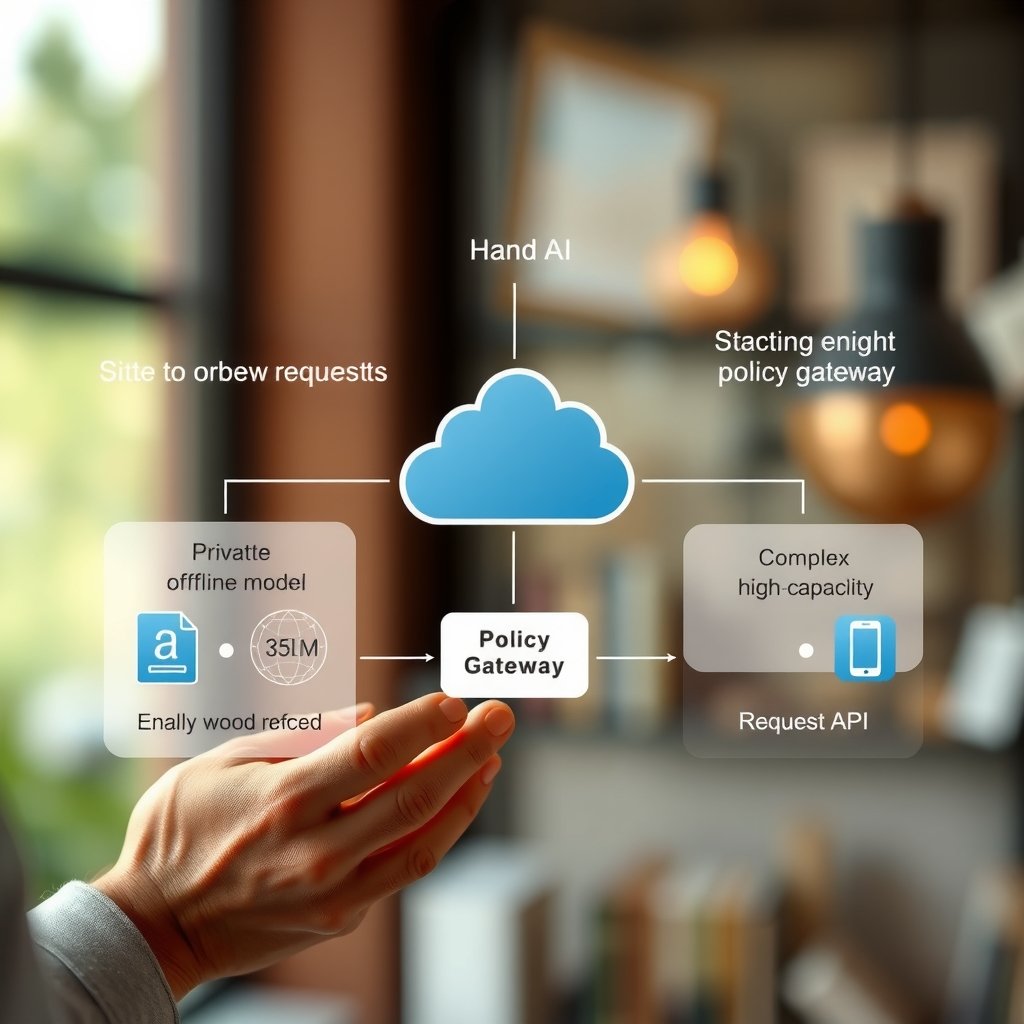
Hybrid AI combines local and cloud inference instead of treating them as mutually exclusive. A policy layer can decide where each request goes based on sensitivity, network state, user consent, latency requirements, model capability, and current cost.
For example, a writing application could run autocomplete locally, process private drafts on an organisation-controlled server, and send an explicitly approved complex transformation to a cloud model. A retail device could detect objects locally and upload only selected metadata for fleet-wide analysis.
Designing a Safe Routing Policy
- Classify the input: Separate public, internal, confidential, regulated, and highly sensitive data.
- Define acceptable destinations: Specify which categories can use a device, private infrastructure, or an external provider.
- Set latency and availability targets: Decide which operations must complete locally or within a fixed time.
- Choose a model by task: Use a small model for simple, frequent operations and a more capable model for difficult cases.
- Make routing visible: Record the decision and reason without logging the sensitive prompt itself.
- Test failure paths: Simulate offline mode, provider errors, malformed outputs, and exhausted quotas.
A hybrid design adds complexity. You may need multiple model formats, separate monitoring, different security controls, and consistency testing across models. Use it when the product genuinely benefits from the trade-off, not simply because having two deployments sounds flexible.
A Practical Decision Framework
Use the following sequence before selecting an architecture for local AI for developers or a cloud service.
1. Start With the Data
List the data the feature will process and identify who may access it. If the answer includes confidential customer information, source code, personal data, or regulated records, involve security and legal stakeholders before choosing a provider or deployment model.
2. Define the User-Visible Requirement
Set targets for response time, offline operation, availability, output quality, and failure handling. “Fast” is not a useful requirement until you define whether it means first output in a fraction of a second, a completed result within several seconds, or eventual batch completion.
3. Test Representative Models
Evaluate at least one feasible local model and one suitable cloud option where practical. Use the same inputs, output constraints, and quality criteria. Measure on target hardware and with realistic network conditions rather than relying on model demonstrations or vendor benchmarks.
4. Estimate the Full Operating Cost
Project low, expected, and high traffic. Include hardware lifecycle costs, cloud charges, data transfer, support, observability, security work, and the cost of engineering time. Document assumptions so the estimate can be updated when usage changes.
5. Plan for Change
Models, APIs, devices, regulations, and user expectations will change. Keep the model-serving layer behind a clear interface, maintain evaluation tests, version prompts and model configurations, and make it possible to disable or replace a provider without rewriting the product.
6. Make the Decision by Workload
Do not select one architecture for every feature. A single product might use local inference for instant suggestions, cloud AI for complex analysis, and conventional software rules for deterministic validation. This task-level decision is often more effective than choosing local or cloud AI as a company-wide ideology.
Key Takeaways
- Local AI offers stronger control over data location, offline operation, and network latency, but requires hardware and operational ownership.
- Cloud AI can accelerate development, provide access to capable models, and scale more easily, but introduces network, provider, privacy, and cost dependencies.
- Local processing is not automatically secure; protect devices, models, APIs, logs, and update mechanisms.
- Cloud AI scalability still has quotas, rate limits, regional constraints, and billing risks.
- Compare models using representative product data, quality tests, latency measurements, and total cost rather than demonstrations alone.
- A hybrid architecture can route each task according to sensitivity, latency, connectivity, capability, and cost.
- The best architecture may differ between development, testing, and production.
Frequently Asked Questions
Is local AI better than cloud AI for developers?
Neither is universally better. Local AI is usually better when privacy, offline capability, predictable latency, or device-level control is central to the product. Cloud AI is often better when you need rapid implementation, elastic capacity, managed operations, or access to models that are impractical to run yourself. Many production applications use both, selecting the execution location per task.
Is local AI more private than cloud AI?
Local AI can reduce data sharing because prompts and files may stay on hardware you control. It is not automatically private: insecure devices, exposed local endpoints, diagnostic logs, backups, and model extraction can still create risk. Cloud services can provide strong security controls, but you must verify retention, training use, access, encryption, region, and contractual terms before sending sensitive information.
Does local AI always have lower inference latency?
No. Local inference avoids network travel and can be very responsive, but performance depends on the device, model, quantization, runtime, and workload. A powerful cloud deployment may process a request faster than a low-powered laptop. Measure end-to-end latency, including preparation and post-processing, on realistic hardware and network conditions.
When should a startup choose cloud AI?
A startup should often begin with cloud AI when it needs to validate a product quickly, has uncertain traffic, lacks infrastructure specialists, or needs a capable model that is difficult to host. The team should still add spending limits, request monitoring, provider abstraction, and a fallback plan early. Moving quickly does not require accepting uncontrolled costs or an unexamined data policy.
When is local AI a good choice for edge AI development?
Local AI is a good fit for edge AI development when devices must respond without reliable connectivity, data should remain at the point of collection, or bandwidth is limited. Common examples include industrial inspection, mobile assistants, offline translation, and sensor classification. Test memory, power consumption, thermal limits, update delivery, and physical security as well as model accuracy.
Can developers use local and cloud AI in the same application?
Yes. A routing layer can send simple, private, or latency-sensitive tasks to a local model while forwarding approved complex requests to a cloud service. The design needs clear data policies, consistent output schemas, observability that avoids sensitive logging, and tested behaviour when either path is unavailable. Hybrid systems are useful, but the additional deployment and testing work should be justified.
How do I compare local and cloud AI costs?
Estimate the complete cost over the expected operating period. For local AI, include hardware, electricity, maintenance, deployment, monitoring, replacement, and engineering time. For cloud AI, include model requests, input and output size, storage, network transfer, observability, retries, support, and peak-demand capacity. Compare several traffic scenarios because a choice that is economical for occasional use may not suit constant high-volume inference.
Conclusion
The most useful way to think about local AI vs cloud AI is as an architecture decision tied to a specific workload. Local inference favours control, privacy, offline reliability, and short network paths. Cloud inference favours managed infrastructure, broad model access, and elastic capacity.
Before committing, classify your data, define measurable latency and quality targets, test realistic models, and calculate total operating cost. Then decide feature by feature whether local AI, cloud AI, or a hybrid route gives users the best result. Start with a small production-like evaluation rather than a broad platform migration, and use its findings to guide the next engineering investment.